
Housekeeping Mobile - overview and setup
On this page
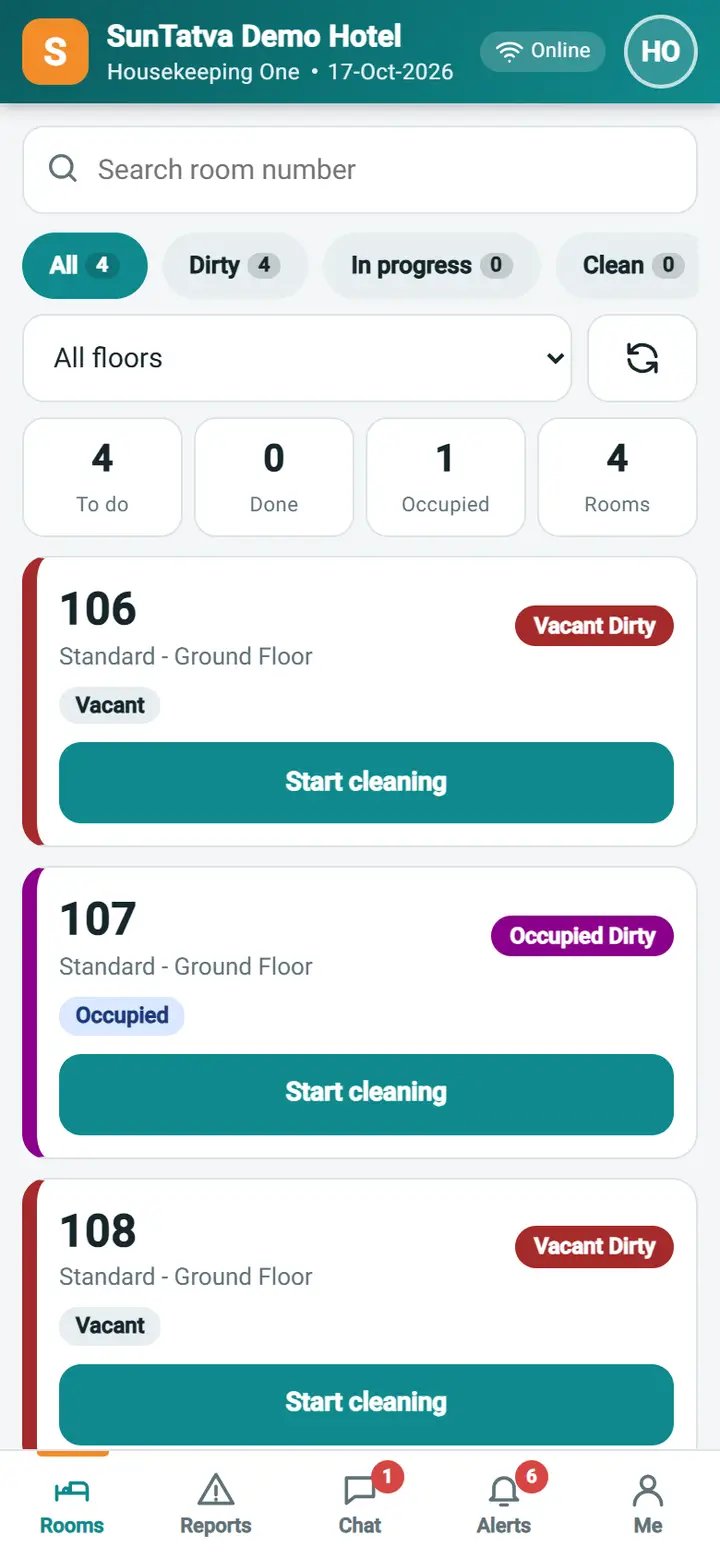
Housekeeping Mobile is a phone-friendly part of SunPMS for room attendants. A housekeeper signs in with the normal SunTatva login, goes straight to the hotel and sees only this module: their rooms for today, the room status buttons, a form to report damage or other problems with photos, the team chat and their alerts. They never see the full SunPMS (folios, rates, reservations, reports). It is not a separate app and needs no extra licence; it opens in the phone's browser and can be added to the home screen.
Licence
Housekeeping Mobile is a licensed part of SunPMS (licence Housekeeping Mobile): it is included in the Standard and Pro plans and is a chargeable add-on for the Starter and Base plans. The property owner requests it under Property Setup > Licences; SunTatva activates it and SunAdmin sets the price for the country. Without it every Housekeeping Mobile call is refused by the server ("... is not licensed for this property. The property owner can buy it from Licences.") and the app shows Housekeeping Mobile is not licensed; owners and managers get an Open Licences button there. The housekeeping screens on the desk (Change House Keeping Status, Room Assignment, the housekeeping report) are not part of this licence. Chat inside the app still needs the Team Chat licence.
What the housekeeper can do
- See the rooms assigned to them today (or all rooms when the role allows it), with status, guest situation (vacant, occupied, departure today, arrival today), do-not-disturb and notes. No guest names, phone numbers or rates are shown.
- Start cleaning, time it, and mark the room clean, following the same status rules as the desk screen Change House Keeping Status.
- Report damage, maintenance, lost items, supplies, safety or cleanliness problems with 1 to 4 photos, and ask that a room is not sold.
- Follow their reports, comment on them and add photos.
- Chat with colleagues and send a quick message to a supervisor (needs the Team Chat licence; without it the Chat tab is hidden).
- Read alerts about their reports.
What the housekeeper cannot do
- Change the status of rooms that are not assigned to them (unless the role has Assign / See All Rooms), change a room that is not in today's date, or move a room to a status the desk rules do not allow.
- Approve, assign, resolve or reject reports (supervisor actions).
Roles that are ready-made
| Role | Privileges | For whom |
|---|---|---|
| Housekeeper (Mobile) | Phone App Access to Housekeeping, Access to Communication (chat), Access to Housekeeping Mobile, HK Mobile - Change Room Status, HK Mobile - Report Damage / Issue | Room attendants |
| Housekeeping Supervisor (Mobile) | The same, plus HK Mobile - Manage Reports (supervisor) and HK Mobile - Assign / See All Rooms | Floor supervisors who work from a phone |
A user is treated as "mobile only" when they have Access to Housekeeping Mobile and nothing beyond the housekeeping and chat privileges. Mobile-only users land directly in the module. Owners, managers and desk users keep the full PMS; they can open Housekeeping Mobile at #/hk or from the link in an alert.
Setting up
- Make sure the housekeeper is a member of a housekeeping group with rooms assigned (Housekeeping > Room Assignment or the housekeeping group setup). The My rooms list shows exactly these rooms.
- Create the user with the role Housekeeper (Mobile).
- Give the housekeeper the sign-in address and the user name. They sign in; if the hotel is the only property of the user, they go straight to My rooms.
- Optional: a supervisor opens Me to switch Rooms need inspection on, so a cleaned room stays Vacant Clean until a supervisor marks it ready.
Screens
| Tab / screen | What it is | Page |
|---|---|---|
| Rooms | Your rooms, filter chips, search | Rooms |
| Room detail | Big status buttons, cleaning timer, checklist, history | Room detail |
| Report an issue | Damage and issue form with photos | Report an issue |
| Reports | Your reports; for supervisors all reports and actions | My reports, Supervisor view |
| Chat | Team chat and Report to supervisor | Chat |
| Alerts | Notifications | Alerts |
| Me | Profile, dark mode, sign out | Profile and settings |
What happens behind the scenes
- Room status changes use the same rules, audit trail and notifications as the desk screen, so the front desk sees them at once.
- Each report is stored with its photos and a timeline of who did what. New reports notify the supervisors (see Supervisor view).
- The screen keeps working when the network drops for short moments: reports you send while offline are saved on the phone and sent when the connection returns.
Tips and FAQ
- Q: Does the housekeeper need a licence or a separate app? A: No. It is part of SunPMS and works in any current phone browser.
- Q: Can the same person also use the desk? A: Yes, give them a desk role as well; then they are not mobile only and open Housekeeping Mobile from
#/hk. - Q: Where are the problems explained? A: Troubleshooting and Messages.