Housekeeping Mobile - Me (profile and settings)
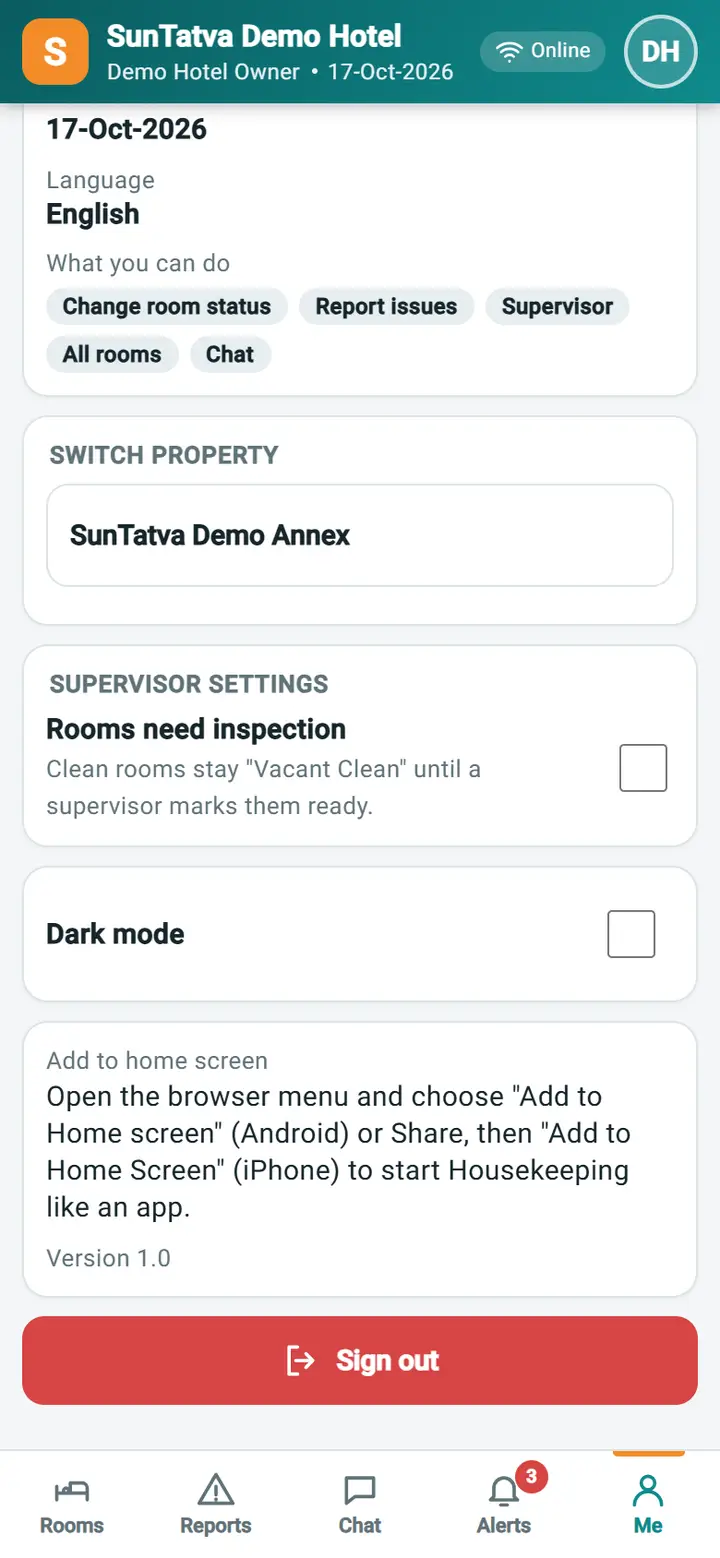
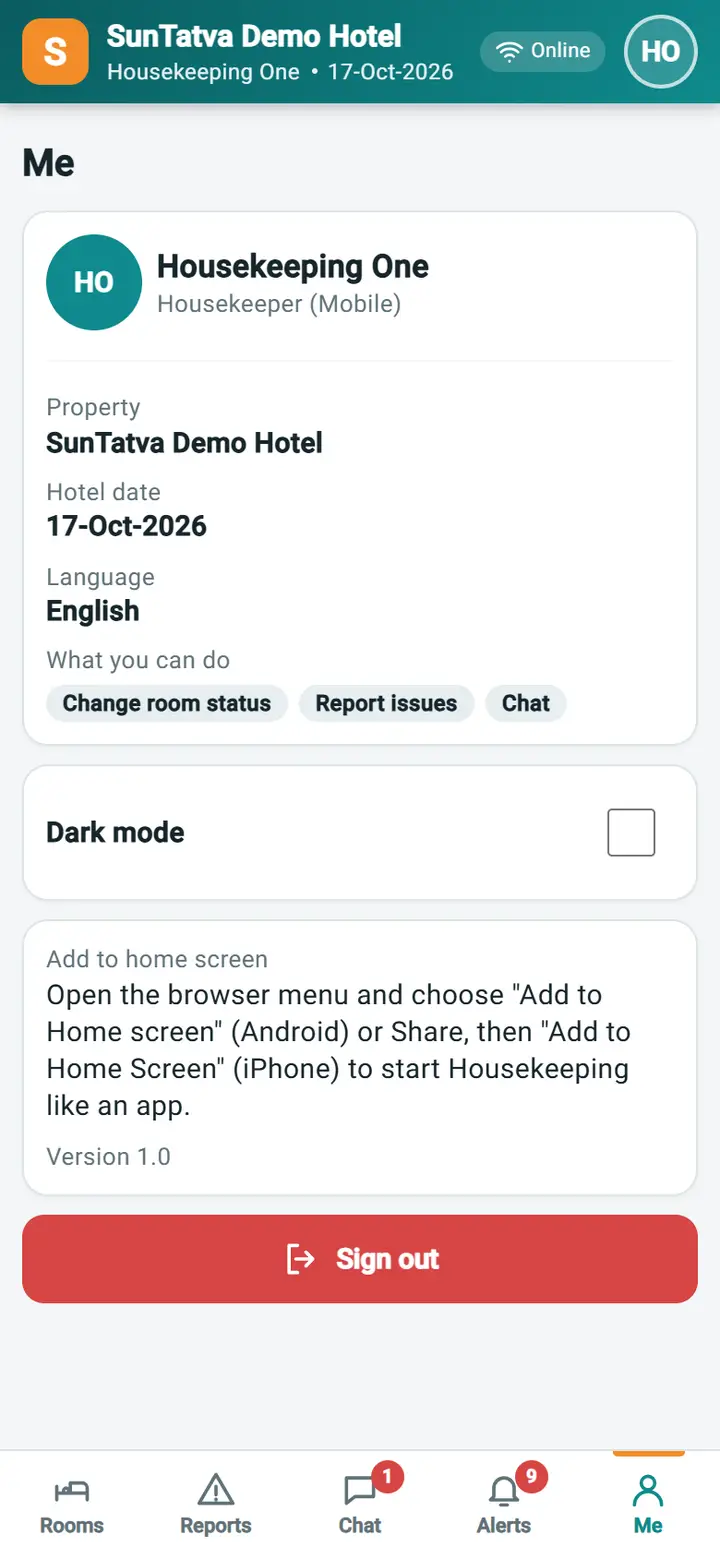
Shows who is signed in, which hotel and date the app works on, what the account may do, and the personal settings.
Screen layout
| Item | Meaning |
|---|---|
| Name and role | Your full name and role (for example Housekeeper (Mobile)) |
| Property, Hotel date, Language | The hotel you work in, the hotel's current date, English |
| What you can do | Chips: Change room status, Report issues, Supervisor, All rooms, Chat |
| Switch property | Appears only when the account has more than one hotel; tap a hotel to reload the app on it |
| Supervisor settings - Rooms need inspection | Supervisors only. When on, Vacant Ready must be set by a supervisor |
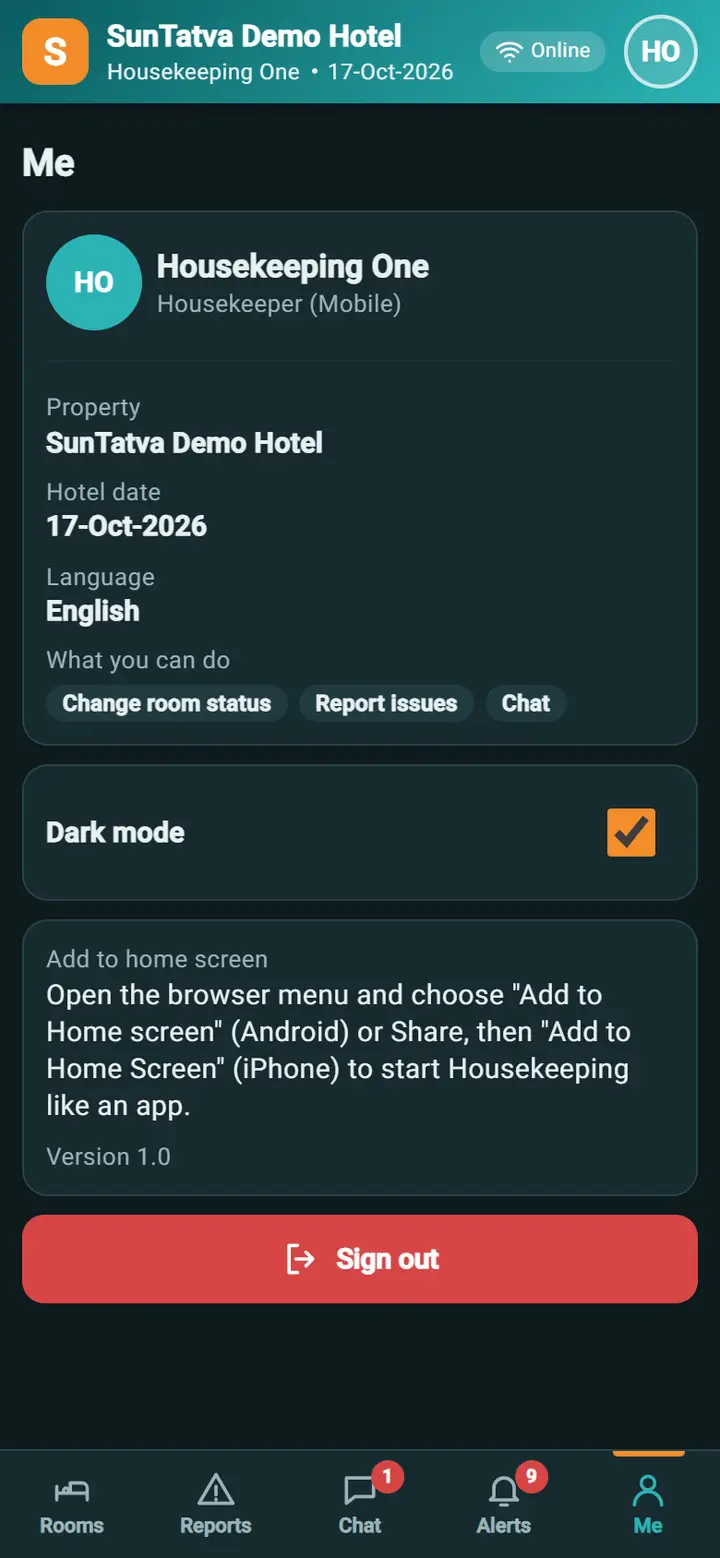
| Dark mode | Darker colours for night work; remembered on this phone |
| Add to home screen | Hint: use the browser menu (Android: Add to Home screen; iPhone: Share, Add to Home Screen) |
| Version | App version |
| Sign out | Ends the session |
How to sign out
Tap Sign out. The app returns to the SunTatva sign-in page. Always sign out on a shared phone.
Behind the scenes
Rooms need inspection is a hotel setting stored for the property, so it applies to every housekeeper.
Messages you may see
| Message | Why | What to do |
|---|---|---|
| Saved. | The inspection setting was saved | None |
Screenshots