Housekeeping Mobile - Supervisor view
On this page
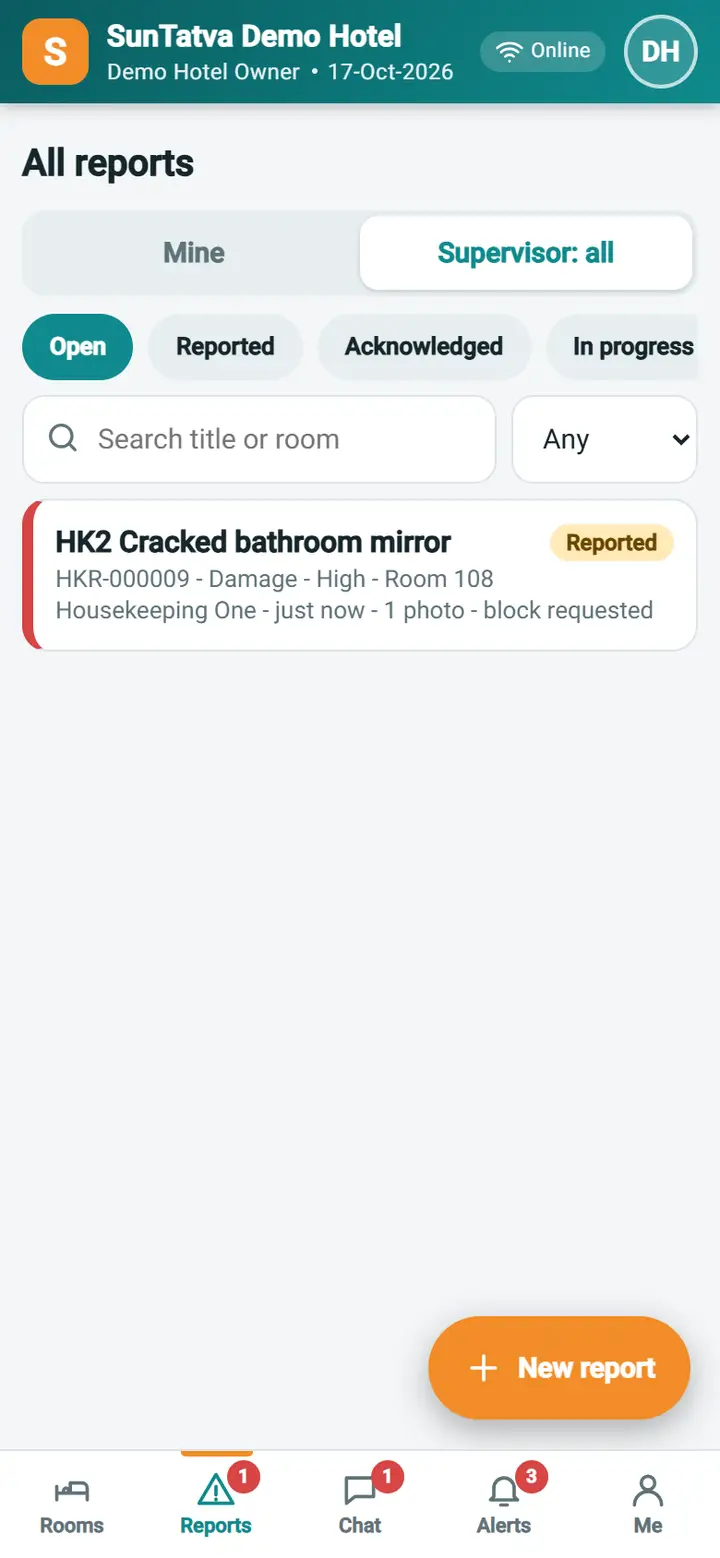
Supervisors see every report of the hotel, act on it from the phone and watch it through to the end. The screens are the same as My reports with more buttons.
Before you start
The user needs the privilege HK Mobile - Manage Reports (supervisor), for example through the role Housekeeping Supervisor (Mobile).
Screen layout
| Item | Meaning |
|---|---|
| Mine / Supervisor: all | Switch between your own reports and all reports of the hotel |
| Status chips, severity, search | As in My reports |
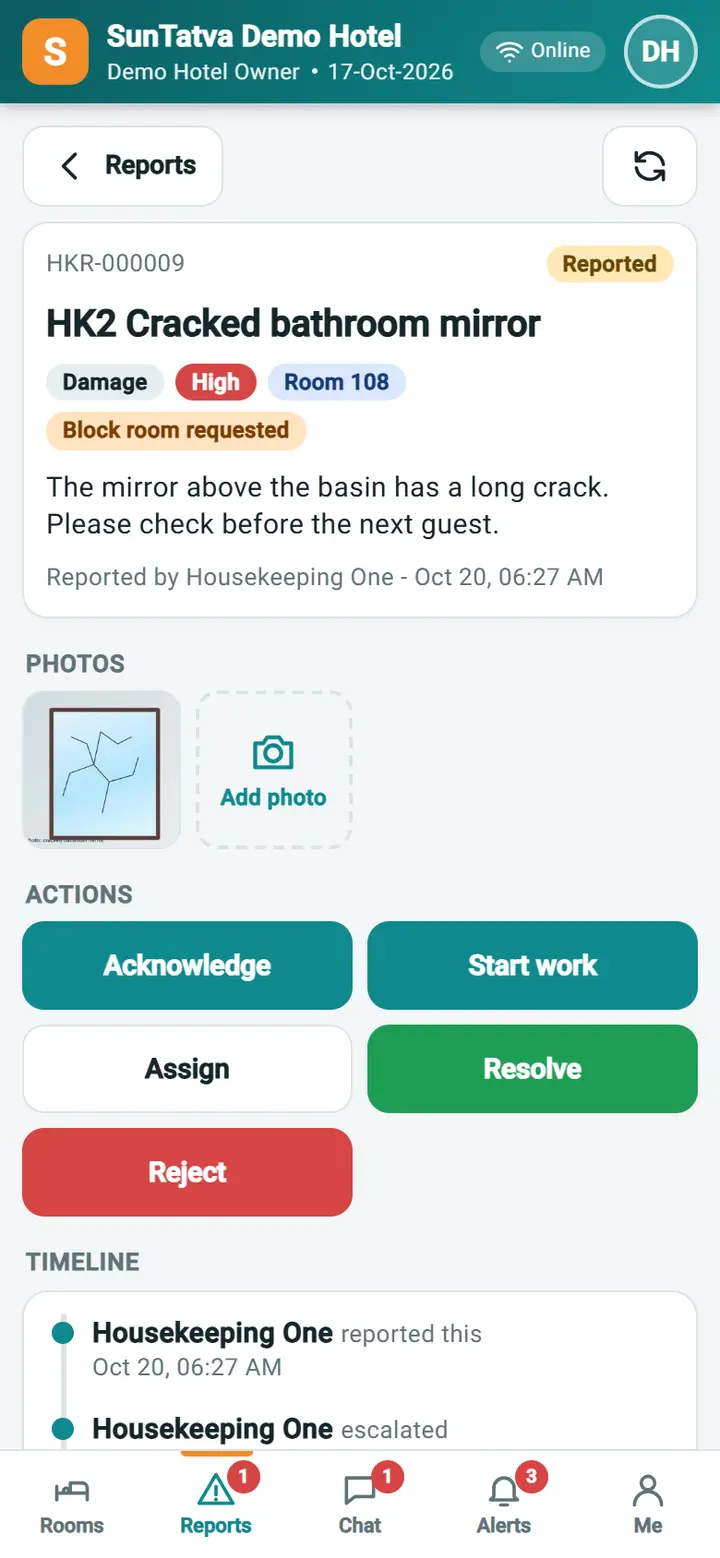
| Report page Actions | Acknowledge, Start work, Assign, Resolve, Close, Reject, Reopen; the page shows only what is possible for the report's status |
Actions and rules
| Action | From status | To status | Note |
|---|---|---|---|
| Acknowledge | Reported | Acknowledged | Optional |
| Start work | Reported, Acknowledged | In progress | Supervisor or the assignee |
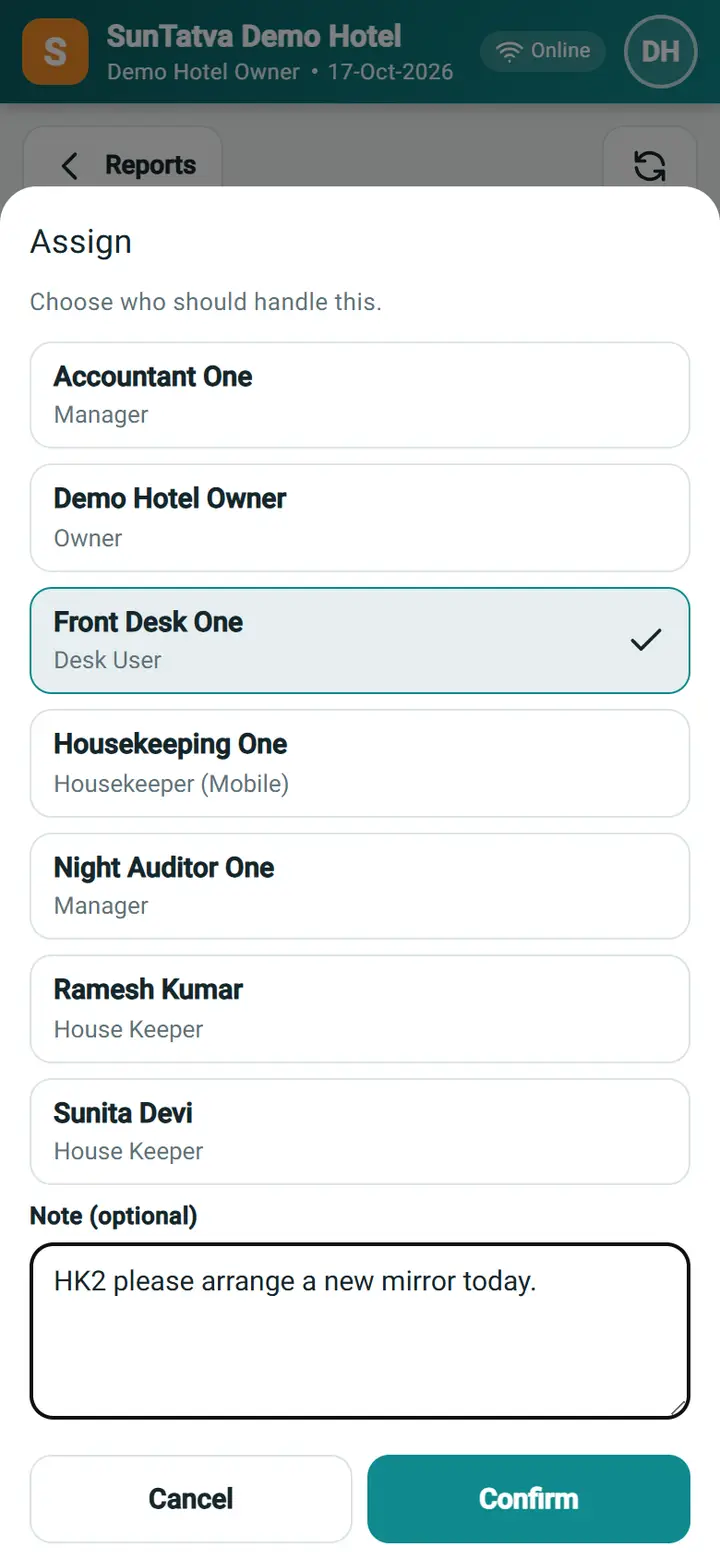
| Assign | any open | Acknowledged (when it was Reported) | Choose a person from the list; the person gets an alert |
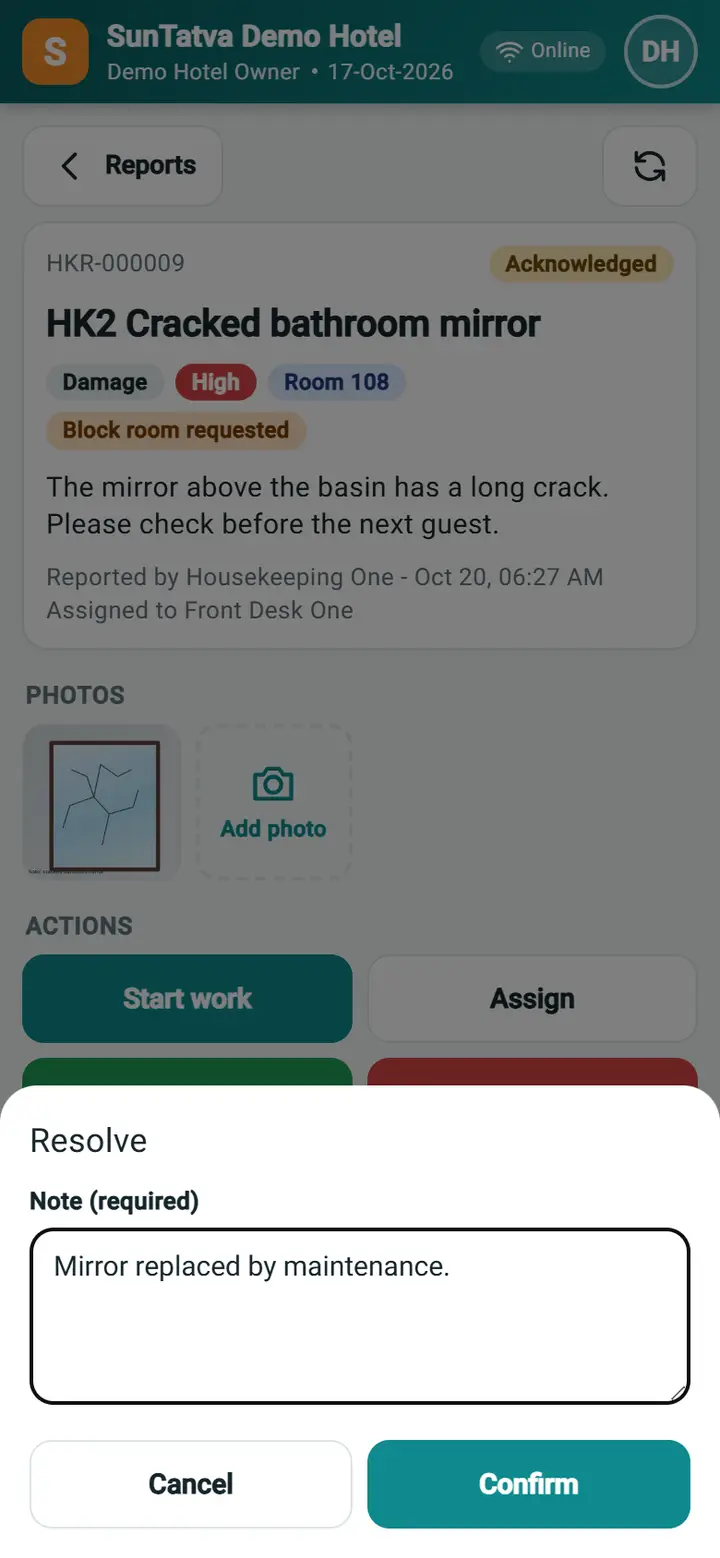
| Resolve | open | Resolved | Resolution note required; supervisor or the assignee |
| Reject | Reported, Acknowledged | Rejected | Reason required |
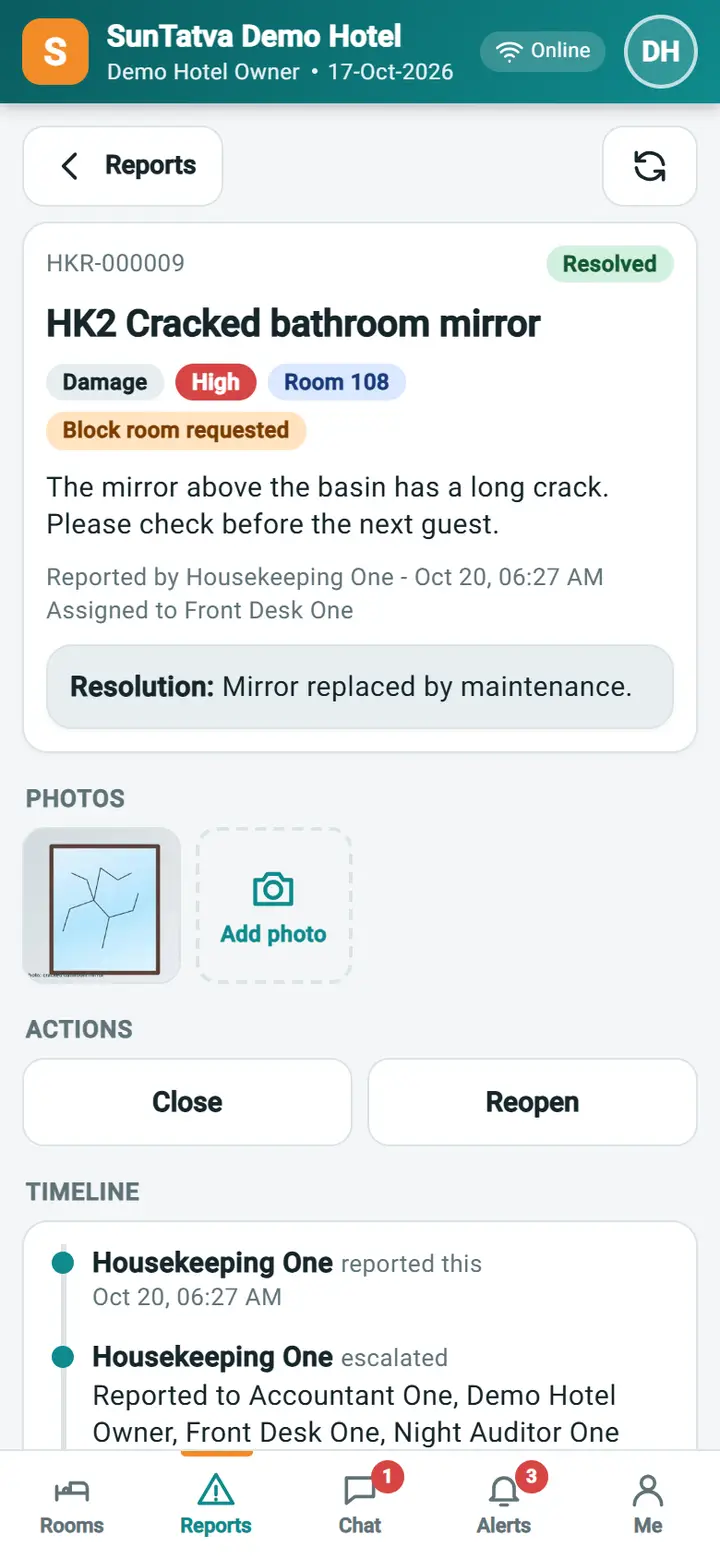
| Close | Resolved or Rejected | Closed | Optional |
| Reopen | Resolved, Closed, Rejected | Acknowledged | Note required |
The reporter and the assignee are told of each status change.
How to handle a report
- Open Reports > Supervisor: all. Urgent and high reports are at the top of Open.
- Open the report, look at the photos and details.
- Tap Acknowledge so the housekeeper knows it was seen.
- Tap Assign, choose the person who will fix it (for example maintenance) and Confirm.
- When it is fixed, the assignee or you tap Resolve and type what was done. Tap Close after checking.
- If the report asked for Room cannot be sold, block the room with Room Maintenance (Block Room) at the desk; the report only flags the request.
Who receives a new report
The people set by the hotel's escalation rules for the category and seriousness, any person chosen by the reporter, and, when no rule matches, everybody with the supervisor privilege. The reporter is never notified of their own report.
Rooms need inspection
In Me, a supervisor can switch Rooms need inspection on. Then housekeepers can only set Vacant Clean; a supervisor sets Vacant Ready after checking, and gets an alert "Room
What happens behind the scenes
Every action is a line in the report timeline with the supervisor's name; alerts go through the SunComm bell.
Messages you may see
| Message | Why | What to do |
|---|---|---|
| (note) required | Resolve, Reject, Reopen without a note | Type the note |
| Saved | None |
Screenshots