Housekeeping Mobile - Report an issue
On this page
The form a housekeeper uses to tell the right person about damage or any other problem, with photos, from the room itself.
Screen layout
| Field | Meaning | Rules |
|---|---|---|
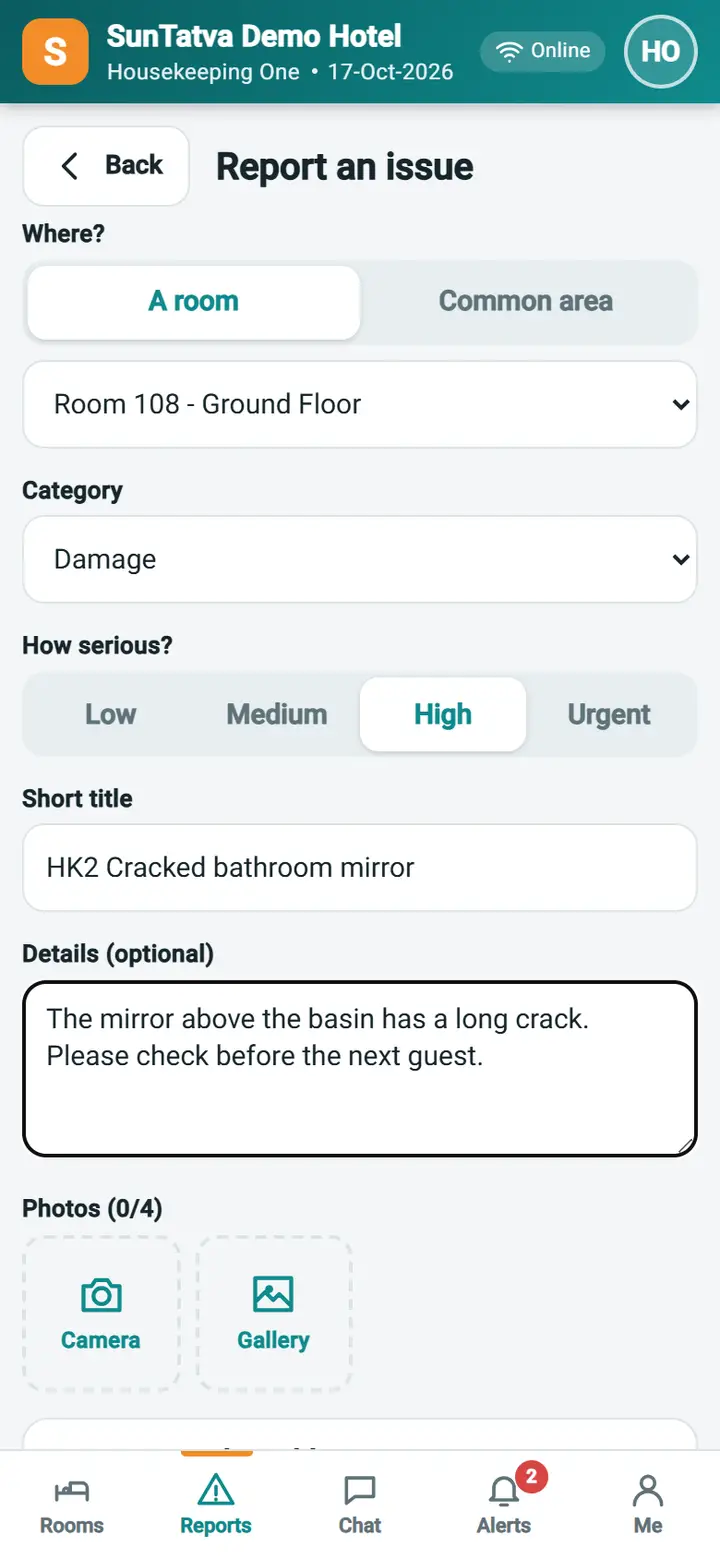
| Where? - A room / Common area | A room of the hotel, or a place such as the lobby or a corridor | One of the two is required |
| Room list / location text | The room (opened from a room detail it is pre-selected), or the common-area name (up to 100 characters) | Required |
| Category | Damage, Maintenance, Lost item, Supplies, Safety, Cleanliness, Other | Required |
| How serious? | Low, Medium, High, Urgent | Default Medium; High and Urgent are shown first to supervisors |
| Short title | One line, up to 150 characters | Required |
| Details (optional) | What happened, up to 2000 characters | |
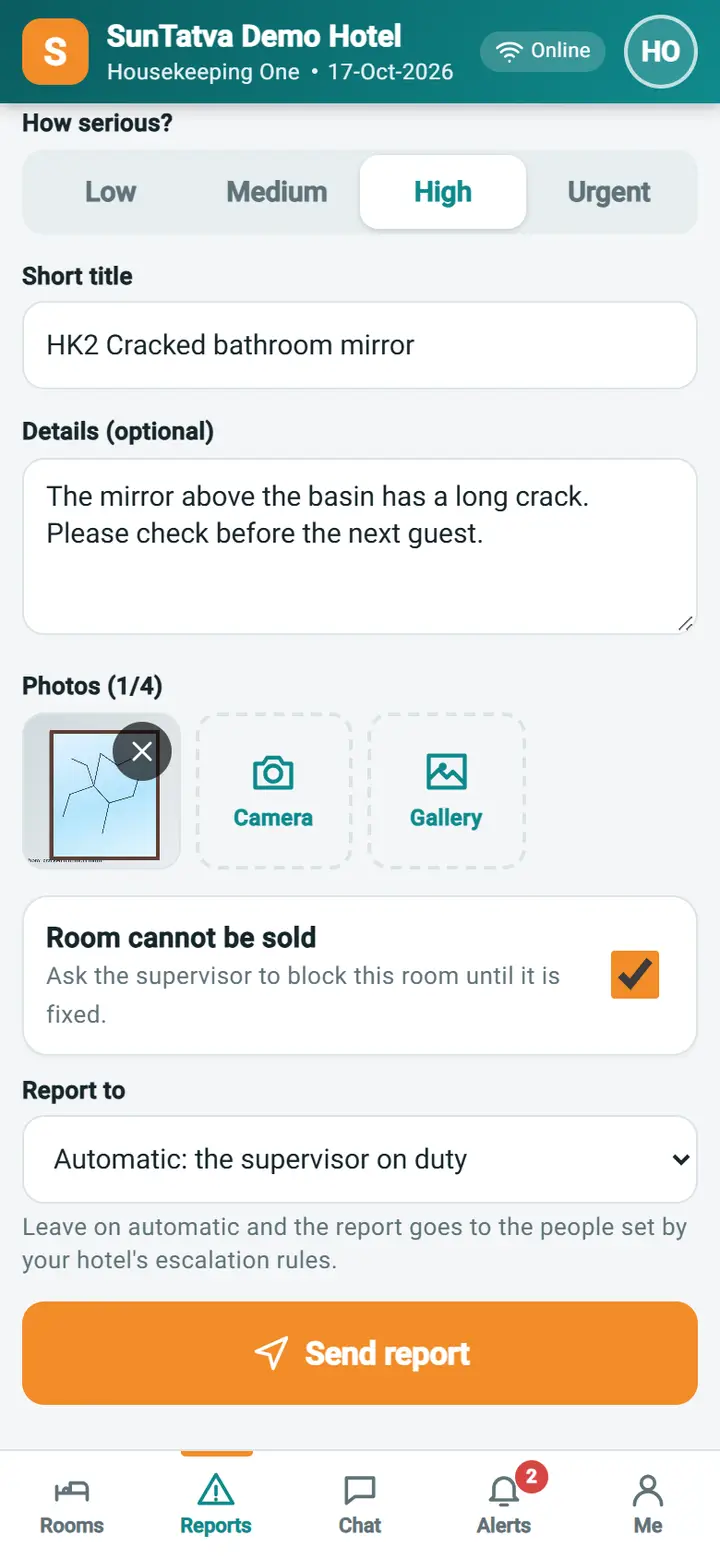
| Photos (n/4) | Camera takes a picture, Gallery picks existing ones; the phone shrinks each photo before sending | Up to 4 |
| Room cannot be sold | Asks the supervisor to block the room until fixed (only for a room). It is a request: a supervisor blocks the room with Room Maintenance | Off by default; on when you tapped Need maintenance |
| Report to | Automatic: the supervisor on duty (the people set by the hotel's escalation rules, otherwise every supervisor) or a named person from the list | Default automatic |
| Also send a chat message | Appears when a person is chosen and chat is on; sends a chat message as well | |
| Send report | Sends it |
How to report damage
- Open the room and tap Report issue (or Reports > New report).
- Choose A room and check the room, choose the Category, tap the seriousness and type a Short title.
- Tap Camera and take a picture of the damage; add more with Camera or Gallery. Remove one with the cross on the picture.
- Switch Room cannot be sold on if the next guest must not get this room.
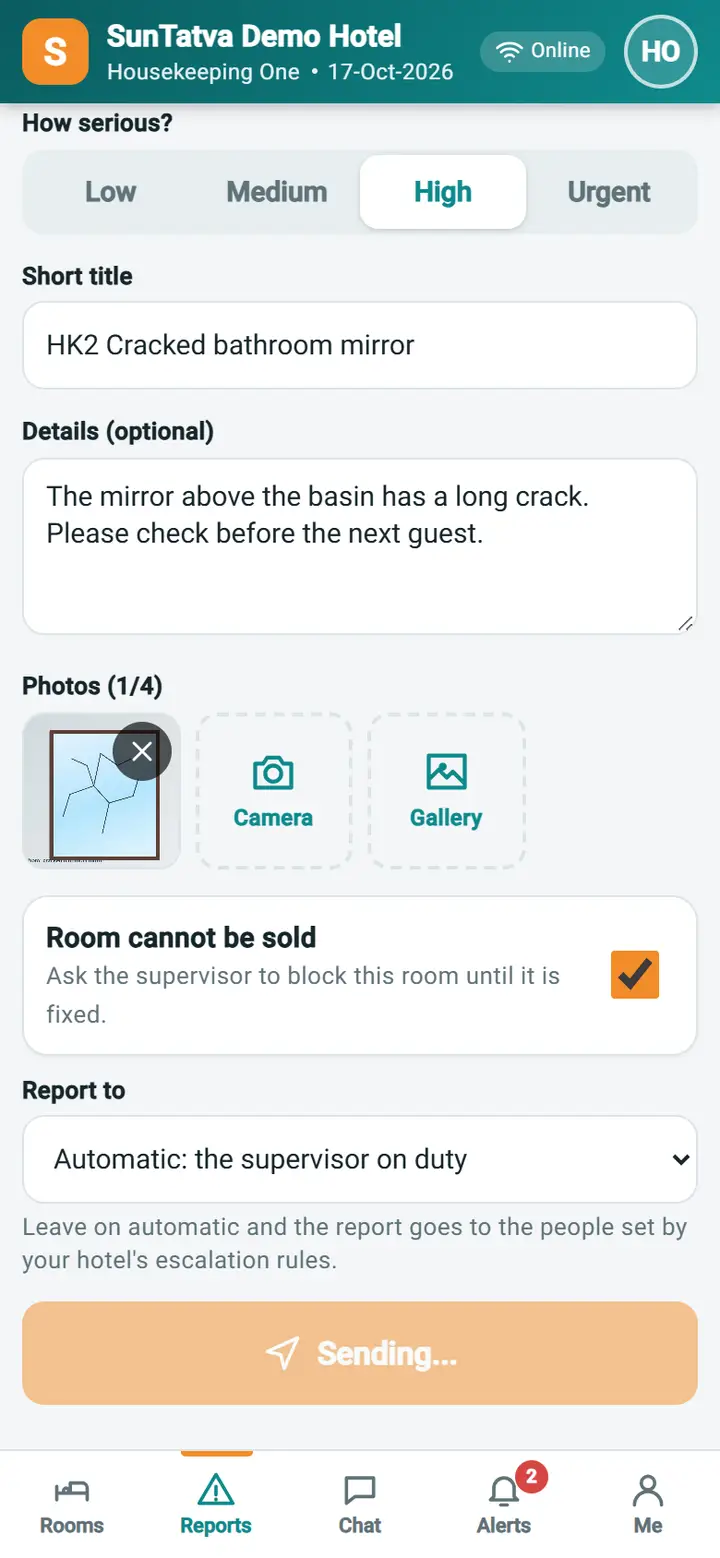
- Tap Send report.
Result: the success screen shows Report sent with the report number (for example HKR-000012) and who it was sent to. Choose View report, Report another issue or Back to rooms.
When there is no network
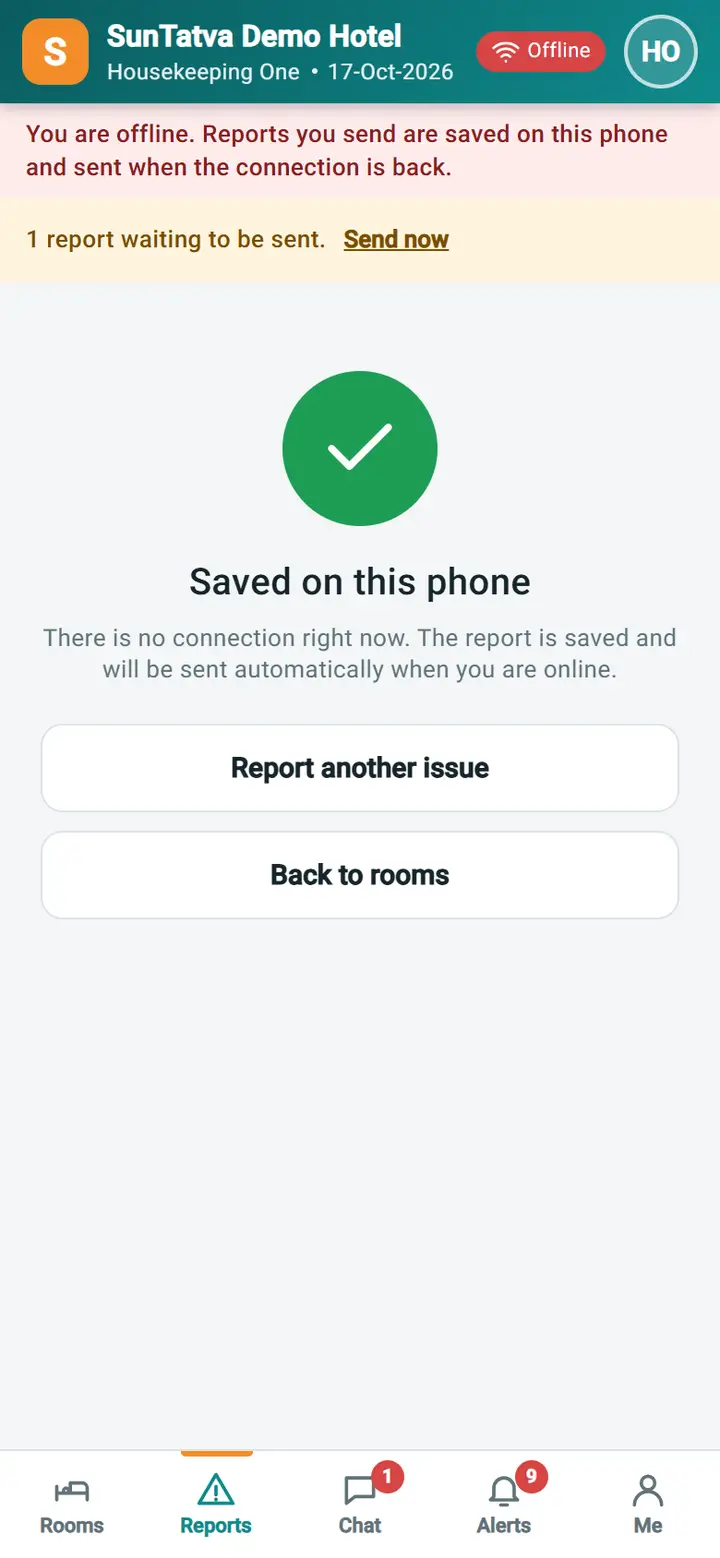
If the phone is offline when you tap Send report, the report (with its photos) is saved on the phone. The screen says Saved on this phone and the top of the app shows "1 report waiting to be sent". It is sent by itself when the connection is back, or tap Send now. If the server refuses a saved report three times it is dropped with a message.
What happens behind the scenes
The report gets a number and status Reported. The supervisors (or the chosen person) receive an alert with a link to the report; the reporter is never a recipient. See Supervisor view for what happens next.
Messages you may see
| Message | Why | What to do |
|---|---|---|
| Enter a short title. | Title is empty | Type a title |
| Choose the room, or switch to Common area. | No room selected | Pick the room |
| Enter the location. | Common area without text | Type the place |
| Saved on this phone | No connection | Wait; it sends automatically |
| A saved report was rejected:... | The server refused a saved report | Send it again from a new form |
Tips and FAQ
- Q: Can I attach more than four photos? A: On the form no; after sending, open the report and use Add photo.
- Q: Does a report block the room? A: No, it only asks. A supervisor decides.
Screenshots