Housekeeping Mobile - Chat and Report to supervisor
On this page
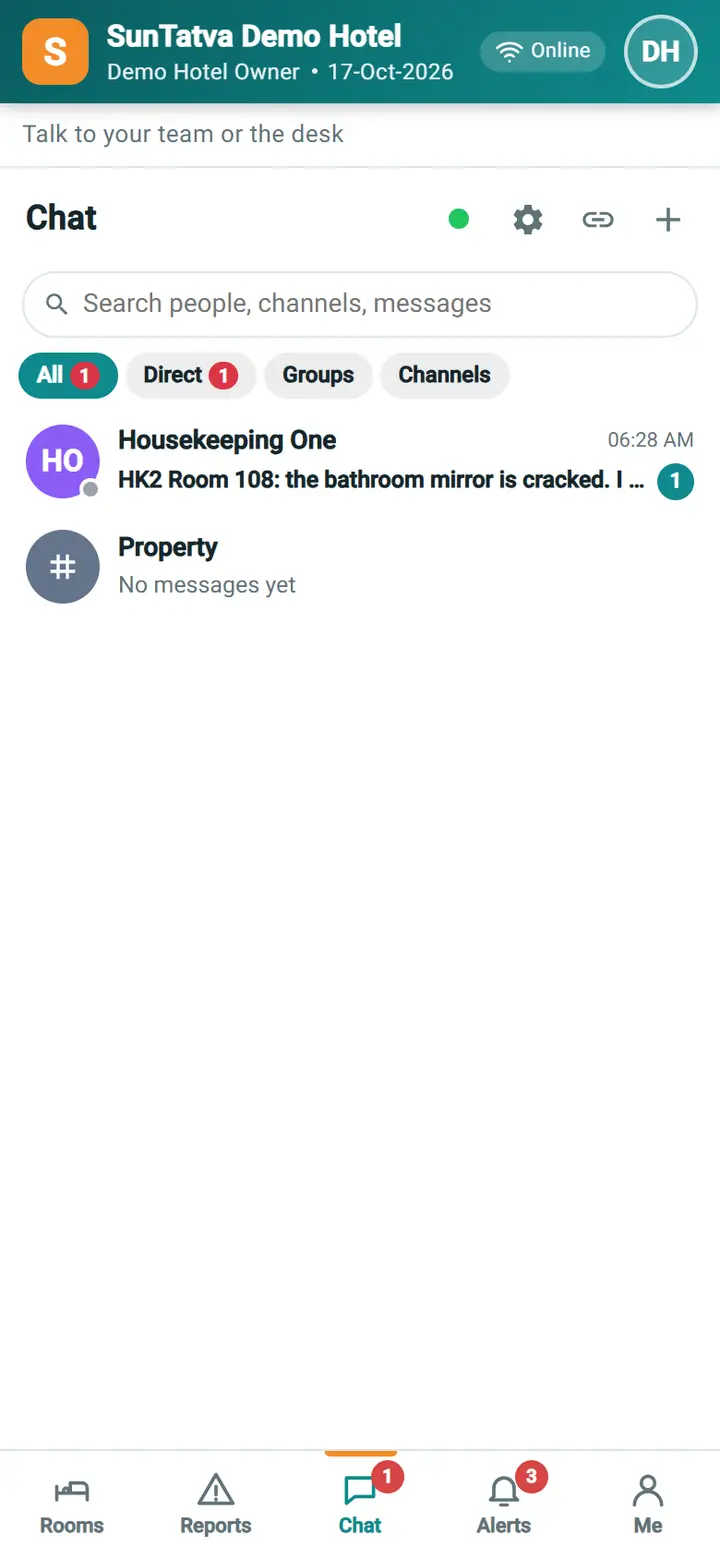
The Chat tab is the normal SunComm team chat on the phone: your conversations, the Housekeeping channel, direct messages with colleagues and the front desk. A red number on the tab shows unread messages.
Before you start
- The user has the privilege Access to Communication and the property has the Team Chat licence. If not, the tab is hidden, or it says "Chat is not available" with a button to open Reports. Reports and their comments still work without chat.
Screen layout
| Item | Meaning |
|---|---|
| Report to supervisor (top bar) | Quick message to a supervisor |
| Chat list | Conversations with last message, time and unread count; search people, channels and messages |
| + (New chat) | Start a chat with a colleague or a group |
| Conversation | Messages, attachments and pictures, typing and delivery marks; the back arrow returns to the list |
How to chat with a colleague
- Tap Chat, tap +, search the name and tap the person.
- Type the message and send. Attach a picture with the clip / camera button of the message box.
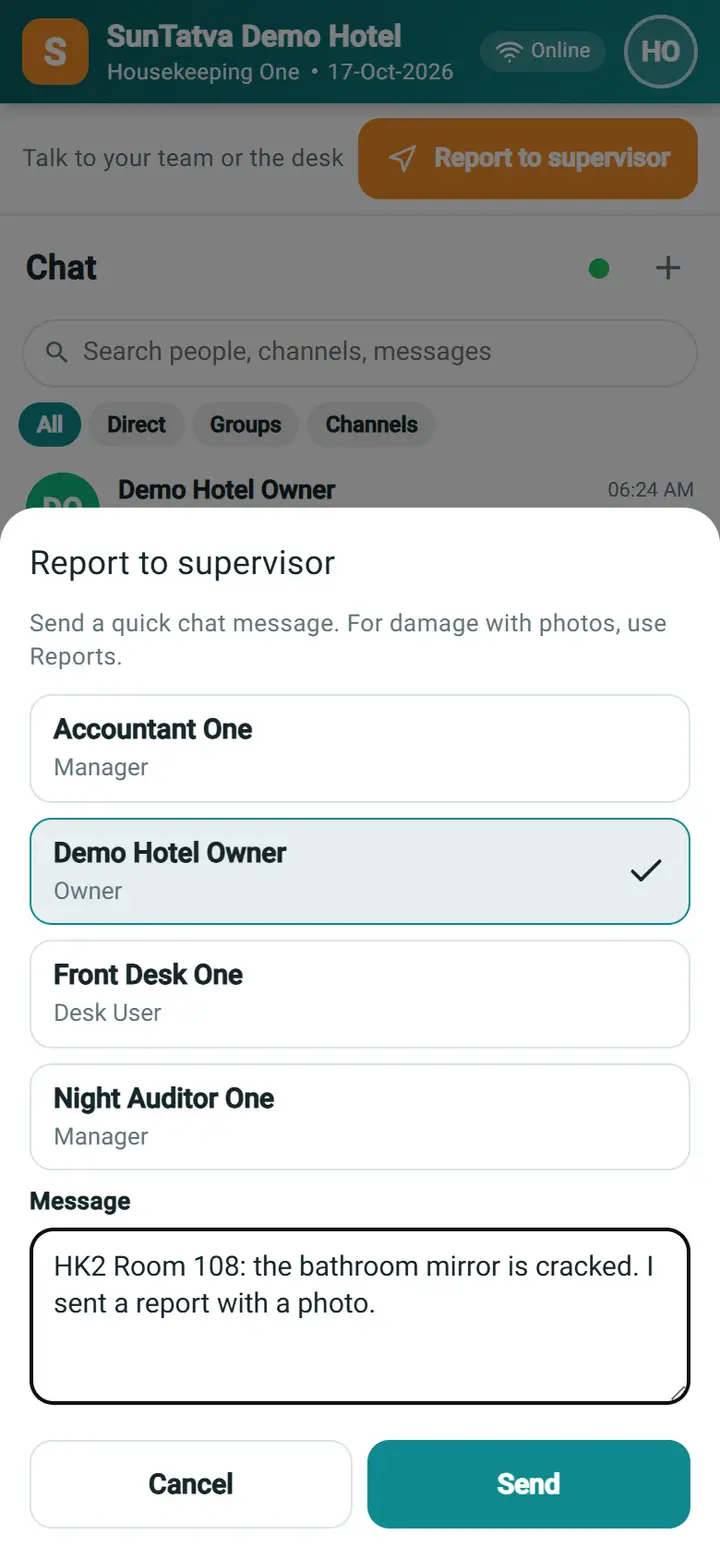
How to send a quick message to a supervisor
- On Chat, tap Report to supervisor.
- Tap the supervisor (when only one exists it is already chosen).
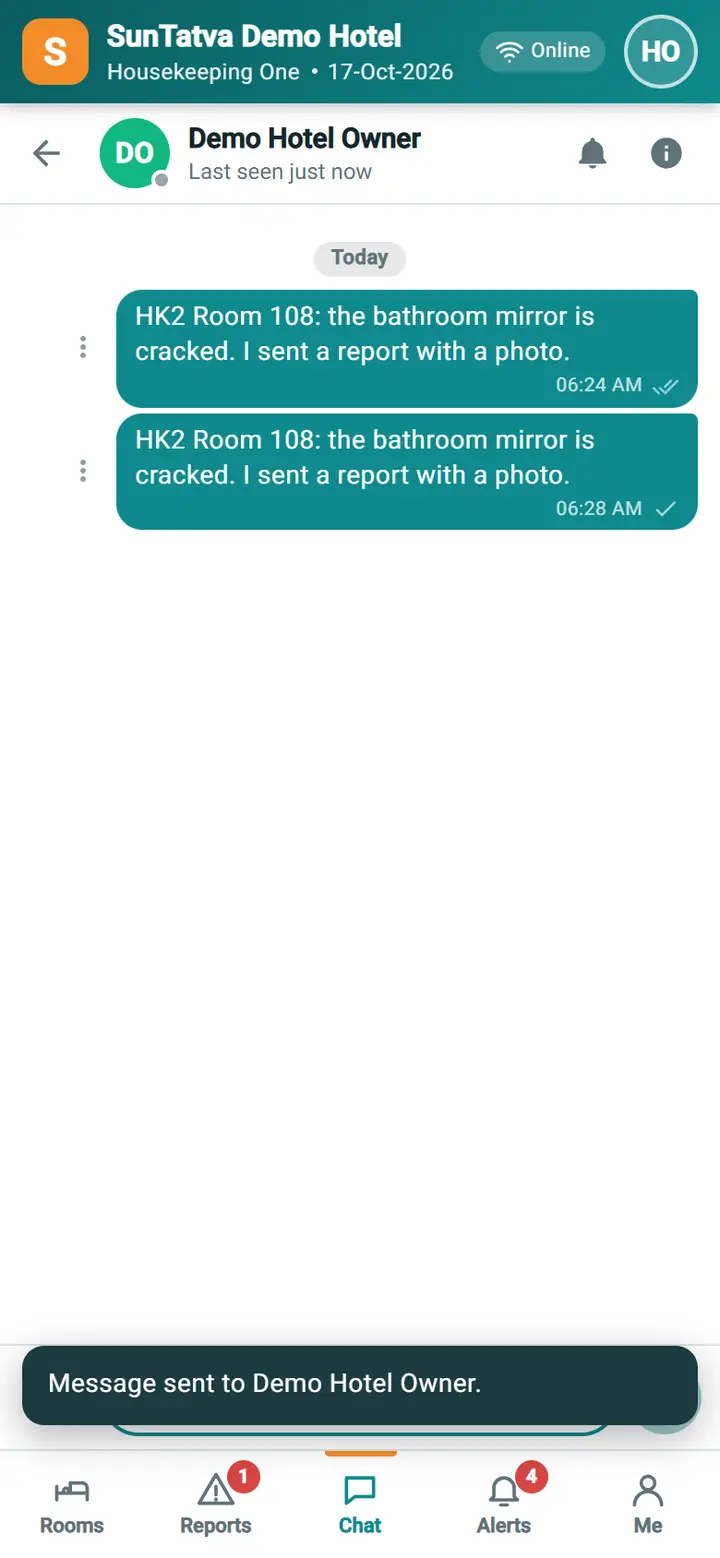
- Type the message, for example "Room 104 needs a maintenance check", and tap Send. The chat with that supervisor opens with your message in it, and the supervisor gets an alert. For damage, send a report with photos instead; it is tracked until resolved.
What happens behind the scenes
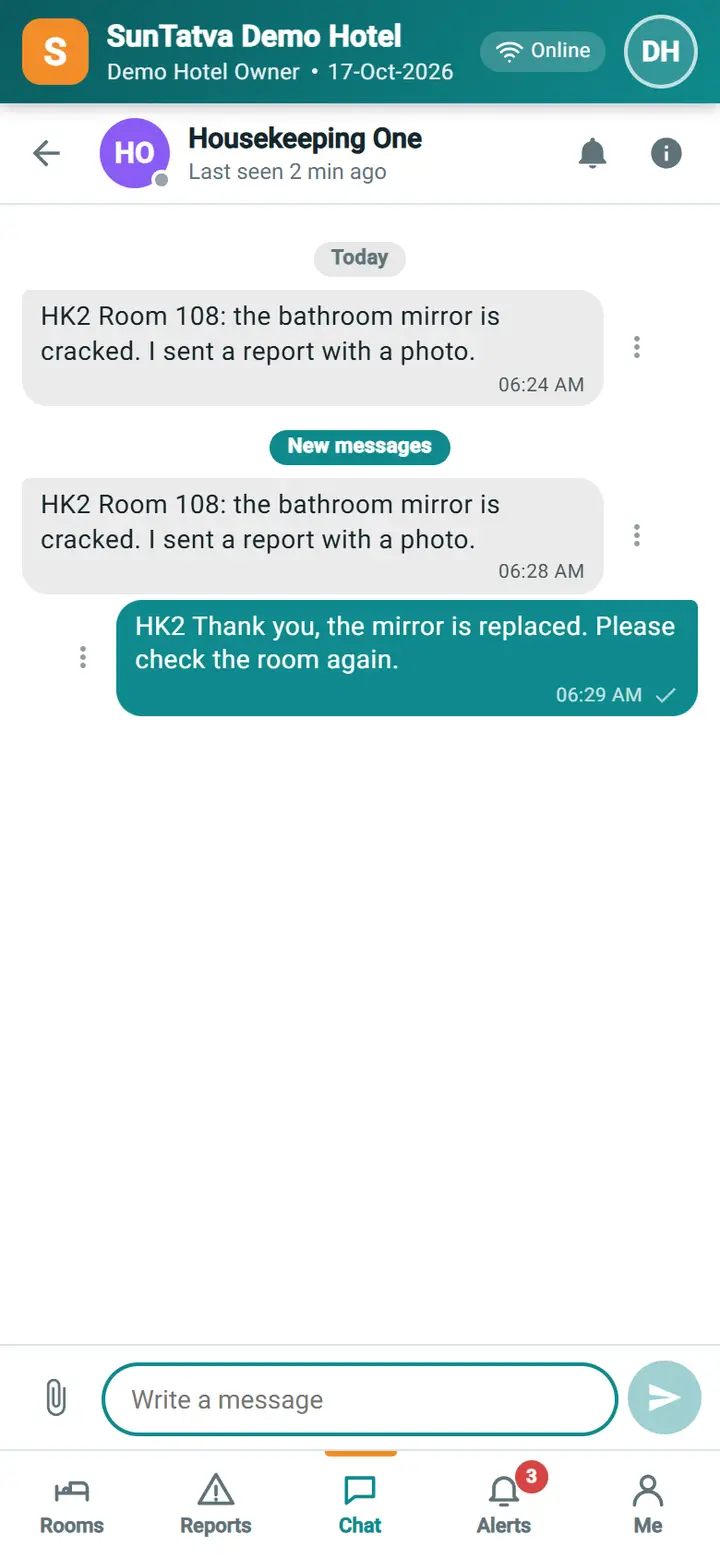
The chat is the same service as the desk's chat bell, so a message you send on the phone appears at the front desk at once, and the other way round. Unread counts on the tab follow the unmuted conversations.
Messages you may see
| Message | Why | What to do |
|---|---|---|
| Chat is not available | Chat is not licensed or not allowed for this user | Use Reports; ask the manager about chat |
| No supervisor was found. Use Reports instead. | No supervisor is available in the list | Send a report |
| Message sent to |
The quick message was sent | None |
Screenshots