
Device and Messaging Settings: where to configure
On this page
These integrations are set up on Settings screens, described in the Settings chapter. This page tells you what each one is for and where to find its full page, so you do not need to look through the whole menu.
Quick map
| Integration | What it does | Menu path | Full instructions |
|---|---|---|---|
| Door Lock Integration | Connects an electronic door-lock system so key cards are encoded at check-in and cancelled at check-out. | Property Setup > Integrations > Door Lock Integration | Door Lock Integration |
| Scanner Integration | Connects a desk document or ID scanner (wired device) so documents scan straight into the guest record. | Property Setup > Integrations > Scanner Integration | Scanner Integration |
| Signature Pad Integration | Connects a signature pad so the guest signs the registration card on a pad. The pad appears in the Sign menu of check-in. | Property Setup > Integrations > Signature Pad Integration | Signature Pad Integration |
| WhatsApp Setting | Connects your WhatsApp Business number: documents as PDF, automatic messages and guest chat. Needs licence WHATSAPP. | Property Setup > Configuration > WhatsApp Setting | WhatsApp Setting |
| E-mail Setting | Sets the sender and SMTP details for e-mails the PMS sends (confirmations, folios, guest links). | Property Setup > Configuration > E-mail Setting | E-mail Setting |
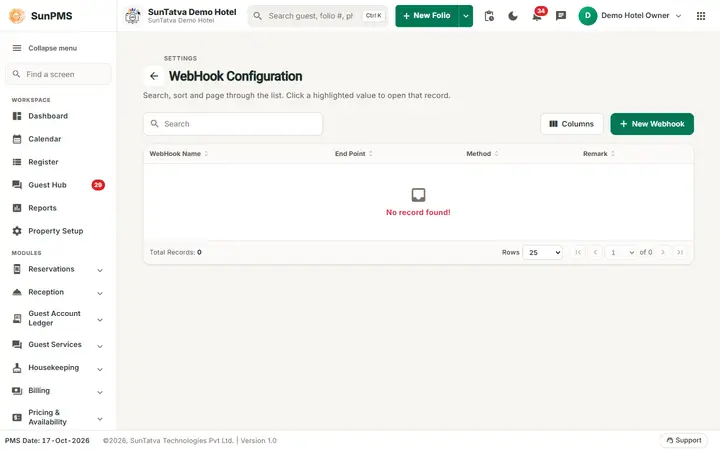
| WebHook | Creates the interfaces (partners) that receive reservation, statistics and inventory data. These interfaces fill the "Interface" list on the Sync screens. | Property Setup > Integrations > WebHook | Webhook |
| Payment Gateway Integration | Registers card terminals and the processor. | Property Setup > Integrations > Payment Gateway Integration | Payment Gateway (SunPG) |
| Hardware Setting | Links SunHardware phones/tablets for ID scan and signature, and chooses this computer's cash drawer. | Property Setup > Configuration > Hardware Setting | SunHardware |
| Parking Setting | Links the SunParking car park. | Property Setup > Configuration > Parking Setting | SunParking |
| Guest Portal Setting | Turns on the guest page, requests and room service. | Property Setup > Configuration > Guest Portal Setting | Guest Portal Setting |
Choosing between devices
- ID scanning: wired desk scanner (Scanner Integration) or any phone/tablet with SunHardware (Hardware Setting). You may have both; the check-in screen offers each button.
- Signatures: a signature pad (Signature Pad Integration), the guest's phone through the guest portal, or a tablet through SunHardware.
- Messages to guests: e-mail (E-mail Setting), WhatsApp (WhatsApp Setting), text message and the guest portal chat. WhatsApp is independent of the guest portal switch.
Tips and FAQ
- Q: The Sync screen has no interface to choose. A: Create one in WebHook settings first.
- Q: The WhatsApp item is missing. A: The WHATSAPP licence is not active.
- Q: Who can change these? A: The owner, or users whose role has the privilege for that setting in Roles and Privileges.