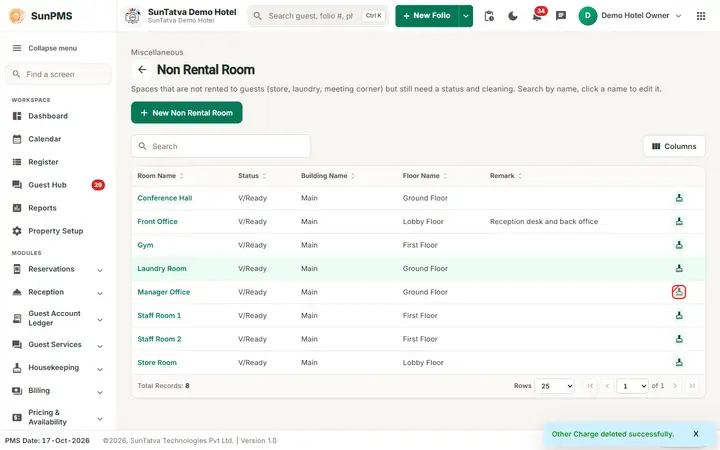
Non Rental Room
On this page
A non rental room is a space that you do not sell to guests but that housekeeping still cleans or tracks: store, linen room, lobby, banquet hall, staff office. Listing them lets housekeeping managers assign them to cleaning groups and see their status next to the guest rooms.
Before you start
- Create the Building and Floor where the space sits (../02-property-configuration/02-building.md).
Screen layout
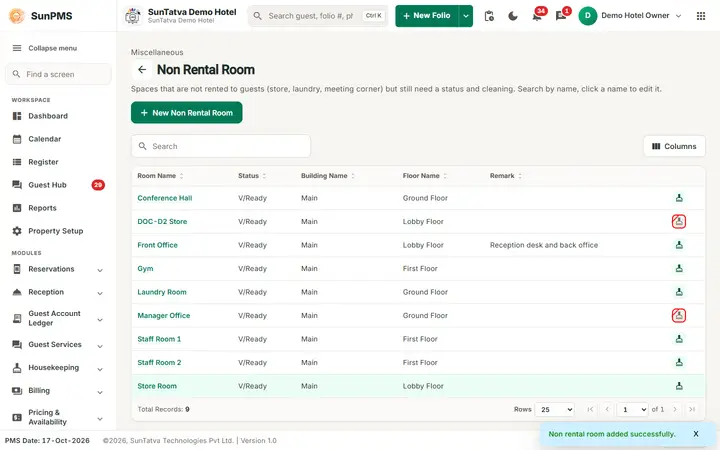
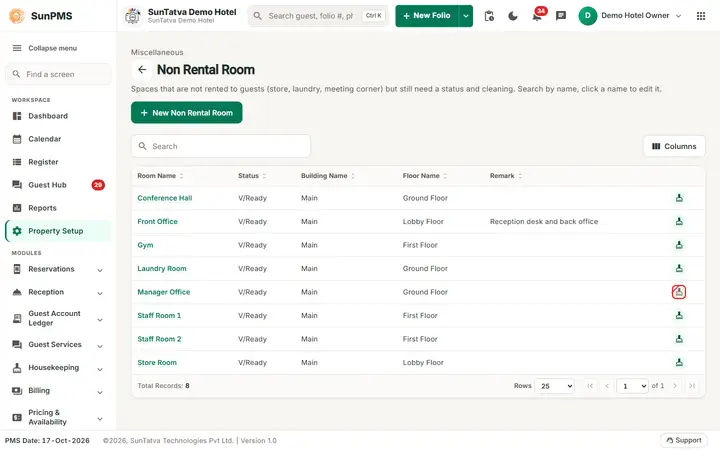
This screen follows the common master layout described in Property Setup (section "Master screens: one pattern"): a header with the back arrow, the title, a one-line explanation and the main button on the right; a Search box and a Columns button above a sortable table; a footer with Total Records, Rows and page buttons; and an add / edit window with Delete (left, only when editing), Cancel and Save. Specific to this screen:
| Element | Meaning | Rules |
|---|---|---|
| Search | By room name, status, building or floor. | |
| New Non Rental Room (top right) | Opens Add Non Rental Room. The page line reads "Spaces that are not rented to guests (store, laundry, meeting corner) but still need a status and cleaning." | |
| Room Name | Click the highlighted name to edit (Edit Non Rental Room). | |
| Status | The room status (for example Vacant Clean). | |
| Building Name, Floor Name, Remark | Columns. | |
| Last column | Broom icon = Available For HouseKeeping (crossed when No). | |
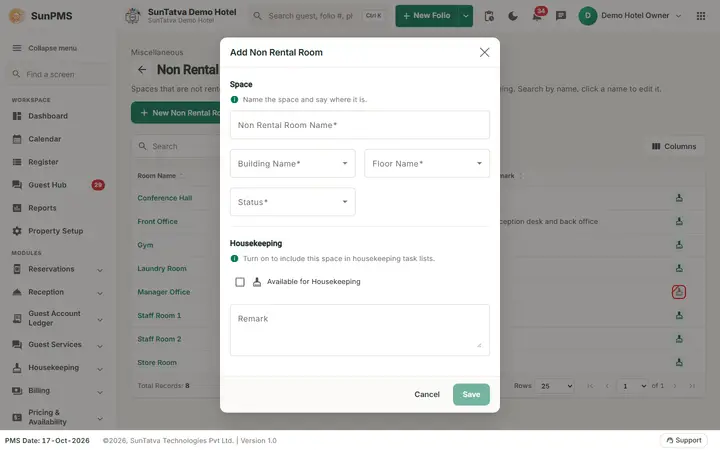
| Window section Space ("Name the space and say where it is."): Non Rental Room Name | Name. | Required, up to 100 characters, unique. |
| Building Name, Floor Name | Location. | Required drop-downs, only active ones. |
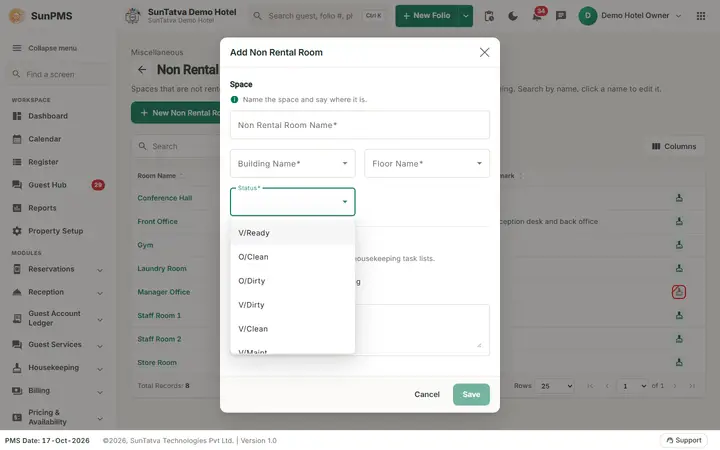
| Status | Starting room status. | Required drop-down of the room statuses. |
| Section Housekeeping ("Turn on to include this space in housekeeping task lists."): Available for Housekeeping | Tick if housekeeping cleans it. | Default off. |
| Remark | Note. | Up to 500 characters. |
| Save, Cancel, Delete | Delete only when editing. |
How to add a non rental room
- Click New Non Rental Room.
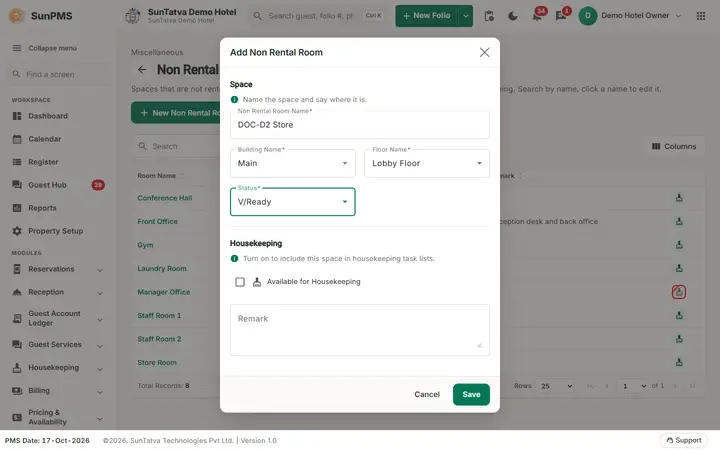
- Enter Non Rental Room Name, choose Building Name, Floor Name and Status.
- Tick Available for Housekeeping if it is cleaned.
- Click Save. Message: Non rental room added successfully. The form clears for the next entry.
How to edit
Click the name, change, Save (Non rental room updated successfully.).
How to delete
Open the room, Delete, confirm Are you sure want to delete this Room. Message Non-Rental Room deleted successfully.
What happens behind the scenes
Rooms marked Available for Housekeeping appear in housekeeping assignment so they can be given to a cleaning group, and their status can be changed like a guest room. They never appear in availability, rate or reservation screens and do not count against the room licence.
Messages you may see
| Message (exact text) | Why it appears | What to do |
|---|---|---|
| Please enter Non Rental Room. | Name empty. | Type the name. |
| Record Already Exist. | Name already used. | Rename. |
| Invalid Non Rental Room Name | Server rejected a blank name. | Type a name. |
Tips and FAQ
- Q: Can a non rental room be sold later? A: No. Create a normal Room instead.
Screenshots