
House Keeping Member Assignment
On this page
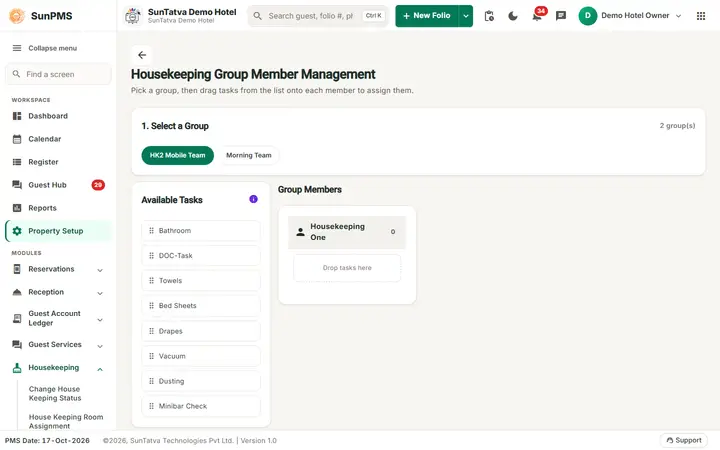
On this page you decide which tasks each member of a housekeeping group performs. It is a drag-and-drop board: tasks on the left, one card per member on the right. The page title on screen is Housekeeping Group Member Management.
Before you start
- Groups with members (12-hk-group.md) and tasks (11-hk-task.md) must exist. A new property already has six tasks but no groups, so the board is empty until you create a group.
Screen layout
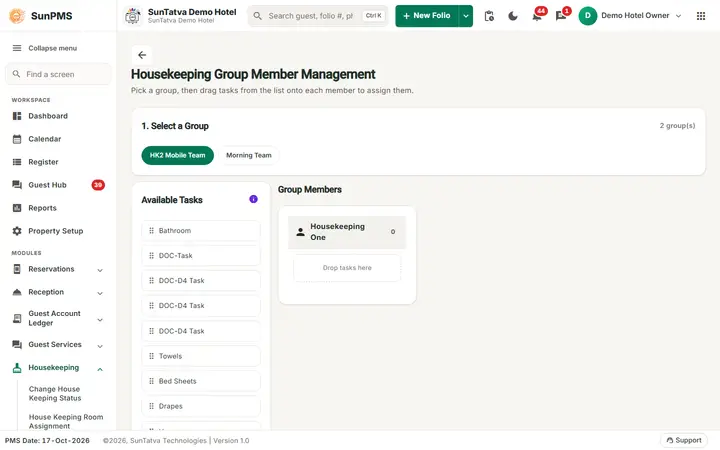
Pick a group in step 1, then drag the tasks from Available Tasks onto a member.
The page is titled Housekeeping Group Member Management with the line "Pick a group, then drag tasks from the list onto each member to assign them." (back arrow on the left of the title). It is not a grid: there is no search, Columns button or footer.
| Element | Meaning |
|---|---|
| 1. Select a Group strip (with a count such as "2 group(s)") | One rounded button per group. The selected group is highlighted; the first group is selected when the page opens. |
| Available Tasks list (left) | All active tasks (Bathroom, Towels...). The red info icon says "Drag and drop tasks into group members". |
| Group Members (right) | A card per member of the selected group with the tasks already given. An empty card shows Drop tasks here. |
| X on a task chip | Removes that task from the member. |
How to assign tasks
- Click a group in Select a Group.
- Drag a task from Available Tasks onto a member's card. A task can be given to several members; the same task cannot be dropped twice on one member.
- Repeat for other tasks or members. Result: every drop is saved at once (there is no Save button) and the board refreshes.
How to remove a task
Click the X on the chip, or drag the chip back into the Available Tasks list. It is saved at once.
What happens behind the scenes
The task list of each housekeeper is shown on housekeeping assignment and used in the housekeeping report. If you switch groups before an auto-save returns, unsaved changes are kept in the page for that group until you return.
Messages you may see
| Message (exact text) | Why it appears | What to do |
|---|---|---|
| (no message) | Saves are silent; failed saves are not announced. | Reload the page to confirm. |
Tips and FAQ
- Q: The member cards are empty. A: The group has no members: add them in House Keeping Group.
- Q: There is no Save button. A: Every drag saves immediately.