Room Owner
On this page
Some hotels (condo-hotels, serviced apartments) sell rooms that are owned by individual investors. Room Owner keeps the owner's contact and bank details, the management fee the hotel keeps, and an opening balance. Rooms are then linked to owners in Owner Room Assignment, and owner payments and monthly owner statements use these records.
Before you start
- Only needed for hotels with third-party room owners.
- Create the Rooms first if you want to assign them afterwards.
Screen layout (list)
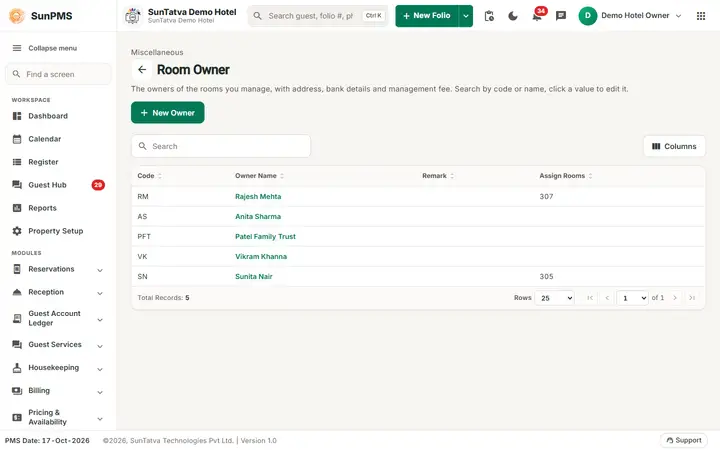
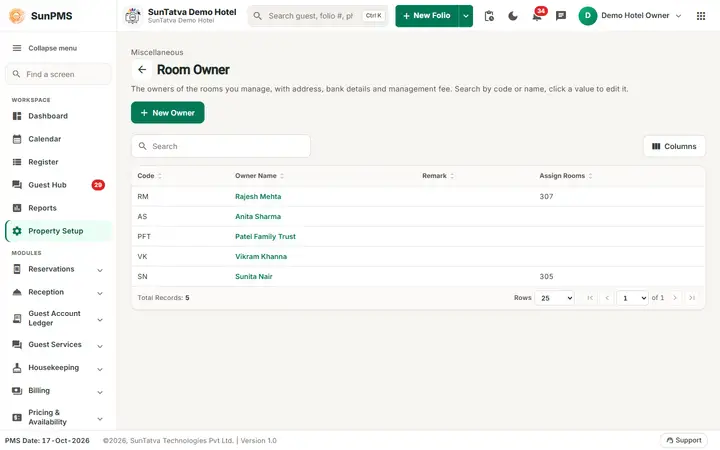
This screen follows the common master layout described in Property Setup (section "Master screens: one pattern"): a header with the back arrow, the title, a one-line explanation and the main button on the right; a Search box and a Columns button above a sortable table; a footer with Total Records, Rows and page buttons; and an add / edit window with Delete (left, only when editing), Cancel and Save. Specific to this screen:
| Element | Meaning |
|---|---|
| Search | By code or owner name. |
| New Owner (top right) | Opens Add Owner. |
| Code | Owner short code. |
| Owner Name | Click the highlighted name to edit (Edit Owner). |
| Remark | Note. |
| Assign Rooms | Rooms currently assigned to the owner (read only), for example 307 or 305 on the demo hotel; empty when the owner has none. Assign rooms in Owner Room Assignment. |
Screen layout (window)
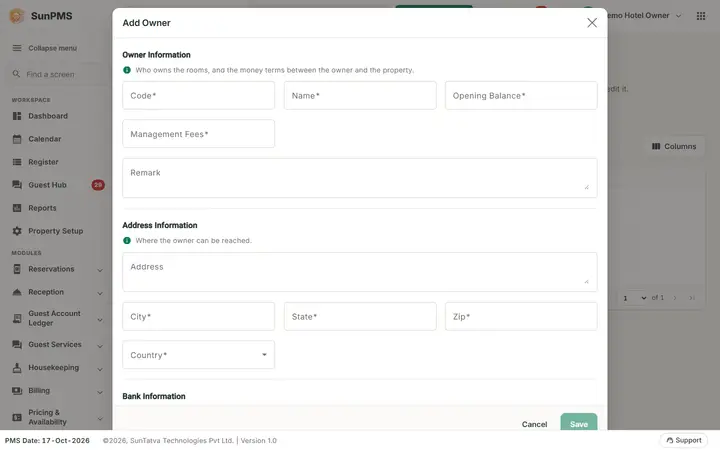
| Section / field | Meaning | Rules |
|---|---|---|
| Owner Information ("Who owns the rooms, and the money terms between the owner and the property.") > Code | Short code. | Required. |
| Name | Owner name. | Required, unique. |
| Opening Balance | Amount already owed to / by the owner when you start. | Number, required (type 0 when there is none). |
| Management Fees | The hotel's fee rate on the owner's earnings (percentage). | Number, required (type 0 for no fee). |
| Remark | Note. | |
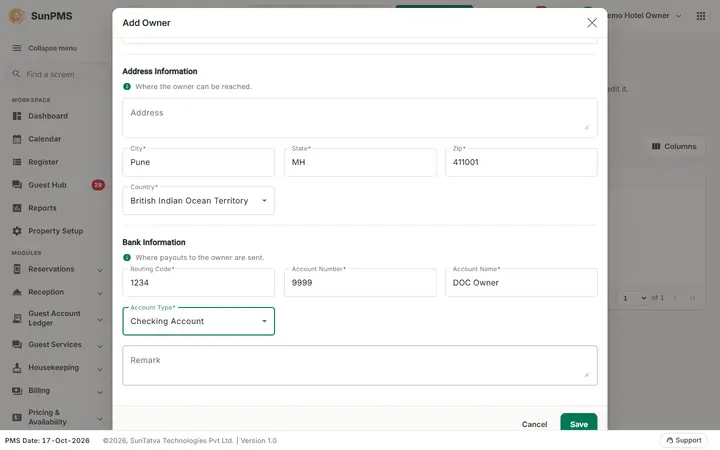
| Address Information ("Where the owner can be reached.") > Address, City, State, Zip, Country | Postal address. | City, State and Zip are required. Country is a drop-down. |
| Bank Information ("Where payouts to the owner are sent.") > Routing Code, Account Number, Account Name | Where payouts go. | All three required. |
| Account Type | Checking Account or Saving Account. | Required (Save stays disabled until it is chosen). |
| Remark (bank) | Note. | |
| Save, Cancel, Delete | Delete only when editing. | Save is disabled until Code and Name are filled. |
How to add an owner
- Click New Owner.
- Fill Code and Name, optional Opening Balance and Management Fees.
- Fill the address (City, State, Zip) and bank (Routing Code, Account Number, Account Name).
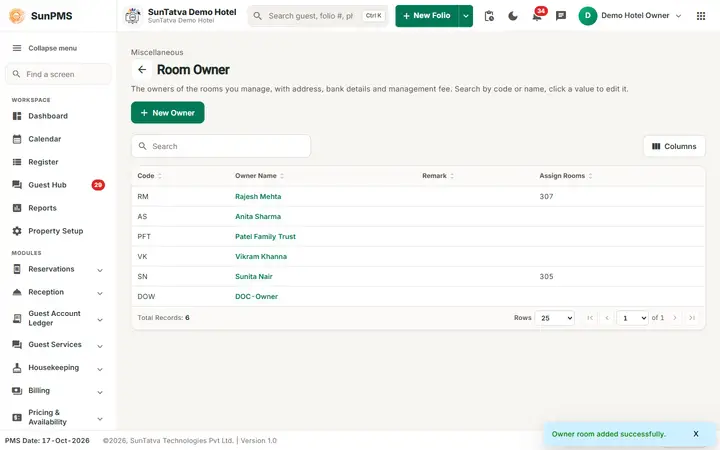
- Click Save. Result: Owner room added successfully. (sic: the message says "Owner room"). The form clears and stays open for the next owner.
How to edit
Click the owner name, change fields, Save. Message: Owner room updated successfully.
How to delete
Open the owner, Delete, confirm Are you sure want to delete this Owner? Message Owner deleted successfully. Not allowed while rooms are assigned.
What happens behind the scenes
Rooms are linked to the owner in Owner Room Assignment (working since 2026-10-17). Owner data feeds Room Owner Payment and Monthly Owner Statement. Deleting makes the owner inactive from the PMS date.
Messages you may see
| Message (exact text) | Why it appears | What to do |
|---|---|---|
| Please enter Code. / Please enter Owner Name. | Empty. | Fill it. |
| Please enter City. / State. / Zip code. | Empty address part. | Fill it. |
| Please enter Routing Code. / Account Number. / Account Name. | Empty bank part. | Fill it. |
| Record Already Exist. | Duplicate. | Rename. |
| Room assignment exist for this owner. | Delete refused. | Remove the owner's room assignments first. |
Screenshots