Folio - Other Charges Worked Through
On this page
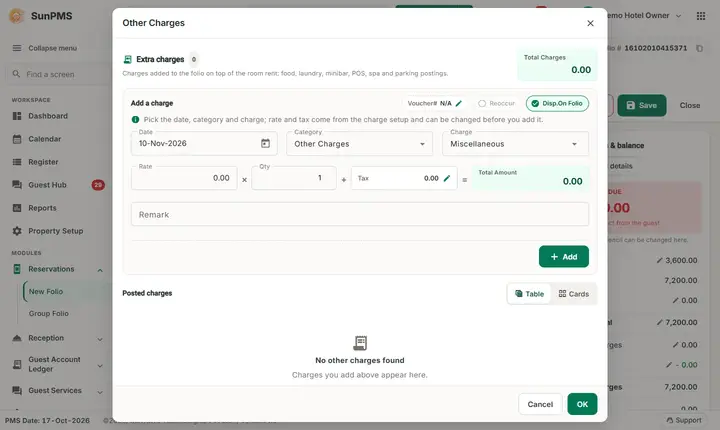
04 Other charges describes the Charges window field by field. This page follows one real session on an in-house folio, with the numbers, so that you can see what each action does to the bill.
Watch: add, edit and delete other charges
- Watch on YouTube: https://www.youtube.com/watch?v=wrM800KZL8A
The session (demo hotel, 17 Oct 2026, guest FO2-Alpha Money, room 104)
Before: Other Charges 0.00, Total charges 8,680.00, Payments 3,000.00, Balance due 5,680.00.
| Step | What you do | Result in the list | Total Charges at the top of the window |
|---|---|---|---|
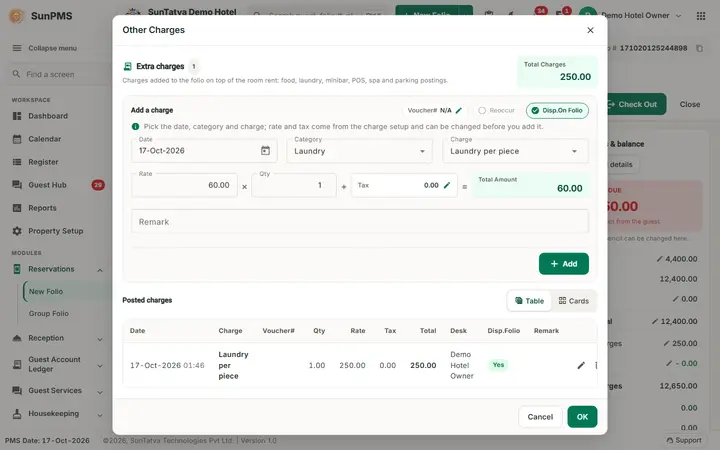
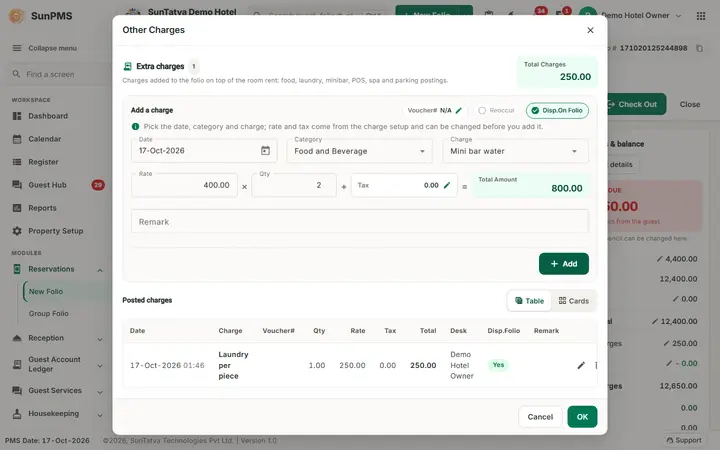
| 1 | Category Laundry, charge Laundry per piece (rate 60.00 comes from the charge master), Qty 3, Remark Shirts and trousers, Add | 17-Oct-2026 Laundry per piece, Qty 3.00, Rate 60.00, Tax 0.00, Total 180.00 | 180.00 |
| 2 | Category Spa, charge Spa massage (rate 2,500.00), Qty 1, Add | second line, Total 2,500.00 | 2,680.00 |
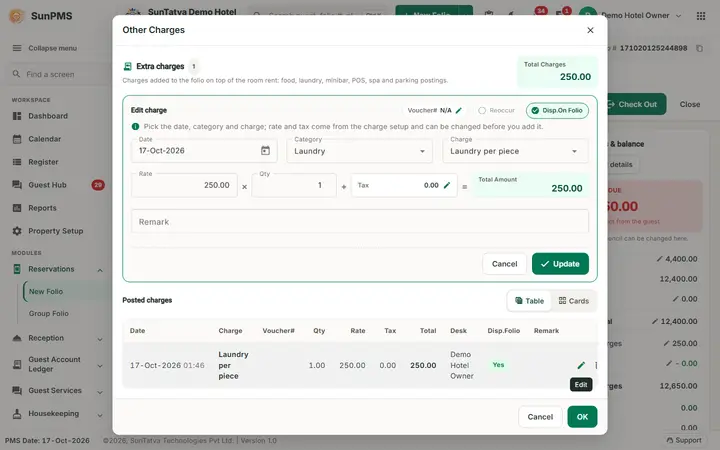
| 3 | Pencil on the laundry line, change Qty to 4, Update | Qty 4.00, Total 240.00 | 2,740.00 |
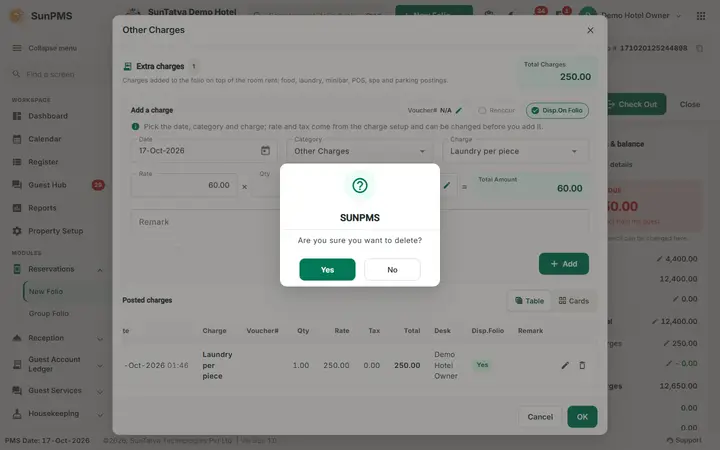
| 4 | Bin on the Spa massage line, Yes | the line disappears | 240.00 |
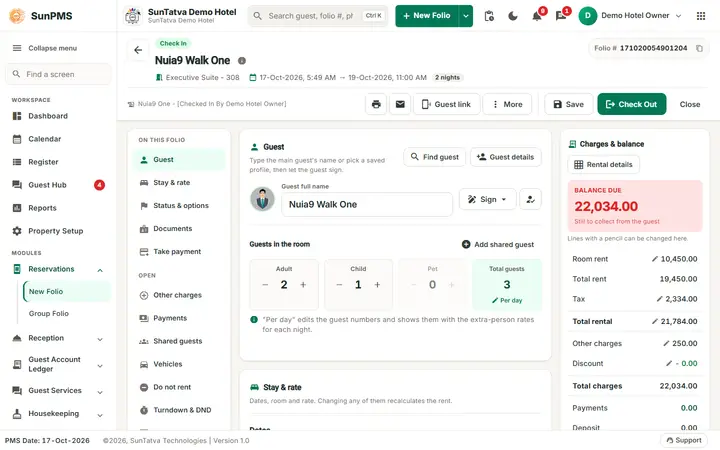
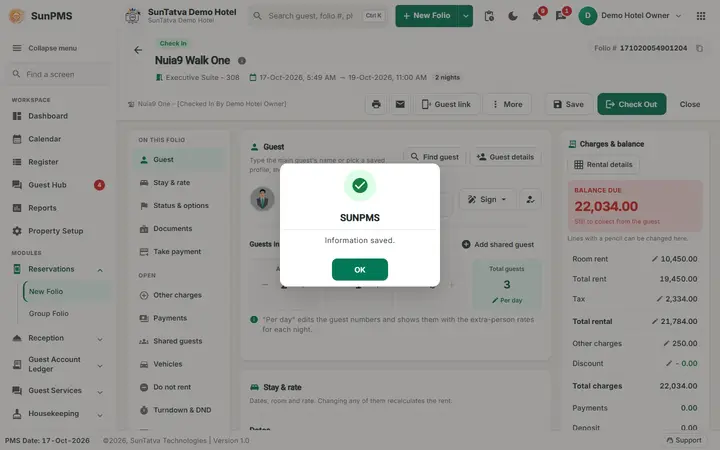
| 5 | OK, then Save on the folio | message Information saved. |
After Save: Other Charges 240.00, Total charges 8,920.00, Payments 3,000.00, Balance due 5,920.00. The charge is stored as one line of 4 x 60.00 = 240.00 on the folio.
Screen layout (Charges window)
| Field | Meaning | Rules |
|---|---|---|
| Total charges (top left) | Sum of the listed charges, including tax | Recalculated after each add, edit and delete |
| Voucher# (pencil) | Voucher or invoice number printed with the line | Optional; shows N/A until you type one. Lines from SunPOS carry the restaurant code and bill number |
| Reoccur | Repeat the charge on every night of the stay | Enabled only for a charge set as recurring in the Other Charges master. In the demo hotel none is recurring |
| Disp.On Folio | Print the line on the guest folio | On by default; off and locked for a Prepaid folio |
| Date | Date of the charge | From the check-in date (or earlier with the past-date privilege) to the check-out date. Default is the PMS date |
| Category, Charge | The charge list depends on the category. The unit of measure is shown beside the rate | Charge masters: add an other charge item |
| Rate, Qty | Rate comes from the master and can be changed; Qty starts at 1 | Valid decimal. A negative rate needs the privilege Add negative payment: Negative payment amount not allowed. |
| Tax (pencil) | Tax of the line, from the taxes linked to the charge | The pencil opens Tax Exempt & Remark to exempt a tax of this line only |
| Total Amount | Rate x Qty + Tax | Shown in green |
| Remark | Free text | Optional |
| Add / Update, Cancel | Add the line, or save an edited line | Disabled without the add / edit privilege |
| List columns | Action (pencil, bin), Date and time, Charge, Voucher#, Qty, Rate, Tax, Total, Desk (user who posted), Disp.Folio, Remark | The grid icon switches between table and card view |
| OK / Cancel (bottom) | Close the window | Nothing is stored until Save on the folio |
How the tax on a charge works
Each charge master is linked to taxes (Tax configuration). When you change the charge, rate or quantity the program asks the server for the tax of the line and shows it in Tax. In the demo hotel the charges are linked to Sales Tax at 0%, so the Tax column shows 0.00. With a 5% charge tax a rate of 400 would show Tax 20.00 and Total Amount 420.00. In the folio summary the tax of all charges is added to Other Charges, and it is the amount of the box Other Charge Tax in the Discount window. If the server cannot calculate the tax, the old values are restored.
How to edit a charge
- Click the pencil in the Action column. The line is loaded into the form above the list and the button changes to Update.
- Change date, rate, quantity, voucher or remark and click Update; Cancel leaves the line unchanged.
- A line that is already saved can be edited by users with the edit privilege (past-date variant for earlier dates). If Do not allow to change audited transaction is on, a past-dated line can only be edited for fields other than the date, rate and tax: Back dated transaction not allow to modify. Reason: It will changed the audited reports.
How to delete a charge
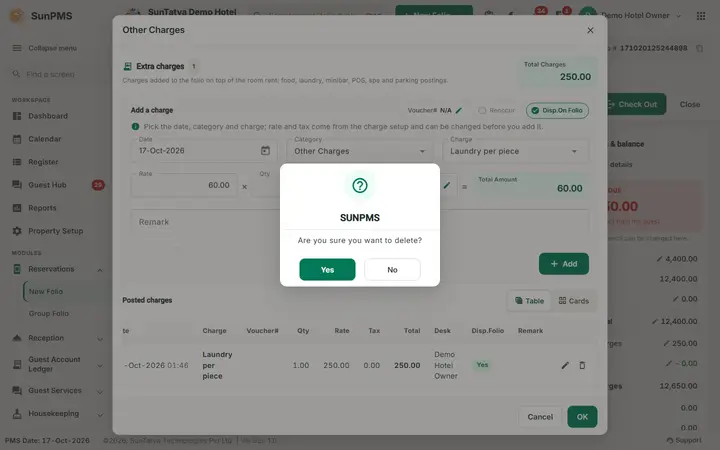
- Click the bin and answer Yes to Are you sure you want to delete?
- A line that was never saved is removed at once. A saved line is marked as deleted: it leaves the totals at once and, after Save, stays in the database as a deleted record.
- When the setting Display deleted other charges is on, a Deleted Charges switch appears (only when the folio has deleted lines). It lists them; the icon of a deleted line is Permanent Delete and asks Are you sure you want to permanently delete the selected record?
- Click Save on the folio to store the deletion.
Recurring charges
For a charge marked recurring and a stay of more than one night, Add asks Do you want to add an Other Charge for remaining stay days? Yes adds one line per night from the check-in date; No adds a single line.
What happens behind the scenes
- Charges are stored with the folio, the desk user, the shift and the PMS date. The Other Charge Report, the Other Charges revenue reports and the tax report read them.
- Charges from SunPOS (room-charge tenders) and SunParking arrive as lines with a voucher; a re-post in POS updates the same line.
Messages you may see
| Message | Why | What to do |
|---|---|---|
| Are you sure you want to delete? | Bin clicked | Yes or No |
| Are you sure you want to permanently delete the selected record? | Delete icon of a deleted line | Yes removes it for good |
| Do you want to add an Other Charge for remaining stay days? | Recurring charge, stay longer than one night | Yes one per night, No one line |
| Negative payment amount not allowed. | Negative rate without the privilege | Ask a manager |
| Please specify valid Rate. | Rate is not a number | Type a number |
| Back dated charge not allow to add. Reason: It will changed the audited reports. | Date before the PMS date while audited changes are blocked | Use today's date |
| Information saved. | Folio saved with the charges | None |
Tips and FAQ
- Q: I added a charge but the guest's balance did not change after I closed the folio. A: The charge is stored only when you click Save, Check In or Check Out.
- Q: How do I give a guest a charge back? A: Delete the line, or add the same charge with a negative rate if you have the privilege and want the correction visible.
- Q: How do I charge for several nights at once? A: Use Qty, or a recurring charge.
Screenshots