Folio - Other Charges
On this page
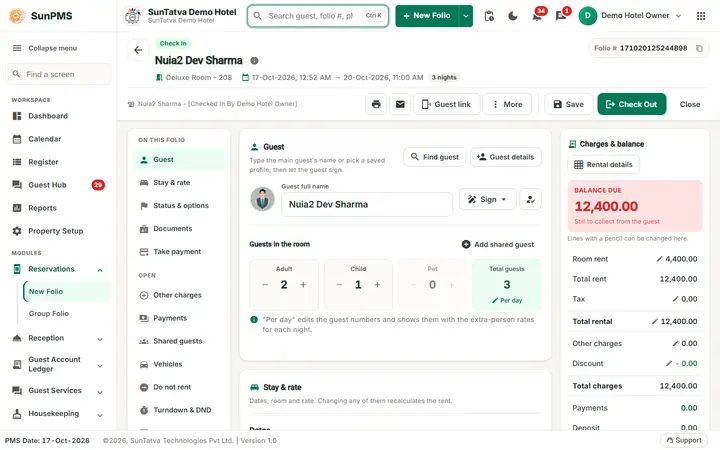
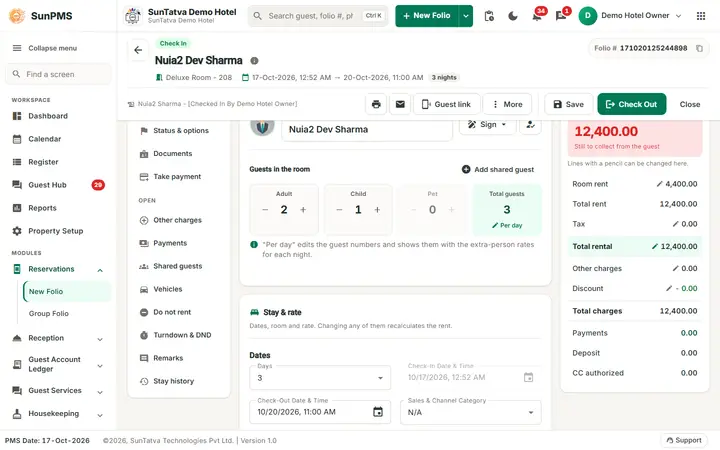
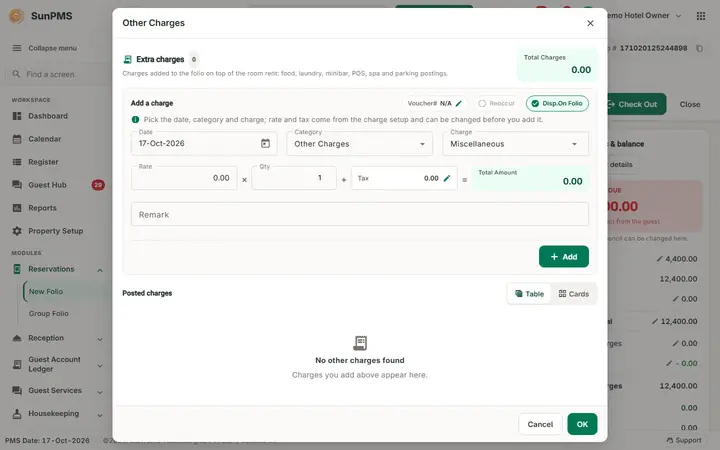
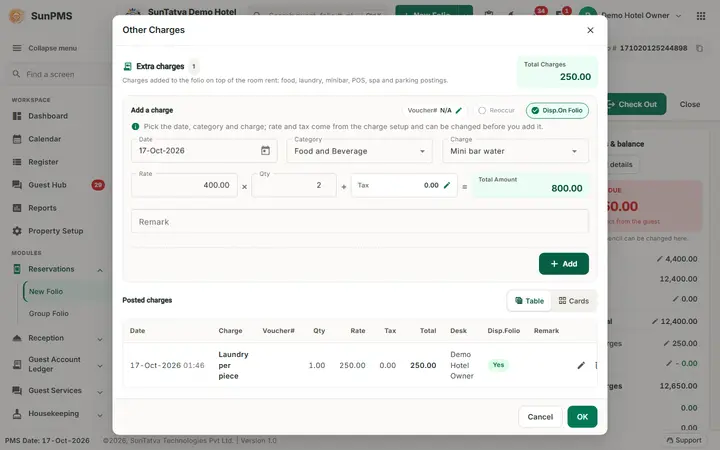
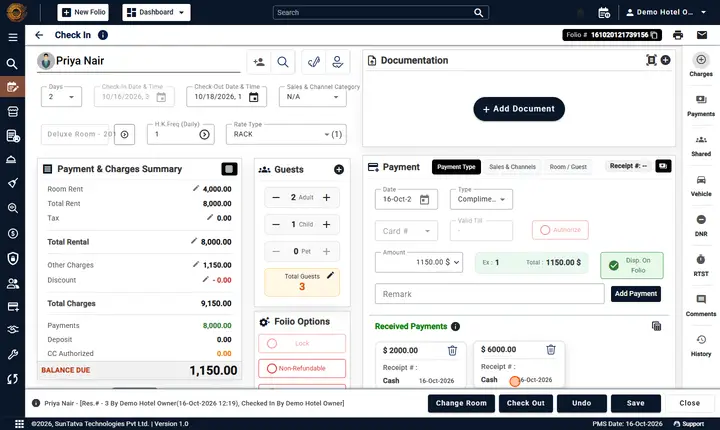
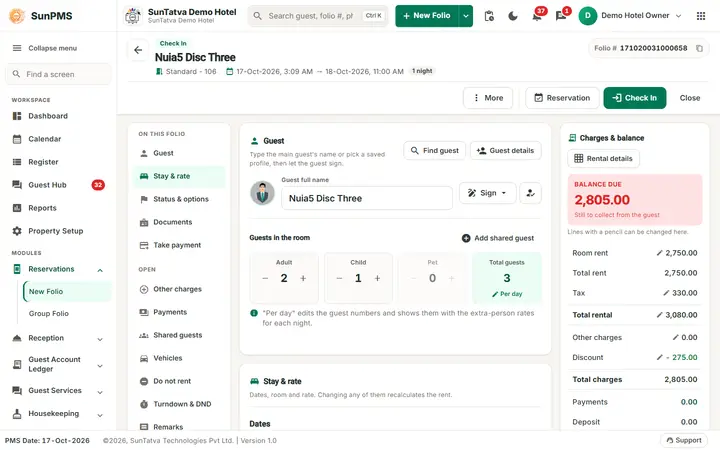
Other charges are anything billed besides room rent: laundry, minibar, extra bed, restaurant room charges. Click Other charges in the OPEN list (left) or click the Other charges line (pencil) in Charges & balance. The Other Charges window opens with the form Add a charge at the top and the Posted charges below.
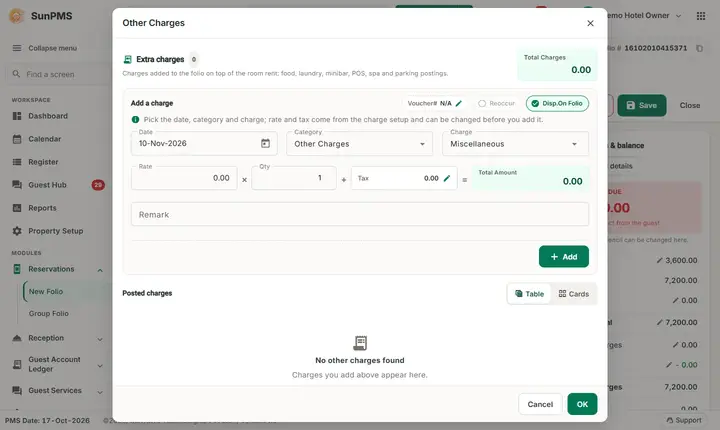
Screen layout
| Field | Meaning | Rules |
|---|---|---|
| Total Charges (green box, top right) and the count next to Extra charges | Sum and number of listed charges | |
| Voucher# (edit) | Voucher / invoice number | Optional |
| Reoccur | Repeat the charge each night | Enabled only for charges set as recurring |
| Disp.On Folio | Show the line on the printed folio | Forced off for Prepaid folios |
| Date | Charge date | Between check-in (or earlier, with past-date privilege) and check-out |
| Category, Charge | Pick category, then charge; the unit (measurement) is shown | |
| Rate, Qty | Default rate fills in; edit as needed | Valid decimal; negative needs privilege |
| Tax (click) | Tax Exempt & Remark: exempt individual taxes | |
| Remark | Free text | |
| Add (becomes Update while editing), Cancel | Add to the list or save an edit | Disabled without the add/edit privilege |
| Deleted Charges | Show deleted lines (when setting Display deleted other charges is on) | |
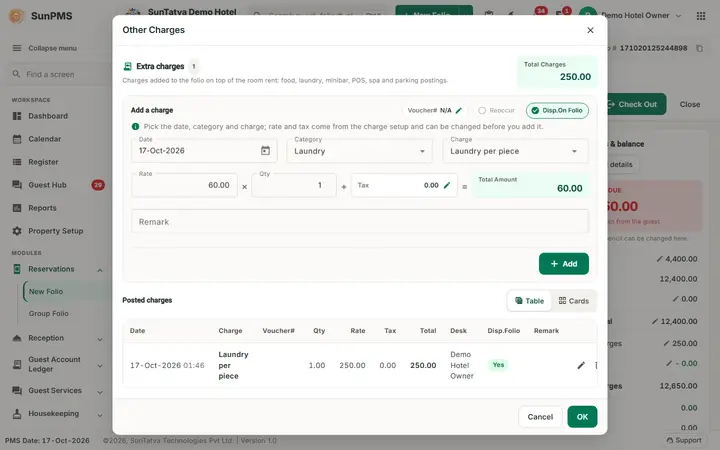
| Table / Cards switch (above Posted charges) | Table view or card view (Date, Charge, Voucher#, Qty, Rate, Tax, Total, Desk, Disp.Folio, Remark) |
How to add a charge
- Click Other charges in the OPEN list.
- Pick Category and Charge; adjust Rate and Qty.
- Click Add. If the stay is more than 1 night and the charge is recurring you are asked Do you want to add an Other Charge for remaining stay days? Yes adds one per night.
- Click OK (bottom right of the window), then Save (or Reservation / Check In) in the header. Charges are stored only when the folio is saved.
Edit / delete
Pencil edits a line, bin deletes (Are you sure you want to delete?). Deleting an already deleted line asks Are you sure you want to permanently delete the selected record?. Past-date lines need the past-date privilege.
Charges posted from other systems
SunPOS restaurant bills settled as Room Charge and SunParking charges arrive on the folio as other charges (voucher/invoice = restaurant code / bill number). A re-post or refund in POS updates or removes the same line, so they never duplicate. They need the POS or Parking integration licence.
Messages you may see
| Message | Why |
|---|---|
| Negative payment amount not allowed. | Negative rate without privilege |
| Please specify valid Rate. | Rate not numeric |
| Back dated charge not allow to add. Reason: It will changed the audited reports. | Date before PMS date while audited changes are blocked |
| Back dated transaction not allow to modify. Reason: It will changed the audited reports. | Edit of a past line |
Screenshots