Other Charges
On this page
Other charges are the extras you post to a guest folio besides the room rent: food, laundry, parking, telephone, etc. Define each one once here with its default rate, tax and behaviour.
Before you start
- Create the category in Other Charge Category.
- To make a charge taxable, create "other charge" type taxes first (Tax Configuration). The Taxable box is disabled when none exist. Defaults: MISC Miscellaneous, F&B Food & Beverages, LD Laundry, PRK Parking, TEL Telephone.
Screen layout
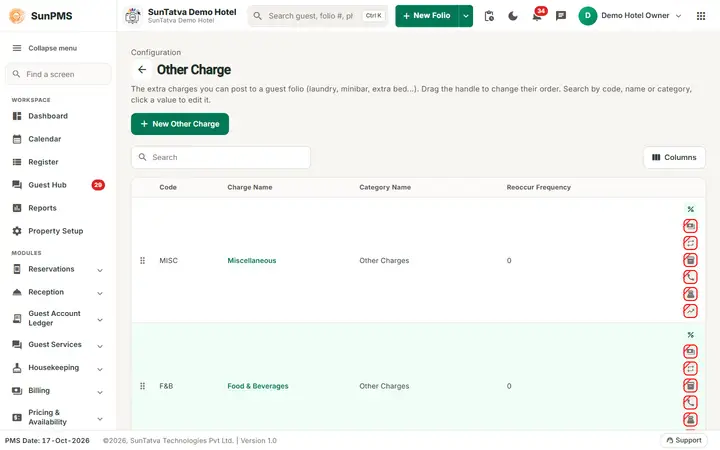
This screen follows the common master layout described in Property Setup (section "Master screens: one pattern"): a header with the back arrow, the title, a one-line explanation and the main button on the right; a Search box and a Columns button above a sortable table; a footer with Total Records, Rows and page buttons; and an add / edit window with Delete (left, only when editing), Cancel and Save. Specific to this screen:
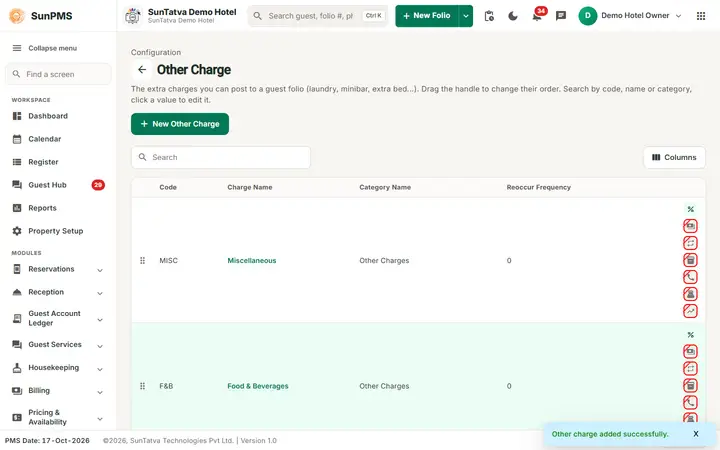
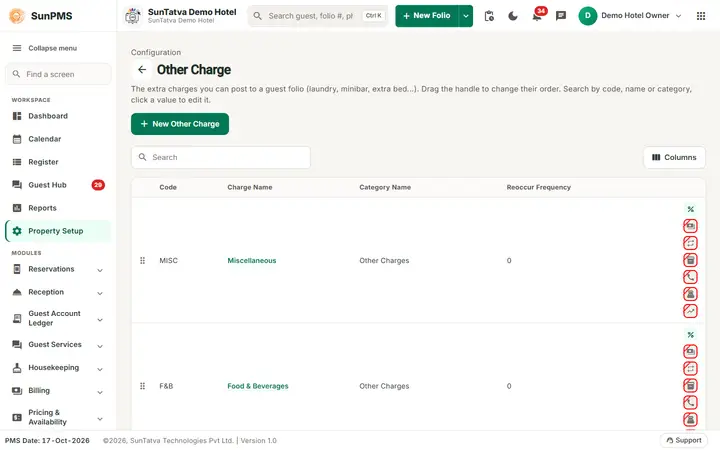
List columns: Code, Charge Name (click to edit), Category Name, Reoccur Frequency, and icons (hover for tooltip; crossed = No): Taxable, Always Charge, Reoccur Charge, CRS Charge, Call Logging Charge, POS Charge, Occupancy & Revenue. Drag rows to reorder ("Other Charge order updated Successfully."). Search covers Code and Charge Name.
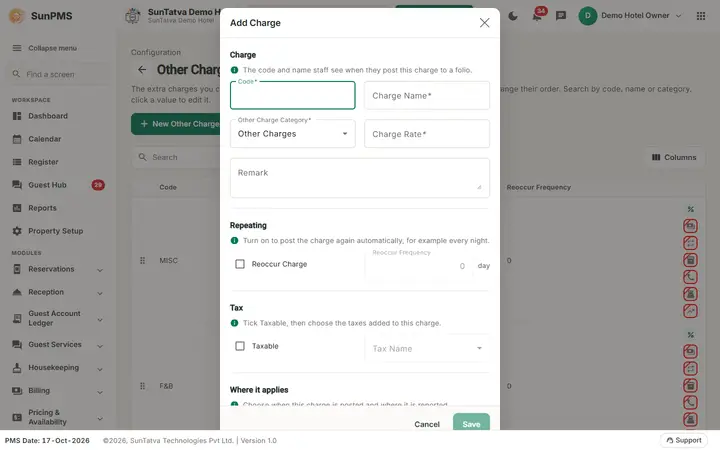
Edit window, in five titled sections: Charge ("The code and name staff see when they post this charge to a folio."): Code, Charge Name, Other Charge Category, Charge Rate, Remark; Repeating ("Turn on to post the charge again automatically, for example every night."): Reoccur Charge and Reoccur Frequency; Tax ("Tick Taxable, then choose the taxes added to this charge."): Taxable and Tax Name; Where it applies ("Choose when this charge is posted and where it is reported."): Always Charge, CRS Charge, Call Logging Charge, POS Charge, Include In Occupancy & Revenue. Search covers code, name and category.
| Field | Meaning | Rules |
|---|---|---|
| Code | Short code | Required |
| Charge Name | Name | Required, max 100, unique |
| Other Charge Category | Category | Required; new charges start on "Other Charges" |
| Charge Rate | Default price | Decimal |
| Reoccur Charge | Charge repeats | Ticking sets frequency to 1 and enables it |
| Reoccur Frequency | Every N days (text beside it: "day", "any day" for 1, "days") | Enabled only with Reoccur Charge |
| Taxable | Charge is taxed | Disabled if no other-charge taxes exist |
| Tax Name | Multi-select of taxes | Enabled only when Taxable |
| Always Charge | Added automatically to every stay | Cannot be combined with CRS Charge |
| CRS Charge | Offered on the online booking engine | |
| Call Logging Charge | Used by telephone call posting | |
| POS Charge | Used for charges posted from POS | |
| Include In Occupancy & Revenue | Counts in the Occupancy & Revenue Summary | |
| Remark | Note |
How to add
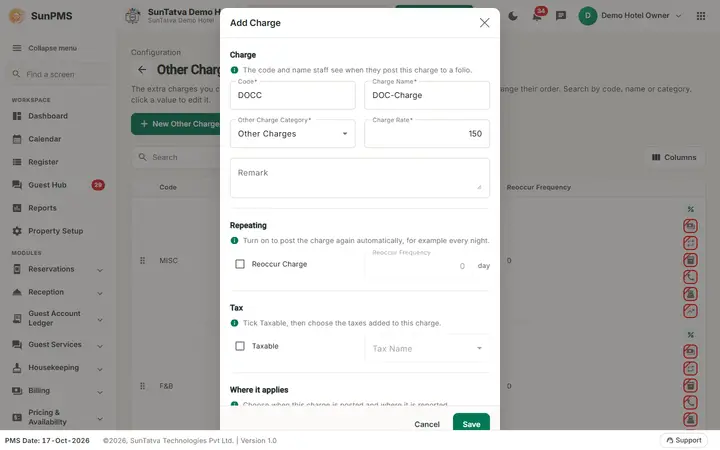
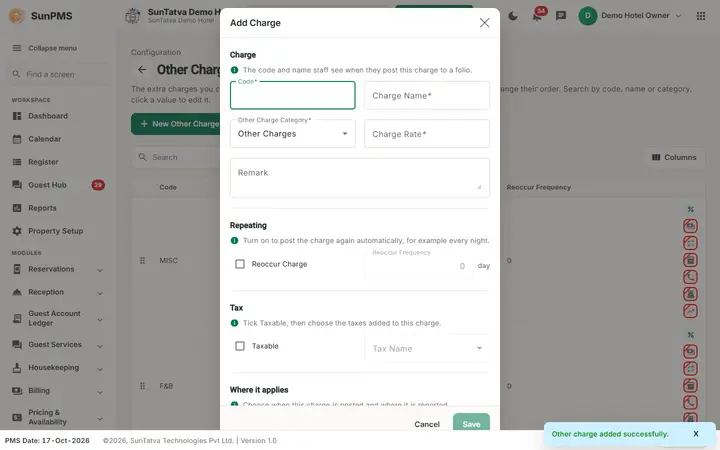
- New Other Charge (cursor starts in Code). 2. Fill fields above. 3. Save ("Other charge added successfully."). Form resets; Cancel closes.
How to edit / delete / reorder
Click the name, change, Save ("Other charge updated successfully."). Delete, confirm "Are you sure want to delete this Charge?" -> "Other Charge deleted successfully." Drag the handle to reorder.
What happens behind the scenes
- Tax changes take effect from the next PMS date (the previous tax links are closed today and new ones start tomorrow); existing reservations are re-taxed.
- Delete deactivates; folios already carrying the charge keep it.
Messages you may see
| Message | Why |
|---|---|
| Please enter Code. / Please enter Other Charge Name. | Empty field |
| You can not set Other Charge as Always Charge and CRS Charge both at same time, Please set one of them | Both ticked |
| Record Already Exist. | Duplicate name |
Tips and FAQ
- Q: Why can't I tick Taxable? A: No other-charge tax exists yet.
- Q: Where is Measurement Unit? A: The field is hidden in this version; units are always saved as none.
Screenshots