Folio - Discount
On this page
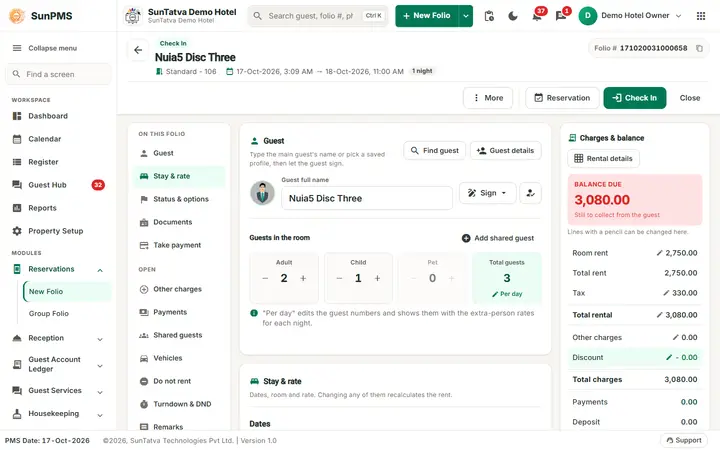
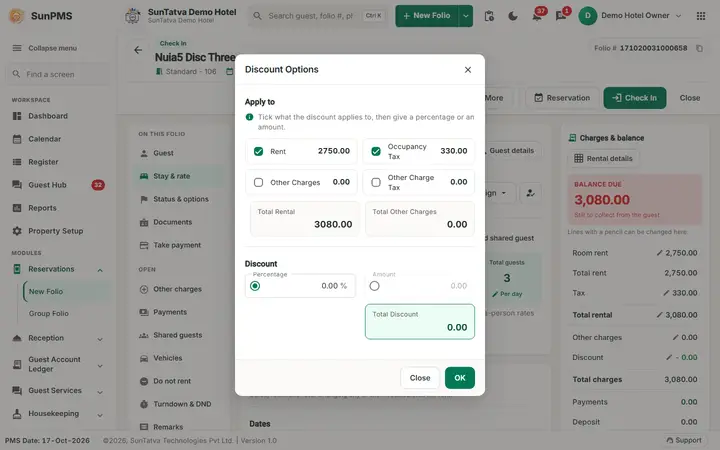
The discount takes one amount off the bill of the whole stay. You choose which parts of the bill it is calculated on (rent, occupancy tax, other charges, tax on other charges) and whether you type a percentage or a fixed amount. This page follows a real session with the numbers.
Watch: discount by percentage or amount
- Watch on YouTube: https://www.youtube.com/watch?v=i6wZP7_caSQ
What the discount is, and is not
- It is one amount for the stay. There is no discount per night and no discount per charge line.
- There is no reason field and no approval step in the folio. The discount is saved with an empty reason. Record the reason in a remark on the folio (Remarks) and keep your own approval record.
- A new discount replaces the old one; discounts do not add up.
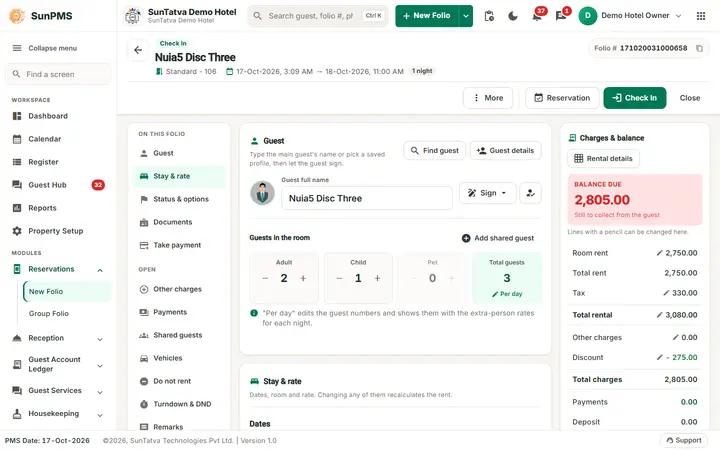
- The discount does not change the rent, the tax or the charges themselves. It is its own line and is subtracted in Total charges; the printed folio shows it as a discount line (balance formula).
- For a correction of one night's rate use a rental adjustment instead.
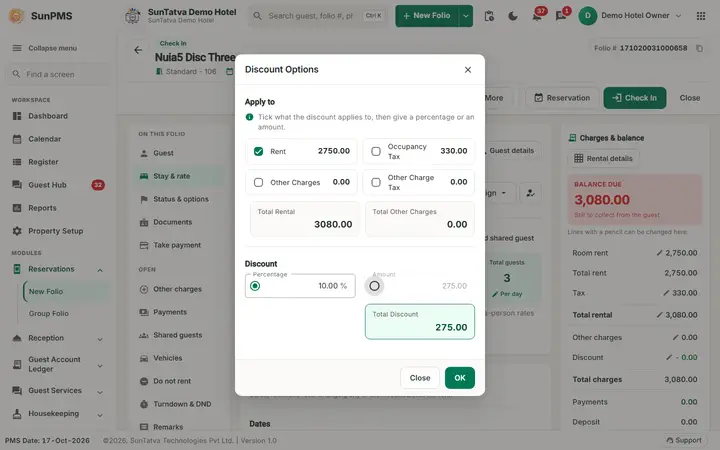
Screen layout (window Discount Options)
| Field | Meaning | Rules |
|---|---|---|
| Rent (tick box and amount) | Total rent of the stay | Tick to include in the base |
| Occupancy Tax (tick box) | Tax on the rent | Tick to discount the tax as well |
| Total rental | Rent + occupancy tax | Information |
| Other Charges (tick box) | Charges added in the Charges window, without tax | |
| Other Charge Tax (tick box) | Tax on those charges | |
| Total Other Charges | Charges + tax | Information |
| Percentage (radio + box, %) | Discount as a percentage of the ticked boxes | At most 100. The box is greyed until at least one tick box is on |
| Amount (radio + box) | Fixed discount | At most the sum of the ticked boxes |
| Total Discount | The discount that will be applied | Updates while you type |
| OK / Close | Apply / leave without change | The discount is stored when the folio is saved |
Worked example (demo hotel, new folio, Executive Suite, 3 nights, 3 pieces of laundry added)
| Line | Amount |
|---|---|
| Total Rent (10,450.00 + 9,500.00 + 9,500.00) | 29,450.00 |
| Tax (GST 12%) | 3,534.00 |
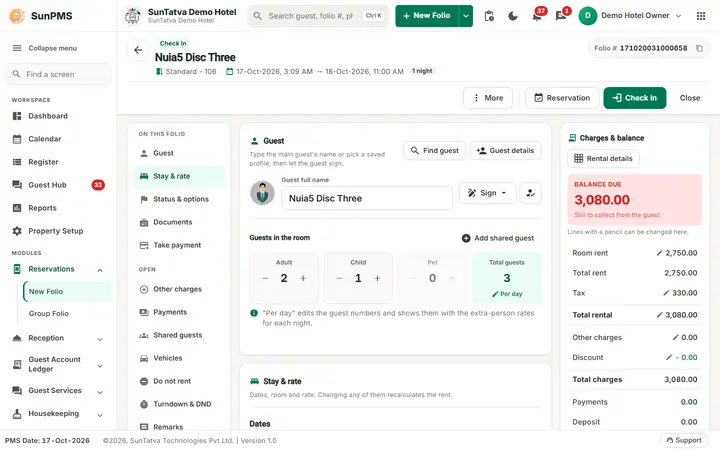
| Total Rental | 32,984.00 |
| Other Charges (3 x 60.00) | 180.00 |
| Discount | 0.00 |
| Total charges | 33,164.00 |
- Tick Rent only, choose Percentage, type 10. Total Discount shows 2,945.00 (10% of 29,450.00) at once. Click OK: the Discount row shows - 2,945.00 and Total charges fall to 30,219.00. The tax was not reduced because Occupancy Tax was not ticked.
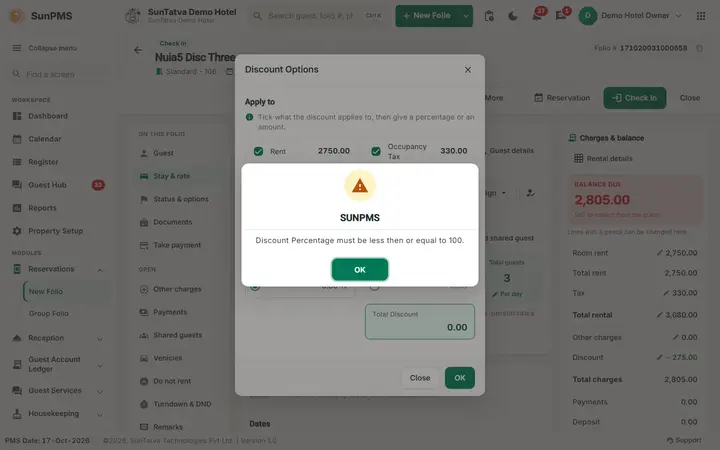
- Open the window again, tick Occupancy Tax too and type 150 %: Discount Percentage must be less then or equal to 100. The discount is reset to 0.00.
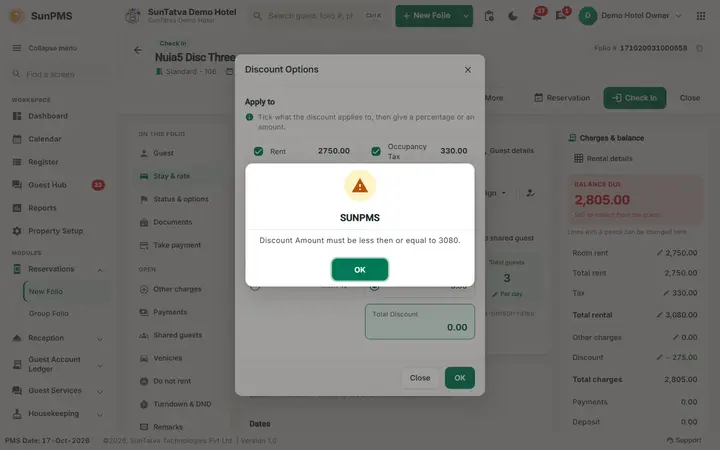
- Choose Amount and type 99999: Discount Amount must be less then or equal to 32984. The limit is the sum of the ticked boxes (rent 29,450.00 + tax 3,534.00).
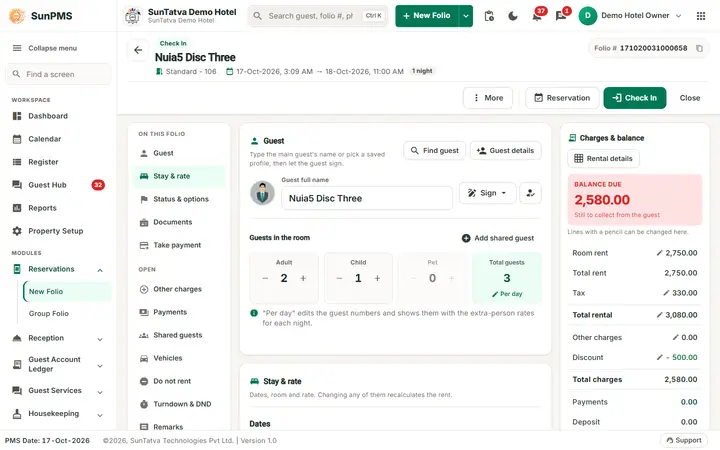
- Type 500 and click OK: Discount - 500.00, Total Charges 32,664.00.
- To remove a discount, open the window, set the amount to 0 and click OK: Total Charges return to 33,164.00.
The program stores both the amount and the equivalent percentage, so when you reopen the window the percentage box shows the percentage of the ticked base.
How to give a discount
- Click the Discount row (or its pencil) in the summary.
- Tick what the discount applies to.
- Choose Percentage or Amount and type the value.
- Check Total Discount, click OK.
- Write the reason in the folio remarks and Save.
What happens behind the scenes
- The discount is stored on the folio as one discount record (percentage or amount, with the ticked base). Changing it marks the old record deleted and inserts a new one; this is why only the last discount counts.
- Balance due and the check-out balance rule use the discounted total.
- The printed folio shows the discount line.
Messages you may see
| Message | Why | What to do |
|---|---|---|
| Discount Percentage must be less then or equal to 100. | Percentage above 100 | Enter 100 or less |
| Discount Amount must be less then or equal to N. | Amount above the sum of the ticked boxes | Tick more boxes or lower the amount |
Tips and FAQ
- Q: I typed 10 % but the discount is 0. A: No box is ticked. The Percentage and Amount boxes stay greyed until you tick Rent, Occupancy Tax, Other Charges or Other Charge Tax.
- Q: Where do I record who approved the discount? A: There is no field for it; use the folio remark or the user's own log. The audit trail of the folio needs the secondary database to be configured (folio header).
- Q: Can I give a discount per night? A: No. Use a rental adjustment for one day, or change the nightly rate in Rental Details.
- Q: Does the discount lower the tax? A: Only if you tick Occupancy Tax (or Other Charge Tax). The tax itself is still calculated on the full rent.
Screenshots