Folio - Rental Adjustment
On this page
A rental adjustment adds one correction line to the room charge of today on a guest who is already in house. The original night stays as it was; the adjustment is an extra line with its own rate and tax, usually negative. Use it when a wrong rate was charged, when you give back part of the rent as goodwill, or when only the tax has to be corrected. For a change of the whole stay use the rate edits (Rate and tax); for a percentage or amount off the bill use Discount.
Watch: rental adjustment
- Watch on YouTube: https://www.youtube.com/watch?v=KAjxVNo3iO4
Before you start
- The folio is saved and checked in (the button is hidden on reservations and new folios).
- You are working on the PMS date: the adjustment is always for today, the Adjustment Date cannot be changed.
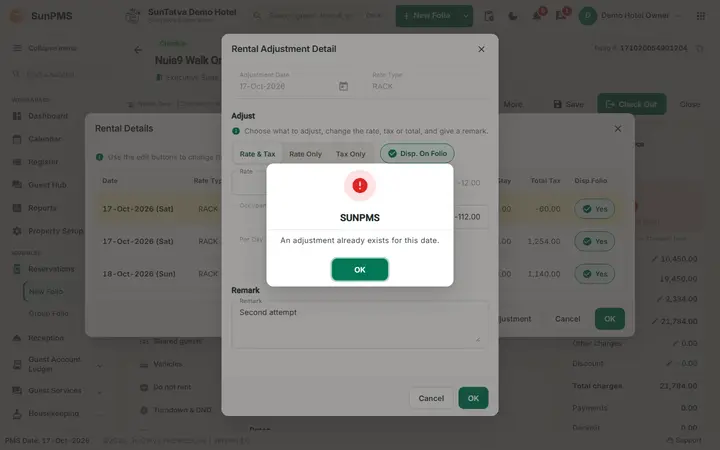
- Only one adjustment per day is possible.
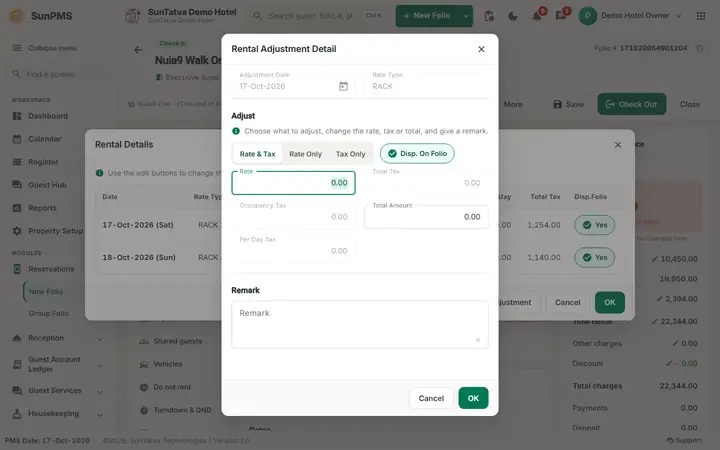
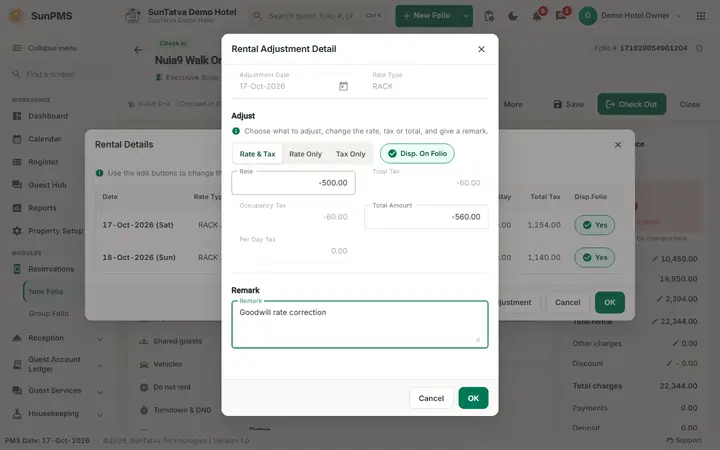
Screen layout (window Rental Adjustment Detail)
| Field / button | Meaning | Rules |
|---|---|---|
| Adjustment Date | The PMS date | Read only |
| Rate Type | Rate type of the folio (for example RACK) | Read only |
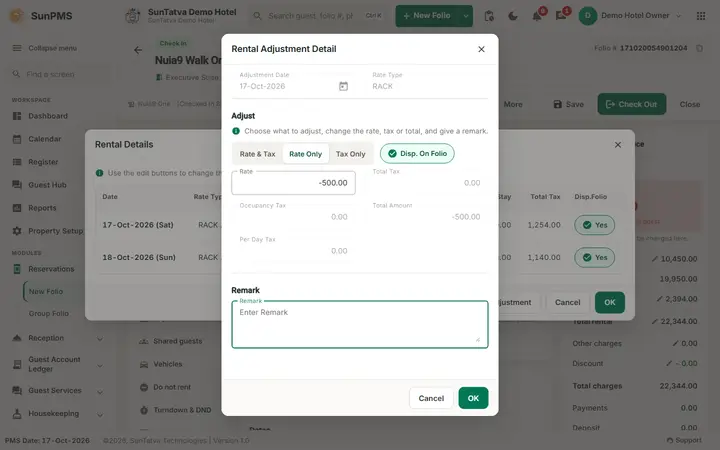
| Rate & Tax / Rate Only / Tax Only | What the correction changes | Rate & Tax: you type the rate, the tax is calculated. Rate Only: the rate changes and the tax is left at 0.00. Tax Only: only the tax can be typed |
| Disp. On Folio | Print the adjustment line on the guest's folio | On by default |
| Rate | Rate of the correction. Negative values reduce the bill | Greyed in Tax Only |
| Total Tax | Tax of the correction | Calculated; read only |
| Occupancy Tax | Tax part that you type in Tax Only | Enabled only in Tax Only |
| Per Day Tax | Flat per-day tax of the correction | Read only |
| Total Amount | Rate + tax. In Rate & Tax you can also type the total, the rate is calculated back | Greyed in Rate Only and Tax Only |
| Remark | Why the adjustment was made | Free text; kept with the line. Fill it in, for the auditor |
| OK / Cancel | Add the adjustment to the folio / leave | The adjustment is stored when you Save the folio |
How to adjust today's rent
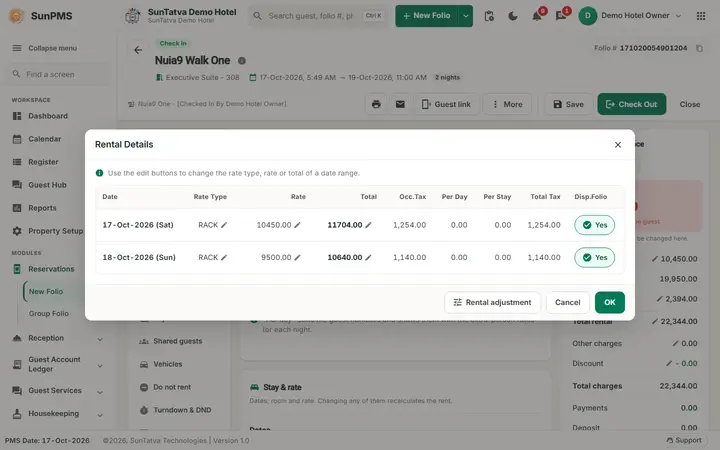
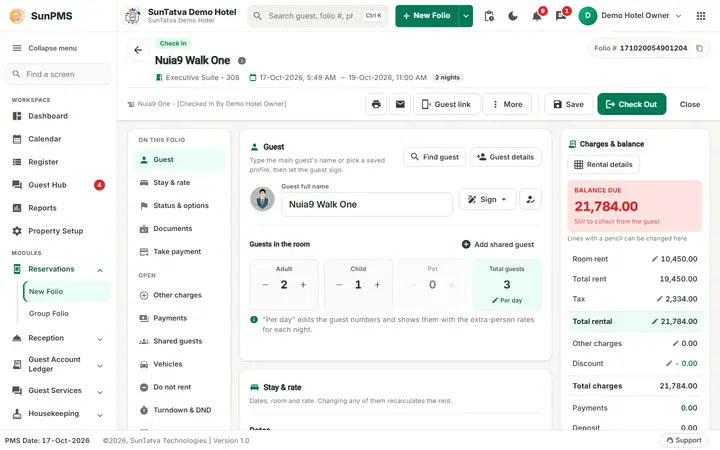
- Open the in-house folio and click Rental details.
- Click Rental adjustment (bottom left of the Rental Details window).
- Choose Rate & Tax. Type the rate in Rate, for example -500, and press Tab.
- Check Total Tax and Total Amount, type a Remark, click OK. If nothing happens after an amount was changed, click OK once more.
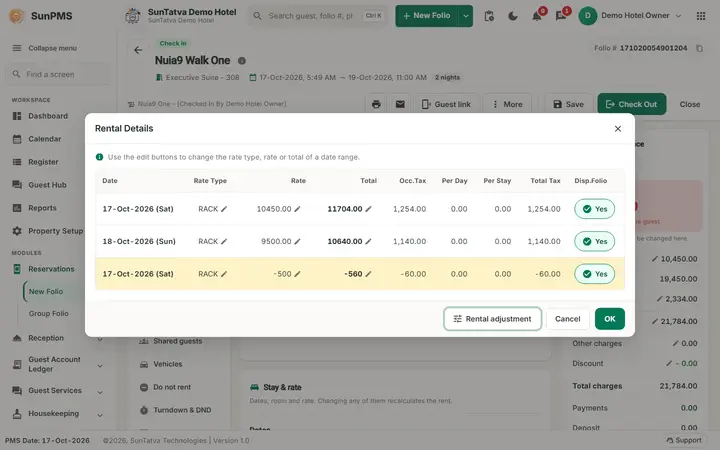
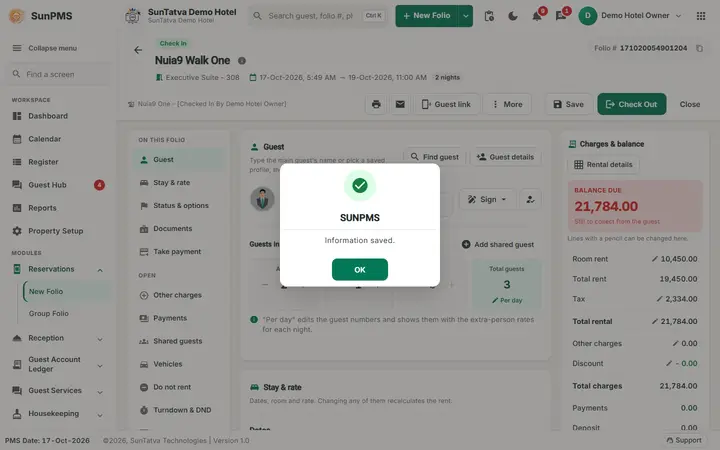
- Rental Details now shows an extra card for today. Click OK, then Save the folio (Information saved.).
Worked example (demo hotel, guest FO2-Bravo Company, Standard room 105, 17 Oct 2026)
Before: Total Rent 5,250.00 (2,750.00 + 2,500.00), Tax 630.00, Total Rental 5,880.00, Balance Due 5,880.00.
| Tab | Rate typed | Total Tax | Total Amount |
|---|---|---|---|
| Rate Only | -500.00 | 0.00 | -500.00 |
| Rate & Tax | -500.00 | -60.00 (12% of -500) | -560.00 |
The Rate & Tax adjustment was applied with the remark Goodwill rate correction. After it: Total Rent 4,750.00, Tax 570.00, Total Rental 5,320.00, Balance Due 5,320.00, which is 5,880.00 - 560.00. A second attempt the same day is refused: An adjustment already exists for this date.
What happens behind the scenes
- The adjustment is stored as an extra daily-rate line flagged as an adjustment, with the remark and the Disp. On Folio choice, and its own tax line. The reports of adjustments (monthly adjustment report) read it.
- The adjustment line carries today's date, so it belongs to today's revenue, even if the correction concerns an earlier night.
- The window has no delete button. If a wrong adjustment was not yet saved, close the folio without saving and reopen it. A saved adjustment can only be countered by a bill-level step (a discount, a negative other charge or a refund), not removed.
Messages you may see
| Message | Why | What to do |
|---|---|---|
| An adjustment already exists for this date. | One adjustment per day | Use a discount, or wait for the next day |
| Information saved. | Folio saved with the adjustment | None |
Tips and FAQ
- Q: Rate Only or Rate & Tax? A: Use Rate & Tax when the rate was wrong, because the tax follows. Use Rate Only only when the tax must stay as it is. Use Tax Only to fix the tax alone.
- Q: I changed Room rent in the summary instead. A: That replaces today's whole rate; the adjustment adds a correction line and keeps the original visible.
- Q: The button is not there. A: The folio must be checked in and saved; reservations use the normal rate edits.
Note: after typing the rate and pressing Tab the program recalculates in the background. OK keeps the field focus on the mouse press and waits for that calculation, so one click is enough (it was verified on the second adjustment of a day, which answers An adjustment already exists for this date. on the first click). Before the fix a quick click on OK could be lost and had to be repeated.
Screenshots