Notifications bell
On this page
The bell in the header is the ONE place that collects everything that wants your attention, so you do not have to look for it: what guests are waiting on (requests, messages, online check-ins, restaurant and parking activity of the guest) and the alerts that other parts of the system raise for you, for example a restaurant bill that the SunPOS team posted to (or changed on, or removed from) a guest's room. This page describes the bell as a whole; the alert list (section Alerts & system) is described in detail below.
Before you start
- Sign in through SunAuth. The bell needs no licence and no privilege.
- A PIN-only login sees an empty list and the note Chat is available when you sign in with your SunAuth account. A PIN-only login cannot send or read chat messages.
Screen layout
| Item | What it means | Rules |
|---|---|---|
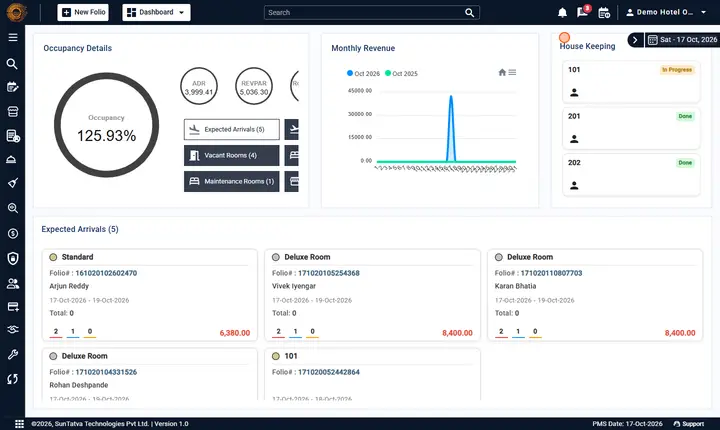
| Bell button | Opens or closes the popup. | A red number shows unread alerts (99+ when above 99). The tooltip is Notifications. The bell sits next to the chat button (tooltip Team chat); each has its own icon so they are not confused. The red number counts the unread items of both sections. |
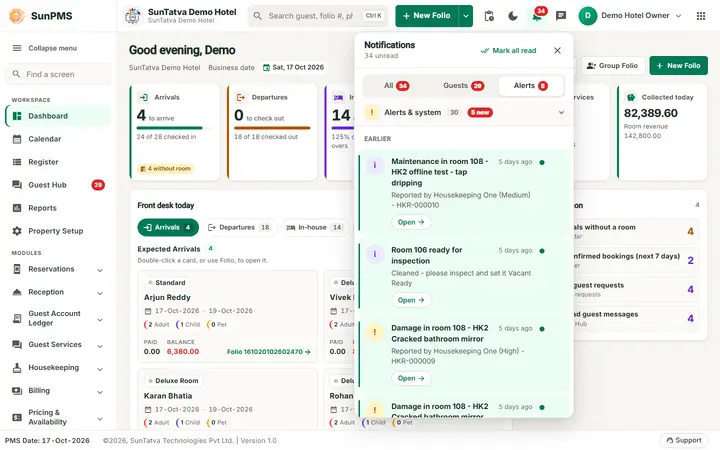
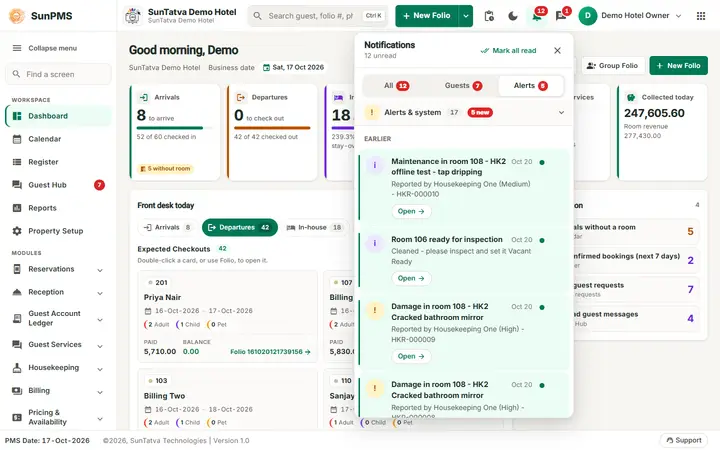
| Notifications (title of the alert list in the section Alerts & system) | The latest alerts, newest first. | Alerts are listed for 30 days. |
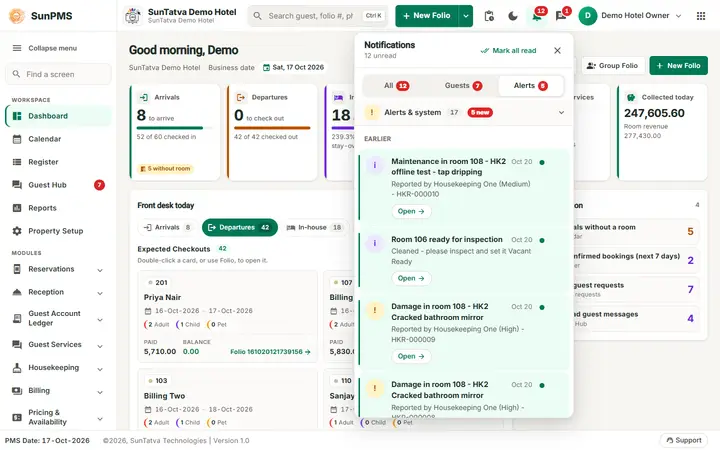
| Round letter at the left of an alert | Type of alert: information, success, warning or error colour. | Colour only; the text is in the title. |
| Blue dot and shaded row | Not yet read. | Disappears when you click the alert or Mark all read. |
| Time ("5 min ago") | When it was raised. | |
| Mark all read | Marks every alert as read. | Shown only when something is unread. |
| Small x at the right of an alert | Removes the alert from your list only. | Other people still see theirs (tooltip Remove from my list). |
| Show older | Loads older alerts. | Shown when there are more. |
| You are all caught up. | The list is empty. | The line under it says Charges posted by SunPOS or SunParking and other alerts appear here. |
How to read your alerts
- Look at the bell. A red number means something new arrived.
- Click the bell. The list opens.
- Click an alert. If it points to a guest folio, the folio opens and the alert is marked read.
- Click Mark all read to clear the number, or the x to remove one alert. Result: the red number goes down; the list keeps only what you have not removed.
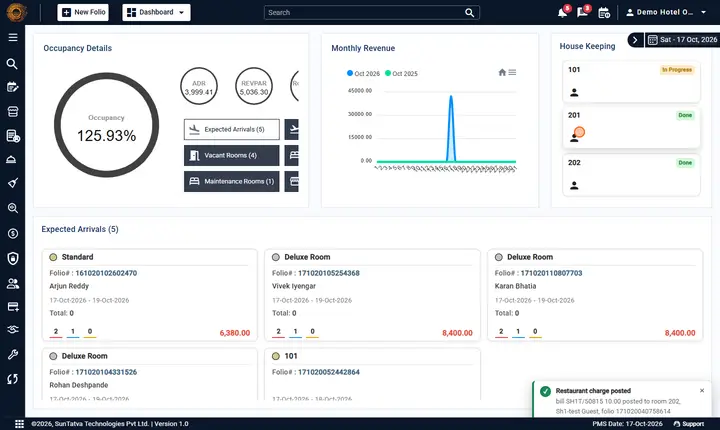
A new alert also appears as a pop-up card (about 380 pixels wide, with a coloured edge for its severity, a title and the first lines of the text) at the bottom right of whatever screen is open, above the status bar. On a phone it spans the width. Click the pop-up to open the alert, or its x to dismiss it.
Alerts you can receive in SunPMS
| Title | When | Colour |
|---|---|---|
| Restaurant charge posted | A SunPOS restaurant bill was settled to a guest's room. The text gives the bill number, the amount and the room. | Green |
| Restaurant charge updated | A bill already posted to a folio was changed, for example a part refund. | Blue |
| Restaurant charge removed | A bill was voided or fully refunded and taken off the folio. | Orange |
One bell, two sections
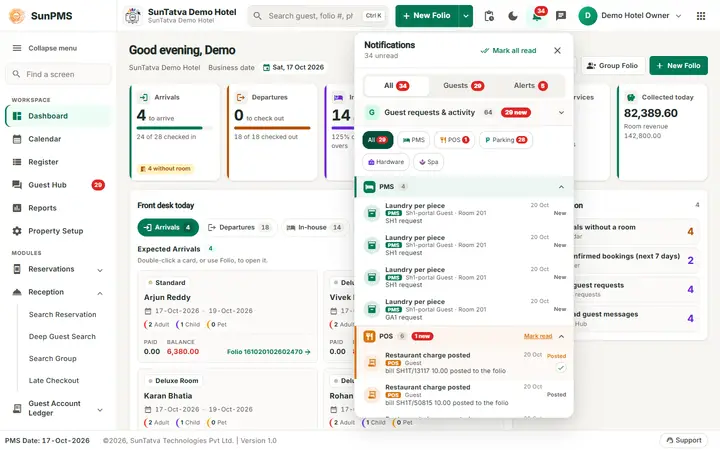
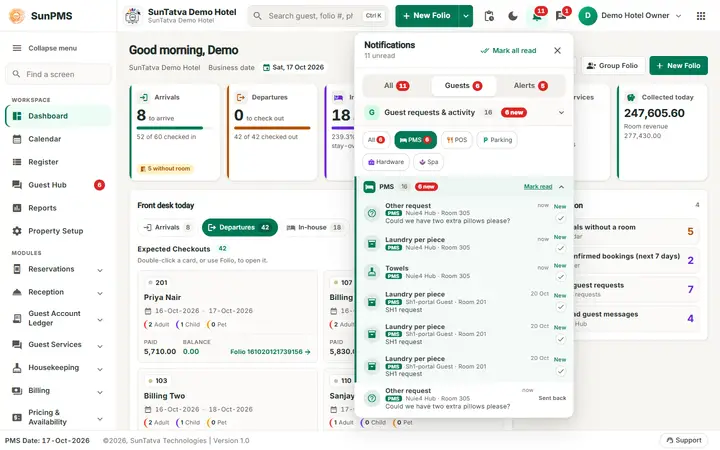
There is only ONE bell in the PMS header (tooltip Notifications); the separate guest bell and the P parking bell no longer exist. Its popup is a large panel under the bell (about 440 pixels wide, as tall as the screen allows, scrolling inside; on a tablet it stays under the bell, on a phone it is a full-screen sheet) with the title Notifications and "n unread" (or "You are up to date") at the top, and:
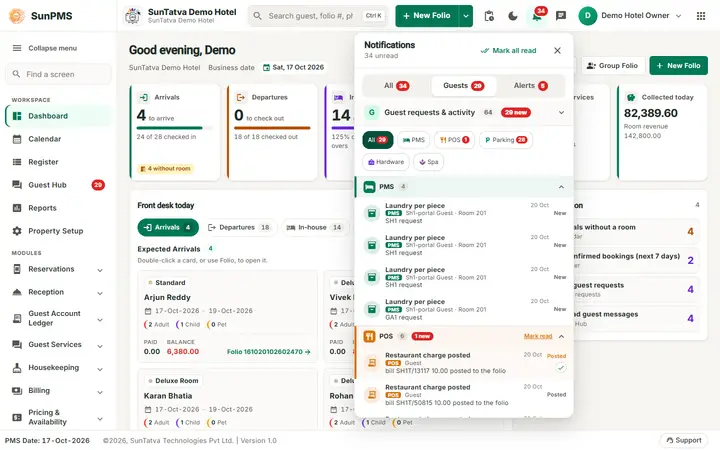
- A top row with the quick filters All, Guests, Alerts (each with its unread count) and Mark all read.
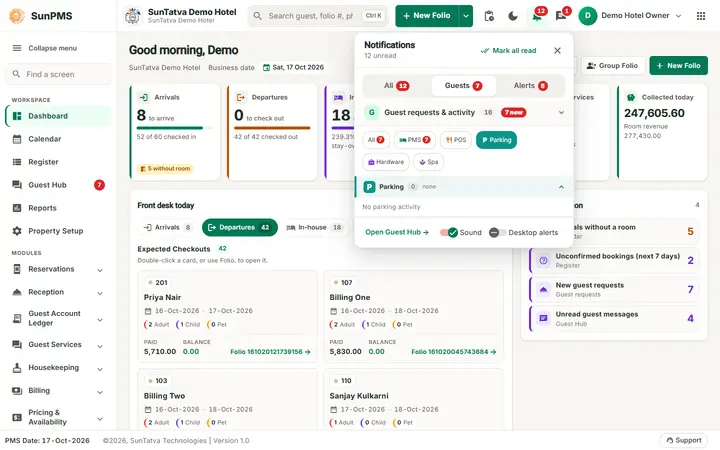
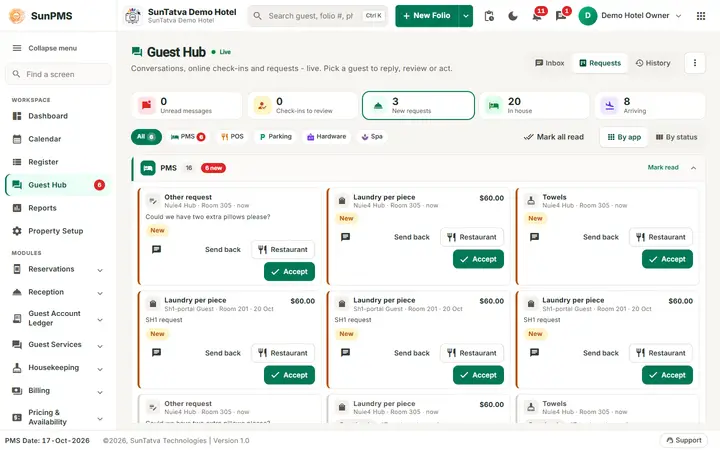
- Guest requests & activity: everything guests are waiting on, in one sub-section per app with its icon, name, item count and unread count (collapse or expand each; SunPMS remembers it in your browser): PMS (portal requests, chat messages, online check-ins), POS (room service orders and restaurant bills posted to the room), Parking (car requested, vehicle claimed / linked / needing review, parking charges, checked out with parking open) and Hardware (ID scan, signature). Chips All / PMS / POS / Parking / Hardware filter it. Each item shows the guest, room, time, text and status; click it to open the right place (chat, the check-in review dialog, the Guest Hub card, or the guest's folio on the Charges / Vehicle tab); the small tick marks one item read. See Guest Hub.
- Alerts & system: the staff-level alerts of this page (system notices, warnings, parking events that belong to no guest such as a car park link problem).
One red number on the bell counts the unread items of both sections. A new event pops up ONE toast: guest-linked parking events and hardware scans from the guest section, restaurant charges and system alerts from the alerts section (the Restaurant charge posted event also appears in the guest section as a POS item, with its own read state, but does not pop up twice). Who sees parking items and toasts is set by the property setting PARKING_NOTIFY_MODE (front desk, everyone, or nobody). In the POS and Parking apps the same bell shows only Alerts & system.
What happens behind the scenes
- An alert is stored once in the property's database and is shown to the people it is meant for (a person, a role, everyone with a privilege, or the whole property). Removing it from your list does not delete it for others.
- If the live connection is lost, the bell refreshes itself about once a minute.
- Alerts are removed automatically after the retention period (see Chat settings).
Messages you may see
| Message (exact text) | Why it appears | What to do |
|---|---|---|
| You are all caught up. | The list is empty. | Nothing to do. |
| Chat is available when you sign in with your SunAuth account. A PIN-only login cannot send or read chat messages. | PIN-only sign-in. | Sign in through SunAuth. |
Tips and FAQ
- Q: I did not get an alert for a restaurant charge. A: Charges are sent to the whole property. Check the restaurant is linked to the hotel (see SunPOS room charges) and click the bell to refresh.
- Q: What is the difference between the bell and the chat button? A: The bell shows system alerts. The chat button is for messages written by people.
- Q: Can I turn alerts off? A: Not for the bell. You can mute a chat conversation, see Search, mute, status and receipts.
What each notification opens
Click an item in the bell list (or its pop-up) and SunPMS opens the thing it is about, marks the item read and closes the panel. It never sends you to the Dashboard unless the item has nothing to open.
| Notification | Opens |
|---|---|
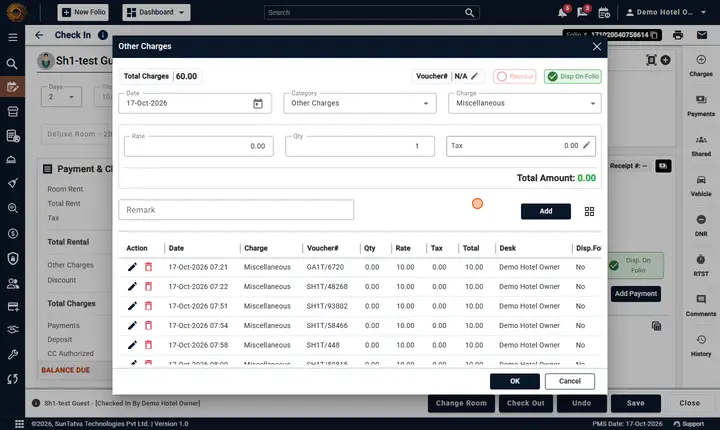
| Restaurant (SunPOS) charge posted / updated / removed | The guest's folio, with the Other Charges window open |
| Parking charge posted / updated / removed, check-out override | The folio, with Other Charges open |
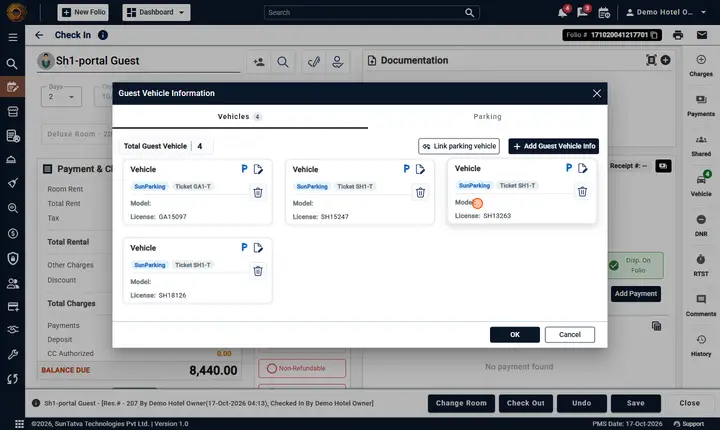
| Vehicle added / linked / needs review / claimed by guest, guest asked for the car | The folio, with Vehicle Information open |
| Chat or message notification | The chat window on that conversation |
| Parking item not tied to a guest | Property Setup > Parking Setting |
| An in-app link such as /setup/parking | That screen |
| No link (information only) | Nothing: it is marked read and you stay where you are |
If you are already on that folio, the page is left as it is. Older notifications that only carry a link like /checkin/6 open the folio too.
Screenshots