Linked apps and cross-app chat
On this page
When your hotel is linked to a SunParking car park or a SunPOS restaurant, the front desk can chat with the valet desk or the restaurant cashier directly, without a phone call and without leaving SunPMS. People in the other app write from their own screen; each app keeps its own copy of the conversation.
Before you start
All of these must be true, on both sides:
- A link exists. It comes from settings you already have, there is no separate chat link:
- SunPMS: Property Setup > Configuration > Parking Setting (the car park) and the SunPOS link used for room service / room charges (SunPOS room charges).
- SunParking: Setup > Integrations (SunPMS hotel, SunPOS restaurant).
- SunPOS: its Settings (PMS and Parking links). A link declared on one side is enough: when it is saved, the other side learns about it by itself.
- Same owner. The two properties must belong to the same SunAuth owner (an account that owns both groups). SunAuth refuses a link between different owners.
- Licences. Both apps have Cross-app Chat (and Team Chat), see Licences for chat.
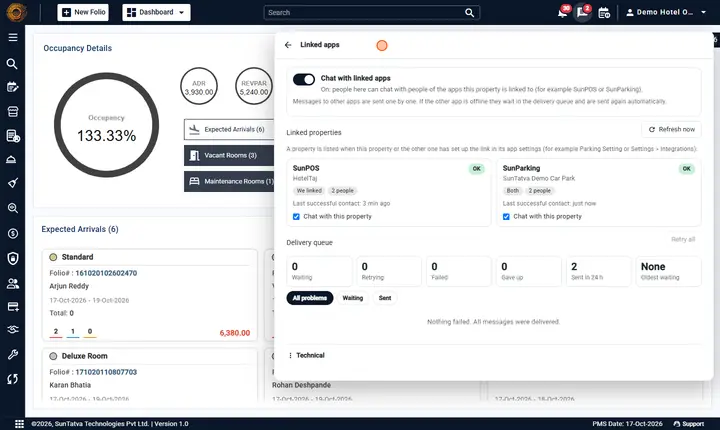
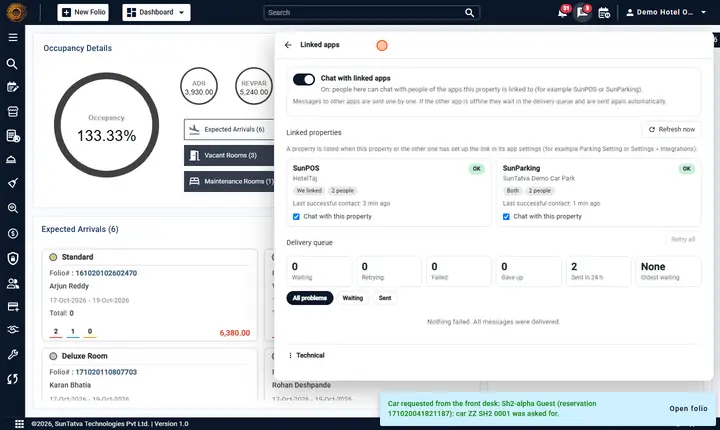
- Switch on. In each app an administrator has Chat with linked apps switched on (default on), see Linked apps admin screen.
- People. You have the privilege Cross-app Chat; the person you write to signed in through SunAuth and may chat in their app.
Who can message whom
| You are | You can start a chat with | Notes |
|---|---|---|
| A SunPMS user | Chat-enabled staff of every linked SunParking property and SunPOS restaurant | Listed under Linked apps, with the app and property name. |
| A SunParking or SunPOS user | Staff of the linked SunPMS hotel and of the other linked app | Same screen in their app. |
| Anyone signed in with a PIN only (a till PIN, a valet PIN) | Nobody | A PIN has no SunAuth identity, so chat is hidden. |
| A guest | Nobody | Guests use the guest portal. |
How to start a chat with someone in a linked app
- Click the chat button, then + (New chat).
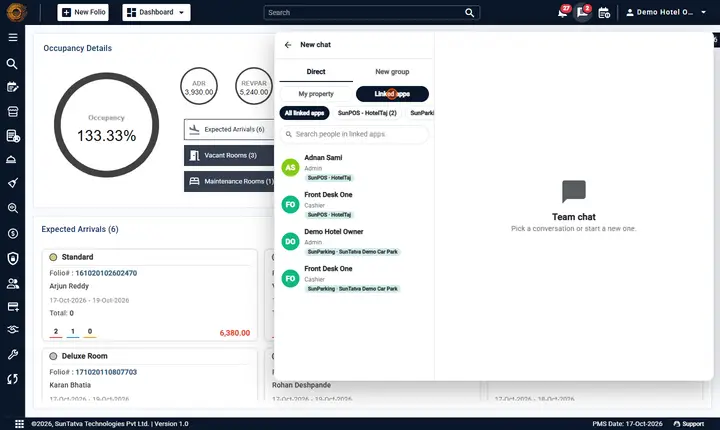
- Click the tab Linked apps (next to My property). If the tab is missing, see the checklist above.
- Optionally click one of the chips (All linked apps, or one property) to filter, or search Search people in linked apps.
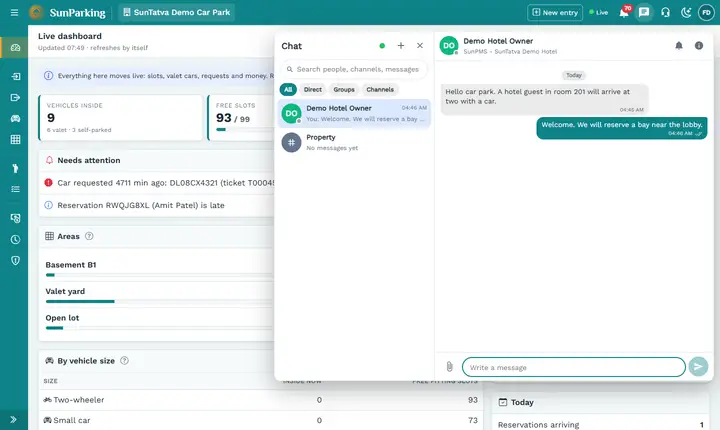
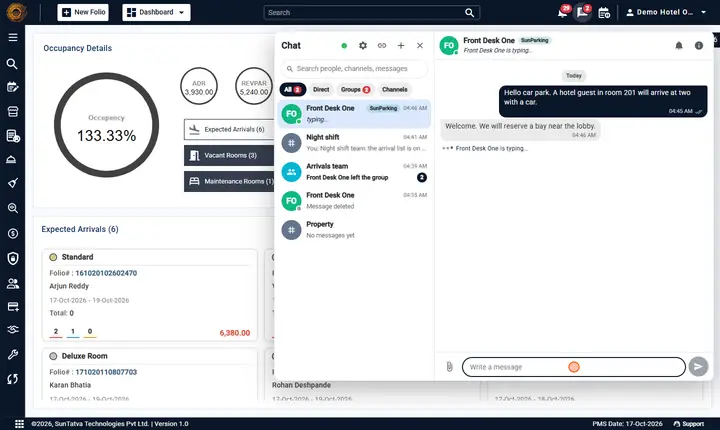
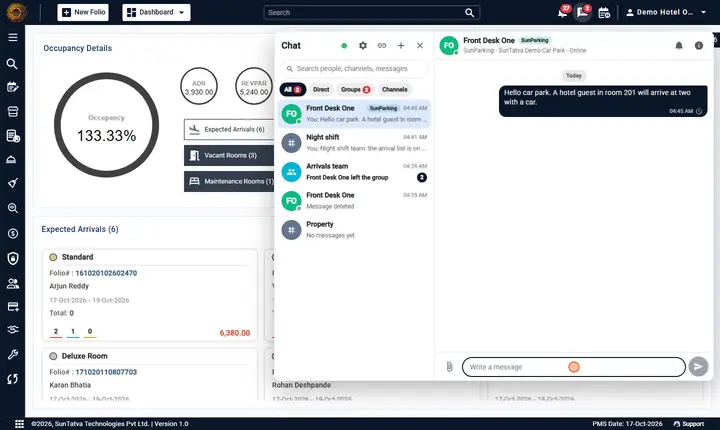
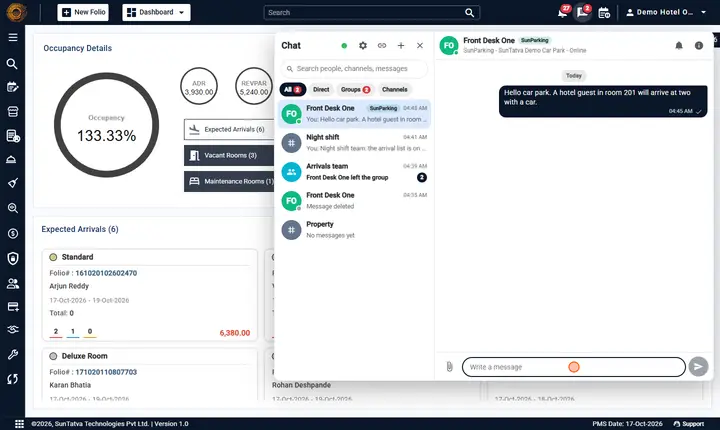
- Click the person. Each row shows the name, department and a badge such as SunParking. Result: a direct chat opens; its heading shows the badge and SunParking - SunTatva Demo Car Park. Write and send as usual.
A property that cannot be reached right now is listed above the people with a yellow note:
You can also add people of linked apps to a group (Details > Add from linked apps, or the Linked apps tab when you create a group). In that group each remote person shows the app badge and the chat list shows the badge N apps.
Delivery status of a message to another app
| Mark next to your message | Meaning | What to do |
|---|---|---|
| Clock (tooltip Waiting to be delivered to SunParking) | The message is in the delivery queue; the other app is busy or offline. | Nothing. It is retried automatically: after 5 s, 30 s, 2 min, 10 min, then hourly, for up to 24 hours. |
| One tick | The other app has received it (stored). | |
| Two ticks / light-blue ticks | Delivered / read by the person. Read marks travel back across apps. | |
| Red warning (tooltip Not delivered to SunParking) and Retry | The message could not be delivered: the other app refused it (link removed, licence off, switch off) or gave up after 24 hours. | Fix the cause (see Chat problems), then click Retry. An administrator can retry from the Linked apps admin screen. |
| A message is never lost while it waits: it was saved on your side first. A retry never delivers twice. |
Differences from chat inside the property
- Presence and typing are relayed across apps on a best-effort basis (memory only, nothing stored): a linked person shows the online / away / do-not-disturb dot and typing... while their app is reachable; if it is not, the dot shows offline and nothing is queued. The dot is refreshed about every 45 seconds while the chat window is open.
- Every app of a group must be linked to every other one. A group of hotel + restaurant + car park works only when restaurant and car park are also linked to each other; otherwise messages to the unlinked app show The property is no longer linked. in the queue.
- Files work (10 MB, same 17 allowed types, other types are refused); the other app downloads the file the first time it is opened. If that fails you see The file of the other app could not be fetched.
- Groups that include people of another app can be renamed, and have members added or removed, only by the app that created them. Anyone can leave their own part.
- Edit and delete are passed on to the other app; mute and unread are private to each side.
- Chat with a linked app does not need that app to be open on the other person's screen; they see the message when they next open it.
What happens behind the scenes
- Your app saves the message and puts a copy in an outgoing queue in one step. A background worker sends it to the other app with a short-lived service token issued by SunAuth (valid only for chat, only between the two linked properties, 5 minutes).
- The receiving app checks the token, the link, the licences, the switch and that the sender is who the token says; then it stores the message once (sending twice is harmless).
- Order is kept per conversation. If the other app is down, the queue waits and resumes when it returns.
- Nothing is stored in SunAuth; the apps' databases keep their own copies.
Messages you may see
| Message (exact text) | Why it appears | What to do |
|---|---|---|
| Chat with linked apps is switched off. | The property switch is off (here or in the other app). | Administrator: turn Chat with linked apps on. |
| This property is not linked to that app. | You picked a person whose property is not (or no longer) linked. | Check the link in Parking Setting or the SunPOS link; click Refresh now. |
| That property is not linked to this one. | The server refused because the link is missing. | As above. |
| Chat with linked apps is not part of the licence of this property. | Cross-app licence missing. | See Licences. |
| Cross-app chat is not licensed. | The other app has no licence. | Ask its owner to request Cross-app Chat. |
| That person could not be found. | The person left or is not chat-enabled. | Pick someone else. |
| That person is not available for chat. | Inactive or no chat privilege. | As above. |
| You are not allowed to do that. | You lack Cross-app Chat (264), or a non-origin tried to change a group. | Ask an administrator or the app that created the group. |
| Waiting to be delivered to |
Tooltip of the clock. | Wait. |
| Not delivered to |
Tooltip of the red warning. | Click Retry after fixing the cause. |
| A message could not be delivered to the other app. | Announced to screen readers when a message fails. | Same. |
| Could not try again. | Retry failed. | Check the link health on the admin screen. |
| The file of the other app could not be fetched. | The other app could not send the file. | Ask the sender to send it again. |
| Link not found. / Unknown property. | A stale link was used. | Refresh now on the admin screen. |
| The service token does not carry the scope this route needs. / The sender does not match the service token. / The sender is not linked to this property. | Security checks of the link between apps (support). | Contact support. |
| No linked apps yet - link this property in the app settings (e.g. Parking Setting / Property Setup > Integrations). | No link exists. | Create the link in the settings. |
| Includes people of linked apps | Tooltip of the group badge. | None. |
Tips and FAQ
- Q: The Linked apps tab is not there. A: One of the five conditions above is missing. Look at the Linked apps screen first (administrators): it says Off, shows the link health, or lists no properties.
- Q: Can I chat with the SunPOS restaurant? A: Yes when both are linked and belong to the same owner; otherwise it is not offered or shows as Refused (owner mismatch, 403).
- Q: My message shows a clock for a long time. A: The other app is unreachable; the message is queued and will arrive in order when it is back.
- Q: Can the car park see my hotel's other chats? A: No. Only the messages of the conversations that include their people are copied to them.
Screenshots