
Footer (PMS date and Support)
The footer (status bar) is the 40 pixel bar fixed at the bottom of every screen; it does not scroll with the page. It shows the hotel's PMS Date (the business date, which only moves forward when Night Audit is run), the software version, and the Support button.
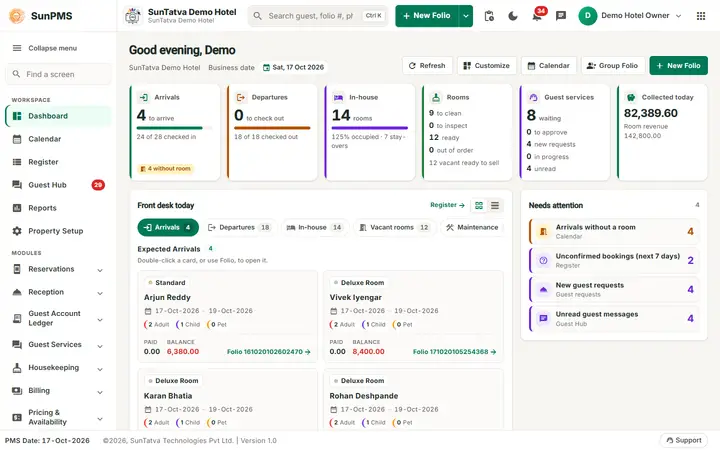

The footer: PMS Date, copyright and version on the left and the Support button on the right.
Screen layout
| Item | What it means | Rules |
|---|---|---|
| Copyright and Version | "©year, SunTatva Technologies | Version x.y". |
| PMS Date | The current business date in the property's date format, for example 16-Oct-2026. | It can differ from the computer date: it changes only after Night Audit. All postings use this date. |
| Support (headset icon) | Opens or closes the Help and support panel (assistant, tickets, live chat). A red badge shows unread replies (9+ when more than nine). | Same panel as the floating support widget. |
| Disable ToolTip / Enable Tooltip | Turns the hover details on the Property Calendar bars on or off. | Shown only on the Property Calendar. The choice is saved for your user. |
The Change property button (the footer holds the version, PMS Date and Support only) is at the right end of the header and in the account menu. On phones (under 600 pixels) the footer is replaced by the tab bar, and the PMS Date and Support button move to the foot of the menu drawer, see Phone and tablet layout.
How to ask for help
- Click Support in the footer.
- Use the panel to chat with the assistant or raise a ticket. Result: replies appear in the same panel and the badge counts the unread ones.
What happens behind the scenes
- On screens other than the landing, shift start and guest pages the footer is shown.
- Pop-up notifications (new channel booking, software update, broadcast) are drawn at the bottom right above the footer; up to five show at once and older ones are summarised as "+n more older notifications". Update and broadcast notices stay until you close them with x or drag them to the right; others close after 10 seconds.
Tips and FAQ
- Q: Why is the PMS Date yesterday? A: Night Audit has not been run yet for today. See the Night Audit chapter.
- Q: I want to open another hotel. A: Click the apps icon (Change property) in the header, or choose Change property in the account menu.