
Sync Inventory
On this page
Resends the number of rooms you have and the number still available, for a date range, to a partner interface. Use it when a partner shows a wrong room count, or after you changed room blocks, out-of-order rooms or the number of rooms in a room type.
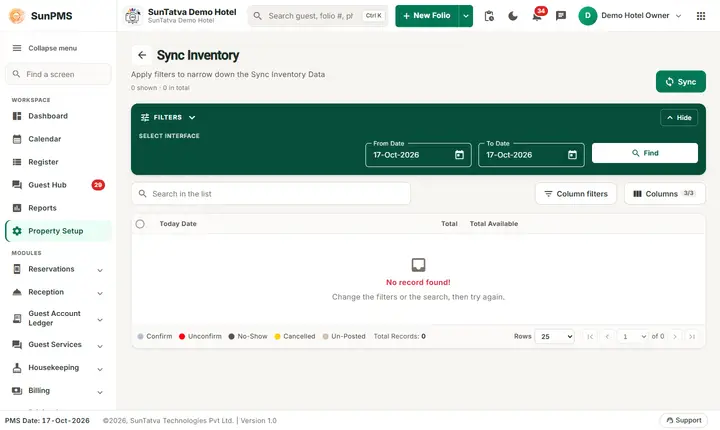
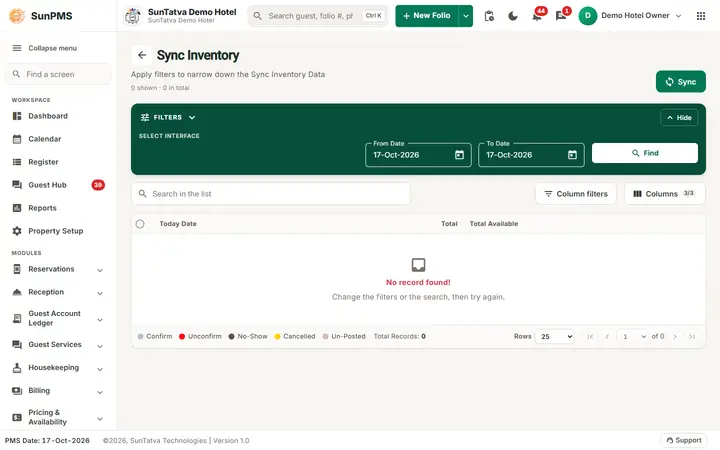
The Sync Inventory screen: choose the From and To date, press Find, then Sync.
Before you start
- An interface exists in Webhook settings.
- To push availability to the CRS and OTA channels use Bulk Inventory Update. This screen is for webhook interfaces.
Screen layout
The page has the title Sync Inventory, the count "n shown · n in total", the Sync button, the green Filters band (Hide folds it), a Search in the list box, Column filters, Columns (3/3) and the grid with the pager.
| Field / column / button | What it means | Rules |
|---|---|---|
| Select Interface (chips) | Partner to send to | Required. |
| From Date | Start of range | Defaults to the PMS date. |
| To Date | End of range | Not before From Date. |
| Find | Shows total rooms and availability per date | Uses your From and To dates. |
| Sync | Pushes inventory for all room types in the range | Confirmation asked. |
| Grid columns | Today Date, Total, Total Available | Search and column filters available. |
How to sync inventory
- Open Sync > Sync Inventory in the left menu.
- In the Filters band pick an interface chip.
- Set From Date and To Date.
- Optional: click Find to check the numbers first.
- Click Sync, then confirm Are you sure you want to sync inventory for the selected interface?
Result: Inventory sync successfully. All room types are sent (the room type filter is fixed to "all").
What happens behind the scenes
A webhook event of type inventory is queued with the dates; the consumer computes availability per room type and sends it to the interface.
Messages you may see
| Message (exact text) | Why it appears | What to do |
|---|---|---|
| Are you sure you want to sync inventory for the selected interface? | Confirmation (asked before the interface check) | Yes to continue. |
| Please select webhook interface type. | No interface selected | Select one and repeat. |
| Inventory sync successfully. | Queued | Wait. |
| Error while sync inventory. | Server rejected | Retry. |
| Something went wrong. | Find failed | Retry. |
Tips and FAQ
- Q: I get the confirmation first and the interface error after it. A: That is how the screen is built. Select the interface before clicking Sync to avoid the extra step.
- Q: Does Find change anything? A: No, it is a read-only preview.
- Q: How long a range can I send? A: No limit is enforced, but long ranges take longer to process.