
Folio - WhatsApp, Reservation Chat and Guest Interface Link
On this page
Besides printing and e-mailing, the folio can send documents on WhatsApp, open the guest's conversation, send the guest portal link, and (for Expedia bookings) exchange messages with the guest. These controls appear only when the matching licence, setting or booking channel exists. On the demo hotel none of them is switched on, so this page is written from the application code; check it on your own hotel.
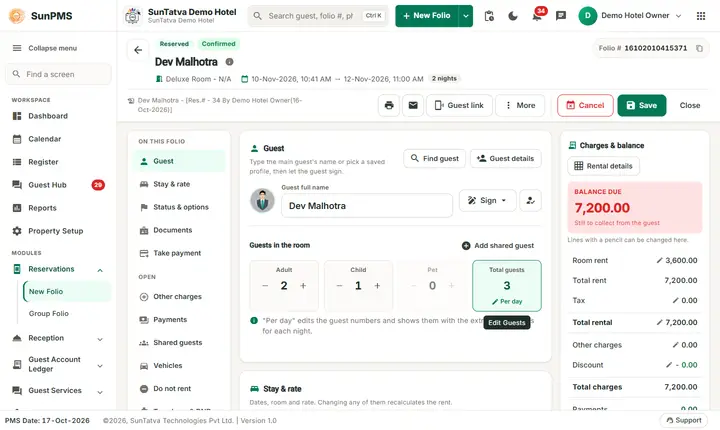
When each control appears
| Control | Appears when |
|---|---|
| WhatsApp icon (in the header, next to Print and Email) | The folio is saved, the property setting WhatsApp enabled is on and the hotel has the WhatsApp licence. |
| Guest link button (opens the Guest link panel) and the entry Guest Interface Link at the top of the Email window | The reservation is saved and Confirmed (not checked out) and the Guest Portal is on. |
| Reservation Chat icon (speech bubble) | The booking came from Expedia (online channel number 2) and the hotel has Expedia messaging enabled. |
| Print, Email and WhatsApp on a phone | The three icons move into the More menu under Share folio. |
WhatsApp menu
Click the WhatsApp icon. The menu lists:
| Entry | What it does |
|---|---|
| Chat with guest | Opens the guest's conversation window, shared with the guest page (guest portal). The title shows the guest name; the subtitle shows the folio, the room and the WhatsApp number. |
| Reservation | Sends the reservation confirmation PDF (reservations only). |
| Folio, Detail Folio | Send the folio PDF. |
| Registration Form | Sends the registration card. |
| Cancellation Report | Only for a cancelled folio. |
| Payment Receipt | Greyed out until the folio has payments. |
| Other Charges Report | Greyed out until the folio has other charges. |
| Email Templates | Sends one of the hotel's templates. |
| Country folios (India, Malaysia) are offered according to the property country. On success a short message confirms the send; if WhatsApp cannot deliver, the message box shows the reason. |
Guest portal link
The Guest link button in the header opens a panel that shows whether the link was sent, opened and used for online check-in, with a QR code, Copy link, Send the link (e-mail & SMS) and Open the guest conversation. The whole panel is described in Guest link panel. See also Guest Portal Setting.
Reservation Chat (Expedia)
Click the speech bubble. A chat window lists the messages of the booking with Expedia and their attachments.
| Control | What it does | Rules |
|---|---|---|
| Message box (type message here) and Send | Sends the message to the guest through Expedia. | Empty text: Please enter message. Before sending: Are you sure want to send message to this reservation? (with the number of attachments when there are some). |
| Add attachment | Attaches a file. | PDF, PNG or JPG only (Allowed attachment file types are PDF, PNG, JPG only.), up to 5 MB (Attachment file size max limit is 5MB.). |
| Show attachments / Remove attachment | Lists the files you attached and removes one. | |
| Download attachment | Opens an attachment received from the guest in a new tab. | |
| Close Chat | Closes the window. |
Messages you may see
| Message (exact text) | Why it appears | What to do |
|---|---|---|
| Please enter message. | Send with an empty box. | Type a message. |
| Attachment file size max limit is 5MB. | File larger than 5 MB. | Use a smaller file. |
| Allowed attachment file types are PDF, PNG, JPG only. | Another file type. | Convert the file. |
| Could not send on WhatsApp. / Could not open the conversation. | WhatsApp is not configured correctly or the guest has no WhatsApp number. | Check WhatsApp Setting and the guest's mobile number. |
Tips and FAQ
- Q: I do not see the WhatsApp icon. A: The icon needs the WhatsApp licence and WhatsApp enabled in the property settings, and a saved folio.
- Q: Can I chat with a booking.com or direct guest here? A: Not in the Reservation Chat (Expedia only). Use the Guest chat tab of the Remarks window (Guest Interface) or the WhatsApp conversation.