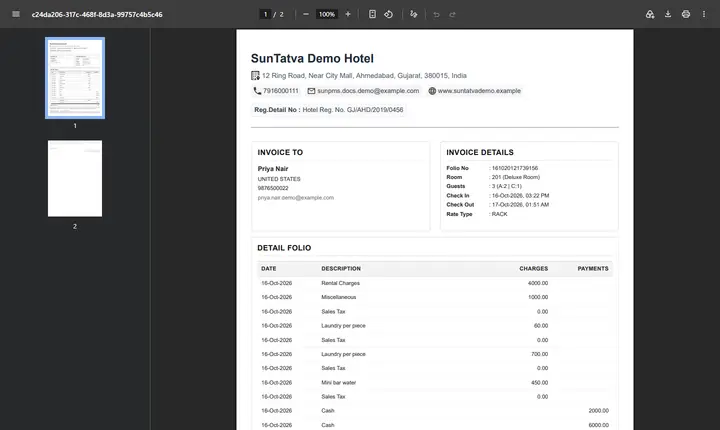
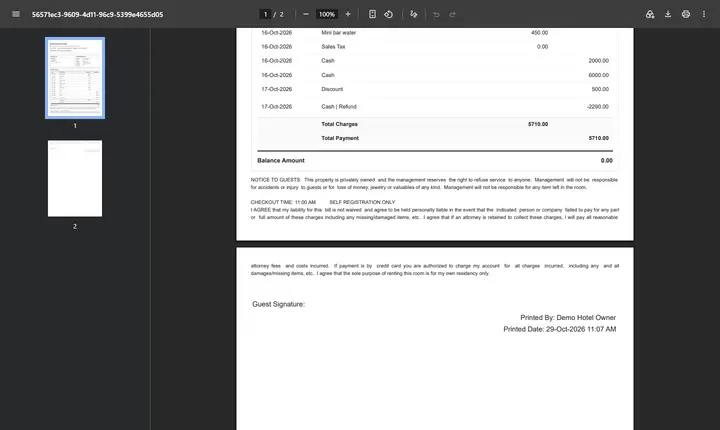
Printing and E-mailing the Folio
On this page
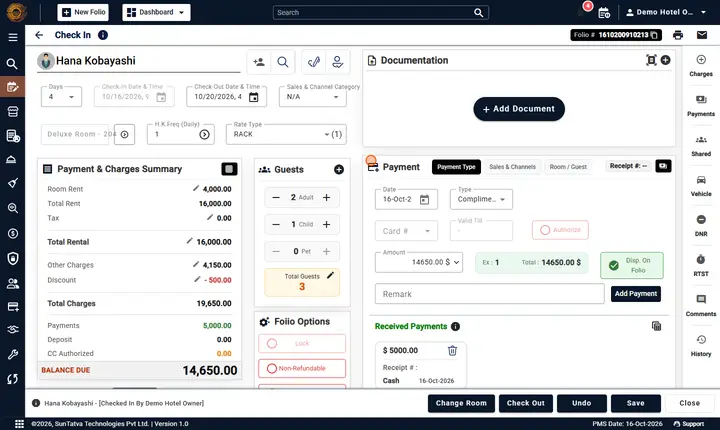
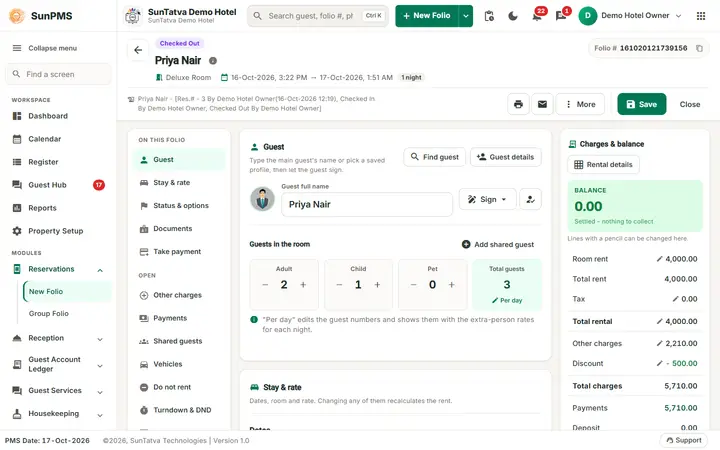
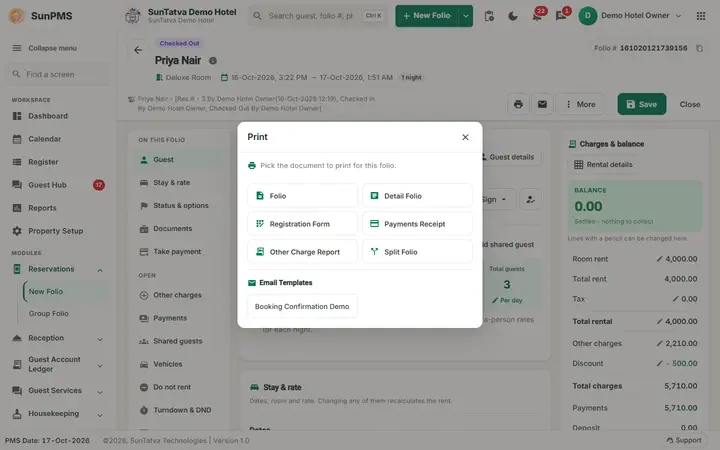
The three icons in the header of a saved folio (next to Guest link and More) open the same list of documents for Print, WhatsApp and Email. Each window shows the documents as large buttons; ones that do not apply yet (for example Payment Receipt before a payment exists) are greyed out, and the Email Templates of the hotel are listed under the documents.
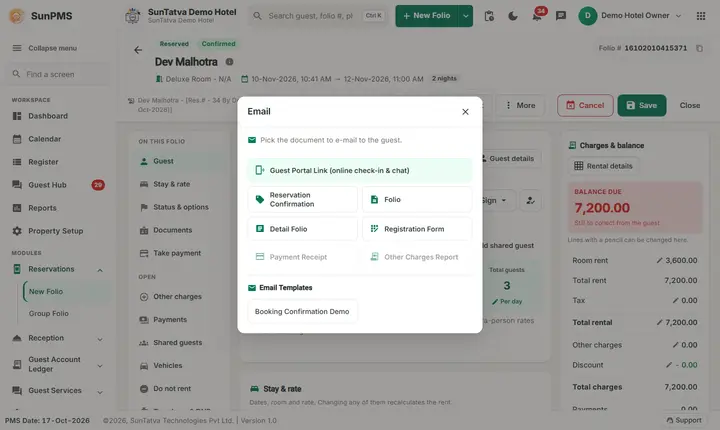
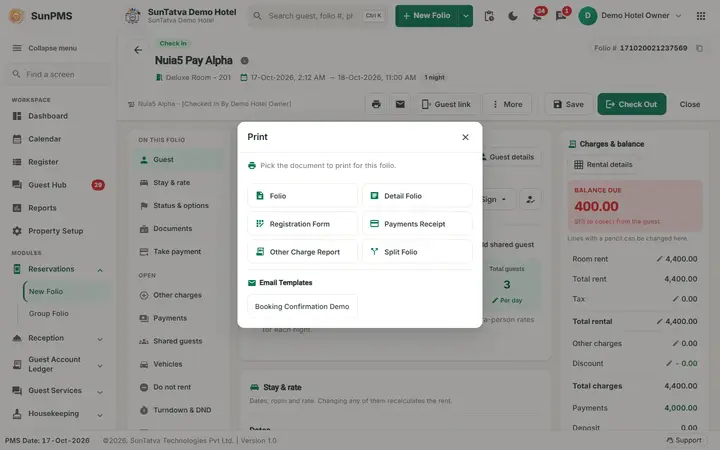
| Document | Shown when |
|---|---|
| Reservation Confirmation | Folio is still a reservation |
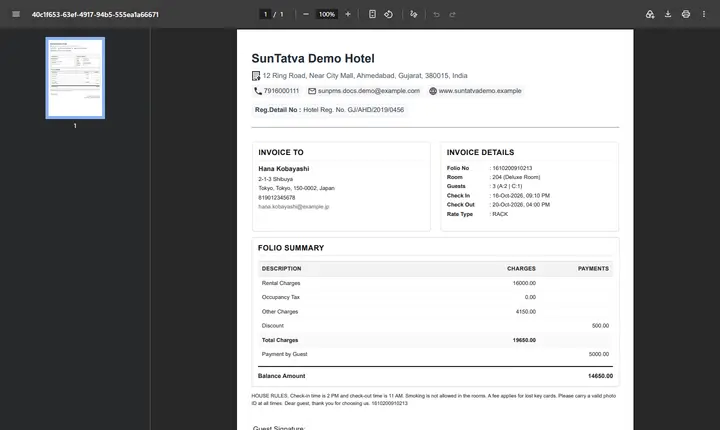
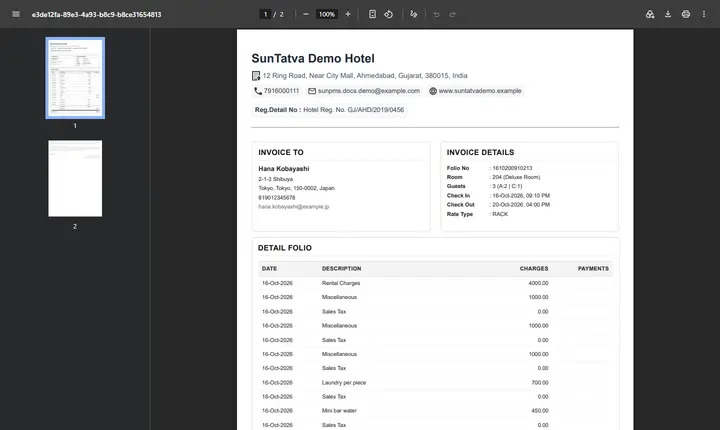
| Folio (summary) and Detail Folio | Always |
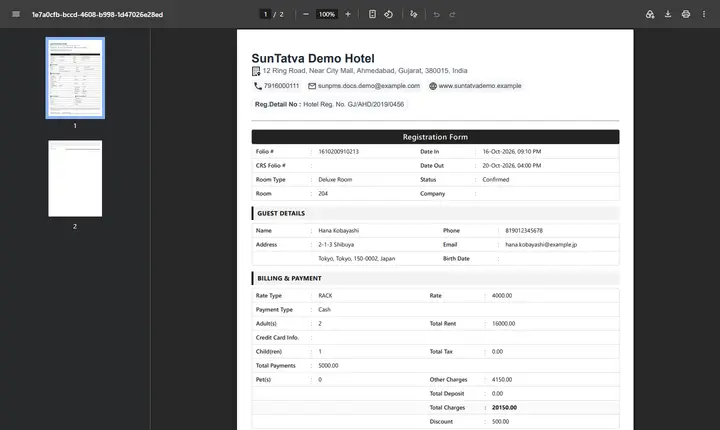
| Registration Form | Always (the registration card) |
| Cancellation Report | Folio is cancelled |
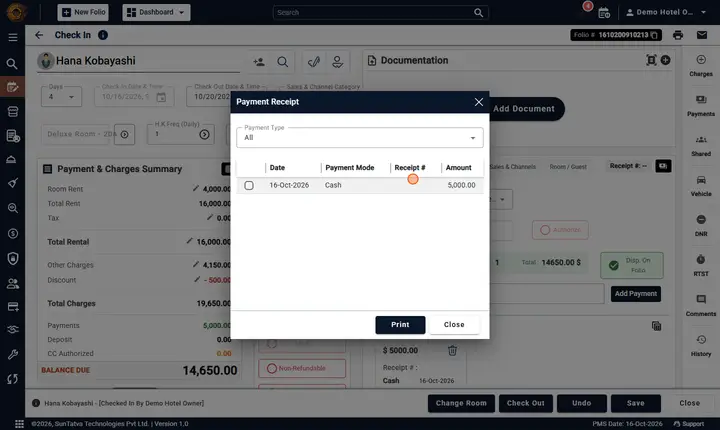
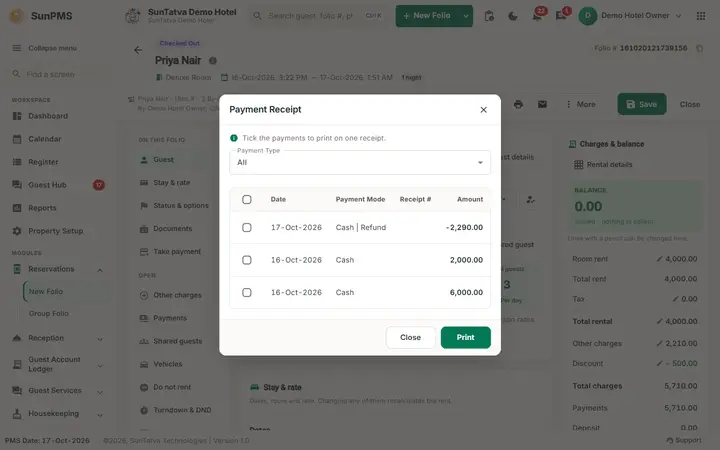
| Payments Receipt / Payment Receipt | Payments exist; Print opens a picker (payment type, tick lines, Print) |
| Other Charge Report / Other Charges Report | Print always; Email/WhatsApp only when charges exist |
| Split Folio (print menu only) | See Split folio |
| Email Templates | Active templates from Email Template setup |
| Guest Interface Link (Email menu) | Reserved, not checked-out, portal enabled |
| WhatsApp Chat with guest | WhatsApp enabled |
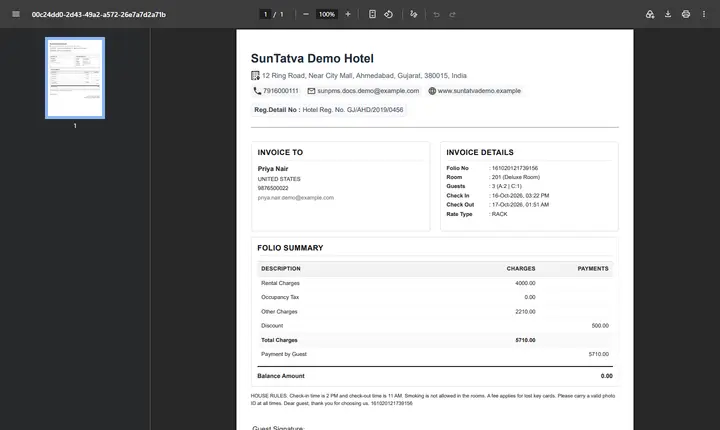
Print opens the PDF in a new browser tab. Email sends to the guest's home or business e-mail; Email send successfully. Without an address: Please enter Email Address. Automatic printing at reservation, check-in (Folio, Detail, GST; Registration Form) and check-out is controlled in Folio Setting.
Sales & Channel on printouts
- Folio detail and folio summary (and the Malaysia folio detail) show the line Sales & Channel: with the category and name (for example "Agent | Acme Travel"). The line appears only when the stay has a Sales & Channel and the folio setting Display Business Source is on (Folio Setting).
- Payment receipt and group payment receipt end with a legend. The line "* - Payment is done by Sales & Channel or Balance Transfer" explains the star on payments made by a Sales & Channel (for the group receipt: "... by Sales & Channel or Payment Transfer").
- The printed guest ledger and the forecasting summary list the column Sales & Channel.
- The e-mail attachment events Sales & Channel Folio and Sales & Channel Detail Folio are set per e-mail template (E-Mail Templates).
Messages you may see
| Message (exact text) | Why it appears |
|---|---|
| Please select atleast one Payment Receipt. | Receipt picker empty |
| Please enter Email Address | Guest has no e-mail |
| Could not send on WhatsApp. / Could not open the conversation. | WhatsApp failure |
Tips and FAQ
- Q: The PDF does not open. A: Allow pop-ups for the PMS site; every print opens in a new browser tab.
- Q: Email says the address is missing. A: Add a home or business e-mail on the guest tab first.
- Q: The Folio buttons are greyed out. A: Save the folio first; some items also depend on the folio status (see the table above).
- Q: Can printing happen automatically? A: Yes, in Folio Setting for reservation, check-in and check-out (Folio Setting).
Signature and notice (one flow)
Printouts use the notice as signed. The registration form prints the signed text and the signature; folio, detail folio and folio 2 print the signature with the line Signed against: notice name, date and time; group documents and a group member's documents use the group signature when the member has none. The reservation confirmation e-mail is no longer skipped when the guest has no signature. See Signature and notice flow.
Screenshots