Folio - Complimentary and House-Use Stays
On this page
A hotel gives a room free of charge for a guest of the management, a travel-trade familiarization stay or a staff member, and sometimes uses a room itself (house use). There are two ways to do it in SunPMS.
Watch: complimentary payment and complimentary rate type
- Watch on YouTube: https://www.youtube.com/watch?v=NTxIqOht2O0
Way 1: the payment type Complimentary
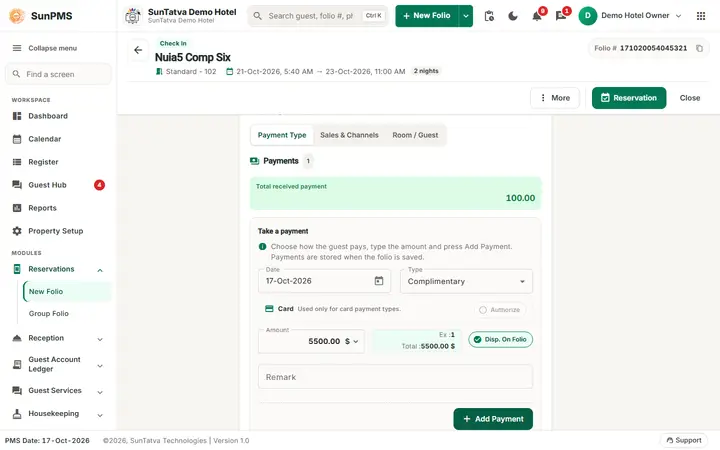
The room rent and tax stay on the folio at the normal rate; a payment line of the type Complimentary pays them, so the guest owes nothing.
- Open the folio (new, or an existing reservation / in-house stay).
- In the Take payment section the Type list starts with Complimentary in the demo hotel (the first type of the list is the default). Check the type.
- Type a Remark that says who approved it (the folio has no approval step).
- Click Add Payment. The Amount already holds the balance due, so one click covers the whole bill.
- Reservation or Check In (Save for a saved folio).
Worked example (demo hotel): FO2-Echo Comp, Deluxe Room, one night on 29 Oct 2026. Total Charges 4,000.00; the payment line Complimentary 4,000.00 with the remark Guest of the general manager makes Payments 4,000.00 and Balance Due 0.00. The program answered Reservation #: 124.
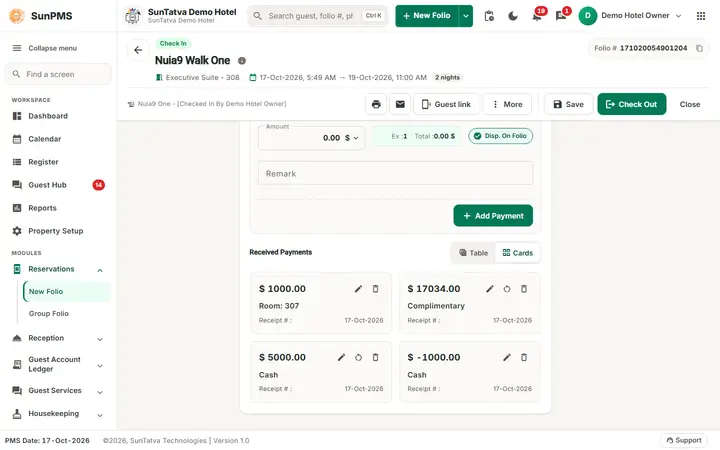
The table of Received Payments shows the line with Payment Mode Complimentary, the amount, the desk user and your remark. In the payment type master (Payment Type) Complimentary is a payment type of its own category (not cash, card or bank).
Way 2: a rate type marked Complementary or House Use
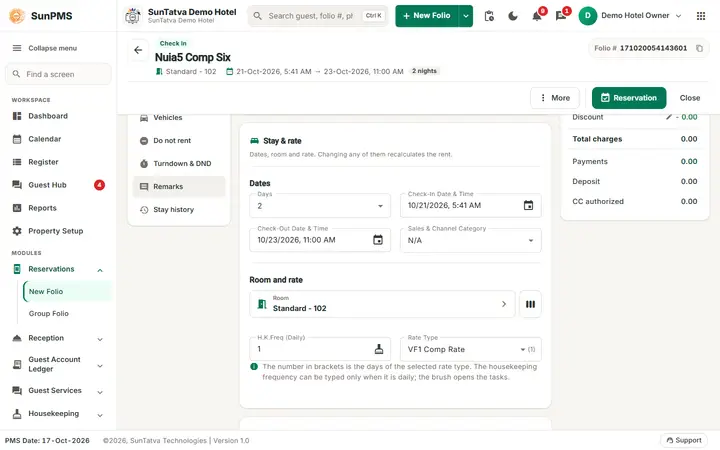
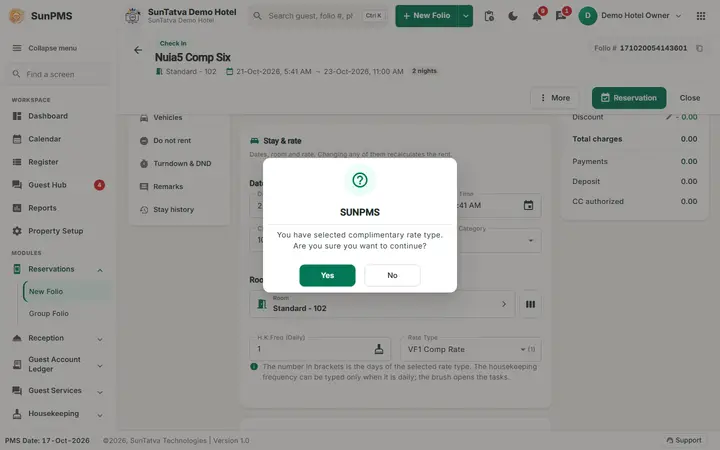
In Rate Type Binding a rate type can be ticked Complementary or House Use (not together, and not with a bound rate; see Rate Type Binding). When such a rate type is chosen on a new folio, saving asks:
- You have selected complimentary rate type. Are you sure you want to continue?
- You have selected house-use rate type. Are you sure you want to continue? (the words "rate type" follow the title set for rate types in the property settings). Yes continues, No returns to the folio.
Limit found earlier in the demo hotel: the rate type FO2 Comp Rate (marked Complementary, no rate) was refused as soon as it was chosen on a Deluxe Room and on an Economy room:
The selected rate is not applicable for this room type, because it doesn't meets min/max rate criteria. Please choose a different rate. 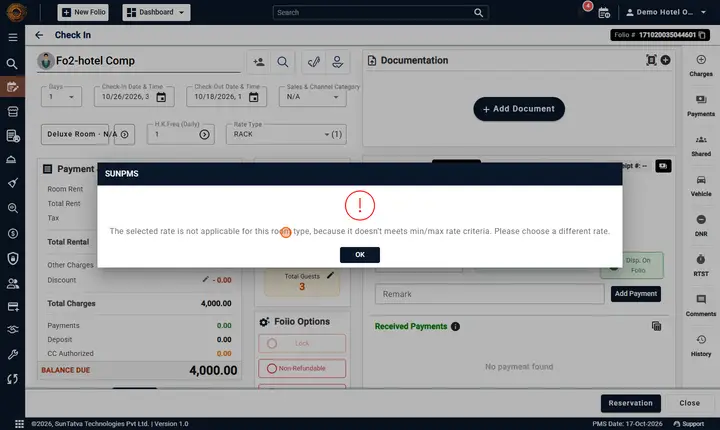
Rules and tips
- A guest with a Complimentary payment can still be checked out only when the balance is zero (it is).
- To undo a complimentary stay delete the Complimentary payment line (bin) before saving, or refund it after saving (Payments).
- The reason is only a remark. Keep your own approval record.
- Check-in may ask for the guest's signature first when the property requires it (window GUEST SIGNATURE REQUIRED: choose how the guest will sign, then Continue).
Messages you may see
| Message | Why | What to do |
|---|---|---|
| You have selected complimentary rate type. Are you sure you want to continue? | Saving a new folio with a complementary rate type | Yes / No |
| You have selected house-use rate type. Are you sure you want to continue? | Same, house-use | Yes / No |
| The selected rate is not applicable for this room type, because it doesn't meets min/max rate criteria. Please choose a different rate. | Rate below the room type's minimum or above the maximum | Choose another rate type, or change the min / max |
Tips and FAQ
- Q: Which is better, Way 1 or Way 2? A: Way 1 keeps the normal rate on the folio and is easy to undo. Way 2 changes the rate itself and is for stays that are always free (house use).
- Q: Complimentary is selected by default and a guest paid by mistake into it. A: Delete the line before saving, or refund it.
Screenshots