Payment Type
On this page
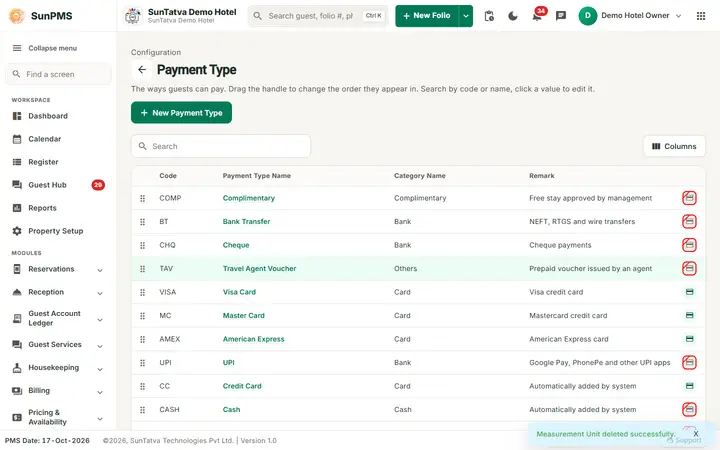
Payment types are the ways a guest can pay on the folio: Cash, Credit Card, Debit Card, Check, Bad Debts and any you add (UPI, wire transfer...). Each type belongs to a payment category that decides how it is treated.
Before you start
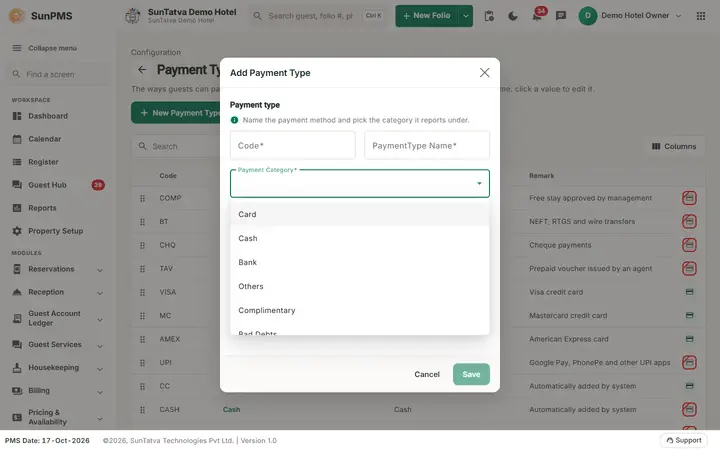
Defaults: CC Credit Card (Card), CASH Cash (Cash), Check (Bank), BD Bad Debts (Bad Debts), DC Debit Card (Card). Categories are fixed: Card, Cash, Bank, Others, Complimentary, Bad Debts.
Screen layout
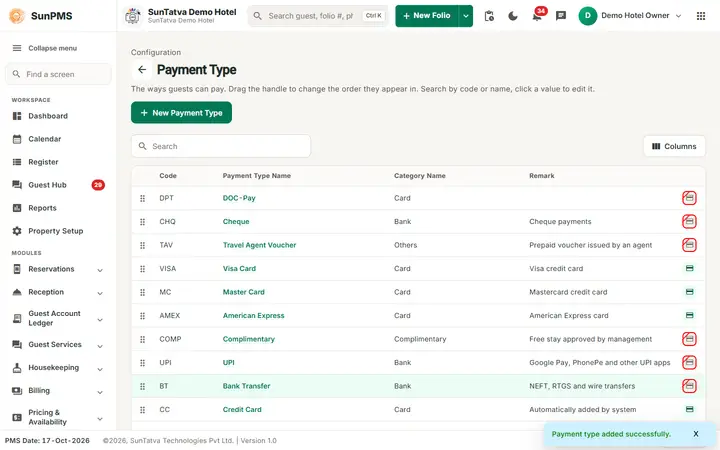
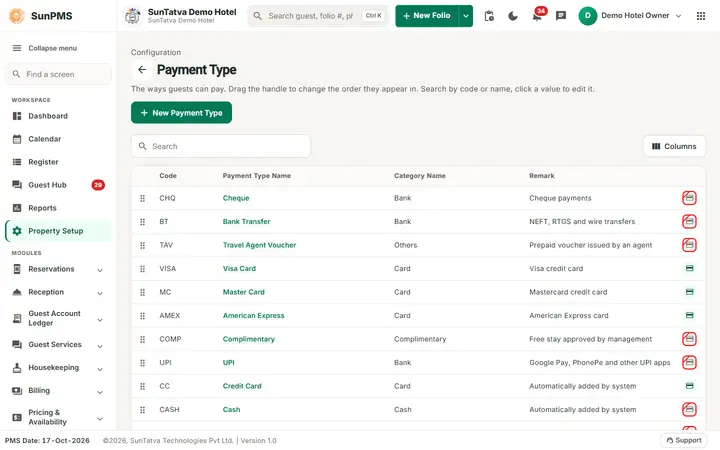
This screen follows the common master layout described in Property Setup (section "Master screens: one pattern"): a header with the back arrow, the title, a one-line explanation and the main button on the right; a Search box and a Columns button above a sortable table; a footer with Total Records, Rows and page buttons; and an add / edit window with Delete (left, only when editing), Cancel and Save. Specific to this screen:
| Column / field | Meaning | Rules |
|---|---|---|
| (drag handle) | Reorder | "PaymentType order updated Successfully." |
| Code | Short code | Required |
| Payment Type Name | Name (click to edit) | Required, max 100, unique |
| Category Name | Payment Category | Required drop-down |
| Remark | Note | |
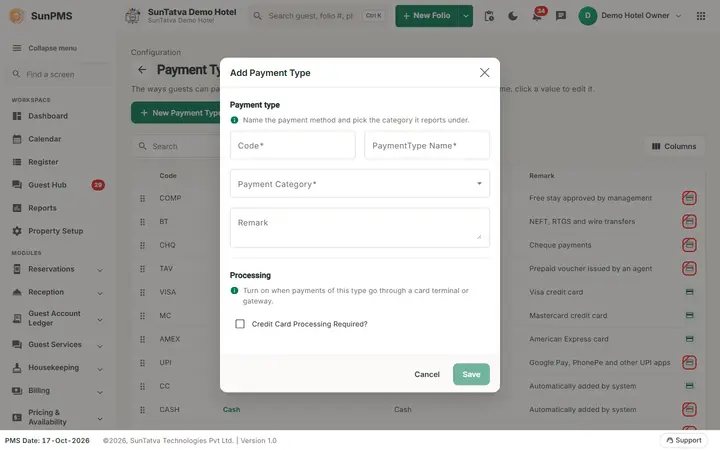
| Credit Card Processing (icon) | "Credit Card Processing Required?" tick box in the edit window | Use for types that go through a card terminal / gateway. In the window it is in the section Processing ("Turn on when payments of this type go through a card terminal or gateway."); the first section Payment type reads "Name the payment method and pick the category it reports under." |
How to add
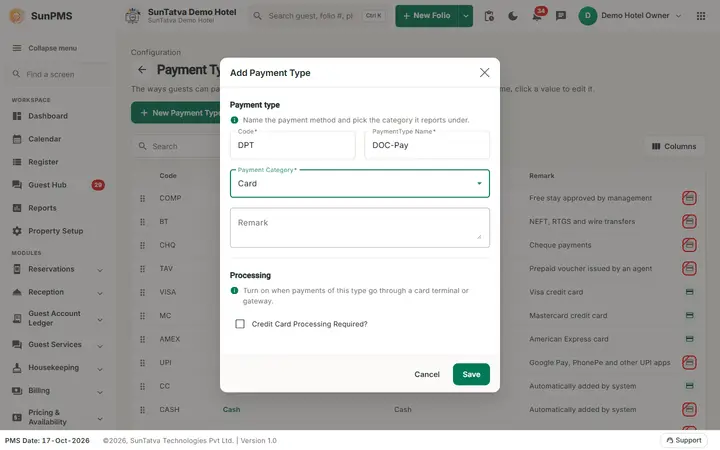
- New Payment Type. 2. Code, PaymentType Name, Payment Category, Remark, tick processing if needed. 3. Save ("Payment type added successfully.").
How to edit / delete
Click the name; Save ("Payment type updated successfully."). Delete + confirm "Are you sure want to delete this PaymentType?" -> "Payment Type deleted successfully." The Debit Card type is protected: its code, name and category are locked and it cannot be deleted ("Debit Card payment type cannot be deleted.").
What happens behind the scenes
Payment types appear in the folio payment window, collection reports and the Payment Type reports. Payments with category Bad Debts need the privilege "Assign Bad Debt Access". A type already used by a payment cannot be deleted.
Messages you may see
| Message | Why |
|---|---|
| Please enter Code. / Please enter Payment Type Name. | Empty field |
| Record Already Exist. | Duplicate name |
| PaymentType cannot be delete, it is in use. | Used in payments |
| Debit Card payment type cannot be deleted. | Protected |
Tips and FAQ
- Q: How do I hide a method I no longer use? A: Delete it (only possible if never used).
Screenshots