Folio - Money When a Booking Is Cancelled or No-Show
On this page
This page follows the money of a cancelled booking. For the steps of cancelling and re-activating see Cancel and no-show.
Watch: cancelling a non-refundable booking with an advance
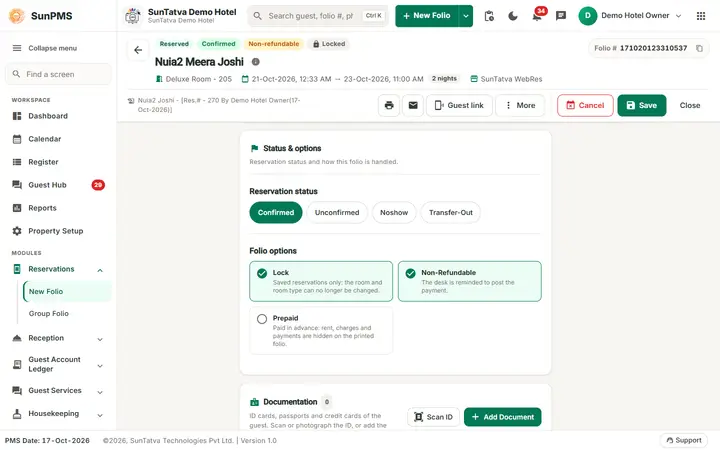
The Non-Refundable option
In Foiio Options (the box under the guests) the switch Non-Refundable marks that the advance of this booking is not returned. Effects seen in the demo hotel:
- A saved payment of a Non-Refundable folio has no refund arrow in the payment table (only the pencil and the bin), so the desk cannot refund it by mistake. The rule is in the program: no refund when the folio is non-refundable.
- On cancelling, the program reminds you to post the payment (below).
Worked example (demo hotel)
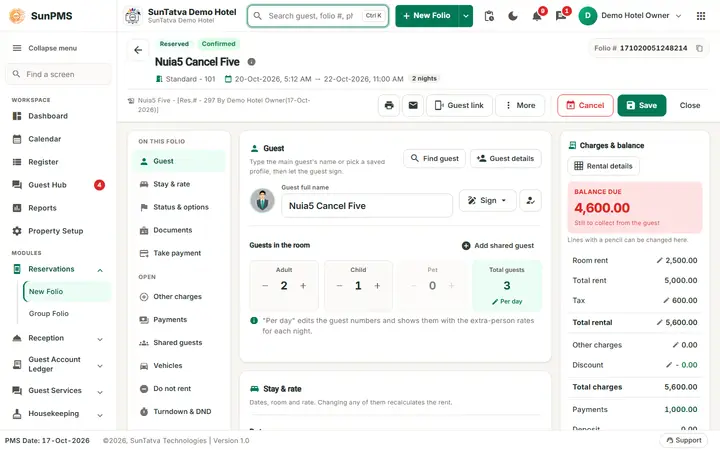
Reservation for 28-30 Oct, Deluxe Room, Total Charges 8,000.00 (4,000.00 x 2), Non-Refundable on, cash advance 1,000.00: Payments 1,000.00, Balance Due 7,000.00. Saved (Reservation #..., with the Denomination window for the cash).
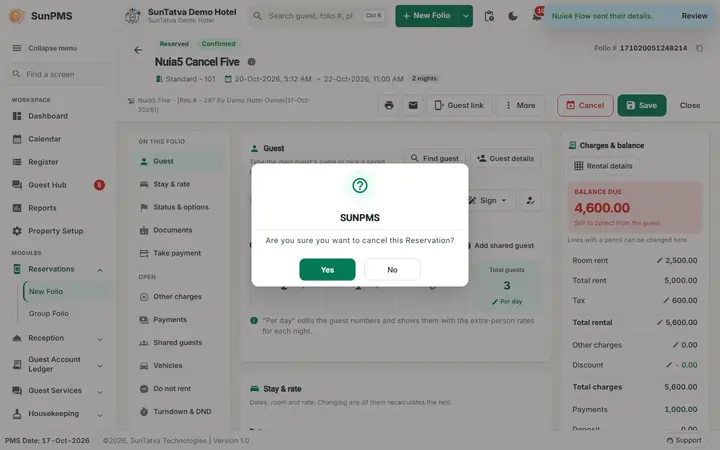
Cancel: open the reservation from Search Reservation (All Reservation, Find) and click Cancel. The messages, in order:
- Are you sure you want to cancel this Reservation? Yes
- This Booking/Reservation is NON-REFUNDABLE. Please make sure to post the payment. OK
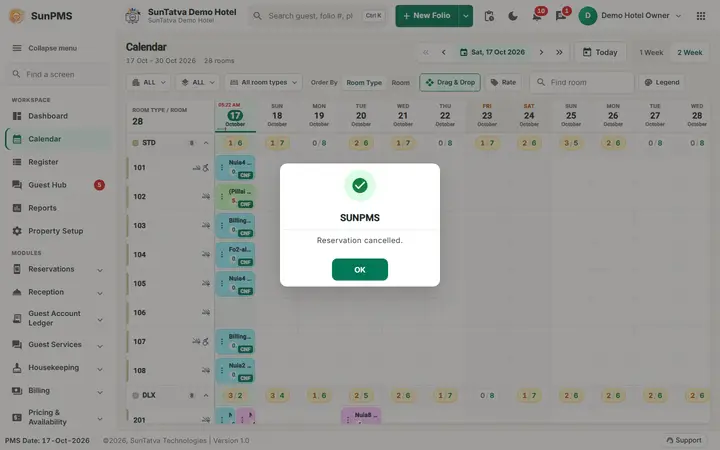
- Reservation cancelled. OK
Afterwards the cancelled folio (Search Reservation, filter Cancelled) still shows Payments 1,000.00 and Balance Due 7,000.00; the cash line is unchanged. Cancelling does not post a charge and does not return money: the advance stays on the folio.
What the desk must do next
- Keep the advance as revenue: use No Show / Cancel Revenue Posting after the cancellation. It lists cancelled and no-show folios, with the rent and tax to post, and writes the revenue.
- Return the advance (booking not non-refundable): open the folio and use the refund arrow of the payment (Refunds); the refund is a negative payment dated today.
- No-show: the status button Noshow (or night audit, when No-show reservation at night audit is on) works the same way: the payment stays on the folio; post the revenue the same way. A no-show cannot be set for a future arrival date (No Show Reservation Status is not allowed for future date.).
Messages you may see
| Message | Why | What to do |
|---|---|---|
| Are you sure you want to cancel this Reservation? | Cancel clicked | Yes |
| This Booking/Reservation is NON-REFUNDABLE. Please make sure to post the payment. | The folio is Non-Refundable | Post the revenue (see above) |
| Reservation cancelled. | Cancelled | None |
| No Show Reservation Status is not allowed for future date. | No-show on a future arrival | Wait for the arrival date |
Tips and FAQ
- Q: The guest cancelled and wants the advance back, but the refund arrow is missing. A: The booking is Non-Refundable and the folio does not offer the refund. Decide with the manager what to do; the program has no override on this screen.
- Q: Where is the cancellation charge? A: There is no separate charge line: the retained advance is the charge. To bill a cancellation fee that is smaller than the advance, refund the difference (Payments) and keep the rest.
Screenshots