Cancelling a Reservation and No-Show
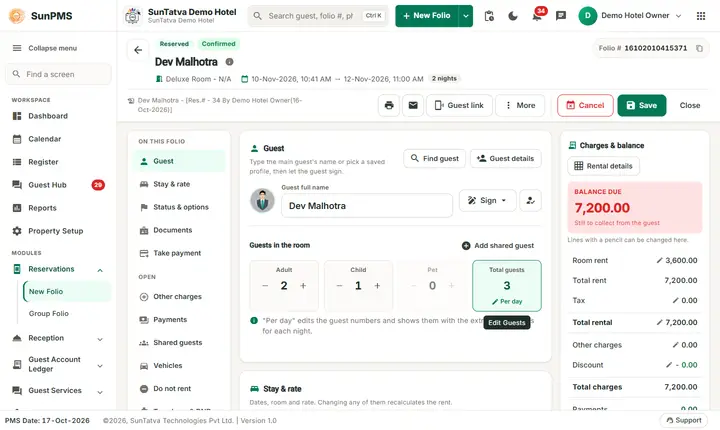
Cancel
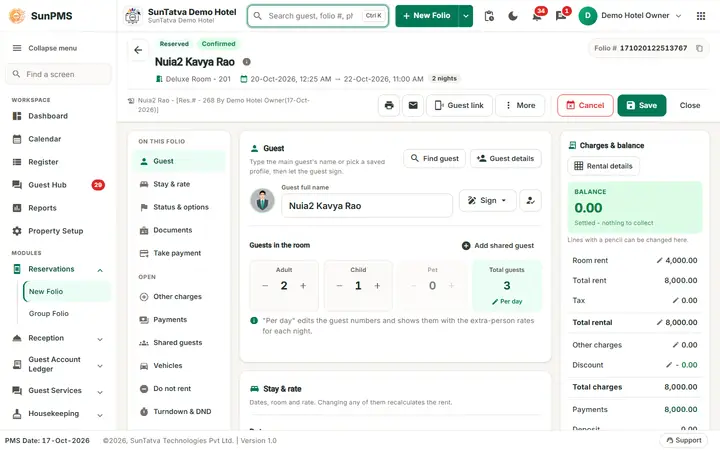
- Open the reservation (not yet checked in, status Confirmed or Unconfirmed).
- Click Cancel (red button, top right). The button is greyed if you lack Cancel reservation (Cancel CRS reservation for online bookings).
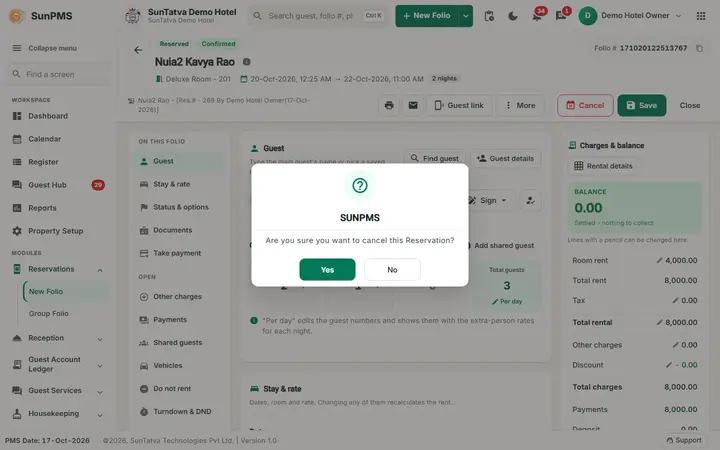
- Confirm Are you sure you want to cancel this Reservation?
- If the booking is Non-Refundable you see This Booking/Reservation is NON-REFUNDABLE. Please make sure to post the payment. Result: Reservation cancelled. The status chip becomes Cancelled and shows who cancelled and when (info icon). A Cancellation Report can then be printed or e-mailed. Online (OTA) cancellations are reported back to the channel and cancellation / no-show revenue can be posted (see No-Show/Cancel Revenue Posting). The cancellation policy text saved with a group is shown by a Cancellation Policy link on the group screen.
Re-activate
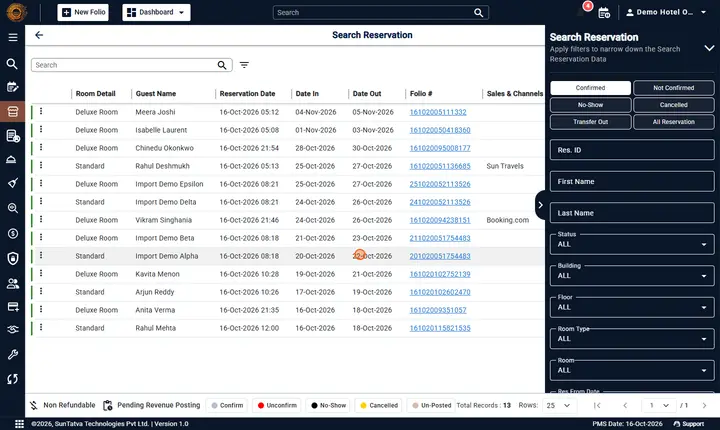
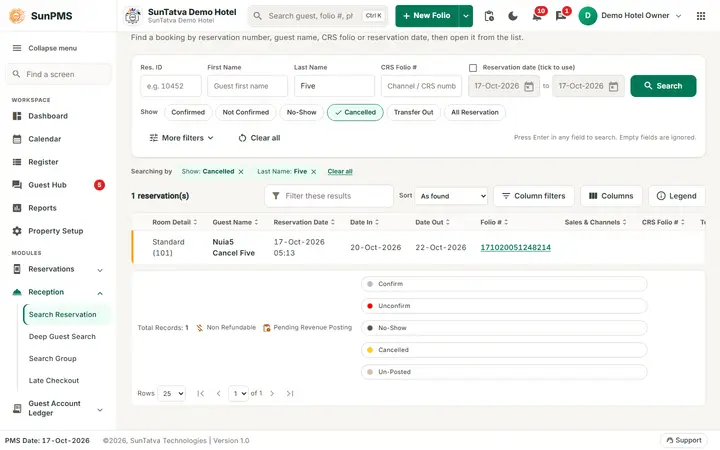
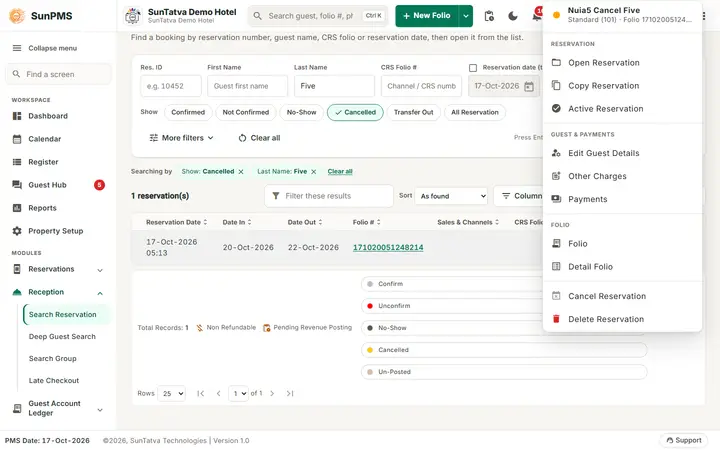
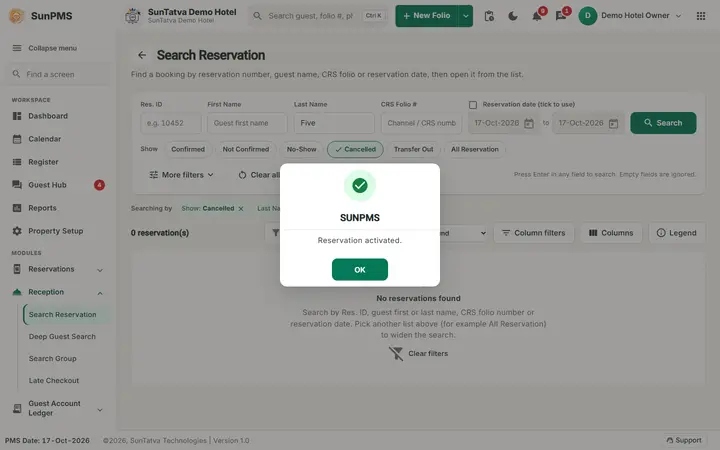
Search Reservation lists cancelled folios (chip Cancelled); the row menu (three dots) has Active Reservation: Are you sure you want to active below Reservation? then Reservation activated. The system rechecks availability and returns Availability Fail if the room is gone.
No-Show
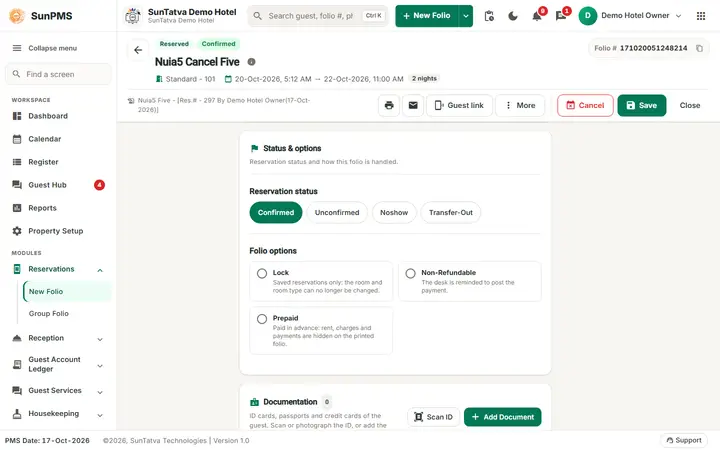
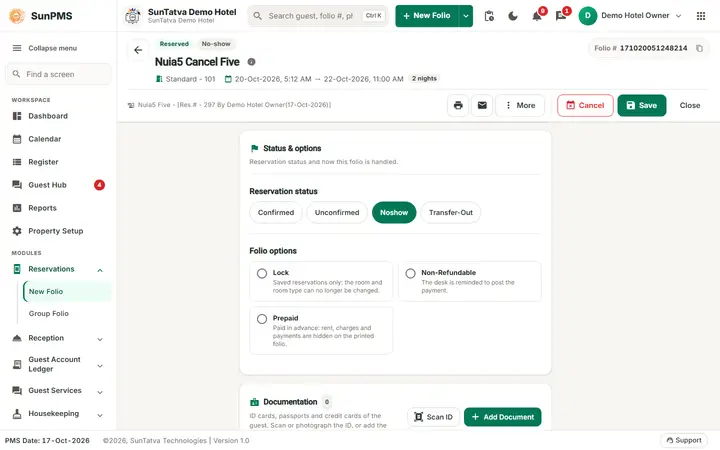
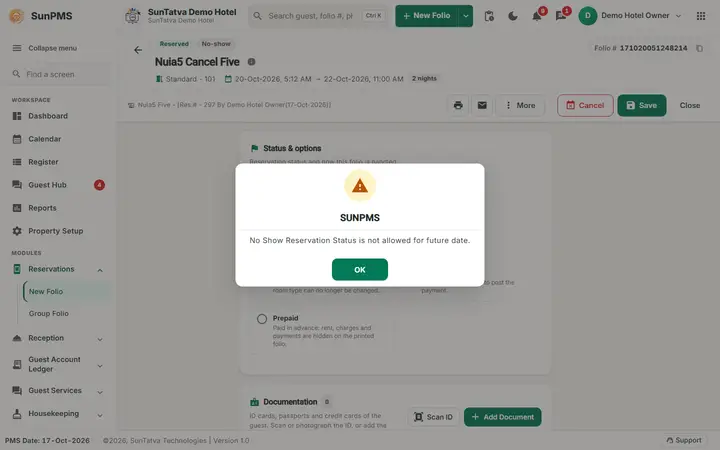
In Status & options click Noshow and then Save. Only allowed on or after the arrival date: No Show Reservation Status is not allowed for future date. A no-show cannot be checked in once its revenue was posted for an earlier date (No-show reservation can not be processed. Reason: No-Show/Cancel revenue already posted for this reservation.). The folio title shows No-Show.
Messages you may see
| Message | Why |
|---|---|
| Failed to cancel the reservation. | Server could not cancel |
| Cancelled reservation can not be processed. | Trying to check in a cancelled folio |
| Reservation not found. | Activate on a missing folio |
Screenshots