
Folio - Saving and Confirming
On this page
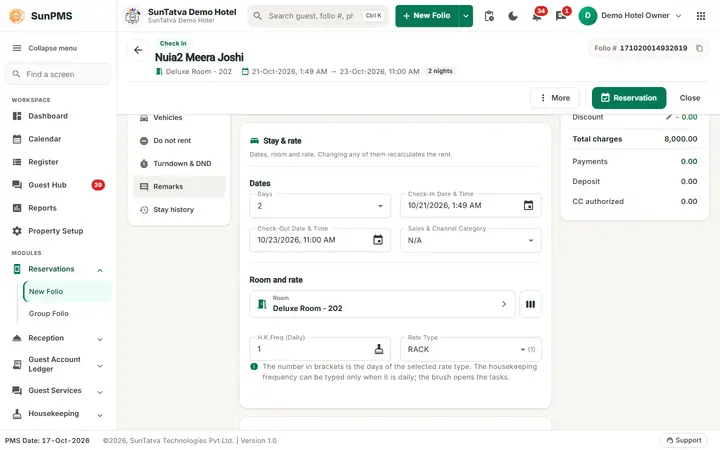
How to save
The buttons are in the header at the top right of the folio, not at the bottom. On a phone they sit in the same bar.
- New folio: Reservation or Check In.
- Existing folio: Save. Close asks Do you sure want to save changes? (Yes saves then leaves, No leaves without saving). Confirming a reservation = set the Confirmed button in Status & options before saving (or change it later and Save).
What happens after saving
- Reservation: dialog with the guest message and Reservation #: n; optional automatic print of Folio / Detail Folio / GST Folio / Folio2 (property setting Print reservation folio).
- Check-in: success message, optional prompt Guest X successfully checked in to Room Y., door-lock card dialog, optional automatic Folio and Registration Form printing.
- Update: Information saved. with the property's update message.
- Then you return to the previous screen (list view by default).
Checks done before saving
| Message | Meaning |
|---|---|
| This Reservation is Locked. You Can not Change Room/Room Type for this reservation | Lock is on |
| Checkin guest without Payment(s)? / Please click Continue to Checkin without Payment. Please click Payments to record Payment. | Setting Prompt for payment confirmation at check-in |
| You have selected complimentary / house-use rate type. Are you sure you want to continue? | Special rate type |
| Minimum Rental Age must be more then N years. | Guest age |
| Please select a Room. | Room needed |
| CRS Folio Number not provided. | Online booking without CRS number |
| You can not update online reservation. Reason: Multiple Room selection exist. | Online booking with several rooms |
| No Show Reservation Status is not allowed for future date. | No-show only on/after arrival |
| This Booking/Reservation is NON-REFUNDABLE. Please make sure to post the payment. | Cancelled non-refundable booking |
| Payment processing failed. Do you want to continue...? Yes: create without payment, No: do not create | Card gateway failure |
Messages returned by the server
| Message | Why |
|---|---|
| Availability Fail. / Availability Fail. It's Overbooking. | Room taken or no inventory. The dialog lists the guests occupying the room, the overbooking date or the blocked dates |
| You cannot perform this operation. Reason: Booking Control Rule [name] is set for date | Stop-sell / restriction |
| Below fields are mandatory fields. | Guest Data Mandatory |
| Deposit payment not allowed in reservation. | Deposit on a reservation |
| You can't create/update reservation with zero day. | Days = 0 |
| Invalid stay date selected. Maximum stay date is upto... | Beyond rate max date |
| Please select DNR reason(s). | DNR guest |
| You can not update this reservation. Reason: Reservation already checked in by X. | Someone checked it in |
| Back date transaction not allow to perform. It will changed audited reports. | Audit lock |
| Check-in already exist with Folio No:... | Duplicate |
Tips and FAQ
- Q: Why does Save not show? A: Folio is cancelled/No-Show beyond editing, or you lack the privilege on a checked-out folio.
- Q: An unsaved folio shows a payment I added. A: Payments and charges are only stored on Save.
- Q: I saved a new folio, saw an error and saved again; now there are two folios. A: Until 2026-10-18 a failure in a step after the folio was stored (audit, revenue posting, channel update, messaging) reported the whole save as failed although the folio existed, so a second Save created a duplicate. For a new folio those later steps are now logged and the save stays successful. Before saving again after any error, search the guest in Search Reservation first; if you do find a duplicate, cancel or delete the extra one. Document and signature uploads that run after the save can still fail with a message.
Signature and notice (one flow)
A reservation can be saved without a signature, even when Sign Mandatory at check-in is on. If the guest signs at reservation time (Sign menu), the signature and the notice text signed are saved with it and count at check-in. The confirmation e-mail and print show the confirmation text and, when different, the signed notice. See Signature and notice flow.