Search Reservation
On this page
Finds reservations by status, name, reservation ID, room, dates and channel, and lets you open, copy, cancel, re-activate or delete them.
Screen layout
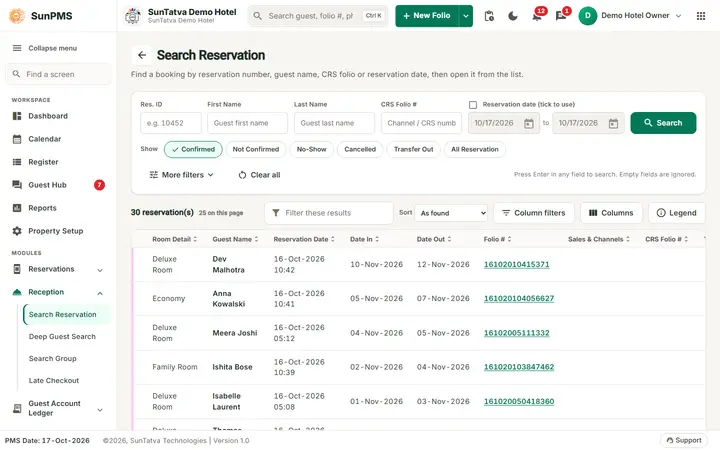
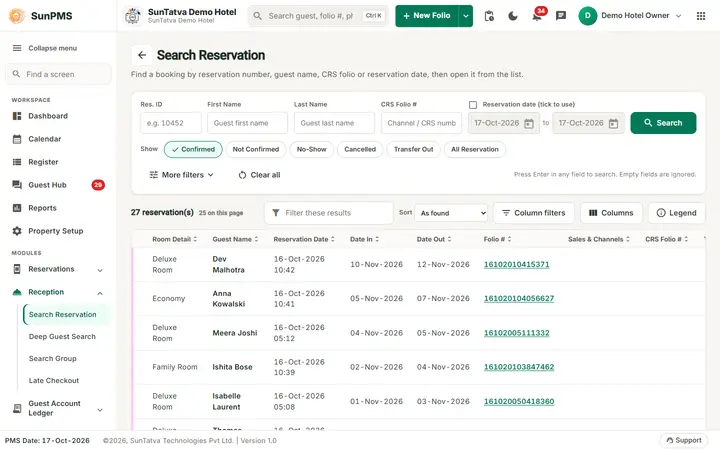
The page is search-first: one search card on top and the results at full width below. It opens with the Confirmed list already searched.
Search card (press Enter in any text field to search; empty fields are ignored)
| Field | Rules |
|---|---|
| Res. ID | Digits, up to 9. |
| First Name, Last Name, CRS Folio # | Up to 100 characters. CRS Folio # is the channel booking number. |
| Reservation date (tick to use) with from and to dates | Reservation (booking) date range. The dates stay disabled until the box is ticked. |
| Search | Runs the search. |
| Show chips: Confirmed, Not Confirmed, No-Show, Cancelled, Transfer Out, All Reservation | Which reservations to list. One at a time; Confirmed by default. A click on a chip searches at once with the fields that are filled in. No-Show is disabled while Transfer Out or All Reservation is chosen. |
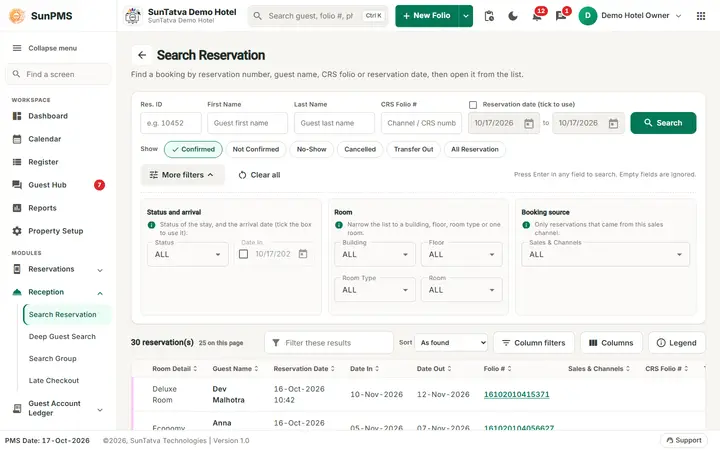
| More filters (number badge = filters in use) | Opens three groups. Status and arrival: Status (ALL, Confirmed, Unconfirmed, NoShow, Canceled, TransferOut) and Date In (arrival date; tick the box to use it). Room: Building, Floor, Room Type, Room. Booking source: Sales & Channels. |
| Clear all | Restores Confirmed, clears every field and empties the list. |
Results
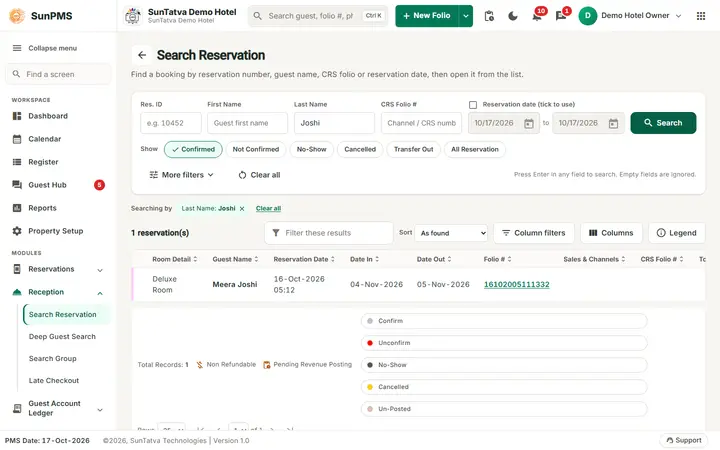
- Under the card, the criteria in use show as removable chips after Searching by. Click the x on a chip to drop that criterion and search again.
- Header: the count ("27 reservation(s)", and "25 on this page" when paged), Filter these results (filters the rows on screen), Sort (pick a column, then the arrow to flip ascending / descending), Column filters (a filter box under every column heading; date and amount columns also take =, > or <), Columns (choose the visible columns) and Legend.
- Columns: Room Detail, Guest Name, Reservation Date, Date In, Date Out, Folio # (link), Sales & Channels, CRS Folio #, Total Charges, Balance, and optionally Res #, # Of Guest and Amount Paid. Cancel date / time appear for Cancelled and All, no-show date / time for No-Show and All.
- A coloured bar on each row shows the reservation status (the Legend lists Confirm, Unconfirm, No-Show, Cancelled and Un-Posted). Icons: money-off = Non Refundable, pending = Pending Revenue Posting.
- Paging bar: Total Records and rows per page (25, 50 or 100).
- On a phone each reservation is a card (guest, room, dates, amounts) instead of a table row.
How to find a reservation
- Type what you know (Res. ID, name, CRS Folio #) or tick Reservation date (tick to use) and set the range. Pick a Show chip if you want another list than Confirmed.
- Press Enter or click Search. Use More filters for status, arrival date, room or sales channel.
- Double-click the row, click the Folio # link, or use the three-dot menu at the end of the row. Channel (CRS) bookings do not open from double-click.
Row menu (three dots)
Open Reservation, Copy Reservation (confirm "Are you sure you want to Copy this Reservation?"), Cancel Reservation ("Are you sure you want to cancel this Reservation?" then "Reservation cancelled."), Active Reservation (only for cancelled ones; "Reservation activated."), Delete Reservation ("Are you sure you want to delete this Reservation?" then "Reservation deleted."), Edit Guest Details, Other Charges, Payments, Folio, Detail Folio. Cancel is unavailable for cancelled or no-show rows; Other Charges and Payments are unavailable for no-show rows.
Messages you may see
| Message | Why |
|---|---|
| Sorry, you do not have permission to access past dated transaction. | Stay ended before the PMS date and you lack Access to Past Days. |
| This Booking/Reservation is NON-REFUNDABLE. Please make sure to post the payment. | After cancelling/deleting a non-refundable booking. |
| This Booking/Reservation is PENDING REVENUE POSTING. Please make sure to post the payment. | Revenue not yet posted. |
Tips and FAQ
- Q: How do I bring back a cancelled booking? A: Click the Cancelled chip, use the row menu > Active Reservation.
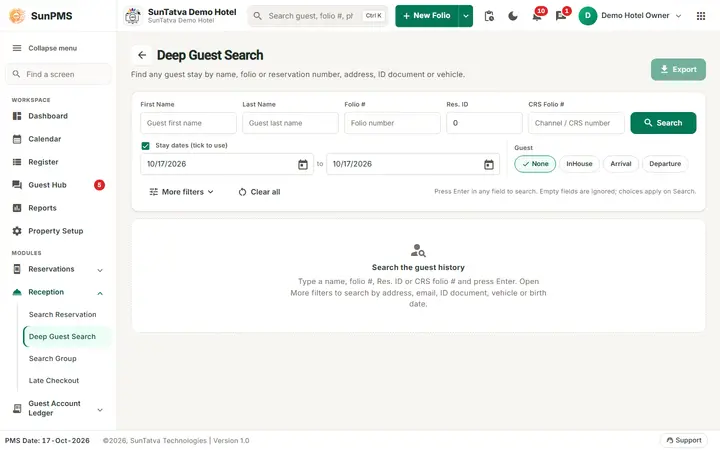
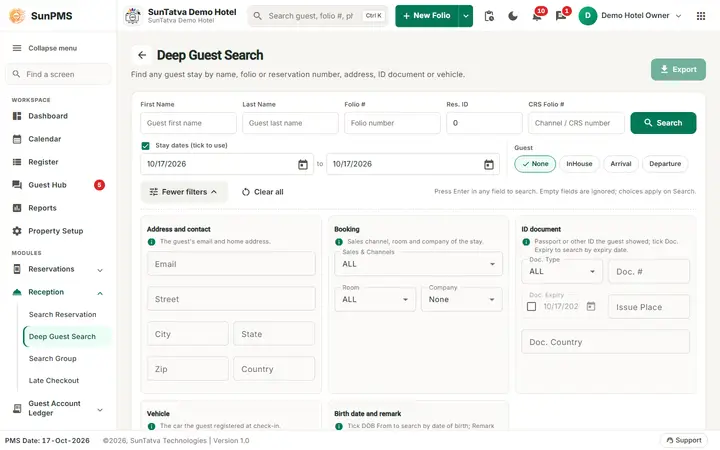
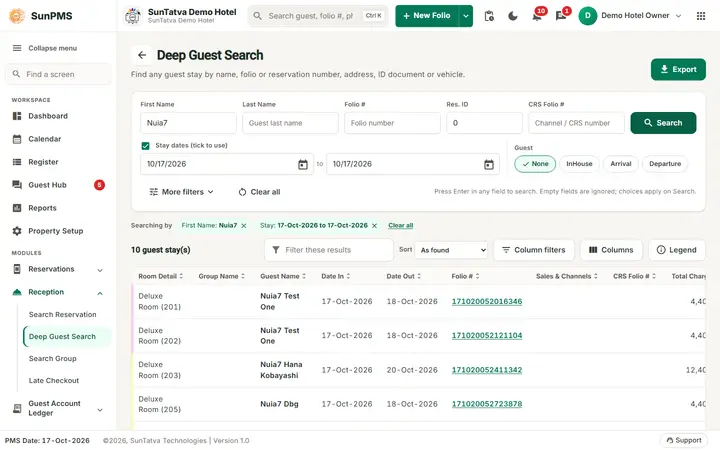
- Q: Search by phone? A: Use Deep Guest Search.
Screenshots