
Deep Guest Search
On this page
Searches reservations and stays by almost any guest detail: contact, address, document, company, vehicle, room, stay or birth dates, remark.
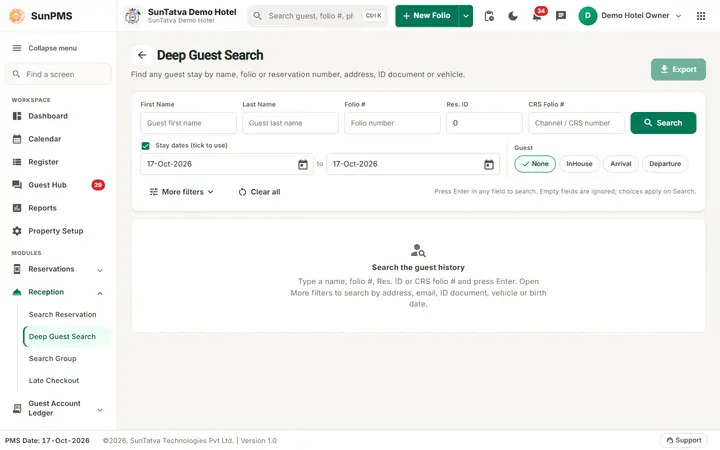
Screen layout
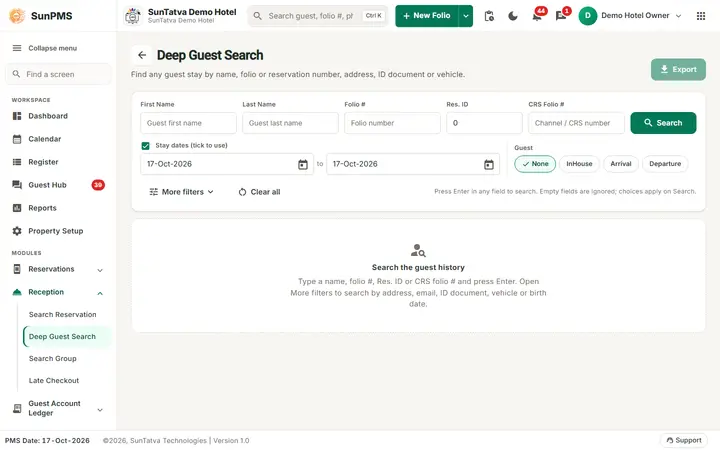
The screen before a search: fill any field and press Search or Enter.
Search-first page: a search card, then the results at full width. Nothing is listed until you search; the empty state says "Search the guest history". Press Enter in any field to search; empty fields are ignored. Export (top right, enabled when rows exist) downloads all matches as Excel titled "Advanced Guest Search".
Search card
| Field | Notes |
|---|---|
| First Name, Last Name, Folio #, CRS Folio # | Text, up to 100. |
| Res. ID | Digits up to 9. |
| Stay dates (tick to use) with to | Stay date range; tick the box to use it. It is ticked on opening with today's date. |
| Guest chips: None, InHouse, Arrival, Departure | Enabled only while the stay-dates box is ticked. |
| Search, Clear all | Clear all empties every field and the list. |
More filters (badge = filters in use) opens these groups:
| Group | Fields |
|---|---|
| Address and contact | Email, Street, City, State, Zip, Country |
| Booking | Sales & Channels, Room, Company (None = any) |
| ID document | Doc. Type, Doc. #, Doc. Expiry (tick to use), Issue Place, Doc. Country |
| Vehicle | Veh. Make, Veh. Model, Veh. Year, Veh. License, Veh. State |
| Birth date and remark | DOB From, DOB To (tick to use), Remark (up to 2000) |
Results use the same tools as Search Reservation: criteria chips ("Searching by"), count, Filter these results, Sort, Column filters, Columns, Legend, paging (25 / 50 / 100) and cards on phones. Columns: Room Detail, Group Name, Guest Name, Date In, Date Out, Folio #, Sales & Channels, CRS Folio #, Total Charges, Amount Paid, Balance. Rows carry a status colour bar (Confirm, Unconfirm, No-Show, Cancelled, Un-Posted); transfer-out rows are struck through.
How to search
- Fill one or more fields; blank fields are ignored. Untick Stay dates when you want to search the whole history.
- Press Enter or click Search. The criteria are remembered for your session.
- Double-click a row to open the folio. Past-dated stays need Access to Past Days: "Sorry, you do not have permission for past date transaction."
- The row menu offers Folio and Detail Folio prints.
Tips and FAQ
- Q: Can I find a guest by passport number? A: Yes, open More filters > ID document and set Doc. Type and Doc. #.
- Q: Nothing found though the guest exists. A: Click Clear all; leftover filters (dates, ticked boxes) narrow the search. The stay-dates box is ticked with today's date by default.