Guest Search (Guest Database)
The guest database holds every guest profile. Search it, add or edit a profile, mark a guest as DNR (Do Not Rent), merge duplicate profiles, and export the list.
Screen layout
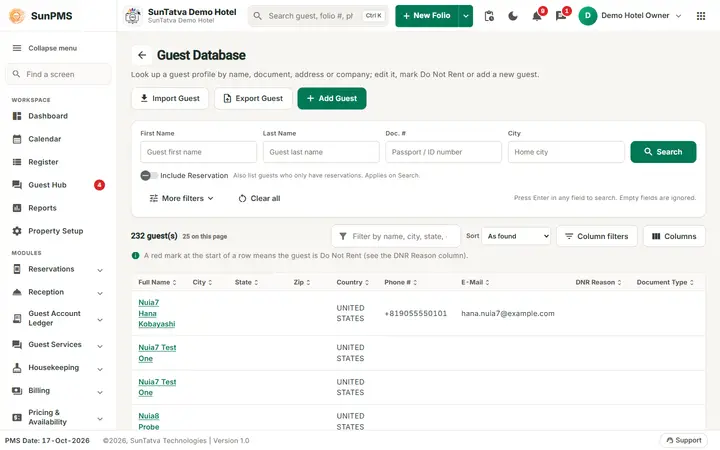
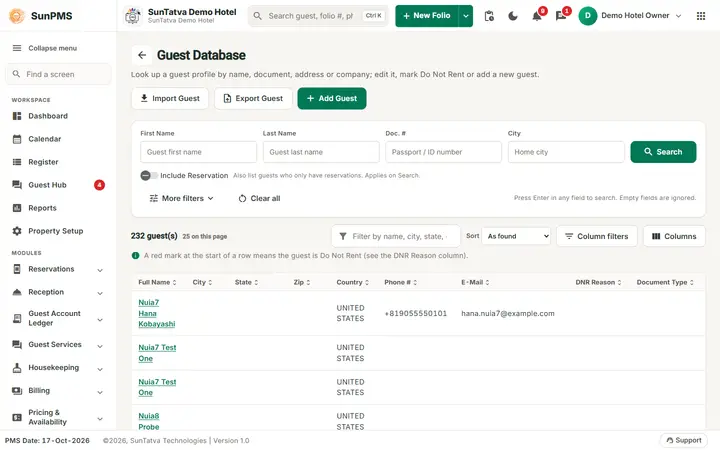
The screen heading is Guest Database. It lists up to 25 guests on opening.
| Item | Meaning |
|---|---|
| Import Guest | Opens Import Guest. |
| Export Guest | Downloads the found list; disabled when empty. |
| Add Guest | Opens the guest form; disabled without Access to Guest Add. |
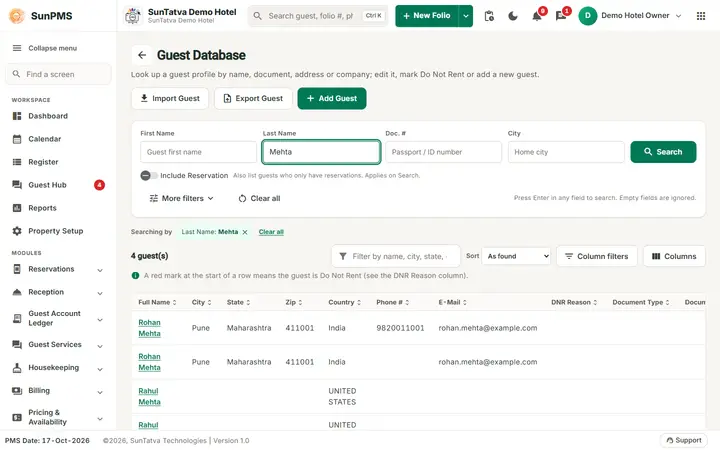
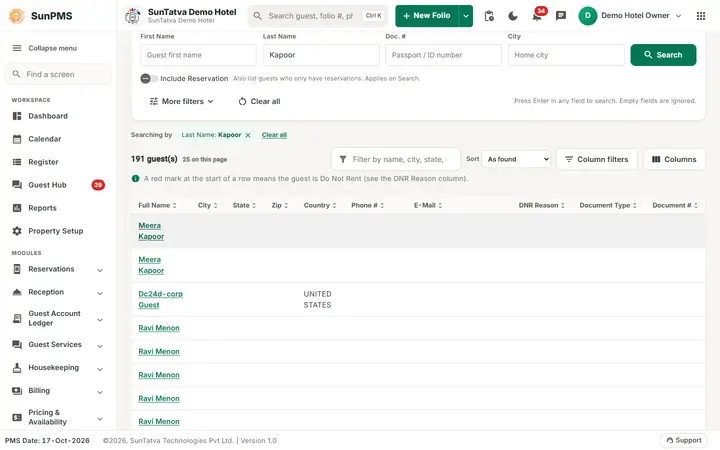
| Search card | First Name, Last Name, Doc. #, City, Search. The switch Include Reservation (applies on Search) also lists guests who only have reservations. Enter in any field searches; empty fields are ignored. Clear all resets. |
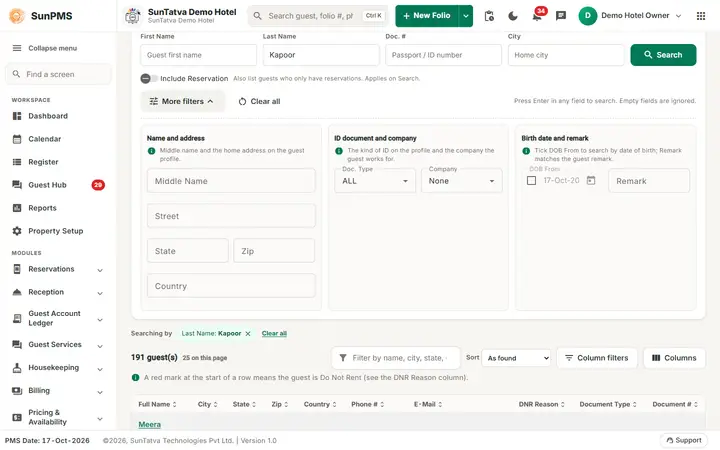
| More filters | Name and address: Middle Name, Street, State, Zip, Country. ID document and company: Doc. Type, Company (None = any). Birth date and remark: DOB From, Remark. |
| Results header | The count ("191 guest(s)", "25 on this page"), Filter these results (name, city, state, country, company), Sort, Column filters and Columns. |
| Grid columns | Full Name (link), City, State, Zip, Country, Phone #, E-Mail, DNR Reason, Document Type, Document #. Hidden extras via Columns: First/Middle/Last Name, Street, Gender, Birth Date, Remark, Company Name, Nationality, Issued By, Issue Place. A red mark at the start of a row means the guest is Do Not Rent (see the DNR Reason column). |
How to add or edit a guest
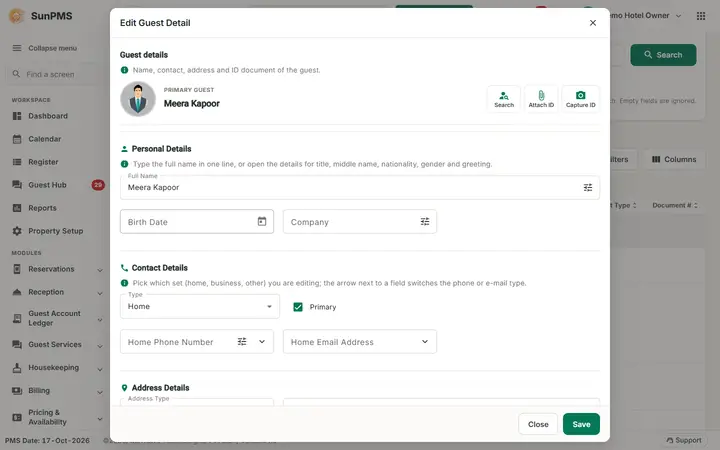
- Click Add Guest, or click the guest's Full Name.
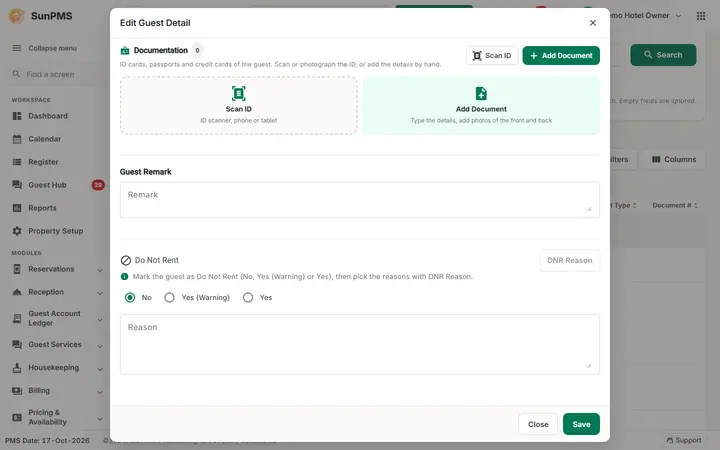
- Fill the guest form (sections Guest details, Guest Remark and Do Not Rent; which fields are mandatory follows Guest Mandatory Data setting).
- To mark DNR choose No, Yes (Warning) or Yes, then use DNR Reason (enabled once the status is not No): tick reasons in "DNR Reasons" and click Assign, or tick reasons in "Assigned" and click Remove. Add a Reason note if you like. Click Save. Result: profile saved. DNR guests are flagged when someone tries to book them.
Messages you may see
| Message | Why |
|---|---|
| Please select a Guest. / Please select single Guest to edit. | No or several guests chosen. |
| Please select DNR reason(s). | Assign/remove with nothing ticked. |
| Please select multiple Guest. Please check mark records you want to consolidate. | Fewer than two ticked. |
| Guest consolidated successfully. / Something went wrong. | Result of consolidate. |
| Are you sure you want to delete this Guest? / Guest deleted. | Delete flow. |
Tips and FAQ
- Q: Does the search include reservation guests? A: Switch on Include Reservation and click Search.
Screenshots