Ledger Reports
On this page
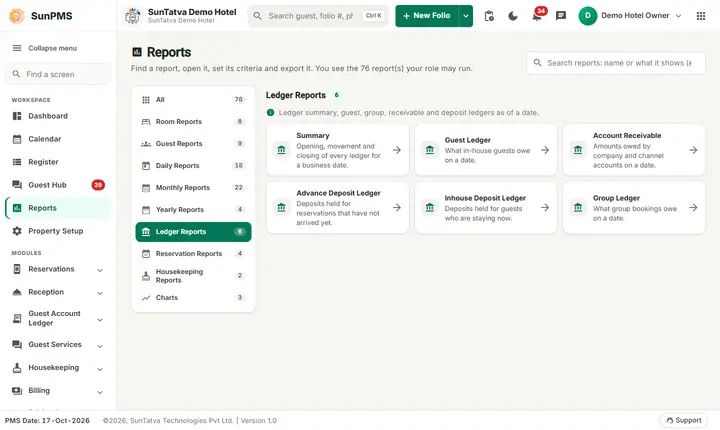
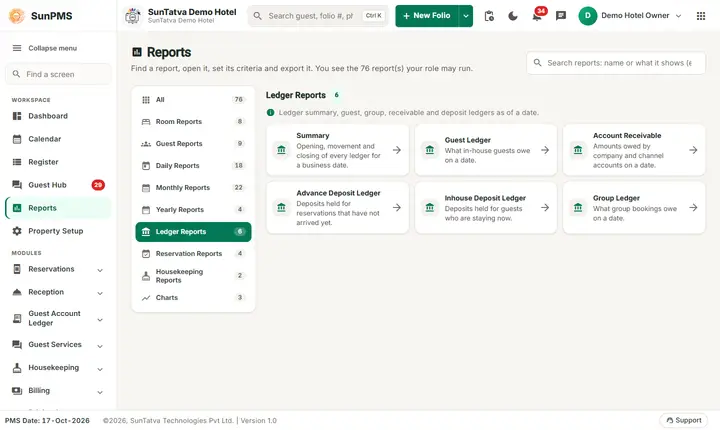
Ledger reports show money owed or held at the end of a date, not activity. Each report has one date filter (From Date, the "as of" date). Together they answer "what is unpaid, who owes it and what deposits are we holding?".
Before you start
- Run them after night audit for the date.
- Each report ends with a Grand Total; the middle sub-totals are shown only if non-zero.
Summary (Ledger Summary)
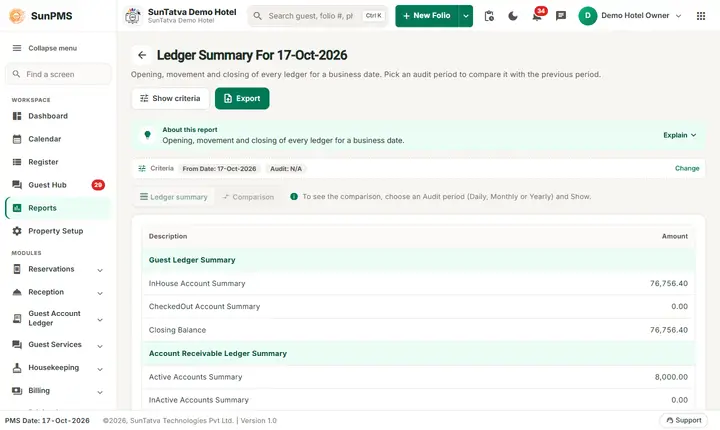
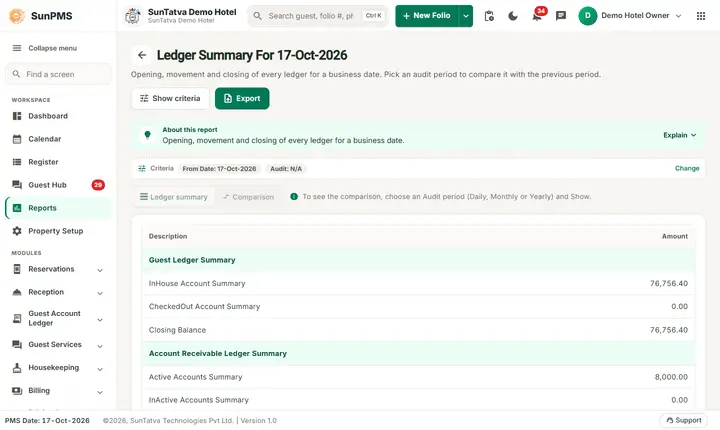
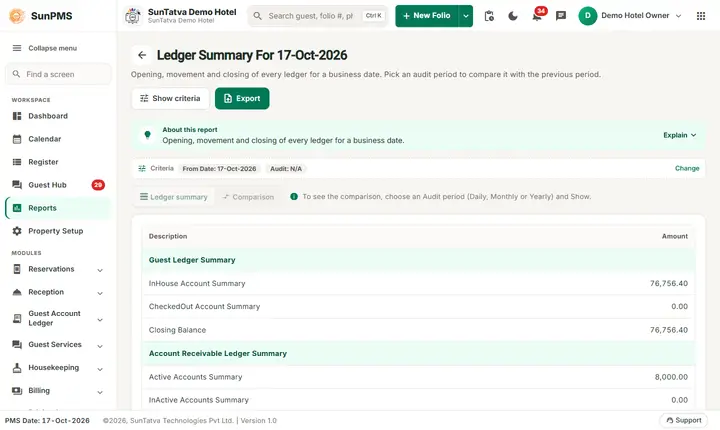
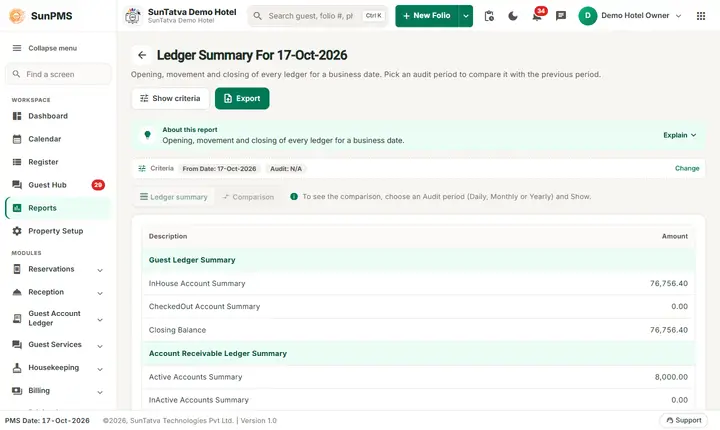
Screen title: Ledger Summary For #/ledger-summary/ledger-summary, with an Audit criterion; it can take about 15 seconds after Show); see Ledger Summary.
Filters (dashboard version): From Date and Audit: N/A, Daily, Monthly, Yearly. Click Show.
Table 1 (columns Description, Amount), grouped by: Guest Ledger Summary (InHouse Account Summary, CheckedOut Account Summary, Closing Balance), Deposit Ledger Summary (InHouse Deposit Summary, CheckedOut Deposit Summary, Reserved Deposit Summary, Closing Balance), Account Receivable Ledger Summary (Active Accounts, InActive Accounts, Closing Balance), Advance Deposit Summary (Reserved Guest Accounts), Group Ledger Summary (Group Accounts, Unallocate Group Payment).
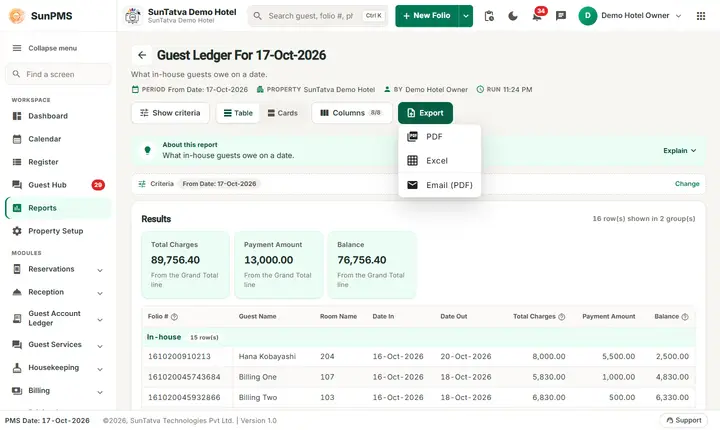
With an Audit option, click Next for table 2: columns for the previous period end date, the selected date and Difference Amount for Guest Ledger, Inhouse Deposit, Advance Deposit, Account Receivable Ledger and Group Payment, a Total (excluding Inhouse Deposit), then "Revenue And Collection": "Today Revenue As Of" (Rent, each tax, Other Charges and taxes, Miscellaneous Income/Expense) with Total Revenue, "Today Collection As Of" with Total Collection, and the Grand Total Of Revenue and Collection. Previous date = yesterday (Daily), last day of previous month (Monthly), 31 December of the previous year (Yearly). Use Previous and Next to switch tables. Export: PDF, Excel, Email (PDF).
Use: proves that opening balance + revenue - collection = closing balance for the audit.
Guest Ledger
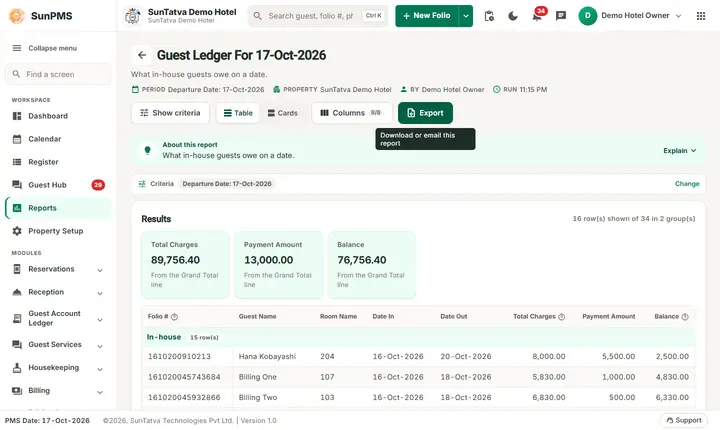
Columns: Folio #, Guest Name, Room Name, Date In, Date Out, Total Charges, Payment Amount, Balance. Groups "In-house" and "Check-Out" with subtotals and a Grand Total. Calculation: Total Charges = rent + tax + other charges + other-charge tax; Payment Amount = payments (non-deposit) + discounts; Balance = charges - payments. Folios with a balance between -0.50 and +0.50 are not listed.
Account Receivable
Columns: Sales & Channel Name, Opening Balance, Bill Amount, Payment Amount, Balance. Groups "Active Sales & Channel" and "In-Active Sales & Channel". Amounts direct-billed accounts still owe.
Advance Deposit Ledger
Columns: ID, Guest Name, Room/Room Type, Reservation Date, Date In, Date Out, Payment Date, Balance. Groups "Reservation" and "Group". Deposits received on reservations not yet checked in.
Inhouse Deposit Ledger
Columns: Folio #, Guest Name, Room Name, Date In, Date Out, Deposit Date, Payment Type, Deposit Amount. Groups "Reservation", "In-house", "Check-Out". Deposits held on checked-in folios.
Group Ledger
Columns: Group Name, Folio #, Guest Name, Date In, Date Out, Payment Date, Payment Type, Payment Amount. Group payments not yet allocated to folios.
Messages you may see
No record found! (no balances).
Tips and FAQ
- Q: Guest Ledger closing balance differs from the Ledger Summary. A: Guest Ledger hides balances under 0.50; Summary adds all.
- Q: Difference Amount is not zero after a day with no activity. A: A back-dated payment or edit changed an earlier date; rerun the previous date to compare.
- Q: Why is Inhouse Deposit missing from the Total? A: By design, the audit Total excludes it.
One page per report
- Ledger Summary (open it from the Report Dashboard)
- Guest Ledger
- Account Receivable
- Advance Deposit Ledger
- Inhouse Deposit Ledger
- Group Ledger
Screenshots