
Features
Hotel software roles, privileges and licences
Access is controlled by roles and privileges: a role is a set of privileges and a privilege allows one action or screen. The owner who signed up controls the group, can create properties, accept terms and buy licences. Each property holds its own licences.
What you can do
Watch
Guides for users, roles and licences
Every screen, field and message is explained in the Help Center.
Roles and access
Access in SunTatva has three layers: who you are (your SunAuth account), what you may do (your role and privileges inside one…
Read the guide →User
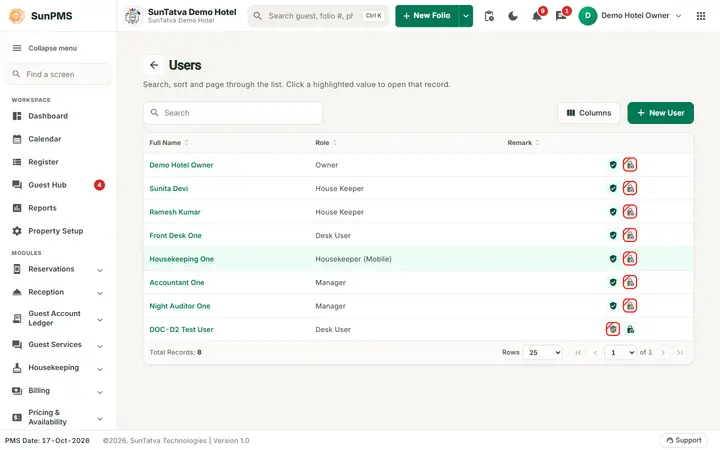
Users are the staff who log in to SunPMS. Every user is stored in the central sign-in system (SunAuth) and linked to this…
Read the guide →IP whitelist
The IP whitelist limits where restricted staff can open a property from, for example only from the hotel's internet connection.
Read the guide →Licences
Shows the property's plan, how many rooms it may use, and the add-on modules that are active, and lets the owner send a request…
Read the guide →Privilege Reference
Every privilege the system knows, the name you see when ticking it for a role, the module group it appears under, and what it…
Read the guide →Roles & Privileges
A role is a named set of privileges (what a person may do). Every user gets one role per property.
Read the guide →Assign Transaction Privileges
Tick which non-report actions each role may perform: system management, navigation, reservations, payments, refunds, other…
Read the guide →Assign Report Privileges
This screen chooses which reports, charts and dashboard tiles each role may open.
Read the guide →Licence request from the landing portal
Licences decide what a property may use: its plan (room limit), features and add-ons. The owner sends a request here;
Read the guide →See SunPMS with your own hotel in mind
Request a walkthrough and we will show the screens your team will use every day.