Most Stayed Guest
On this page
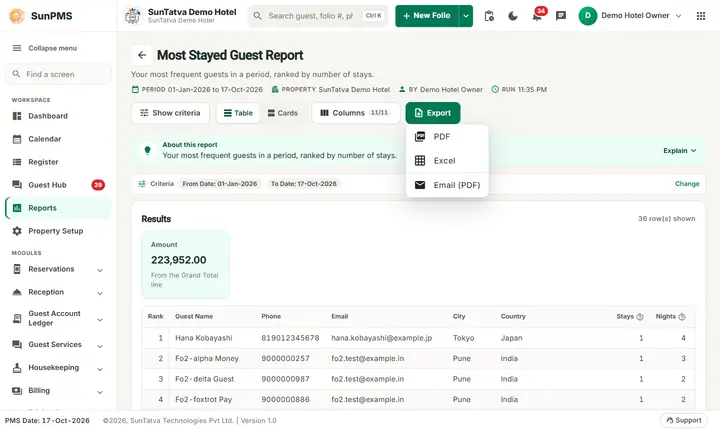
The Most Stayed Guest report ranks your guests by the number of stays that arrived in a date range. For every guest it shows the contact data, the number of stays, the nights, the first and last arrival and the amount of money of those stays. Hotels use it to find repeat and loyal guests for a thank-you offer, a personal greeting or a mailing list.
Purpose
- See which guests stay with you most often (stays) and for longest (nights).
- Get the phone, e-mail, city and country of your best guests in one list.
- Measure what the stays of each guest were worth (amount).
Who uses it
Front office managers (guest recognition), sales and marketing (loyalty offers, mailing lists), owners (guest value).
About this report on screen
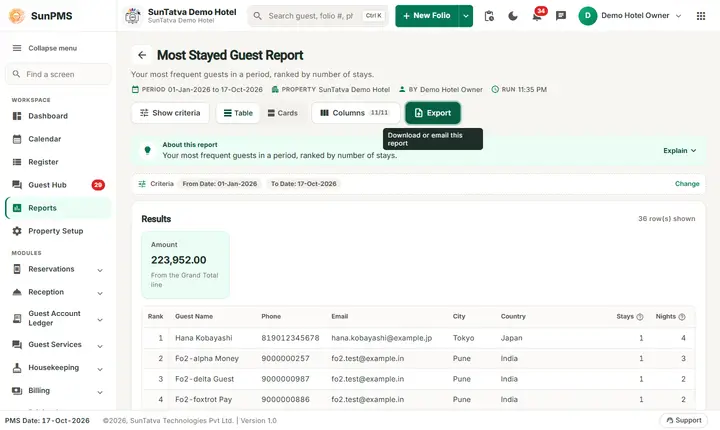
Every report page has an About this report bar under its header (button Explain / Hide). It explains the report in plain words:
- Summary: Your most frequent guests in a period, ranked by number of stays.
- What this report shows: One line per guest who arrived between From Date and To Date: rank, name, phone, email, city, country, number of stays, nights, first and last arrival in the period and the amount of their folios. A Total line closes the list.
- How to read it:
- A stay is a checked-in folio (in house or checked out) whose arrival date is in the period. Reservations, no-shows and cancellations are not counted.
- Every guest on a folio gets the stay, the sharers too. The Amount is only counted for the guest who is the primary guest on the folio, so a shared room is not added twice.
- Guests are ranked by stays, then nights, then amount.
- Rows called "Total" or "Grand Total" are added by the report itself and are highlighted.
- Good to know:
- From Date starts on 1 January of the business year; change it for any other period.
- Use it to spot regular guests for loyalty offers or a thank-you note.
- Dates are business dates (the PMS working date), not calendar dates. A day closes with the night audit.
Columns explained (the same text shows on the help icon next to a column title):
| Column | Meaning |
|---|---|
| Stays | Number of folios of this guest that arrived in the period. |
| Nights | Nights of those stays added up (hourly stays count 0 nights). |
| First Arrival | Arrival date of the guest's first stay in the period. |
| Last Arrival | Arrival date of the guest's latest stay in the period. |
| Amount | Room rent + occupancy tax + other charges + their tax - discount of the stays where this guest is the primary guest. |
Before you start
- You need the privilege Guest_Report_MostStayedGuest ("View Most Stayed Guests Report"). Without it the card is not shown in the report library or on the Report Dashboard, and opening the address signs you out.
- The report reads checked-in stays only (see "What counts as a stay"). Reservations that were never checked in are not counted.
- The heading of the second column follows your Guest title setting (GUEST_TITLE); this page uses the default word Guest.
Step by step
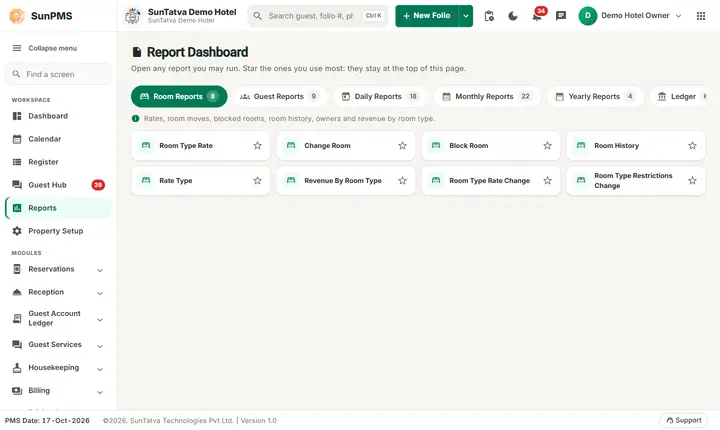
- Click Reports in the left menu (or press Ctrl+K and type the report name). The report library opens at
#/reports. - Choose the category Guest Reports (or type in the search box) and click the card Most Stayed Guest ("Frequent visitor summary"). You can also open
#/report/most-stayed-guestdirectly. - The report opens and runs once with its default criteria, so you already see data. Under Report criteria set From Date, To Date as you need (in a date calendar, Working Date jumps to the current business date).
- Click Show to run it again with the new criteria. The line under Results tells how many rows are shown.
- Read the result as a Table or as Cards (switch at the top right). Columns shows or hides columns and lets you drag them into another order; click a column title to sort. Hide criteria / Show criteria folds the criteria away; on a tablet or phone it folds by itself after Show and leaves a one-line summary.
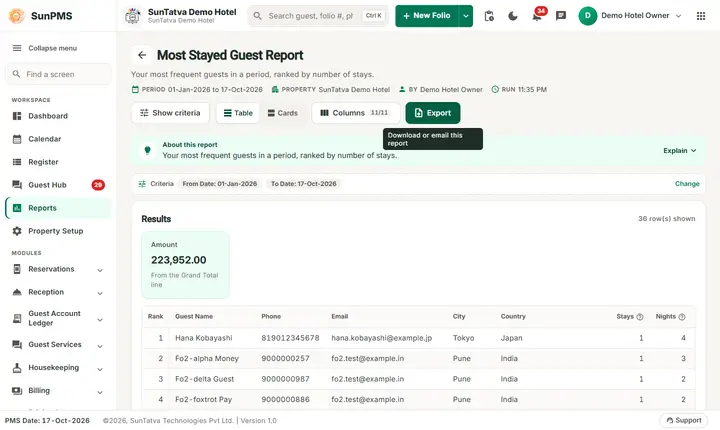
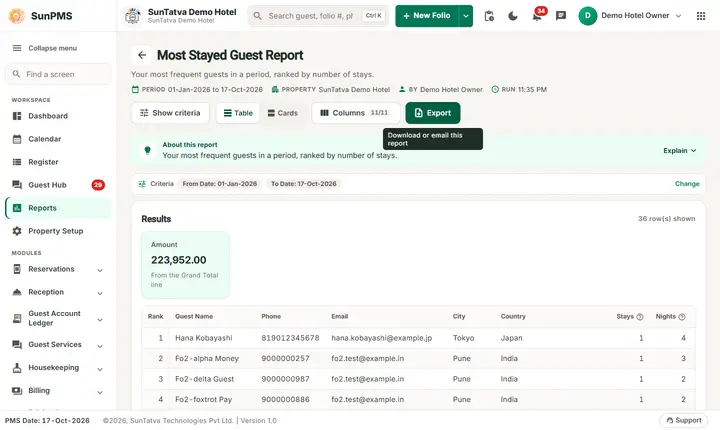
- Click Export and choose PDF, Excel or Email (PDF). The button is always in the header but stays disabled until the report has rows.
Filters
| Filter | Meaning | Rules and default |
|---|---|---|
| From Date | First arrival date to include. | Default: 1 January of the PMS year. The calendar greys out days before the property start date. |
| To Date | Last arrival date to include. | Default: the PMS date. It cannot be before From Date. |
There are no other filters. The Columns button in the header opens a panel: untick a column to hide it, drag the grip icon to reorder. Hidden columns are also left out of PDF and Excel. If you hide every column, Export is disabled.
What counts as a stay
- A stay is a checked-in folio (checked in, not cancelled, not a no-show, not transferred out) whose arrival date is between From Date and To Date. Confirmed and unconfirmed stays count; reservations that are not checked in yet do not.
- Every guest on the folio (primary guest and sharers) gets the stay and its nights.
- The Amount of a stay is added only to the primary guest, so a shared folio is counted once.
- A guest who stayed twice in the period appears once, with Stays = 2.
Columns
| Column | Meaning and calculation |
|---|---|
| Rank | Position in the list: by Stays (most first), then Nights, then Amount, then name. Guests with equal figures get consecutive numbers. |
| Guest Name | First and last name from the guest profile (the heading follows your Guest title setting). Empty when the profile has no name. |
| Phone | Mobile number; if empty, home phone. |
| Home e-mail; if empty, business e-mail. | |
| City, Country | Home city and country of the profile. |
| Stays | Number of checked-in stays of the guest that arrived in the period. |
| Nights | Sum of the nights of those stays. |
| First Arrival, Last Arrival | Earliest and latest arrival date of those stays. |
| Amount | Sum of the folio totals (room rent + occupancy tax + other charges + tax on other charges - discount) of the stays where the guest is the primary guest. |
Totals and grouping
There is no grouping. The last line Total adds Stays, Nights and Amount of all lines. Because a shared stay counts for each guest, the Total of Stays can be higher than the number of folios, while Amount counts each folio once. The list is ranked by the server; clicking a column heading does not re-sort it, so the Total line always stays last.
How to read an example
Run on the demo hotel with the defaults (From Date 01-Jan-2026, To Date 17-Oct-2026):
| Rank | Guest Name | Stays | Nights | First Arrival | Amount |
|---|---|---|---|---|---|
| 1 | Hana Kobayashi | 1 | 4 | 16-Oct-2026 | 15,500.00 |
| 2 | Fo2-alpha Money | 1 | 3 | 17-Oct-2026 | 8,360.00 |
| 3 | Fo2-delta Guest | 1 | 2 | 17-Oct-2026 | 21,784.00 |
| Total | 35 | 47 | 223,952.00 |
Read it as: the report lists 35 guests. Every guest has one stay, so the nights decide the order: Hana Kobayashi stayed 4 nights (rank 1), Fo2-alpha Money 3 nights, and the guests with 2 nights follow, the one with the higher amount first. Some demo guests have no name, phone or e-mail on their profile, so those cells are empty. The Total line says 35 stays, 47 nights and 223,952.00 for the whole list. Demo figures change as the demo data changes; your own numbers will differ.
Common questions it answers
- Who are my repeat guests this year? (Look for Stays of 2 or more; run a long period.)
- Who stayed the most nights?
- What did my best guests spend?
- Which phone numbers and e-mail addresses can I use for a loyalty mailing?
Troubleshooting
| What you see | Why and what to do |
|---|---|
| Every guest has Stays = 1 | The period is short or the hotel is new. Set From Date to the start of the year or earlier. |
| A guest is missing | The guest arrived outside the period, or the folio is not checked in (reservation, cancelled, no-show, transferred). Check with Guest Stay Summary. |
| Name, phone or e-mail cells are empty | The guest profile does not have them (for example group members without a name). Complete the profile. |
| The same person appears twice | Two guest profiles exist for the person (duplicates). The report counts each profile separately. |
| Amount is lower than the folio total | The Amount is counted only for the primary guest of a shared folio; sharers show no amount for it. |
| Amount differs from Guest Stay Summary | Guest Stay Summary shows rent, tax and other charges in separate columns per stay; here they are one sum and the discount is deducted. |
| The card is not on the screen | You need the privilege Guest_Report_MostStayedGuest. |
Messages you may see
| Message | Why | What to do |
|---|---|---|
| No record found! | No checked-in stay arrived in the period. | Widen the dates. |
| Email sent successfully. | You chose Email (PDF). | Check the property mailbox. The message appears even if the mail server refuses the mail. |
Export, print and e-mail
- PDF opens in a new tab (allow pop-ups). Excel downloads Most Stayed Guest Report.xlsx: property name, print date, report name, the dates (Date From: 01-Jan-2026 to: 17-Oct-2026), then the visible columns and the same rows.
- Email (PDF) has the server mail the PDF to the property e-mail address.
- Export is shown only when the result has at least one row.
Related reports
Guest Stay Summary (all stays of one guest), Guest List, Guest Classification, Guest Reports overview, Report Dashboard.
Screenshots