Unposted (Pending) Reservation
On this page
When the channel manager (CRS) sends a booking that SunPMS cannot save, the booking is kept here as unposted so nobody loses it. The page title is Pending Reservation. A hotel checks this page every day; an unposted booking is a real guest who has paid or is expecting a room, but who is not yet in the PMS.

Before you start
- The property is connected to a channel manager (CRS). Without it the icon and page have no data.
- You can create reservations (the page opens the reservation screen).
How to open it
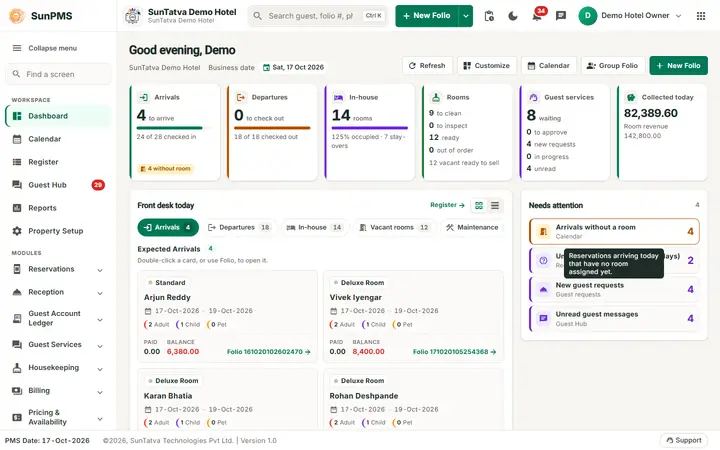
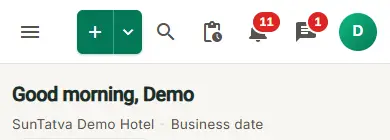
Click the Pending Reservation icon in the top bar (address #/pending-reservations). A red number on the icon is the count of unposted bookings that arrive today or later within the last-7-day window shown here. There is no sidebar entry.
Screen layout
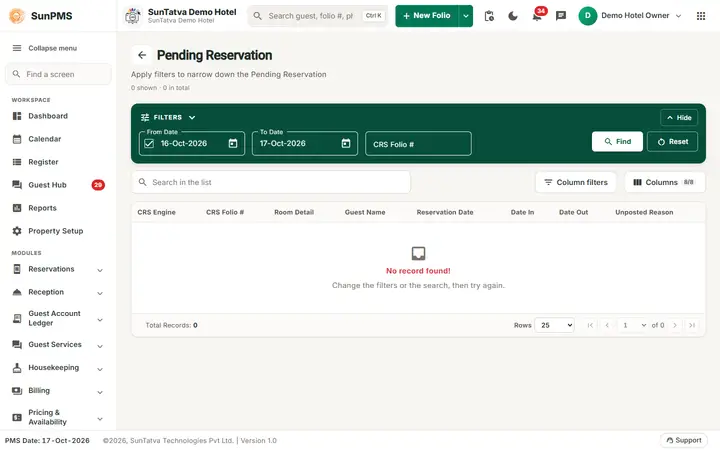
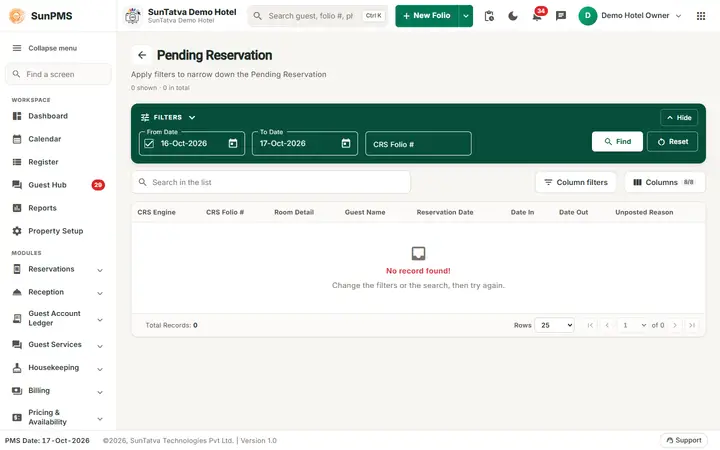
The page title is Pending Reservation with a back arrow. A Filters band at the top ("Apply filters to narrow down the Pending Reservation") holds the filters; under it are a count "N shown · M in total", the search box "Search in the list", Column filters, a Columns picker, the table and paging (Rows, first / previous / next / last page).
Filters
| Filter | What it means | Rules |
|---|---|---|
| From Date with tick box, To Date | Reservation arrival range. | The range is applied only when the tick box is on. Default From date is 6 days before the PMS date (not before the earliest allowed date). To Date cannot be earlier than From Date. |
| CRS Folio # | The channel manager's booking number. | Free text, spaces are trimmed. |
| Find | Searches (pressing Enter in the CRS Folio # box also searches). | |
| Reset | Resets the To date to the PMS date, clears CRS Folio # and searches again. |
List columns:CRS Engine, CRS Folio # (a link), Room Detail (room type), Guest Name, Reservation Date (date and time the booking was made), Date In, Date Out, Unposted Reason. Every column has a small filter box; date and number filters offer =, > and <. A search box above the list searches all columns. The foot shows Rows, the page arrows and the number of records.
How to fix an unposted booking
- Read the Unposted Reason column (for example no availability, or a missing room type or rate type mapping).
- Fix the cause: free or add a room, map the room type / rate type (Sync overview), correct the rate.
- Click the CRS Folio # link of the booking (or double-click the row).
- The reservation screen opens with the booking details from the channel manager already filled in. Check them and save. Result: the reservation becomes a normal folio and leaves the pending list. When you leave the reservation screen you return to Search Reservation.
What happens behind the scenes
- Unposted bookings are counted against availability as "Unposted Reservation" in the Flash view (Rate and Availability Summary), so that the room is not sold again.
- The badge number counts only bookings whose arrival date is today or later.
- The list can be paged on the server; changing the page size or page reloads the data.
Messages you may see
The page shows no message of its own. Typical Unposted Reason texts describe the booking problem (no availability, room type or rate type not mapped, invalid dates). When you save the booking, the normal reservation messages apply (Saving and confirming).
Tips and FAQ
- Q: I do not see the Pending Reservation icon. A: The property is not connected to a channel manager.
- Q: The badge says 3 but the list shows more. A: The badge counts only arrivals today or later; the list also shows older ones if the date range covers them.
- Q: Can I ignore an unposted booking? A: Do not. It blocks inventory and the guest will expect a room. Post it or cancel it with the OTA.
- Q: The CRS Folio # link does nothing. A: Click the number itself, or double-click the row.
Screenshots