Daily Reports - collections, cashiers and users
On this page
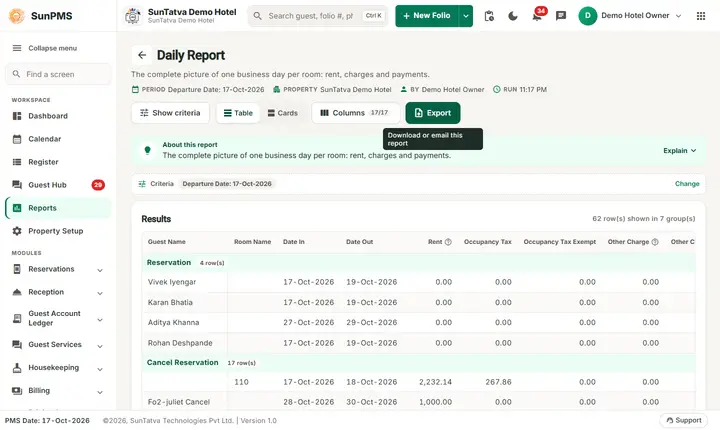
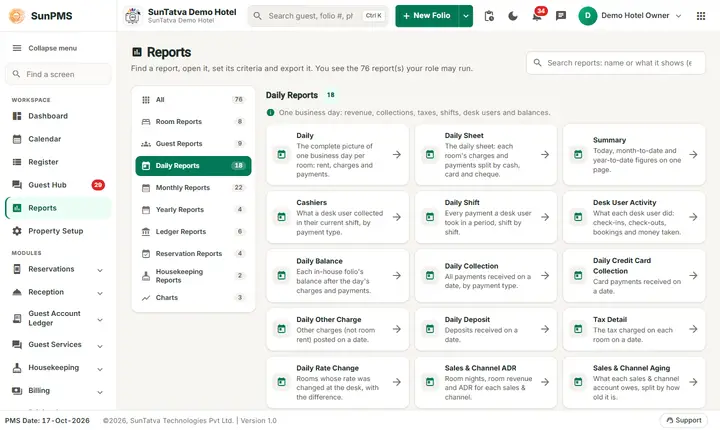
Nine reports about money received on a day and what each desk user did. Report date = From Date (single date) unless a To Date is shown.
Before you start
- Payments are reported by payment date. A payment deleted later appears as a negative line on its deletion date.
- Lists of users, payment types and charges come from your masters.
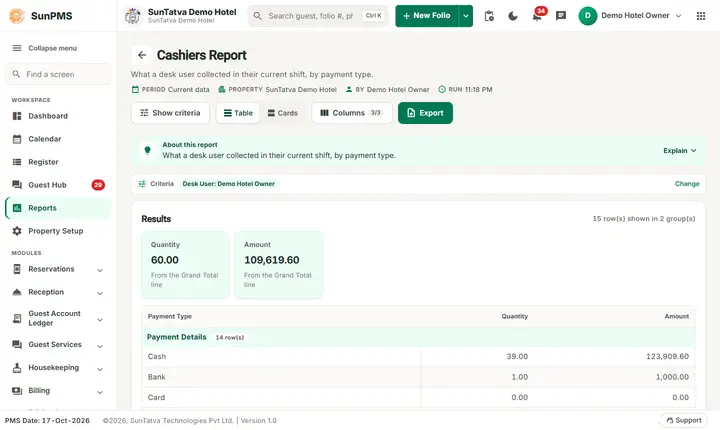
Cashiers
Screen title: Cashiers Report. Who: the user at the desk. For owners the Select Desk User filter appears; everyone else sees only their own open shift and there is no Show button. No column chooser. Layout: "Payment Details" lines for Cash, Card, Bank, Direct Billing, Miscellaneous Income and Others with refund and delete lines, "Total Payment", "Paid Outs" (To Whom, Description, Account, Amount) and "Grand Total". Use it to count the till at shift end.
Daily Shift
Screen title: Desk User Shift Report. Filters: From Date, To Date, Select Desk User. Users with only the basic privilege see only themselves.
Columns: Status, Room Name, Guest Name, Date In, Date Out, Payment Date, Cash, Bank, CC Sale, CC Auth, Auth To Sale, Direct Billing, Discount, Deposit, Other Payment. Status codes: CI check-in, R reservation, DB direct billing, MI miscellaneous income, GP group payment, ME miscellaneous expense, "Total (Shift)". Each group header reads "
Desk User Activity
Filters: From Date, To Date, Select Desk User. Columns: Date, Reserved (New), Reserved (Cancel), Checked-In, Checked-Out, Cash, Bank, Card, Others, Sales & Channel, Other Charges, ADR. Counts what the user personally created (reservation user, check-in user, check-out user). Use for staff performance.
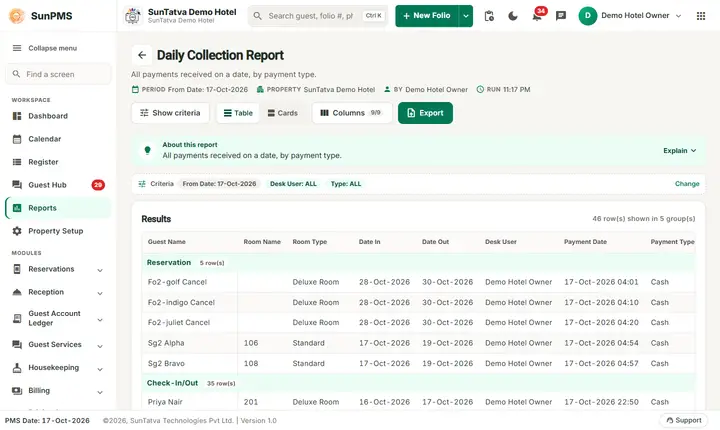
Daily Collection
Filters: From Date, Select Desk User, Type (payment type). Columns: Guest Name, Room Name, Room Type, Date In, Date Out, Desk User, Payment Date, Payment Type, Payment Amount, Remark. Grouped: Reservation, Check-In/Out, Sales & Channel, Group. Total of all payments received that day.
Daily Credit Card Collection
Filter: From Date. Columns: Room/Room Type, Payment/Deletion Date, Guest Name, Card Type, Card No (masked), Auth Code, Payment Amount. Card payments only.
Daily Other Charge
Filters: From Date, Select Other Charge, Exclude No-Show/Cancel. Columns: Room Name, Guest Name, Charge Name, Quantity, Rate, Amount, tax, Total. Grouped by header.
Daily Deposit
Filter: From Date. Purpose: deposits taken on the date, grouped by deposit type. Columns: Deposit Date, Folio #, Guest Name, Room Name, Desk User, Deposit Amount. Deposits deleted later show as negative on the deletion date. A deposit taken on the report date and deleted later still counts on its original date (corrected 2026-10-18).
Credit Card Activity
Filters: From Date, To Date, Select Desk User. Columns: Desk User, Payment Date, PG Date, Guest Name, Folio #, Room Name, Card Type, Card #, Tran Type, Payment Amount, Decline Reason. Includes deleted card payments and business-source card payments. Use to reconcile with the gateway statement.
Daily Collection Payment Type
Filters: From Date, Select Desk User, Type. Columns: Desk User, Payment Date, Folio #, Room, Guest Name, Date In, Date Out, Card #, Deposit Amount, Payment Amount, Gateway Ticket #. Grouped by payment type.
Messages you may see
No record found!
Tips and FAQ
- Q: Cash in Cashiers differs from Daily Collection. A: Cashiers is one shift of one user; Daily Collection is the whole day for all users.
- Q: Why is a refund negative? A: Refunds and deletions are reported as separate negative lines.
- Q: Desk User dropdown is missing. A: Your role has only the single-user privilege.
One page per report
Every report of this chapter has its own page with the filters, every column and how it is calculated, a worked example and troubleshooting:
- Cashiers
- Daily Shift
- Desk User Activity
- Daily Collection
- Daily Credit Card Collection
- Daily Other Charge
- Daily Deposit
- Credit Card Activity
- Daily Collection Payment Type
Screenshots