Charts (ADR, RevPAR, Occupancy)
On this page
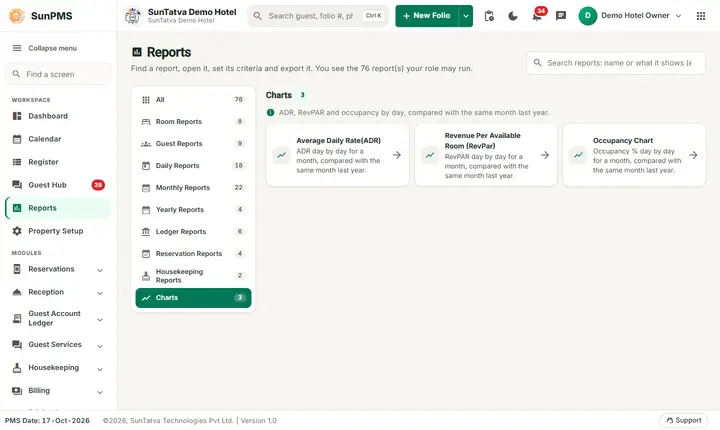
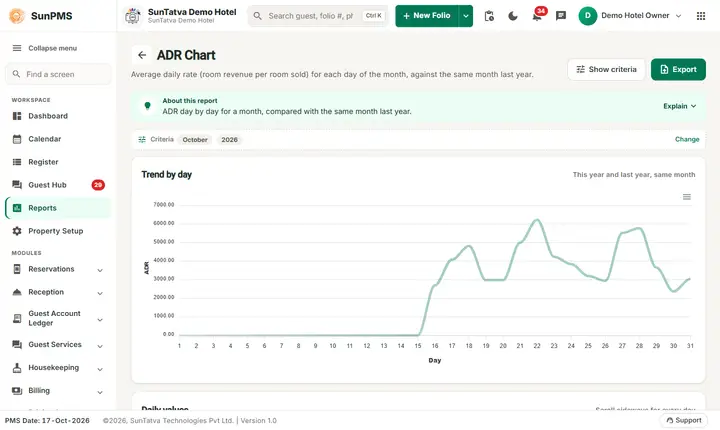
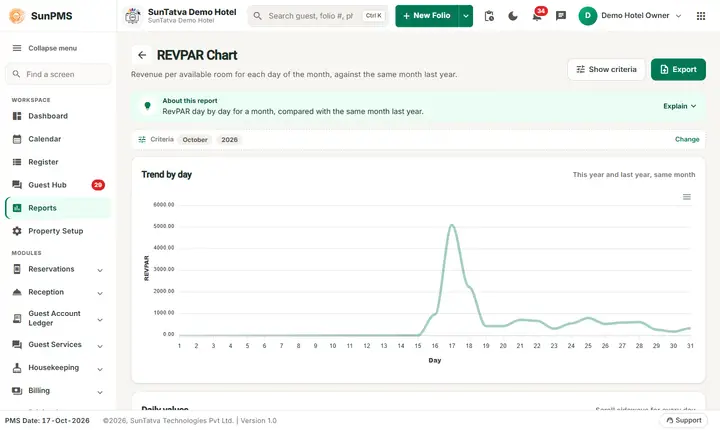
Three line charts that compare one month, day by day, with the same month of the previous year. Under each chart is the table of values. Open from Reports > Charts (Report Dashboard pill Chart; Occupancy Chart appears only in the report library).
Before you start
You need the chart's privilege; without it you are logged out when opening the address.
Screen layout
| Item | Meaning |
|---|---|
| Chart Data Filter > From Month, Year | The month to show (defaults to the PMS month; years: current and ten before). Click Show. |
| Title | ADR Chart, REVPAR Chart, Occupancy Chart |
| Table | Row 1 = chosen month, row 2 = same month last year (only if last year has data). Columns are day numbers 1 to 31. |
| Line graph | Two lines (this year, last year), x axis "Day". Uses visible columns only. |
| Chart menu (graph top right) | Download as CSV, SVG or PNG. |
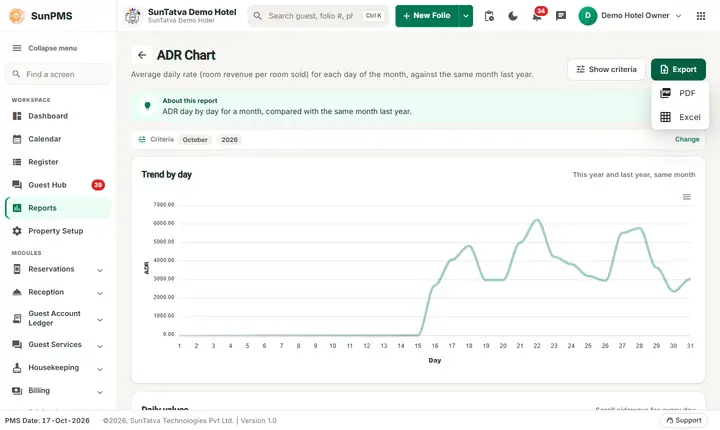
| Export | PDF (table) and Excel (not for hotel statistics/cashiers). No e-mail option. |
The charts
- Average Daily Rate (ADR): each day = room rent ÷ rooms sold that day (rounded to 2 decimals); 0 when nothing sold. Y axis "ADR".
- Revenue Per Available Room (RevPar): each day = room rent ÷ available rooms that day (active rooms, not V/Maint, counted for occupancy). Y axis "REVPAR".
- Occupancy Chart: each day's occupancy based on rooms sold; Y axis "OCC". Rent excludes tax. Future days use reservations, past days use stays.
How to use
- Choose From Month and Year.
- Click Show.
- Compare the two lines or read the table; download CSV from the chart menu if needed.
Tips and FAQ
- Q: Last year's line is missing. A: No data existed for last year's month.
- Q: ADR chart differs from Monthly Statistics ADR. A: Charts round per day; Statistics' total row is total rent ÷ total rooms sold.
- Q: The line looks shifted when I hide days. A: Hiding columns changes the x axis; unhide to compare.
One page per chart
- Average Daily Rate (ADR) chart
- Revenue Per Available Room (RevPAR) chart
- The Occupancy Chart is described above.
Screenshots