Night Audit Setting
On this page
Controls when the day is closed (night audit), what blocks it, and which reports are printed or e-mailed automatically when a night audit is created. The page title reads Night Audit Setting.
Screen layout
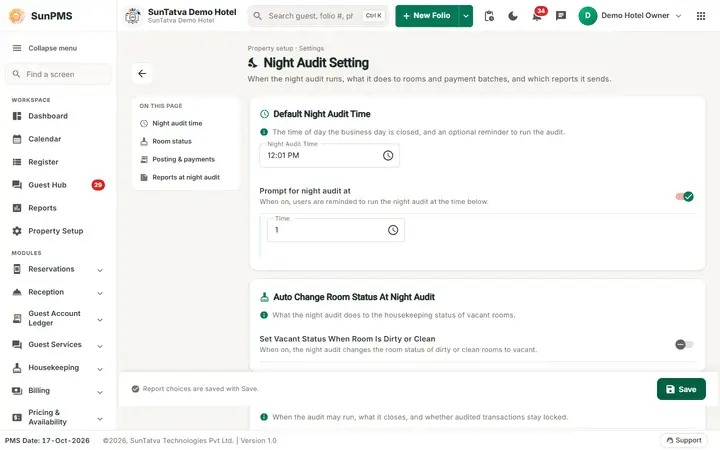
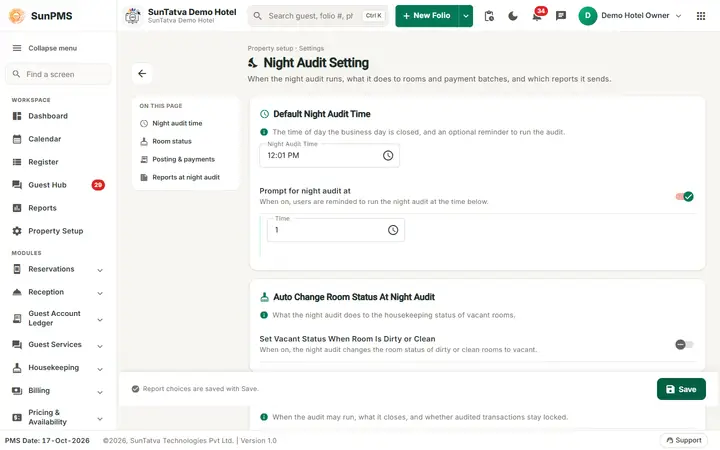
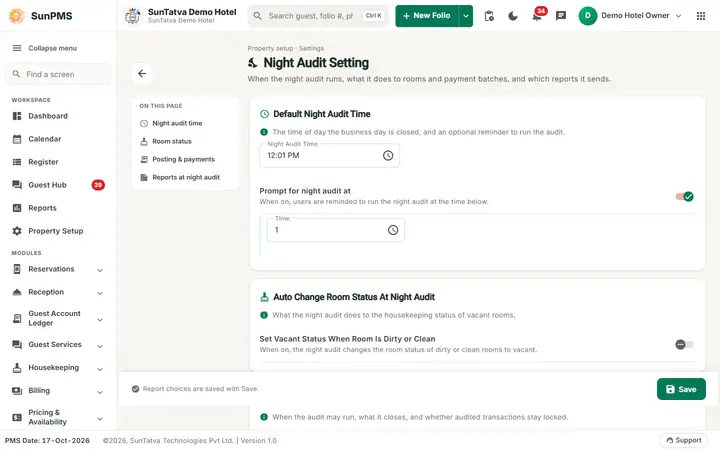
The page header shows the title Night Audit Setting, the line "Property setup · Settings", a description and a back arrow to the Property Setup hub. The On this page index jumps to Night audit time, Room status, Posting & payments and Reports at night audit. Options are switches with a hint; the bottom bar shows "All changes saved." / "You have unsaved changes." and holds Save.
The cards are Default Night Audit Time (Night Audit Time and the Prompt switch with its Time), Auto Change Room Status At Night Audit, Posting & payments (sub-blocks Night Audit Posting and Payment Gateway) and Report At Night Audit.
| Field | Setting key | Default | Meaning and effect |
|---|---|---|---|
| Night Audit Time | NIGHT_AUDIT_TIME | 12:01 | Earliest clock time at which night audit may be created. The server refuses to create the audit before this time on the day after the PMS date. The front end also pops up "It's Night Audit time now. Do you want to create Night Audit?" at exactly this minute when the PMS date is behind the system date. The payment tab also uses it (see below). |
| Prompt for night audit at (switch + Time) | IS_PROMPT_FOR_NIGHT_AUDIT | On | Intended to remind users to run the audit at a chosen time. See the note below about how it is stored. |
| Set Vacant Status When Room Is Dirty or Clean | CHANGE_ROOM_STATUS_ON_NIGHT_AUDIT | Off | When on, night audit converts occupied-dirty/clean rooms that are no longer occupied to vacant status automatically (handled in the database night audit function). |
| Allow Night Audit with Pending Check-Outs | IS_ALLOW_NIGHT_AUDIT_WITH_LATE_CHECKOUT | Off | When off, night audit is refused while any in-house guest should have been checked out already (late check-outs). When on, the audit goes through. |
| Automatically Close Payment Batch During Night Audit | AUTO_CLOSE_PAYMENT_GATEWAY_BATCH_ON_NIGHT_AUDIT | Off | Closes the card-terminal/gateway batch as part of night audit (payment gateway service). |
| Restrict Changes on Audited Transactions | IS_DO_NOT_ALLOW_TO_CHANGE_AUDITED_TRANSACTION | On | Owner only. When on, payments, other charges, stay changes in check-in, group and import screens and the rental/hourly-rental calculations refuse edits to transactions dated on audited days. |
| Report At Night Audit | per-report switches | see below | One switch per report, with an "n of N on" counter in the card header. |
Report At Night Audit
Each report has one switch (the report is produced and e-mailed when the night audit is created); the card header counts how many are on. The old separate Print column is no longer shown. Reports: DAILY SUMMARY REPORT, DAILY REPORT, DAILY SHEET REPORT, DAILY COLLECTION REPORT, DAILY CREDITCARD COLLECTION REPORT, DAILY TAX REPORT, DAILY OTHER CHARGE REPORT, LEDGER SUMMARY REPORT, GUEST LEDGER REPORT, ADVANCE DESPOSIT LEDGER REPORT, ACCOUNT RECEIVABLE LEDGER REPORT, MONTHLY COLLECTION REPORT, MONTHLY STATISTICS REPORT, FORCAST REPORT, DAILY AUDIT LEDGER SUMMARY REPORT, HOTEL STATISTICS REPORT, ARRIVAL REPORT, DEPARTURE REPORT, GUEST CLASSIFICATION DETAIL REPORT, TODAY CHECKOUT REPORT, TODAY CHECKIN REPORT. Spellings are as the screen shows them. E-mail reports are sent to the Email Recipient / Email CC from Email Setting and require E-mail to be on there. The bottom bar reads "Report choices are saved with Save." when nothing else changed.
How to change and save
- Open Property Setup in the left menu and click the Night Audit Setting card (group Configuration).
- Click the Night Audit Time field to open the time picker; choose the time.
- Turn on the options and the reports to e-mail.
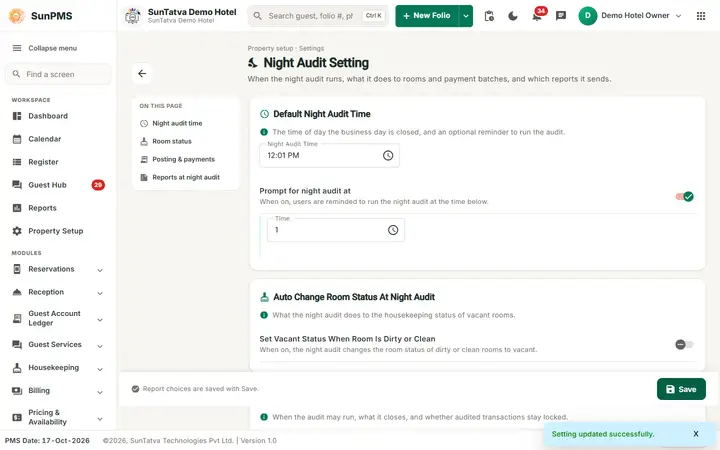
- Click Save. Result: "Setting updated successfully." Report changes are sent along only if you changed a switch.
What happens behind the scenes
- Payment before audit: when Do Not Allow Payment Before Night Audit is on (Display/General record), the folio payment screen refuses payments made after the night-audit time if the PMS date has not been audited: "Do not allow payment before night audit. "
- Authorised amounts: Credit Card Setting's Auto release checkout guest authorized amount at night audit works during the audit.
- No-shows and cancellations: controlled by Rental Setting (Auto No-show After Days, Manual Posting No-Show/Cancel Revenue).
Messages you may see
| Message | Why | What to do |
|---|---|---|
| Setting updated successfully. | Saved | - |
| It's Night Audit time now. Do you want to create Night Audit? | Clock reached the audit time | Click Yes to open the Night Audit view |
Tips and FAQ
- Q: Night audit says it cannot be created yet. A: The current time is before Night Audit Time, or pending check-outs exist while Allow Night Audit with Pending Check-Outs is off.
- Q: Where did the owner-only box go? A: Only users with the Owner role see Restrict Changes on Audited Transactions.
Screenshots