CRS Tax Exempt
On this page
Tells the PMS which taxes must not be charged on reservations that arrive from a channel (CRS engine) for given market sources. Typical use: an OTA collects the tax itself, so the PMS should not add it again to the folio.
Before you start
- The property must be connected to a CRS (the CRS Settings group appears in Property Setup only then). The CRS / Channel Manager add-on licence is needed (see 90-licences).
- Taxes (Tax master) and the CRS market sources must exist.
Screen layout
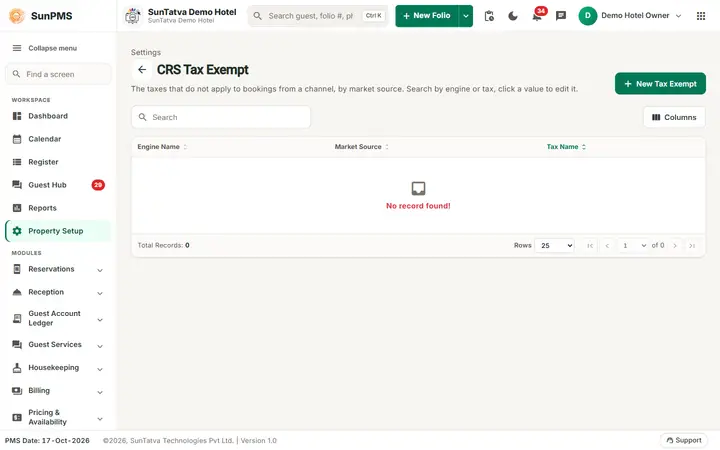
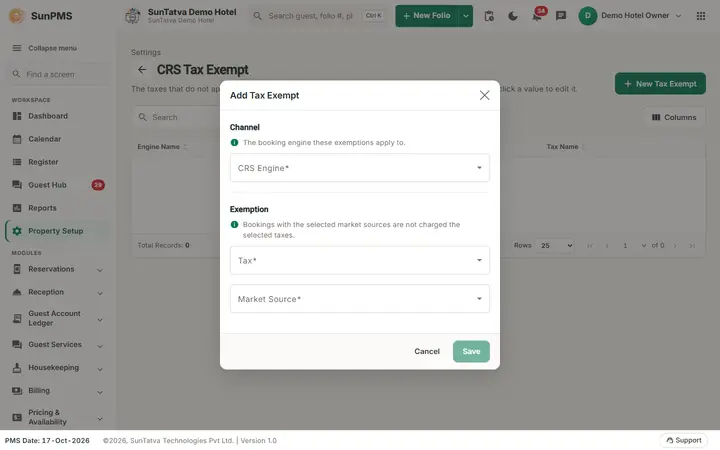
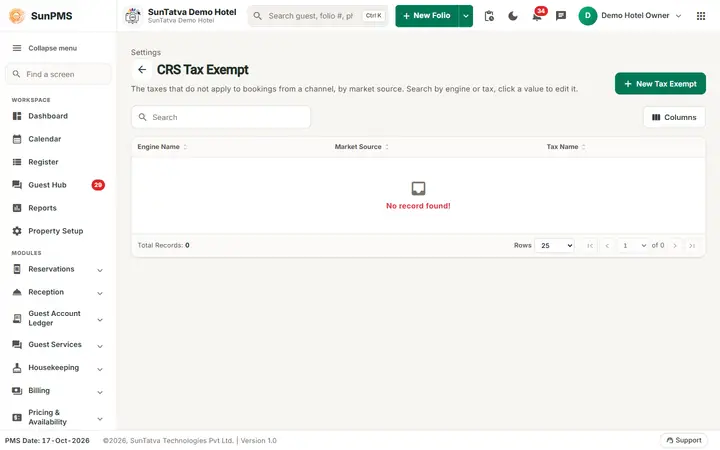
The page shows the heading "Settings", a description ("The taxes that do not apply to bookings from a channel, by market source. Search by engine or tax, click a value to edit it."), a search box, the button New Tax Exempt and the columns Engine Name, Market Source, Tax Name. Click a row to edit or delete. The dialog has two blocks: Channel (the booking engine these exemptions apply to) and Exemption ("Bookings with the selected market sources are not charged the selected taxes").
| Field (dialog) | Rules |
|---|---|
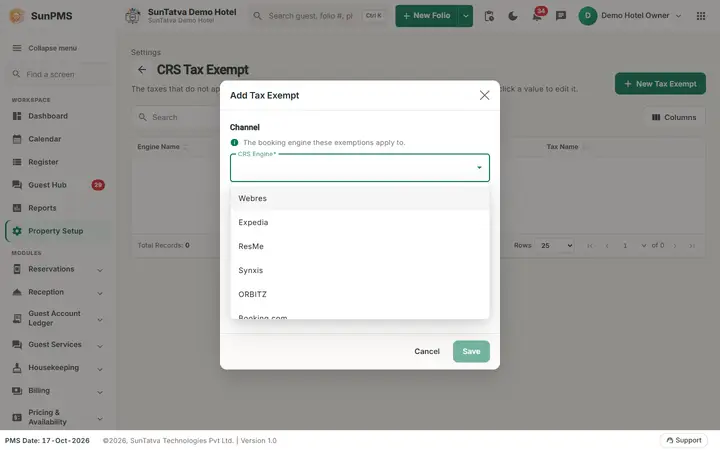
| CRS Engine | Required, single choice. |
| Tax | Required, multiple choice: the taxes to exempt. |
| Market Source | Required, multiple choice, shown as short name - code name. |
| Hotel Collection | Option shown only for engine id 2; marks that the hotel collects the payment itself. |
| Save | Disabled until the form is valid. |
How to add a rule
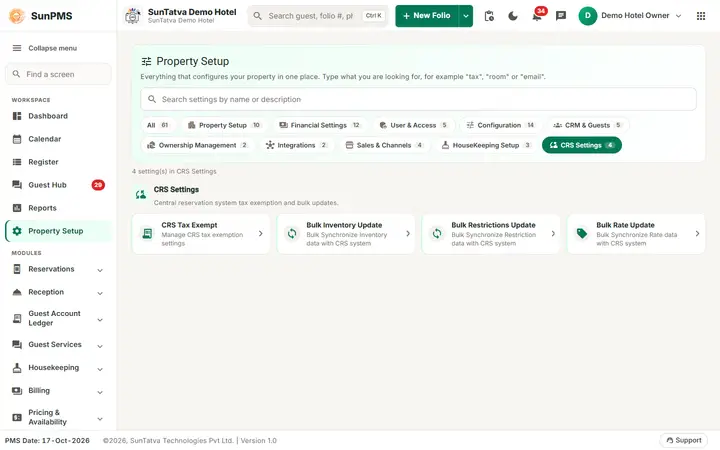
- Open Property Setup in the left menu, click the CRS Tax Exempt card (group CRS Settings, shown for CRS properties) and click New Tax Exempt.
- Choose CRS Engine, one or more Tax and Market Source.
- Click Save. Result: "CRS Tax Exempt added successfully."
How to edit or delete
Click the row, change the selections and Save ("CRS Tax Exempt updated successfully."), or delete it ("CRS Tax Exempt deleted successfully.").
What happens behind the scenes
When a CRS reservation is imported, the service checks these rules for the reservation's engine and market source and marks the matching taxes as exempt on the folio (tax-exempt update in the CRS import). Existing folios are not changed.
Messages you may see
| Message | Why | What to do |
|---|---|---|
| Please enter Market Source. | Engine or Tax not selected (the same text is shown for both) | Select them |
| CRS Tax Exempt added/updated/deleted successfully. | Done | - |
Tips and FAQ
- Q: Menu entry is missing. A: The property has no CRS connection.
Screenshots