
Creditable Sales & Channels (setup)
On this page
Set credit terms for partners you bill later (corporates, agents on direct billing): opening balance, credit days, credit limit, current credit balance and rate type.
Before you start
- The partner exists in Sales & Channels and its category has Credit Apply. Only such partners are listed; there is no Create button.
Screen layout (list)
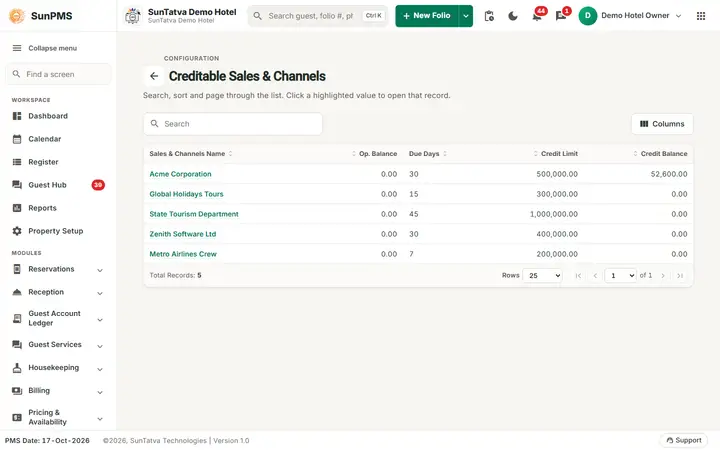
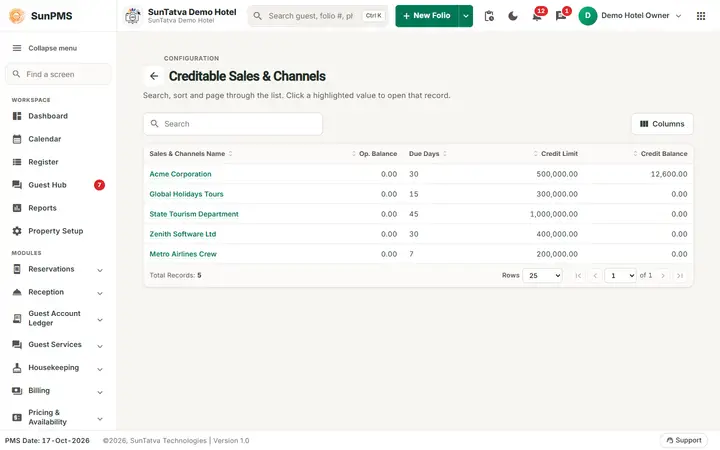
The list of creditable sales and channels with their terms.
Search box and columns Sales & Channels Name (click to edit), Op. Balance, Due Days, Credit Limit, Credit Balance.
Edit dialog (title "Edit Creditable Sales & Channels")
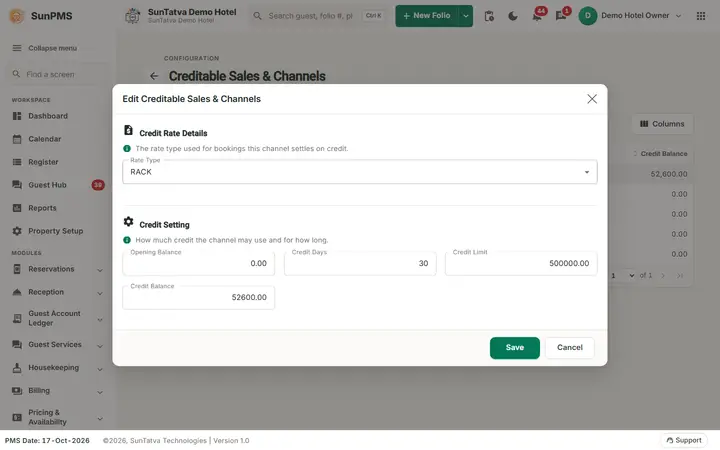
The edit window of one channel (demo figures).
| Field | Meaning | Rules |
|---|---|---|
| Rate Type (Credit Rate Details) | Rate plan for the partner | List |
| Opening Balance | Amount already owed by the partner at start | Decimal |
| Credit Days | Days allowed before invoices are due | Whole number |
| Credit Limit | Maximum credit | Decimal |
| Credit Balance | Current amount charged to the partner and not yet invoiced / settled | Decimal; normally maintained by the system |
| Save / Cancel |
How to set credit terms
- Open Property Setup > Sales & Channels > Creditable Sales & Channels.
- Click the partner name.
- Fill Opening Balance, Credit Days, Credit Limit (and Rate Type).
- Click Save; click Cancel to close afterwards (the dialog resets but stays open).
What happens behind the scenes
- Each time a folio payment is charged to the partner (folio Take payment > Sales & Channels tab) the partner's Credit Balance increases by the amount.
- The credit days drive the default due date idea of invoices; the invoice Due Date itself is chosen on the invoice.
- The partner becomes selectable in Creditable Invoice.
Messages you may see
Please enter valid Credit Opening Balance., Please enter valid Credit Limit. (and the commission value checks of the partner master); server messages appear as errors. Un-ticking Credit Apply on a partner that already has credit charged gives You can not deactivate Credit Apply
Because Credit is already applied on this Sales & Channel.
Tips and FAQ
- Q: Why is my partner not listed? A: Its category lacks Credit Apply.
- Q: Does the system block a booking over the credit limit? A: No check against Credit Limit is made on these screens; treat it as information for your accounts team.