Room Type Binding And Occupancy
On this page
This screen sets how many guests a room type holds and, optionally, binds its rates to the base room type so you only maintain one set of prices. Example: the Deluxe base rate is always Standard + 20%.
Before you start
- Create the room types first (04-room-type.md) and mark one active room type as Base Type if you want binding.
Screen layout
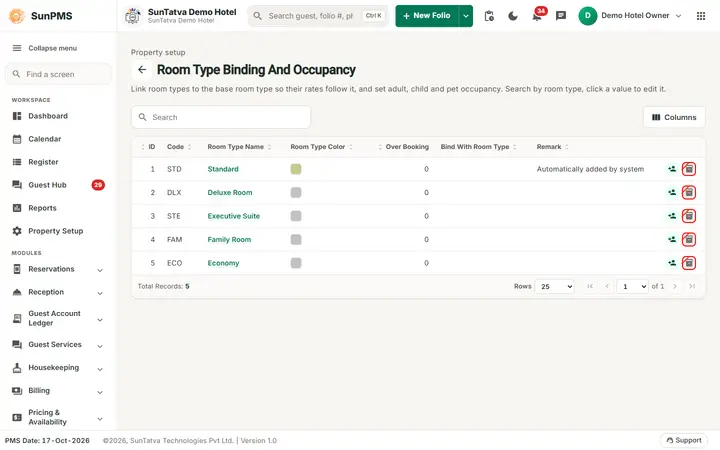
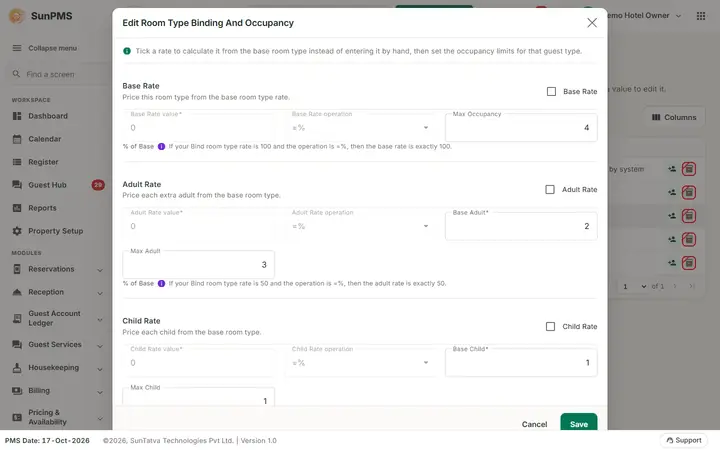
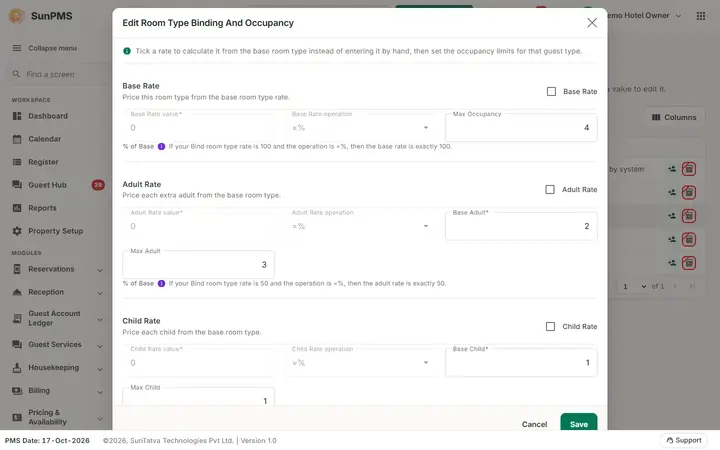
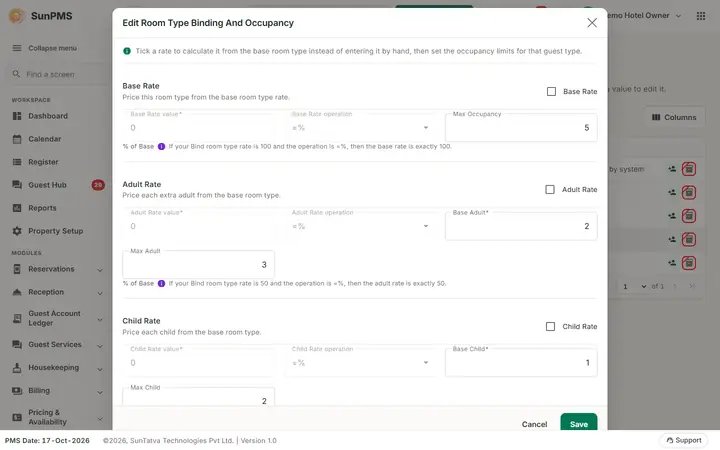
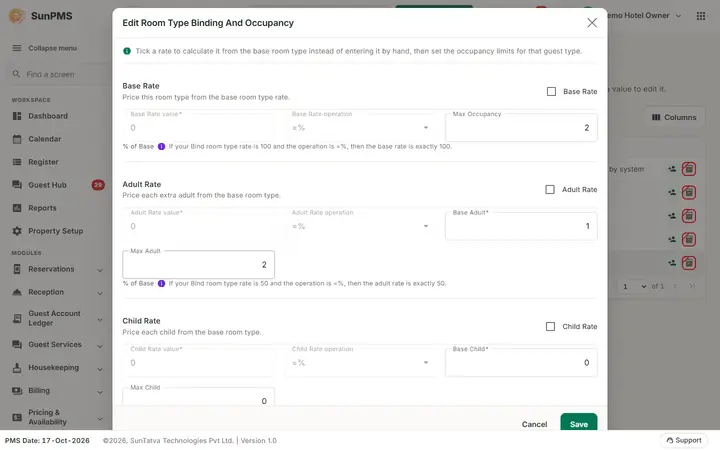
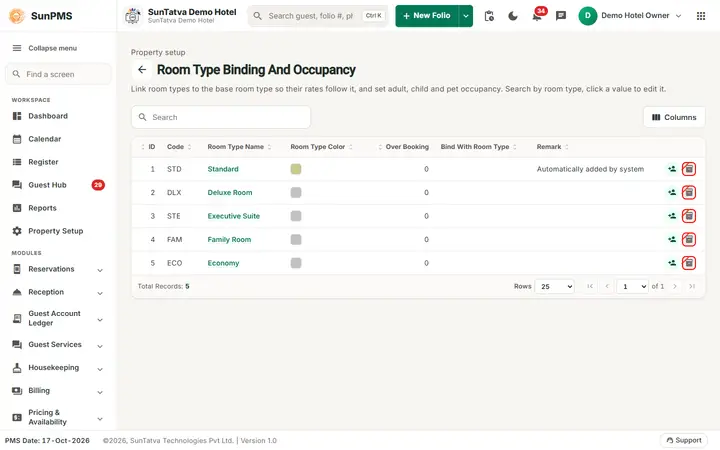
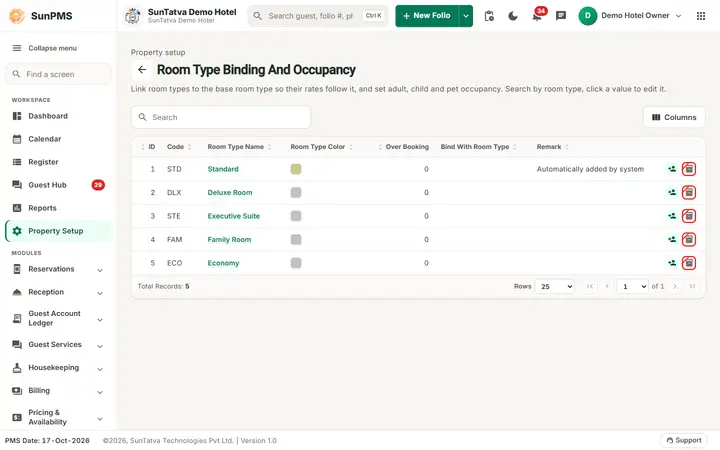
The header (back arrow, title, one-line explanation), the Search box, the Columns button and the table are the same as on Room Type (columns ID, Code, Room Type Name, Room Type Color, Over Booking, Bind With Room Type, Remark and the occupancy icon), with no add button and no drag ordering. Click a room type value to open Edit Room Type Binding And Occupancy. The window is made of four blocks: Base Rate, Adult Rate, Child Rate and Pet Rate; each has a tick box with a one-line hint, a value, an operation and the occupancy limits of that guest type.
| Window field | What it means | Rules |
|---|---|---|
| Banner Bind with |
Shown at the top when a base room type exists. | |
| Help line | "Tick a rate to calculate it from the base room type instead of entering it by hand, then set the occupancy limits for that guest type." | |
| Base Rate tick ("Price this room type from the base room type rate."), Base Rate value, Base Rate operation | Link the base (room) rate to the base room type. | Disabled when this room type is the base itself. |
| Adult Rate, Child Rate, Pet Rate ticks (hints "Price each extra adult / each child / each pet from the base room type."), each with its value and operation fields | Link the extra-adult, child and pet rates. | Ticking copies the base value as a start. |
| Operation list | =% equals the bound value; +$ add an amount; -$ subtract an amount; +% add a percentage; -% subtract a percentage. The line % of Base under each block shows what the chosen operation means, with an example (hover the info icon). |
Value is a decimal number. Ticking Base Rate sets the value to 100. |
| Max Occupancy | Maximum guests in the room. | Whole number. |
| Base Adult | Adults included in the base rate. | At least 1. |
| Max Adult | Maximum adults. | Not below Base Adult. |
| Base Child, Max Child | Children included / allowed. | Base not above Max. |
| Base Pet | Pets included in the rate. | |
| Save, Cancel (window footer) |
How to set occupancy
- Click the room type name.
- Enter Max Occupancy, Base Adult / Max Adult, Base Child / Max Child, Base Pet.
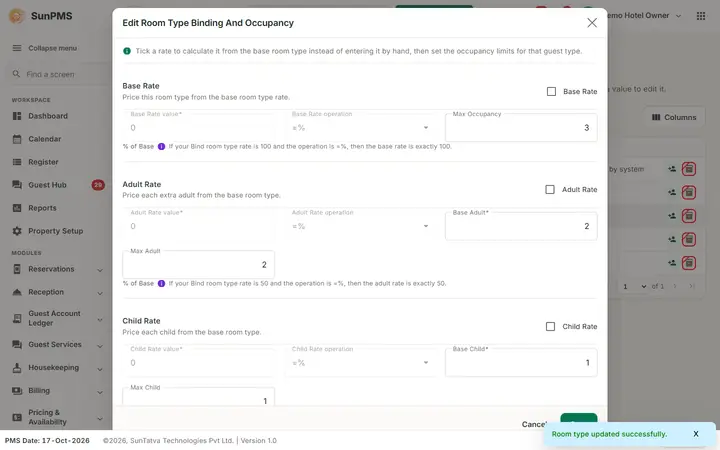
- Click Save. Result: Room type updated successfully. The window remains open; click Cancel to close.
How to bind a rate
- Open a room type that is not the base.
- Tick Base Rate (and Adult, Child, Pet if wanted).
- Choose the operation and type the value (for example
+%and20). - Click Save. Result: from the current PMS date to the end of the rate calendar the rates of this type are recalculated from the base type and kept in step whenever the base changes. Only the rates whose value or operation you changed are rewritten.
What happens behind the scenes
Binding rewrites room-type rates in Rate Manager from the PMS date forward. Occupancy limits are enforced on reservations and check-in (guest counts above the maximum are refused) and are used by the rate calculation for extra adults, children and pets.
Messages you may see
| Message (exact text) | Why it appears | What to do |
|---|---|---|
| Max Adult and Child cannot be greater than Max Occupancy. | Adults plus children exceed the maximum. | Raise Max Occupancy or lower the others. |
| Please enter valid Base Adult Occupancy. / Please enter at least one Base Adult Occupancy. | Empty or 0. | Enter 1 or more. |
| Please enter valid Base Child Occupancy. / Base Pet Occupancy. / Max Occupancy. / Max Adult Occupancy. / Max Child Occupancy. | Empty field. | Fill it. |
| Base Adult cannot be greater than Max Adult. / Base child cannot be greater than Max Child. | Base above max. | Correct. |
| Please enter valid Base rate. / Adult rate. / Child rate. / Pet rate. | Bound value is not a valid decimal. | Correct it. |
| Current Room Type already binded with another Room Types. | Base flag change blocked. | Unbind others. |
Tips and FAQ
- Q: What does "% of Base" next to the operation mean? A: It is just a label; the operation decides whether the value is an amount or a percentage of the base rate.
- Q: Can the base room type itself be bound? A: No, its binding ticks are disabled.
Screenshots