Deposit
On this page
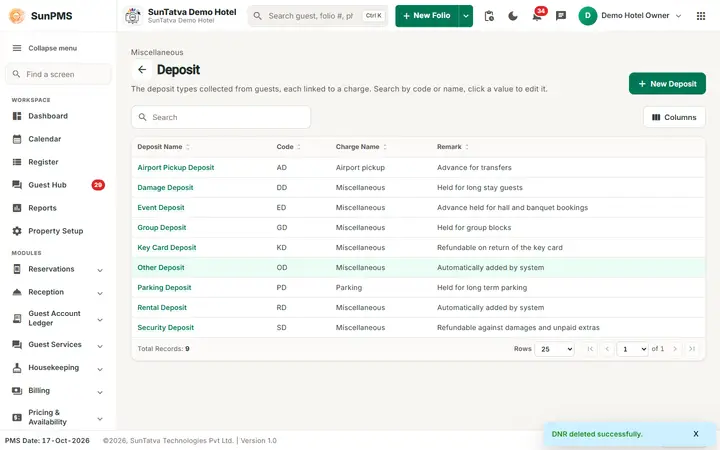
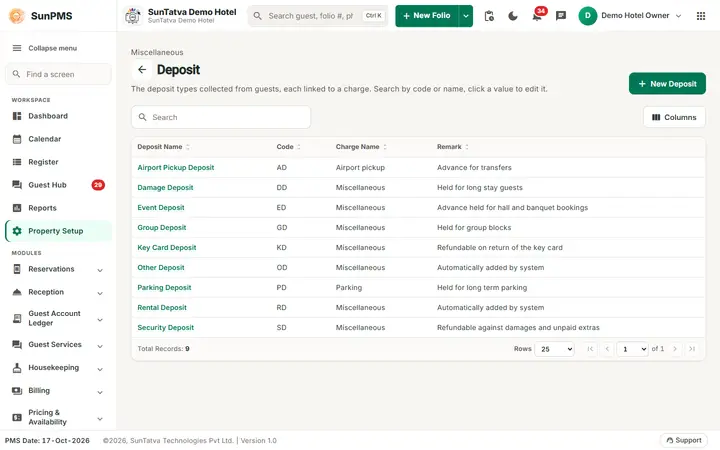
A deposit type is a kind of refundable money the hotel holds for a guest, for example a rental (room) deposit or an "other" deposit such as a key or damage deposit. Each type is tied to a charge so the deposit appears on the folio under the right heading. The hub card is Deposit Setup; the page title is Deposit.
Before you start
- Turn on Deposit in Feature Setting to use deposits at reservation / check-in.
- The charge you link must exist in Other Charges.
- Two types are created automatically: Other Deposit (OD) and Rental Deposit (RD), both linked to the charge Miscellaneous.
Screen layout
This screen follows the common master layout described in Property Setup (section "Master screens: one pattern"): a header with the back arrow, the title, a one-line explanation and the main button on the right; a Search box and a Columns button above a sortable table; a footer with Total Records, Rows and page buttons; and an add / edit window with Delete (left, only when editing), Cancel and Save. Specific to this screen:
| Element | Meaning | Rules |
|---|---|---|
| Search | By deposit name, code or charge name. | |
| New Deposit (top right) | Opens Add Deposit. | |
| Deposit Name | Click the highlighted name to edit (Edit deposit). | |
| Code | Short code. | |
| Charge Name | The linked other charge. | |
| Remark | Note. | |
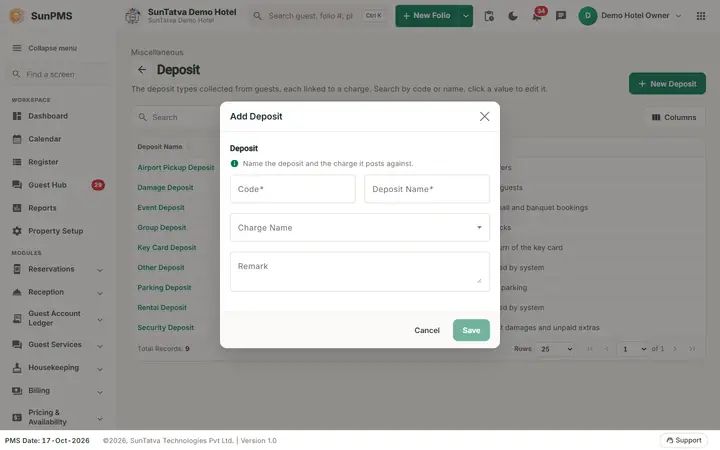
| Window section Deposit ("Name the deposit and the charge it posts against."): Code | Short code. | Required. |
| Deposit Name | Name. | Required, unique. |
| Charge Name | Drop-down of other charges. | Default is the first charge. |
| Remark | Note. | |
| Save, Cancel, Delete | Delete only when editing. |
How to add a deposit type
- Click New Deposit.
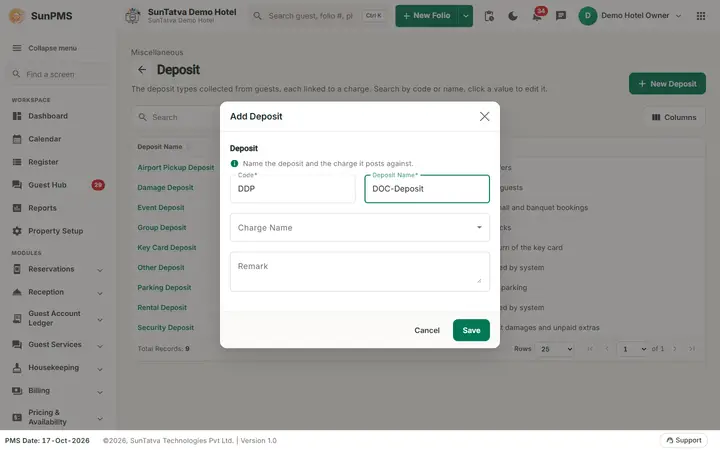
- Enter Code and Deposit Name; choose Charge Name.
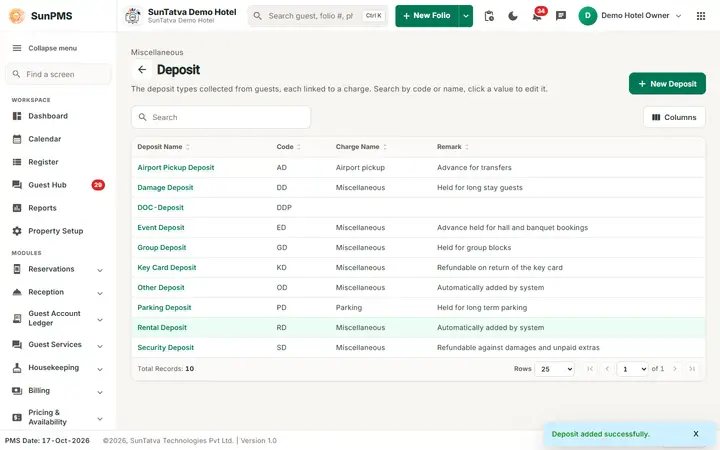
- Click Save. Message Deposit added successfully. The window stays open for the next one.
How to edit
Click the name, change it, Save. Message Deposit updated successfully.
How to delete
What happens behind the scenes
When a deposit is taken on a reservation or stay it is posted against the linked charge. Deposit types are listed in the deposit pop-ups and reports.
Messages you may see
| Message (exact text) | Why it appears | What to do |
|---|---|---|
| Please enter Code. / Please enter Deposit Name. | Empty field. | Fill it. |
| Rental Deposit cannot be Deleted | You tried to delete the system Rental Deposit. | Keep it. |
| Record Already Exist. | Duplicate name. | Rename. |
Tips and FAQ
- Q: Can I rename Rental Deposit? A: The screen does not prevent it, but reports and the check-in deposit pop-up expect the system types, so avoid it.
- Q: The Deposit option does not show on reservations. A: Switch on Deposit in Feature Setting.
Screenshots