Document Type
On this page
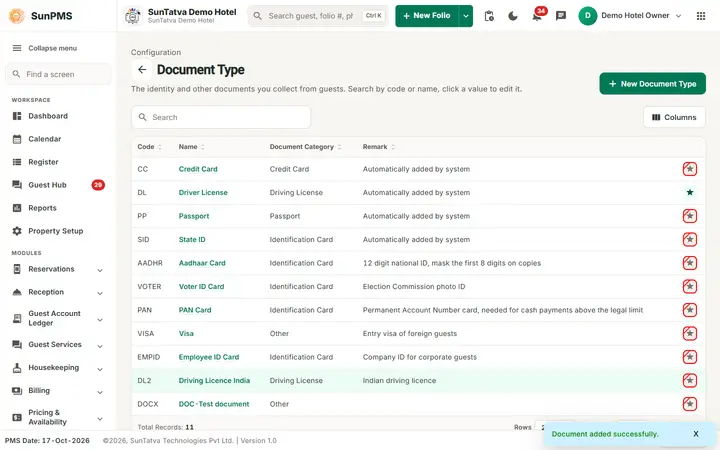
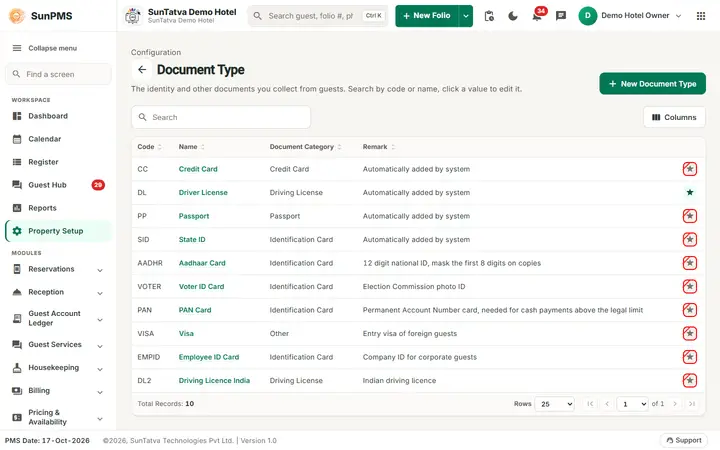
Document types are the kinds of guest documents you can attach to a reservation: passport, driver licence, state ID, credit card. Each has a category that tells the system how to treat it (for example credit card documents are protected by a privilege).
Before you start
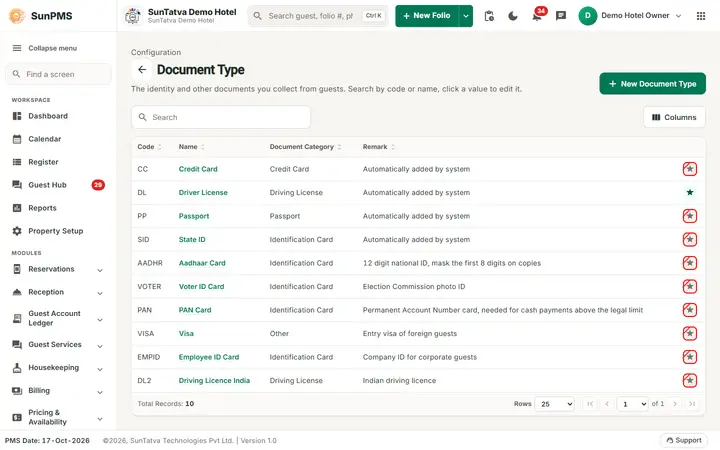
New properties start with four types: CC (Credit Card), DL (Driver License), PP (Passport), SID (State ID).
Screen layout
This screen follows the common master layout described in Property Setup (section "Master screens: one pattern"): a header with the back arrow, the title, a one-line explanation and the main button on the right; a Search box and a Columns button above a sortable table; a footer with Total Records, Rows and page buttons; and an add / edit window with Delete (left, only when editing), Cancel and Save. Specific to this screen:
| Column / field | Meaning | Rules |
|---|---|---|
| Code | Short code | Required |
| Name | Document type name (click to edit) | Required |
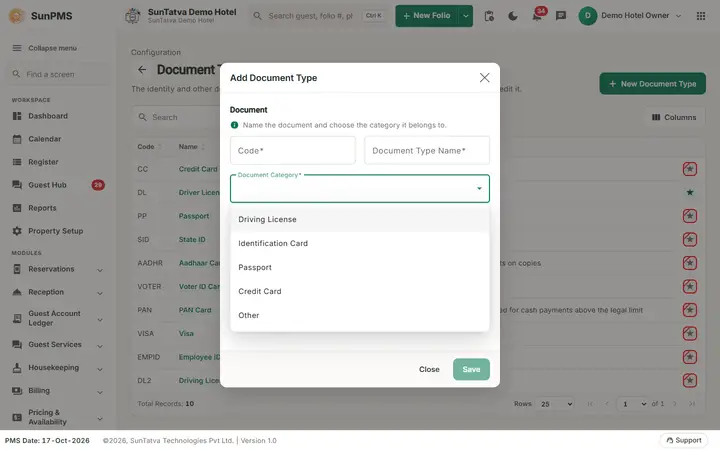
| Document Category | Driving License, Identification Card, Passport, Credit Card, Other | Category Other is shown as "Other" |
| Remark | Note | |
| Star icon | Default type | Crossed when not default |
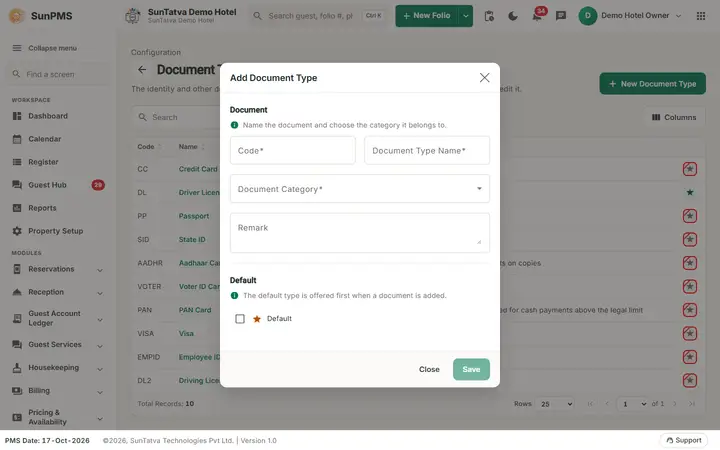
| Edit window section Document ("Name the document and choose the category it belongs to."): Code, Document Type Name, Document Category (required drop-down), Remark. Section Default ("The default type is offered first when a document is added."): the tick box Default | Default can belong to only one type; marking one clears the others. The window's left button is Close, not Cancel. |
How to add
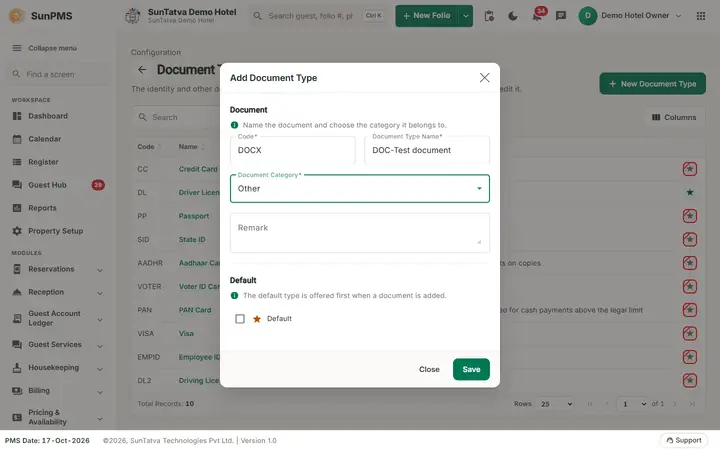
- Click New Document Type. 2. Fill Code, Document Type Name, Document Category. 3. Tick Default if wanted. 4. Click Save ("Document added successfully."). The form blanks for another entry; Close to leave.
How to edit
Click the name, change, Save ("Document updated successfully.").
How to delete
Open it, click Delete, confirm "Are you sure want to delete this Document Type?". Result "DocumentType deleted successfully." The default type cannot be deleted ("Can't delete").
What happens behind the scenes
Types feed the document lists on reservations and check-in. Delete only deactivates the record.
Messages you may see
| Message | Why |
|---|---|
| Please enter Code. / Please enter Document Type Name. | Required field empty |
| Record Already Exist. | Name already used |
| Can't delete | Default type |
Tips and FAQ
Screenshots