FAS Interface
On this page
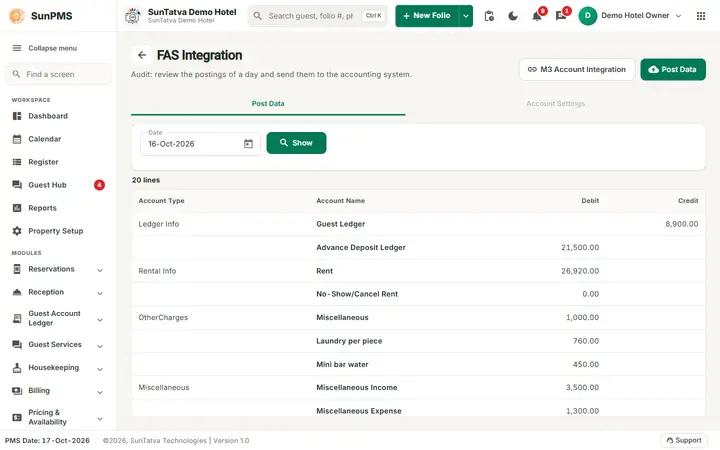
FAS is the financial accounting system integration. This screen previews the day's accounting entries (debits and credits) that SunPMS will send to the accounting system, and sends them.
Before you start
- Choose the system in Property Setup > FAS Settings (N/A, POS Accounting Systems, QuickBooks Accounting Systems, M3 Accounting, Innflow Accounting Systems) and fill its fields (for M3: Client ID, Client Secret Key, Property Code, Customer Name, Source System PMS/POS).
- For M3, map PMS accounts to M3 account codes via the M3 Account Integration link.
- If no FAS system is selected, the menu entry is hidden and the page redirects away.
Screen layout
Tab Post Data:
| Field | Meaning |
|---|---|
| Date | Business date to preview; default yesterday; cannot be after the PMS date. |
| Show | Loads the entries. |
| Columns | Account Type, Account Name, Debit, Credit, and Statistics (only if "Post statistical data to FAS" is on). A final Total row sums debit and credit. |
| M3 Account Integration | Link (M3 only) to the mapping page. |
| Post Data | Sends the entries (disabled when the list is empty). |
The entries come from the ledger summary, business-source aging, revenue by rate type and, optionally, hotel statistics.
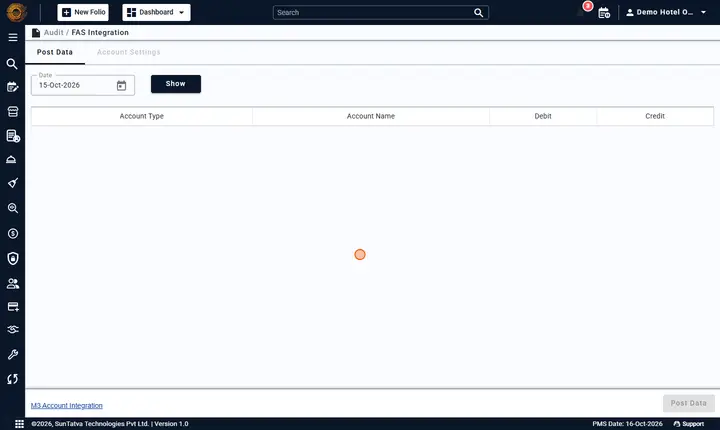
Tab Account Settings is disabled in the current version.
How to post
- Choose the Date, click Show.
- Check that debits equal credits.
- Click Post Data. Result: Data Posted.; otherwise the error text appears.
Automatic posting
Tick Auto Post To FAS on the Night Audit screen (it appears when the setting "Auto post to FAS on night audit" is on). If it fails the audit still succeeds and says "FAS Data not posted."; post again here.
Messages
| Message | Why |
|---|---|
| Data Posted. | Success. |
| Please configure M3 Integations. | No M3 account mapping exists. |
Tips and FAQ
- Q: Post Data is disabled. A: The list is empty for the chosen date; click Show first, and check that night audit ran for that date.
- Q: Debits and credits do not match. A: An account is not mapped to a ledger account; check the mappings in the FAS integration settings (FAS settings) before posting.
- Q: I posted twice by mistake. A: The accounting system may now hold duplicate entries; ask your accountant to reverse one batch.
- Q: Auto Post failed during night audit. A: The audit still completed ("FAS Data not posted."); post the date again from this screen.
Screenshots