Batch Folio
Prints registration forms, folios or detailed folios for many guests in one PDF. A typical use is printing all departures for the day, or all arrivals' registration cards before check-in.
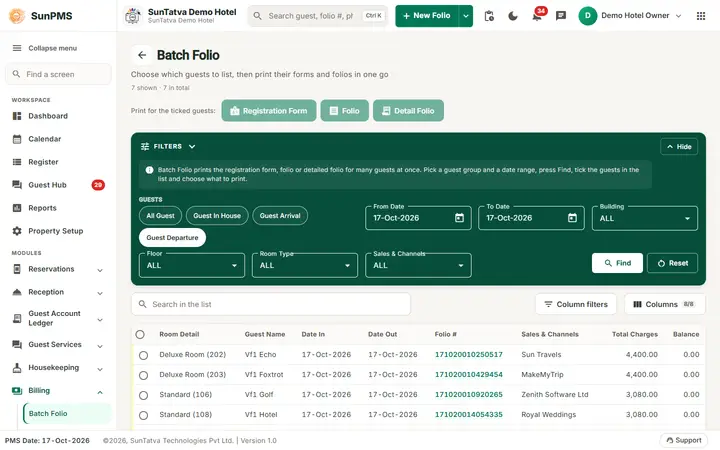
Screen layout
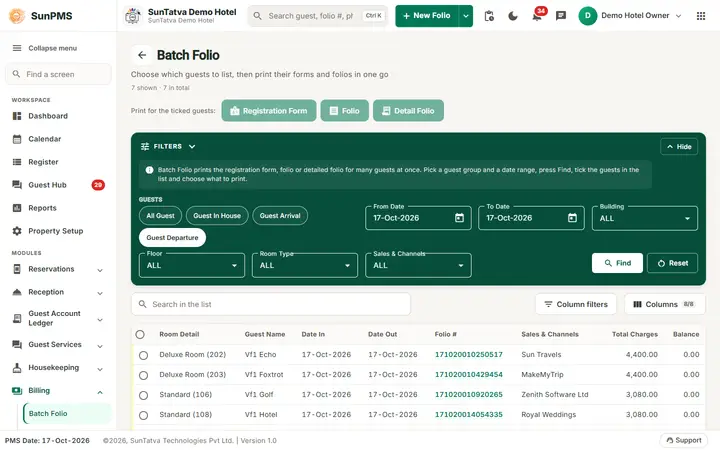
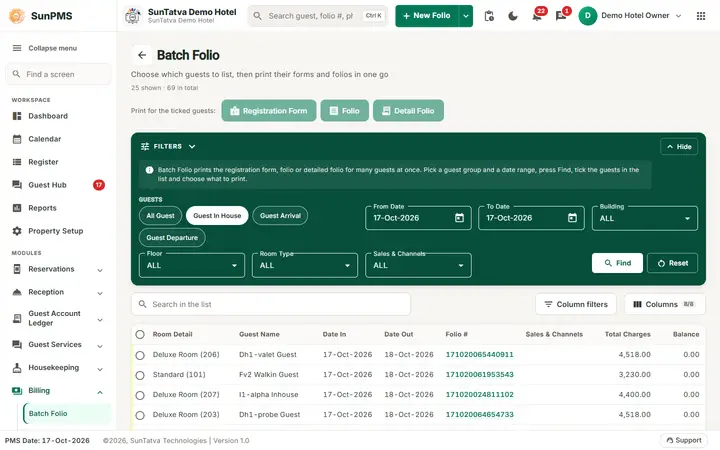
This screen uses the standard search-first list layout: a dark Filters band on top, then a full-width table with Search in the list, a column filter button, Columns, sortable headings and a paging bar (rows become cards on phones). The common parts are explained in Search-first list screens; the fields and columns specific to this screen are listed below. Filter panel
| Field | Meaning |
|---|---|
| Chips All Guest, Guest In House, Guest Arrival, Guest Departure | Which guests to list. Default: Guest Departure. |
| From Date / To Date | Date range (default PMS date). Disabled for All Guest. For Arrival it filters on arrival date, Departure on departure date, In House on stay overlap. |
| Building, Floor, Room Type, Sales & Channels | Optional filters (ALL by default). |
| Find / Reset | Search / back to Guest Departure for today. |
Grid columns: Room Detail, Guest Name, Date In, Date Out, Folio # (click to open the folio), Sales & Channels, Total Charges, Balance. Search box, column chooser and column filters work as on other grids. The row check box (and header box) selects folios; paging shows 25/50/100 rows.
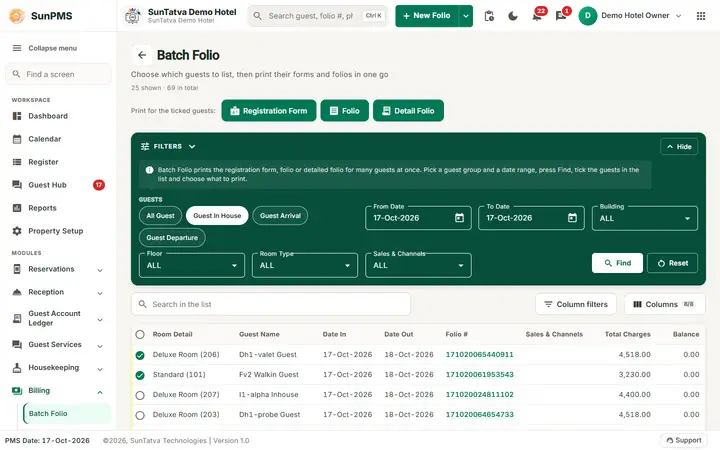
Buttons above the grid:Registration Form, Folio (summary) and Detail Folio. They are enabled once at least one row is selected.
How to print
- Choose the guest chip and dates, click Find.
- Tick the folios (header box ticks all on the page).
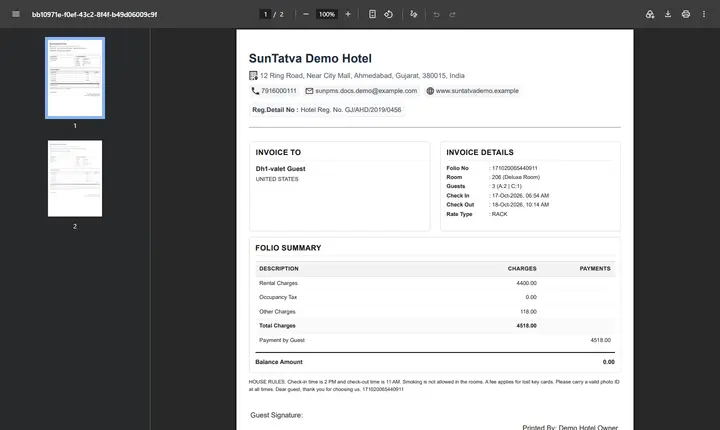
- Click Registration Form, Folio or Detail Folio. Result: one PDF with all selected folios opens in a new browser tab.
Messages you may see
| Message (exact text) | Why it appears | What to do |
|---|---|---|
| Please select record to print Registration Form. | Registration Form clicked with nothing ticked. | Tick at least one folio. |
| Please select record to print Folio. | Same, for Folio. | Tick at least one folio. |
| Please select record to print Detail Folio. | Same, for Detail Folio. | Tick at least one folio. |
Tips and FAQ
- Q: I ticked all rows but only some printed. A: Selections cover only the rows loaded on the current page. Print page by page or raise the rows per page.
- Q: Nothing opens after I click a print button. A: Allow pop-ups for the PMS site; the PDF opens in a new browser tab.
- Q: Which button gives which paper? A:Registration Form is the check-in card, Folio is the one-page summary, Detail Folio lists every charge and payment line.
- Q: I need yesterday's departures. A: Choose Guest Departure, set From Date and To Date to that day, and click Find.
Screenshots