Payment Gateway Integration
On this page
Registers the physical card terminals (devices) that are connected to a payment gateway, so cashiers can send a card payment from the folio to a terminal.
Before you start
- In Credit Card Setting, turn on Online Credit Card Processing and set the gateway (Shift4, SlimCDT or similar). This screen only offers the gateways the property supports.
- Have the terminal's serial number or device ID, its IP address and port (for network devices).
Screen layout
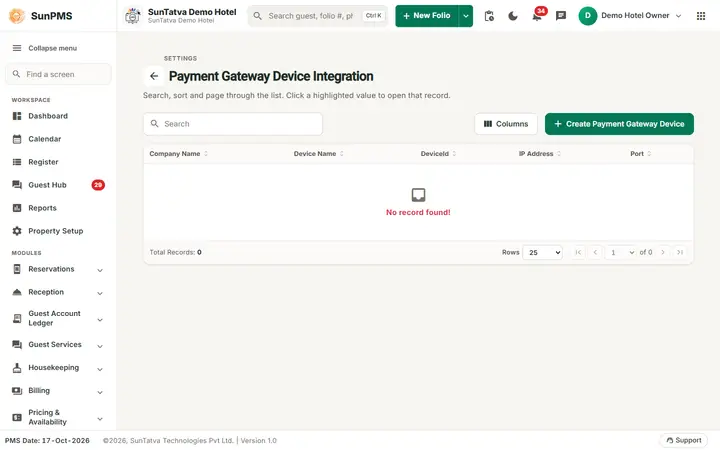
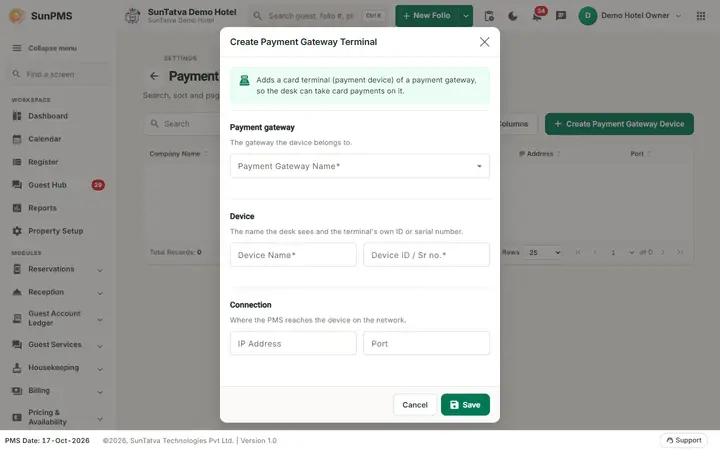
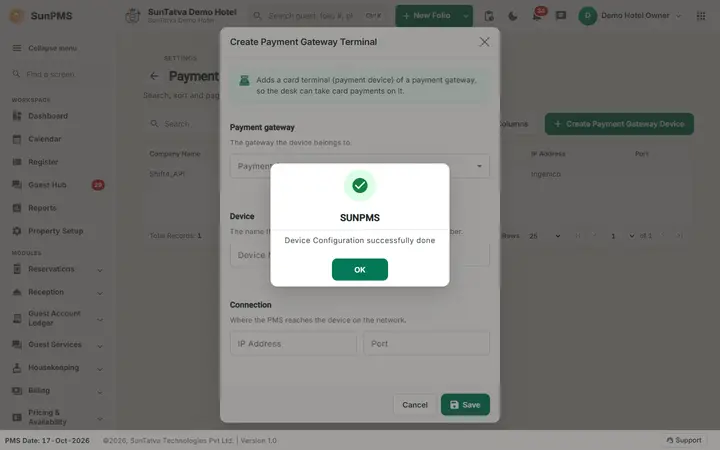
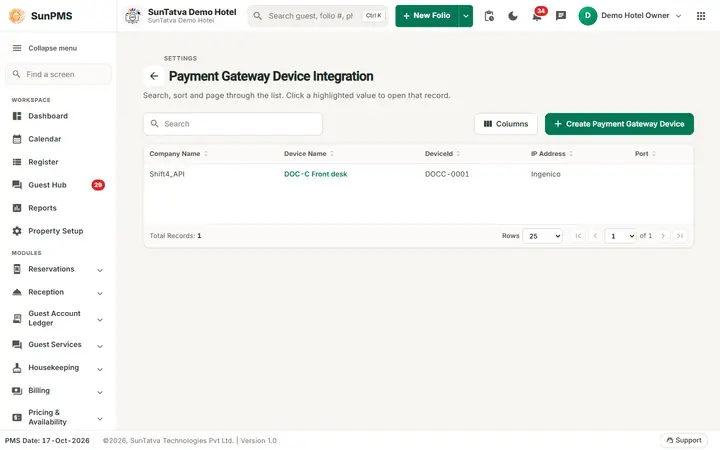
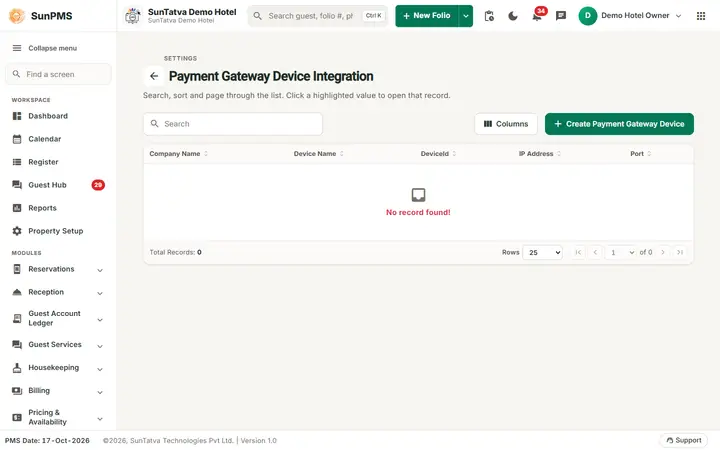
The list page shows the title Payment Gateway Device Integration with a back arrow, the line "Search, sort and page through the list. Click a highlighted value to open that record.", a search box, a Columns button and the button Create Payment Gateway Device. Columns: Company Name (gateway), Device Name, DeviceId, IP Address, Port. The create dialog is titled Create Payment Gateway Terminal and says "Adds a card terminal (payment device) of a payment gateway, so the desk can take card payments on it" and has the blocks Payment gateway, Device (device name and ID or serial number) and Connection (where the PMS reaches the device on the network; the terminal's manufacturer, port and cloud option).
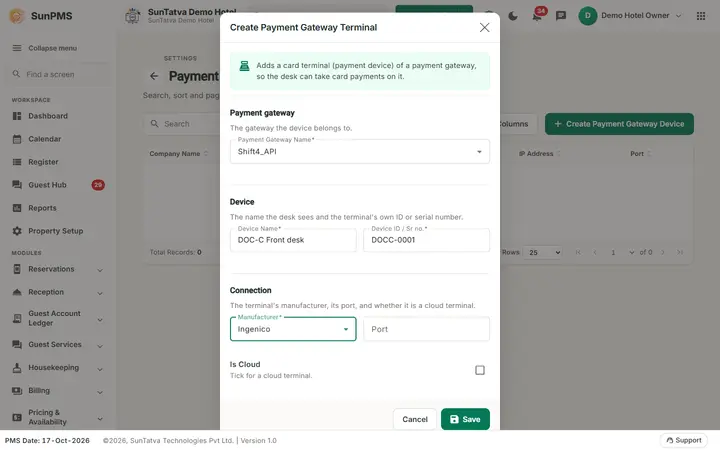
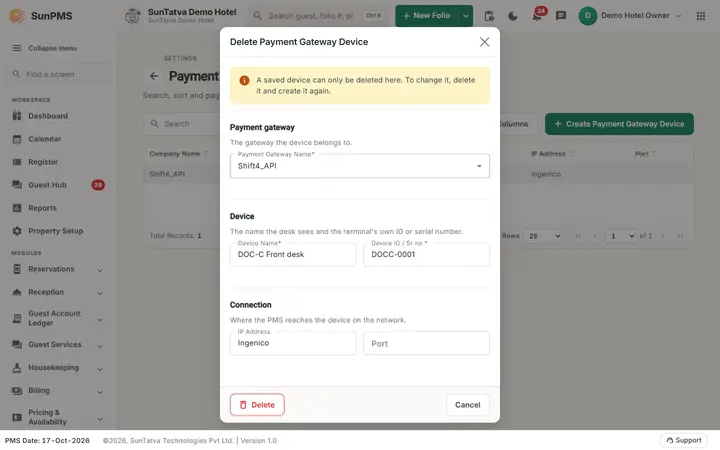
A saved device cannot be edited: its dialog is titled Delete Payment Gateway Device, shows an amber note "A saved device can only be deleted here. To change it, delete it and create it again." and has only Delete and Cancel. For Shift4 API devices the Connection block shows the manufacturer, the port and the Is Cloud switch (no IP address field).
| Field (dialog) | Rules |
|---|---|
| Payment Gateway Name | Required. Choose the gateway. Changing it resets the dialog. |
| Device Name | Required. A name your staff recognise ("Front desk PAX"). |
| Device ID / Sr no. | Required for gateways other than SlimCDT: serial number or device ID printed on the terminal. A check runs when you leave the field. For SlimCDT it becomes a terminal type drop-down: Ingenico_UPP, Ingenico_RBA_16, Ingenico_RBA_22, Verifone. |
| IP Address | Terminal address (default the local address of the PC). For SlimCDT it is the read-only "device driver URL". Hidden when the gateway is a cloud type. |
| Manufacturer | Shown for Shift4 API devices: Ingenico, Innowi, PAX, Verifone. Required. |
| Port | Number only (default 3000). SlimCDT shows it read-only. |
| Is Cloud (switch) | For cloud-connected terminals (no local IP); the hint reads "Tick for a cloud terminal". |
| More Setting | SlimCDT only. Opens Other Configuration Setting: CFG-Contactless Mode (NONE / EMV) and check boxes CFG-Tip, CFG-PIN-Debit, CFG-Credit, CFG-Gift, CFG-Loyalty, CFG-CashBack, CFG-Surcharge, CFG-Totals, CFG-Signature, CFG-Receipt, CFG-EMV-Enabled, CFG-SwipeEnabled, CFG-EMV-MerchantDecision, CFG-EMV-ConnectivityStatus, CFG-QuickChip. Defaults: PIN-Debit, Credit, EMV-Enabled, SwipeEnabled, EMV-ConnectivityStatus on. |
How to add a device
- Open Property Setup in the left menu, click the Payment Gateway Integration card (group Integrations) and click Create Payment Gateway Device.
- Pick the Payment Gateway Name, enter Device Name, the device id/serial, IP and port (or manufacturer).
- Click Save. Result: "Device Configuration successfully done".
How to change or delete
- Click the device row; the dialog shows the saved values.
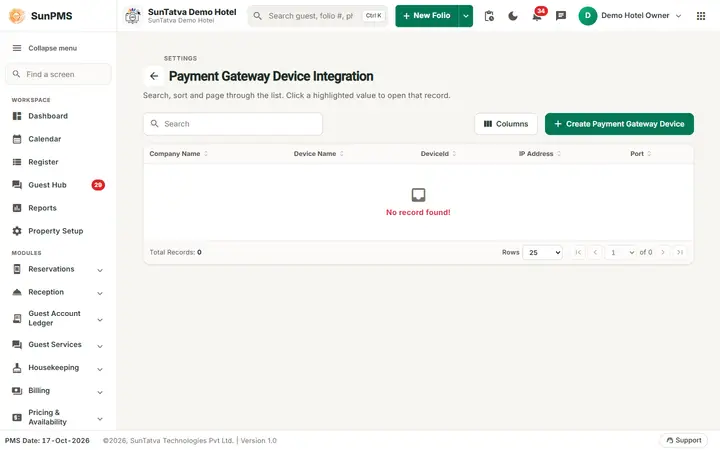
- Click Delete (message "Device Deleted successfully"); to change a device, delete it and create it again.
What happens behind the scenes
The devices appear as selectable terminals when taking a card payment (folio, group payment, deposit). The device list is per property and must match the gateway chosen in Credit Card Setting.
Messages you may see
| Message | Why | What to do |
|---|---|---|
| Please select Payment Gateway. | None chosen | Choose one |
| Please enter Terminal Name. | Device Name empty | Fill it |
| Please select Manufacturer. | Shift4 device without manufacturer | Choose |
| Please select Device. | SlimCDT type missing | Choose |
| Please enter Serial Number. / Please enter Device ID. | Empty id | Fill it |
| Payment Gateway already exists. | Same device added twice | Edit the existing one |
| Device Configuration successfully done | Saved | - |
| Device Deleted successfully | Deleted | - |
Tips and FAQ
- Q: The gateway I need is not listed. A: Only supported gateways are offered; contact support.
- Q: Difference to Device Configuration? A: Device Configuration is a single page for the same payment device list (with a single Save); the data is the same.
Screenshots