Display Setting
Chooses what is shown or hidden on screens and printouts, how guest names are formatted, the date format, the e-mailed report format and the amount shown on the signature pad. The page title reads Display Setting.
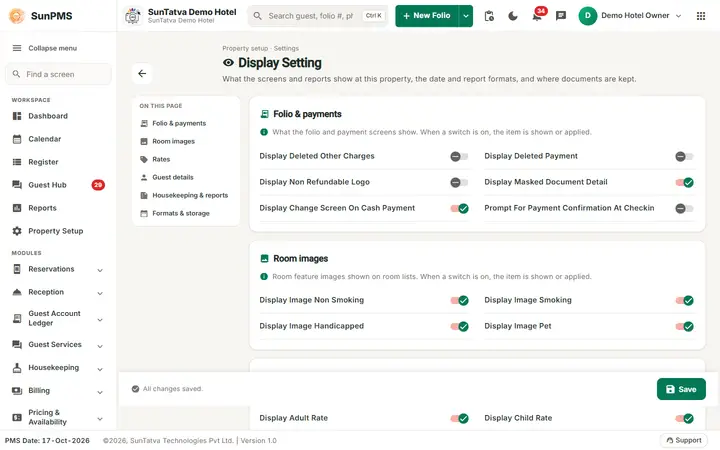
Screen layout
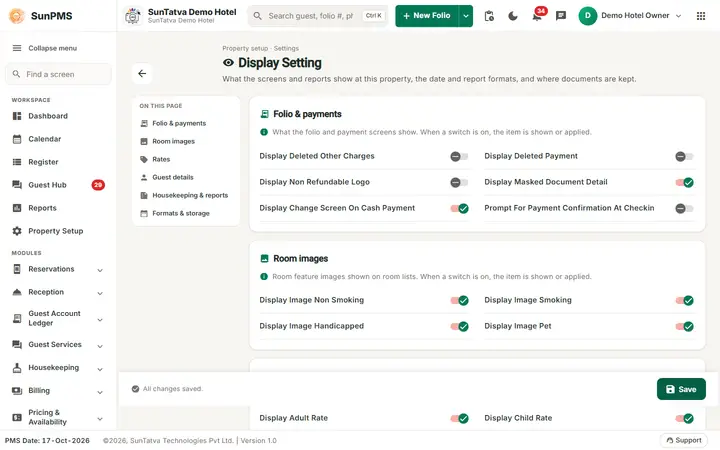
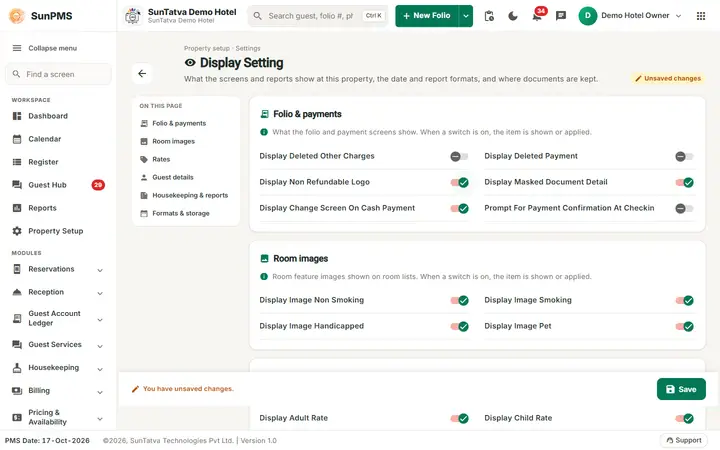
The page header shows the title Display Setting, the line "Property setup · Settings", a description and a back arrow to the Property Setup hub. The On this page index lists the five switch groups and Formats & storage. The bottom bar shows "All changes saved." / "You have unsaved changes." and holds Save.
Display options (switches in five groups)
Each card says "When a switch is on, the item is shown or applied". Groups: Folio & payments (Display Deleted Other Charges, Display Deleted Payment, Display Non Refundable Logo, Display Masked Document Detail, Display Change Screen On Cash Payment, Prompt For Payment Confirmation At Checkin), Room images (Display Image Non Smoking / Smoking / Handicapped / Pet), Rates (Adult / Child / Pet rate), Guest details (Capitalize Guest Detail, Guest Name Proper Case, Display Guest Search History, Display Guest Verification At Check-in) and Housekeeping & reports (Housekeeping Frequency Type, Housekeeping Frequency, Show Print Date On Report, Display Guest Name on Housekeeping Report).
| Switch | Key | Default | Effect |
|---|---|---|---|
| Display Deleted Other Charges | DISPLAY_DELETED_OTHER_CHARGES | Off | Shows struck-out deleted other charges on the Other Charges tab, group folio and folio printouts. |
| Display Deleted Payment | DISPLAY_DELETED_PAYMENT | Off | Shows deleted payments (payment tab, sales & channel invoices, extra income/expense, folio printout). |
| Display Non Refundable Logo | DISPLAY_NON_REFUNDABLE_LOGO | Off | Prints a non-refundable logo (stored; no further use found in the web app). |
| Display Masked Document Detail | DISPLAY_MASKED_DOCUMENT_DETAIL | On | Masks document / card numbers in folio reports, guest search and reports. |
| Display Image Non Smoking / Smoking / Handicapped / Pet | DISPLAY_IMAGE_* | On | Show the small room-attribute icons on Register, Property Calendar and Dashboard. Untick to hide that icon. |
| Display Adult Rate / Child Rate / Pet Rate | DISPLAY_RATE_ADULT / CHILD / PET | On | Stored flags for showing those rate parts. |
| Display Change Screen On Cash Payment | DISPLAY_CHANGE_SCREEN_ON_CASH_PAYMENT | On | After a cash payment, shows the "change to return" screen (folio and group payment). |
| Capitalize Guest Detail | CAPITALIZE_GUEST_DETAIL | Off | Guest detail text is converted to capitals on entry in guest and stay forms. |
| Guest Name Proper Case | GUEST_NAME_PROPER_CASE | On | Guest names are converted to Proper Case on entry. |
| Display Guest Search History | DISPLAY_GUEST_SEARCH_HISTORY | Off | Check-in Misc Info tab keeps and shows recent guest searches. |
| Display Guest Verification At Check-in | DISPLAY_GUEST_VERIFICATION_AT_CHECKIN | Off | Stored flag for the verification prompt. |
| Housekeeping Frequency Type / Housekeeping Frequency | HOUSEKEEPING_FREQUENCY_TYPE / HOUSEKEEPING_FREQUENCY | 1 / 1 | Default housekeeping frequency type and value applied to every new reservation (check-in screen copies them into the stay). They hold numbers although they sit with the switches. |
| Show Print Date On Report | REPORT_SHOW_PRINT_DATE | On | Prints the print date on reports. |
| Prompt For Payment Confirmation At Checkin | PROMPT_FOR_PAYMENT_CONFIRMATION_AT_CHECKIN | Off | Asks for confirmation when checking in without a payment. |
| Display Guest Name on Housekeeping Report | DISPLAY_GUESTNAME_HOUSEKEEPINGREPORT | Off | Adds the guest name to the Housekeeping report. |
Formats & storage
| Field | Key | Default | Meaning |
|---|---|---|---|
| Report Email Format | REPORT_EMAIL_FORMAT | PDF or Excel for reports sent by e-mail (night audit). | |
| PMS Date Format | DATE_FORMAT | dd-MMM-yyyy | Choose one of MM-dd-yyyy, dd-MM-yy, dd-MM-yyyy, dd-MMM-yy, dd-MMM-yyyy, MM/dd/yy, MM/dd/yyyy, dd/MM/yy, dd/MM/yyyy, dd/MMM/yy. Used on screens and server-side reports. |
| Document Storage FTP Detail | DOCUMENT_STORAGE_FTP_DETAIL | blank | FTP target text used when documents go to FTP (max 500). Prefer the Document Storage screen. |
| Document Storage Type | DOCUMENT_STORAGE_TYPE | Sun Server | Sun Server (default) or S3 Bucket (the card says S3 Bucket cannot be chosen here). |
The Signaturepad Display Amount field (SIGNATURE_PAD_DISPLAY_AMOUNT) is no longer on this page; the key is still stored with the property record. Signing is done with SunHardware (see Hardware Setting).
How to change and save
- Open Property Setup in the left menu and click the Display Setting card (group Configuration).
- Switch options on or off, choose the formats.
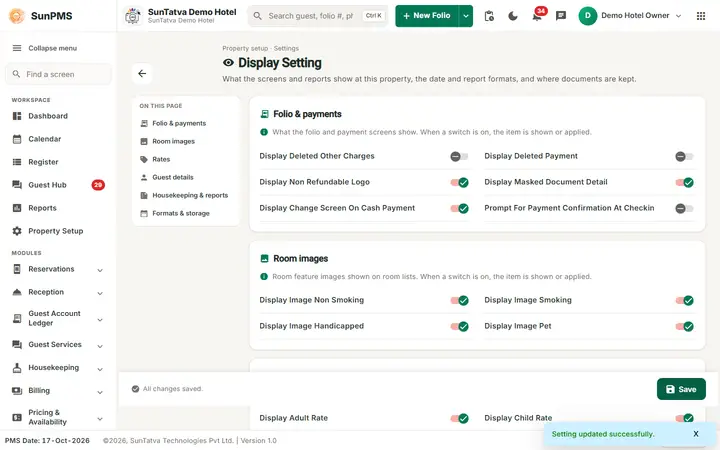
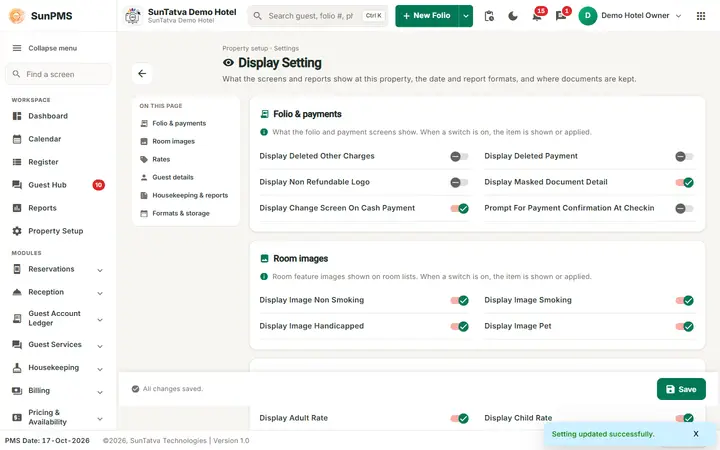
- Click Save in the bottom bar. Result: "Setting updated successfully." Some changes need a screen reload.
Messages you may see
| Message | Why | What to do |
|---|---|---|
| Setting updated successfully. | Saved | - |
| Please enter State Label. / Zip Label. | Shared validation | Fill in Localization Setting |
Tips and FAQ
- Q: Folio shows deleted payments. A:Display Deleted Payment is on.
- Q: Names typed in capitals become mixed case. A:Guest Name Proper Case is on.
- Q: Where do I choose the document storage provider? A: On the Document Storage screen (see 32-document-storage).
Screenshots