
Sales & Channels Commission (older tabbed screen)
The earlier layout of Commissionable Invoice: tabs Received Invoice and Settled Received Invoice. It still works and uses the same data.
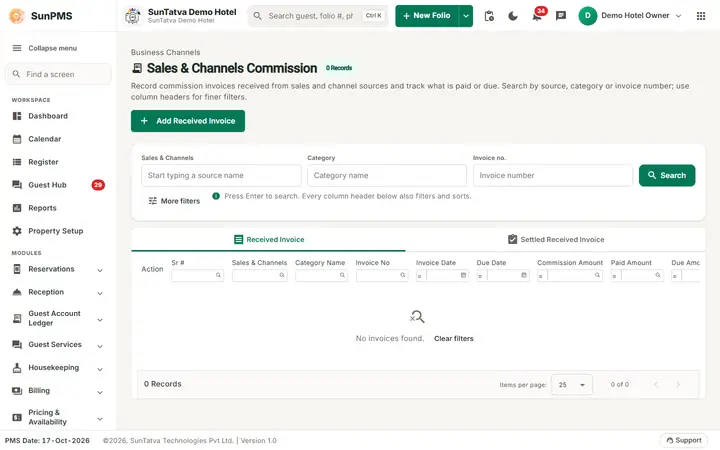
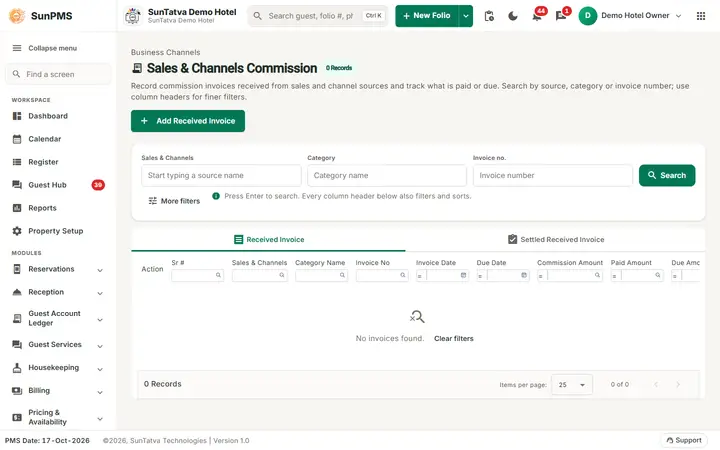
The Sales & Channels Commission screen: received commission invoices, searched by source, category or invoice number.
Screen layout
Breadcrumb "Business Channels / Sales & Channels Commission". Grid columns: Action, Sr #, Sales & Channels, Category Name, Invoice No, Invoice Date, Due Date, Commission Amount, Paid Amount, Due Amount, Remark. Actions: Edit, Print Folio, Delete on received invoices; Print and Email Folio on settled ones. Button Add Received Invoice.
Invoice dialog: tab Invoice (Sales & Channels, Received Invoice number typed by you, Invoice Date, Due Date, unassigned / assigned lists with Folio #, CRS Folio #, Guest Name, Date In, Room Type, Amount, buttons Assign / Remove, Remark, Save, Close) and tab Payment Delivered (Type, CC # Last 4 Digit, Valid Till, Auth #, Date, Receipt #, Amount, Exchange Rate, Total, Remark, payments grid, Save Payment). Footer: Total Invoice Amount, Paid Amount.
How to use
Same as Commissionable Invoice: Add Received Invoice, pick partner, type Received Invoice, assign commission lines, Save; pay in Payment Delivered.
Messages you may see
Please enter Received Invoice No., Please assign at least one posting to the invoice. (shown when you Save with nothing assigned; the screen used to return silently), You can not perform Add/Edit this Invoice.
Reason: Atleast one posting added., Please select Payment Type., Please specify valid Payment Amount., Past date payment not allowed., Are you sure want to delete this invoice?, After taking payment can not change in posting payments., After taking payment can not delete invoice.
Tips and FAQ
- Q: Which screen should I use? A: The side-menu Commissionable Sales & Channels screens.