Guest Account Ledger lists
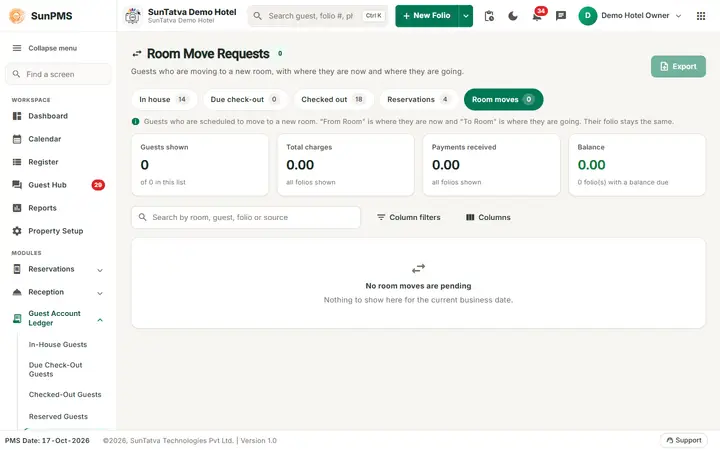
Five ready-made lists of today's guest accounts. They all use the same layout and differ in which guests they include. A tab strip at the top of each list (In house, Due check-out, Checked out, Reservations, Room moves, each with its count) switches between them.
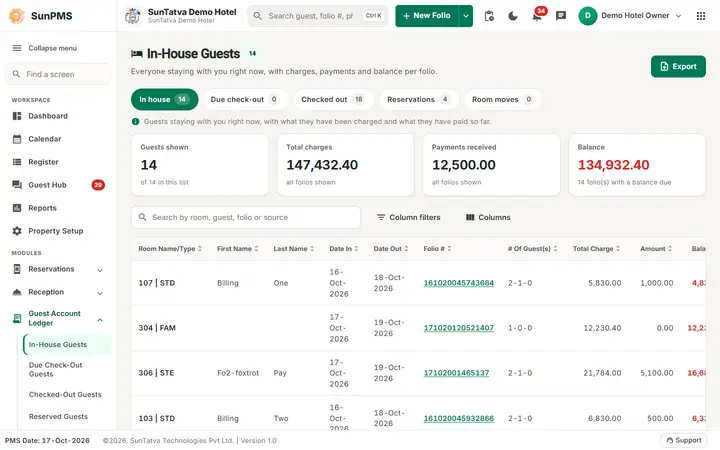
The five lists (PMS date)
| Menu / title | Includes |
|---|---|
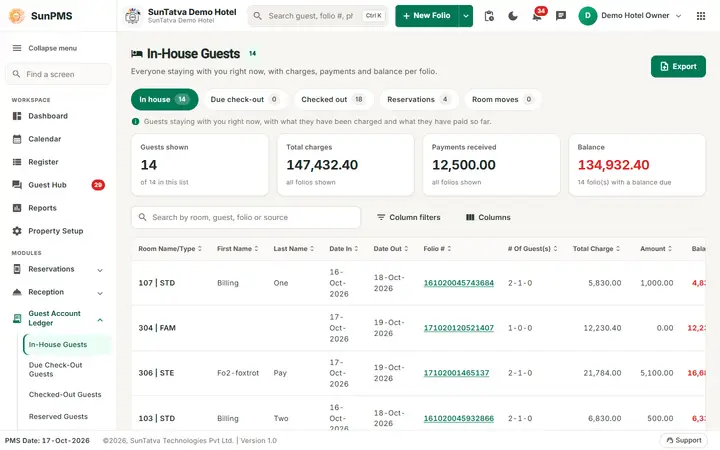
| In-House Guests | Checked-in stays where the PMS date is between date in and date out, not checked out, not cancelled. |
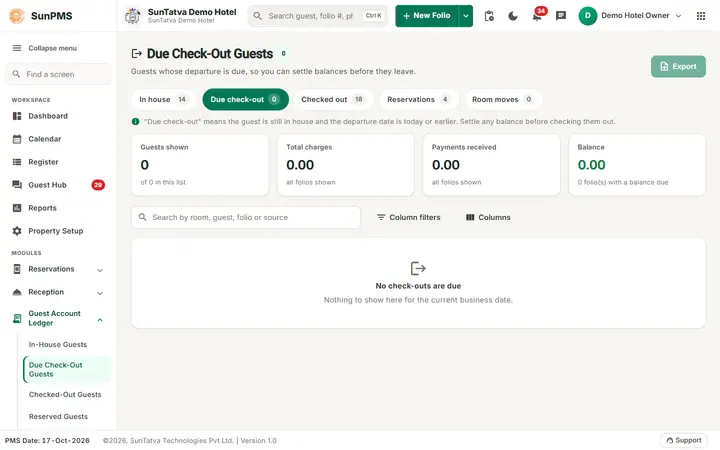
| Due Check-Out Guests | Checked-in guests whose date out is the PMS date (or earlier) and who are not yet checked out. Settle any balance before checking them out. |
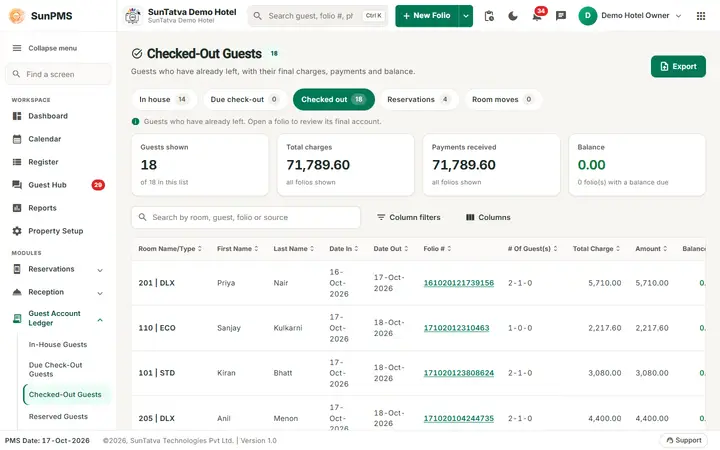
| Checked-Out Guests | Guests checked out on the PMS date. |
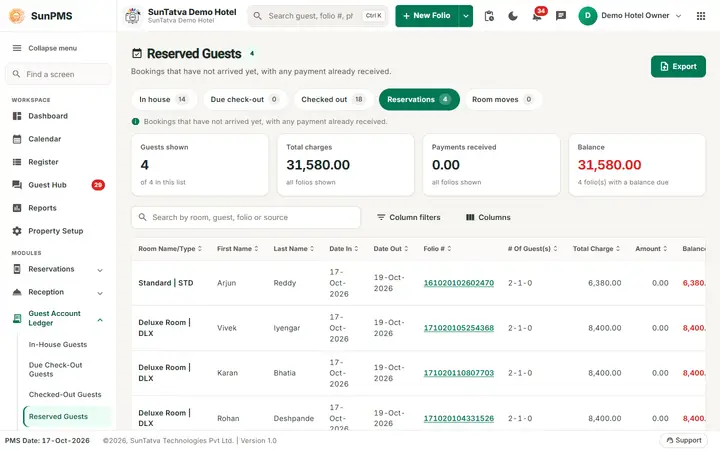
| Reserved Guests | Reservations (not checked in) arriving on the PMS date, not cancelled. |
| Room Move Requests | Checked-in guests with a planned room change starting on the PMS date. Shows From Room and the new room as To Room; the folio stays the same. |
Screen layout
- Header: the list title with its count and an Export button (PDF or Excel; disabled when the list is empty).
- Figures for the rows shown: Guests shown (of the guests in the list), Total charges, Payments received and Balance (red when something is due, with the number of folios with a balance due).
- Toolbar:Search by room, guest, folio or source, Column filters (a badge shows how many are active), Columns (choose the visible columns) and Clear filters when a search or filter is active.
- Table:
| Column | Meaning |
|---|---|
| Room Name/Type | Room and type. |
| First Name, Last Name | Guest. |
| Date In, Date Out | Stay. |
| Folio # | Link; opens the folio. |
| # Of Guest(s) | adults-children-pets. |
| Total Charge, Amount (paid), Balance, ADR | Money. |
| Sales & Channels | Sales channel of the booking. |
| Status | Balance due, Settled or Credit. |
| Open | Opens the folio. |
On a phone each guest is a card (name, room, stay, Charges, Paid, Balance, ADR) with an Open folio button.
How to use
- Open the list from the side navigation (Guest Account Ledger) or the tab strip.
- Type in the search box, or open Column filters (text columns match what a value starts with; date and amount columns can be compared with =, greater than or less than). Clear filters or empty the search box to bring the full list back.
- Click the Folio #, or Open, to open the stay. Past-dated rows need Access to Past Days: "Sorry, you do not have permission to access past dated transaction."
- Export > PDF or Excel.
Tips and FAQ
- Q: Counts do not change during the day. A: The data loads once per visit and refreshes after Night Audit; reopen the list to reload.
- Q: Is there one screen with all five lists? A: The tab strip on each list switches between them; see also the Guest Ledger view.
Screenshots