Credit Card Authorization
On this page
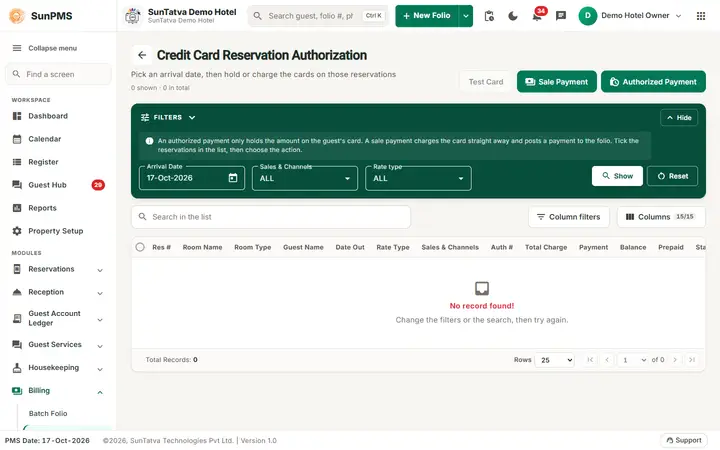
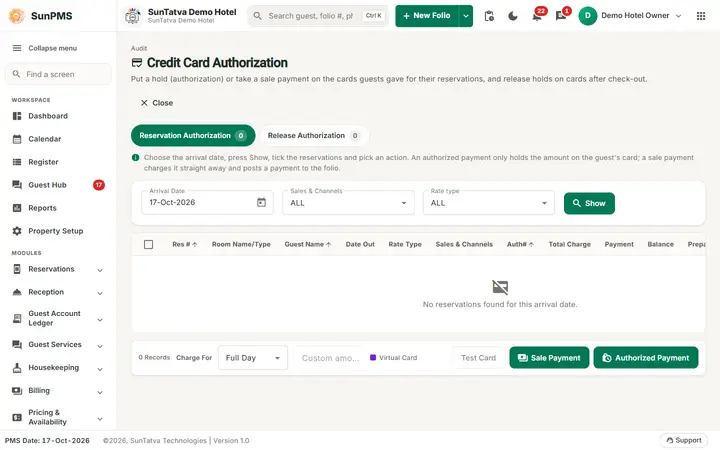
This screen charges or holds money on cards stored on reservations (for example OTA or virtual cards) and releases holds after check-out. It has two tabs: Reservation Authorization and Release Authorization. The same two jobs also exist as separate pages, see the related topics.
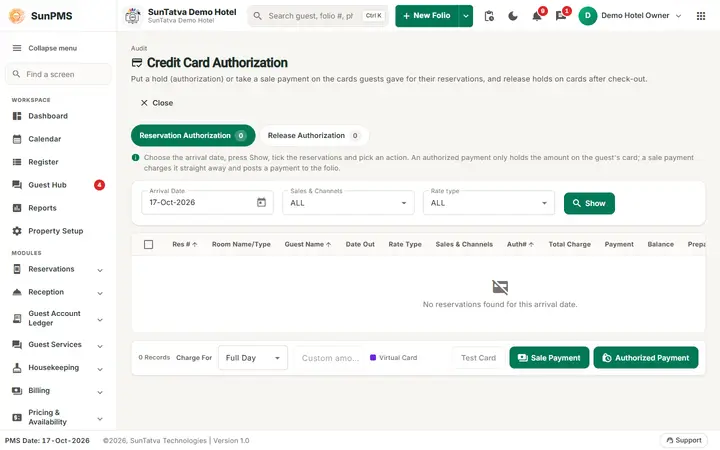
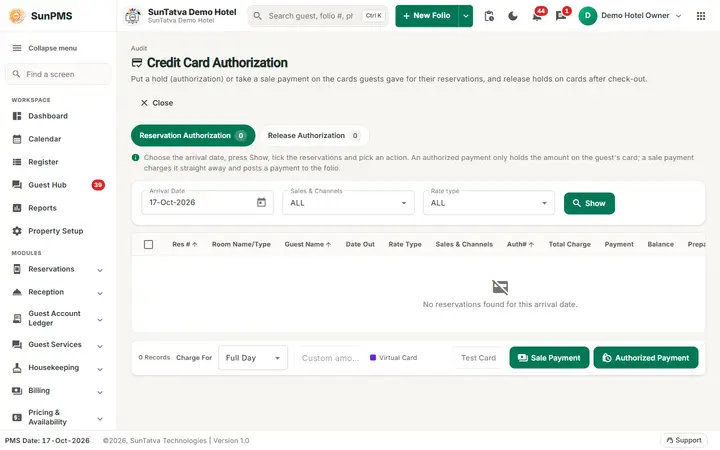
The Credit Card Authorization screen: Reservation Authorization and Release Authorization tabs, the arrival date and the Show button.
Before you start
- The guest must have a credit-card document with a stored card token on the folio.
- A payment type of the Credit Card category must exist, and a base currency exchange rate.
- The payment gateway (SunPG) must be set up (Property Setup > Credit Card Setting / Payment Gateway).
Reservation Authorization tab
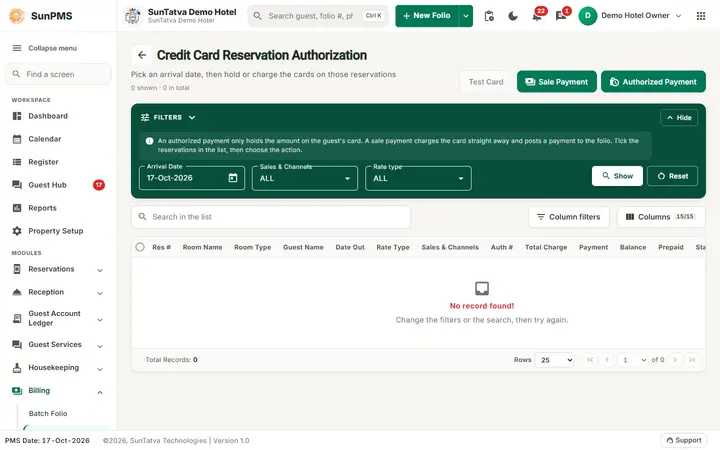
Lists reservations arriving on one date that still owe money and have a card on file. Reservations that already have an authorization or sale payment are left out.
| Field / column | Meaning |
|---|---|
| Arrival Date | Date of arrival. Allowed range: PMS date up to 13 days ahead. |
| Sales & Channels, Rate type | Optional filters (ALL by default). |
| Show | Loads the list. |
| Columns | Res #, Room Name/Type, Guest Name, Date Out, Rate Type, Sales & Channels, Auth#, Total Charge, Payment, Balance, Prepaid, Status, Credit Card (masked, XX-last digits), Report To OTA. Res #, Guest Name and Auth# can be sorted. |
| Status | Blank, Running, Success (green) or fail (red) while processing. |
| Report To OTA | For OTA-sourced reservations: click Report To OTA to tell the OTA the card is invalid. It changes to Reported. |
| Charge For | Full Day (the whole balance), One Night (first night's rate) or Custom (type an amount). |
| Test Card | Disabled. |
| Sale Payment | Charges the card now (payment recorded as a normal card payment). |
| Authorized Payment | Places a hold for the amount (shown on the folio as an authorization, not as revenue). |
| Close | Returns to the previous page. |
How to charge or authorize
- Choose Arrival Date and click Show.
- Tick the reservations.
- Choose Charge For (and an amount for Custom).
- Click Sale Payment or Authorized Payment and confirm. The confirmation says the guests "will be charged for balance amount", "for amount of one night stay" or "for amount
". - Each row shows Running, then Success or fail. At the end the list refreshes. If every row worked you see Process completed successfully.; if some rows failed, the message now says how many failed and why (since 2026-10-18 it no longer claims success). A guest with no stored card token is marked fail with that reason instead of stopping the run. Check the Status column either way. The authorization code is shown in Auth#.
Release Authorization tab
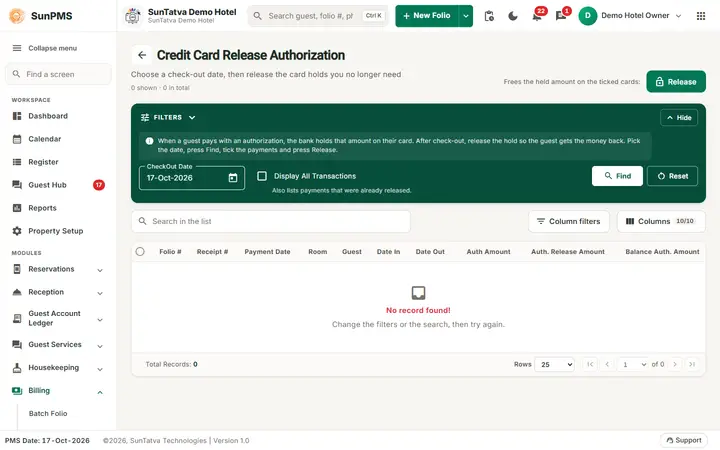
Lists checked-out folios that still hold an authorization that was not released.
- By default only holds from the last 90 days are shown. Tick Show All Transactions to see older ones.
- Columns: Folio #, Receipt #, Payment Date, Room, Guest, Date In, Date Out, Auth Amount, Auth. Release Amount, Balance Auth. Amount.
- Tick rows and click Release. Each hold is cancelled at the gateway and the payment is marked deleted. Result: Process completed successfully.
Messages you may see
| Message | Why | What to do |
|---|---|---|
| Please select atleast one or more |
Nothing ticked. | Tick rows. |
| Invalid Amount | Custom amount empty or 0. | Type an amount. |
| Process completed successfully. | Run ended. | Check each Status. |
| Credit card reported to OTA successfully. | Report To OTA worked. | - |
Tips and FAQ
- Q: A row says fail. A: Usually no card token on the primary guest, a declined card, or the gateway key is missing. The message at the end lists the reasons. Open the folio and check the payment.
- Q: Does Select All tick everything? A: Select All now ticks or clears only the list it belongs to; it no longer clears the other list.
- Q: Does the night audit do this by itself? A: Yes, when "Auto collect prepaid guest payment" and "Auto release checked-out guest authorized amount" are on in settings.
Screenshots