
- Licence HARDWARE_INTEGRATION on the hotel property (owner: Property Setup > Licences).
- A SunHardware property of the same owner. Create it from the SunAuth landing page (Sun Hardware > create).
- At least one device paired in SunHardware (SunHardware console > Devices shows a QR code or code; install the SunHardware app on the phone/tablet and scan it).
- For signatures: at least one active agreement (template) in SunHardware.
Integrations
Hotel ID scan and signature capture on phone or tablet
SunHardware turns a normal phone, tablet or iPad into your ID scanner and signature pad. The front desk presses a button in the check-in screen, the paired device opens the task, and the result comes back into the PMS form. The ID reading is done on the device itself; there is no server OCR.
What you need
Guides
SunHardware: ID Scan and Signature on Phone or Tablet
SunHardware turns a normal phone, tablet or iPad into your ID scanner and signature pad.
Read the guide →Hardware Setting
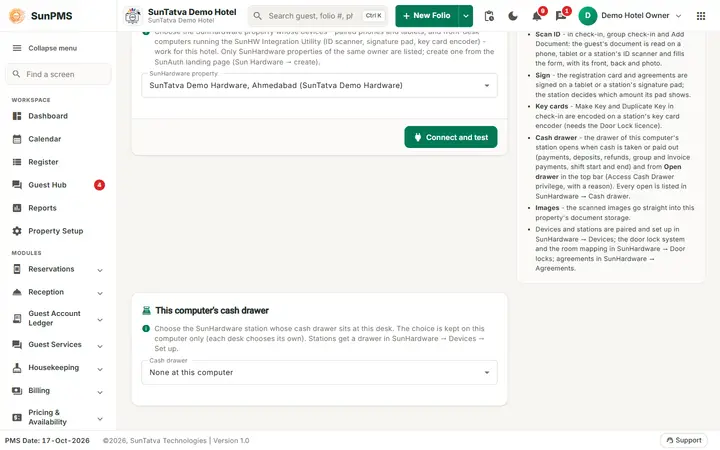
Links the hotel to a SunHardware property of the same owner. Paired phones and tablets and the front-desk stations (ID scanner…
Read the guide →Signature Pad Integration
Signature Pad Integration. Signature Pad Integration Part of the SunPMS Help Center.
Read the guide →Scanner Integration
Scanner Integration. Scanner Integration Part of the SunPMS Help Center.
Read the guide →Frequently asked questions
The drawer did not open after a cash payment.
Check that this computer has a drawer chosen, the station shows online, the payment type belongs to the Cash category, and look at SunHardware > Cash drawer. Another or a cleared browser has no choice stored.
The drop-down is empty.
The owner has no SunHardware property; create one in the SunAuth landing page.
Where did my old scanner / signature pad / door lock entries go?
The PMS no longer shows them. In SunHardware > Door locks use Import from SunPMS to bring the door lock setup across; stations and their attached devices are added in SunHardware > Devices.
The Scan ID, Sign or Make key button is missing in check-in.
Hardware Setting is not connected, or the licence is missing. See Hardware Setting.
Is the ID sent to a cloud OCR?
No. It is read on the device.
The reading is wrong.
Always compare with the card. Use Clear AI-filled fields and type manually if needed.
See SunPMS with your own hotel in mind
Request a walkthrough and we will show the screens your team will use every day.