
How do I switch to the simplified (guided) folio and group screens, or back to the classic ones?
Short answer
Open Property Setup > Feature Setting, tick (or untick) Simplified Check-In / Reservation Screen and Simplified Group Check-In / Reservation Screen under Folio Screen Layout, and click Save. The next folio you open uses the chosen layout.
Steps
- Open Property Setup > Feature Setting.
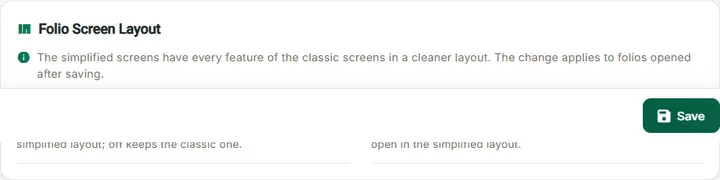
- Find the Folio Screen Layout card (also reachable from On this page > Folio screen layout). It reads: "The simplified screens have every feature of the classic screens in a cleaner layout. The change applies to folios opened after saving."
- Tick Simplified Check-In / Reservation Screen for the single folio in sections (sections Stay, Guests, Documents, Charges, Payments, Remarks and History), and/or Simplified Group Check-In / Reservation Screen for the group screen in sections (sections Group details, Stay & rate, Rooms & members, Charges, Payments, Documents, Remarks and Check in / out) and the simplified Search Group.
- Click Save. Result: "Setting updated successfully."
- Close any folio that is still open and open it again (or click New Folio).
To go back, untick the box and click Save.
Check the result
- A new folio opens in the section layout: the section chips (Stay, Guests, Documents, Charges, Payments, Remarks, History), the actions in the identity header and the Balance and Ready? cards on the right (simplified folio).
- A group opens with the sections Group details, Stay & rate, Rooms & members, Charges, Payments, Documents, Remarks and Check in / out (simplified group screen).
Common problems
- Nothing changed: the folio was already open. Close it and open it again, or reload the page.
- Only some users see it: the setting is per property; check that everyone works in the same property.
- Is any data or feature lost? No. Both layouts save the same data with the same rules, privileges and messages.